
تعارف
Thank you for choosing the Mobility Lab Stereo 250 Headset with Microphone. This high-quality headset is designed for clear audio communication and comfortable listening. Please read this manual carefully to ensure proper use and maintenance of your device.
The Mobility Lab Stereo 250 features an adjustable flexible microphone for hands-free communication, an ergonomic design, and comfortable earcups for extended use. It is ideal for PC audio, online communication, gaming, and listening to music.
پيڪيج مواد
- Mobility Lab Stereo 250 Headset with Microphone
- استعمال ڪندڙ جو دستياب (ھي دستاويز)
پيداوار ختمview
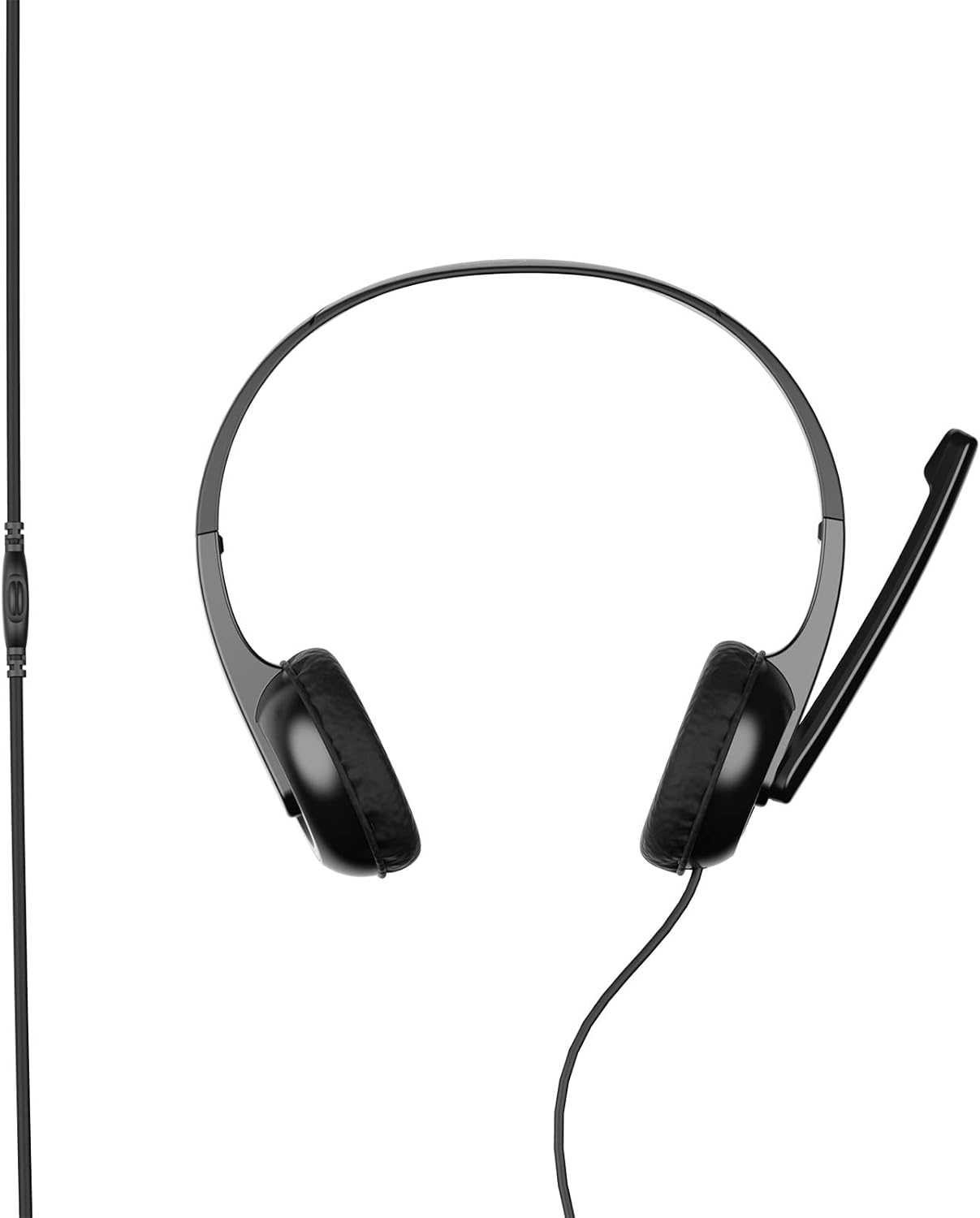
شڪل 1: سامهون view of the Mobility Lab Stereo 250 Headset.

Figure 2: Headset showing the cable and inline volume control.
The headset features an integrated microphone and an inline control for volume adjustment. The design is lightweight and adjustable for a comfortable fit.
سيٽ اپ ۽ ڪنيڪشن
- هيڊ سيٽ ڳنڍيو: Locate the 3.5mm audio jack port on your computer, laptop, or compatible MP3 player. Insert the headset's 3.5mm jack into the corresponding port.
- فٽ کي ترتيب ڏيو: Gently extend or retract the headband to fit comfortably over your head. The earcups are designed for on-ear placement.
- مائڪروفون جي پوزيشن: Adjust the flexible microphone boom to a suitable position near your mouth for optimal voice pickup.
- حجم ڪنٽرول: Use the inline volume control wheel on the cable to adjust the audio output level.

Figure 3: Icons indicating headset features such as microphone, PC/laptop compatibility, plug & play functionality, adaptability, 1.8m cable length, and compatibility with Windows & macOS.
The headset is designed for plug-and-play functionality with Windows and macOS operating systems, requiring no additional drivers for basic operation.
آپريٽنگ هدايتون
آڊيو پلے بیک
Once connected, your computer or device should automatically recognize the headset as an audio output device. Play audio from your preferred application (music player, video player, etc.). Adjust the volume using the inline control or your device's system volume settings.
مائڪروفون جو استعمال
For voice communication (e.g., video calls, online gaming), ensure the headset microphone is selected as the input device in your application's audio settings. Position the microphone appropriately for clear voice transmission.
سار سنڀال ۽ سنڀال
- هيڊ سيٽ کي نرم، سڪل ڪپڙي سان صاف ڪري صاف رکو.
- هيڊ سيٽ کي انتهائي گرمي پد، نمي، يا سڌي سج جي روشني ۾ بي نقاب ڪرڻ کان پاسو ڪريو.
- Do not immerse the headset in water or any other liquids, as it is not water-resistant.
- Store the headset in a safe place to prevent damage to the cable or microphone.
- Avoid excessive bending or twisting of the cable to prolong its lifespan.
مشڪلاتون
No Sound from Headset
- پڪ ڪريو ته 3.5mm جيڪ مڪمل طور تي آڊيو پورٽ ۾ داخل ڪيو ويو آهي.
- Check the inline volume control on the headset cable; ensure it is not set to minimum.
- Verify your computer's or device's volume settings are not muted or set too low.
- Confirm the headset is selected as the default audio output device in your operating system's sound settings.
مائڪروفون ڪم نه ڪري رهيو آهي
- Ensure the microphone boom is positioned correctly.
- Check your computer's or device's microphone settings; ensure the headset microphone is selected as the input device and is not muted.
- Test the microphone with a different application or device to rule out software issues.
غريب آواز جي معيار
- Ensure the 3.5mm jack is clean and free of debris.
- Test the headset with another audio source to determine if the issue is with the headset or the source device.
- Adjust your device's equalizer settings if available.
وضاحتون
| خاصيت | تفصيل |
|---|---|
| ماڊل نالو | اسٽيريو 250 |
| رابطي ٽيڪنالاجي | وائرڊ (3.5 ايم ايم جڪ) |
| مطابقت رکندڙ ڊوائيسز | PCs, Laptops, MP3 Players, Gaming Systems |
| آپريٽنگ سسٽم مطابقت | ونڊوز، macOS |
| ڪن جي جڳهه | ڪن تي (اُڇلندڙ) |
| فارم فيڪٽر | ڪن تي |
| رڪاوٽ | 32 اومس |
| حساسيت | 96 ڊي بي |
| تعدد جواب | 20,000 Hz تائين |
| صوتي ڇنڊڇاڻ | ڪو به |
| مائڪروفون | Flexible, Adjustable |
| ڪنٽرول جو طريقو | Inline Remote Control (Volume) |
| ڪيبل ڊگھائي | 1.8 meters (approx. 5.9 ft) |
| مواد | پلاسٽڪ |
| رنگ | Grey (Note: Product images typically show black) |
| خاص خاصيتون | ٿلهي ڊيزائن |
| پاڻي جي مزاحمت | نه پاڻي مزاحمتي |
| شين جو تعداد | 1 |

Figure 4: Approximate dimensions of the Mobility Lab Stereo 250 Headset.
Note: Specifications are subject to change without notice. Some specifications in the source data were inconsistent with visual evidence or common product types and have been adjusted for clarity.
وارنٽي ۽ سپورٽ
Mobility Lab products are designed for reliability and performance. For warranty information and technical support, please refer to the official Mobility Lab webسائيٽ تي وڃو يا انهن جي ڪسٽمر سروس سان رابطو ڪريو. وارنٽي دعوائن لاءِ پنهنجي خريداري جي رسيد رکو.
وڌيڪ مدد لاءِ، دورو ڪريو: www.mobilitylab.com