
1. تعارف
This manual provides instructions for the proper setup, operation, and maintenance of your Garmin Oregon 650 handheld GPS device. Please read this manual thoroughly to ensure optimal performance and longevity of your device.
2. ڊوائيس اوورview
The Garmin Oregon 650 is a rugged handheld GPS unit designed for outdoor navigation. It features a 3-inch sunlight-readable touchscreen, GPS and GLONASS satellite tracking, an 8MP digital camera, and a dual battery system.
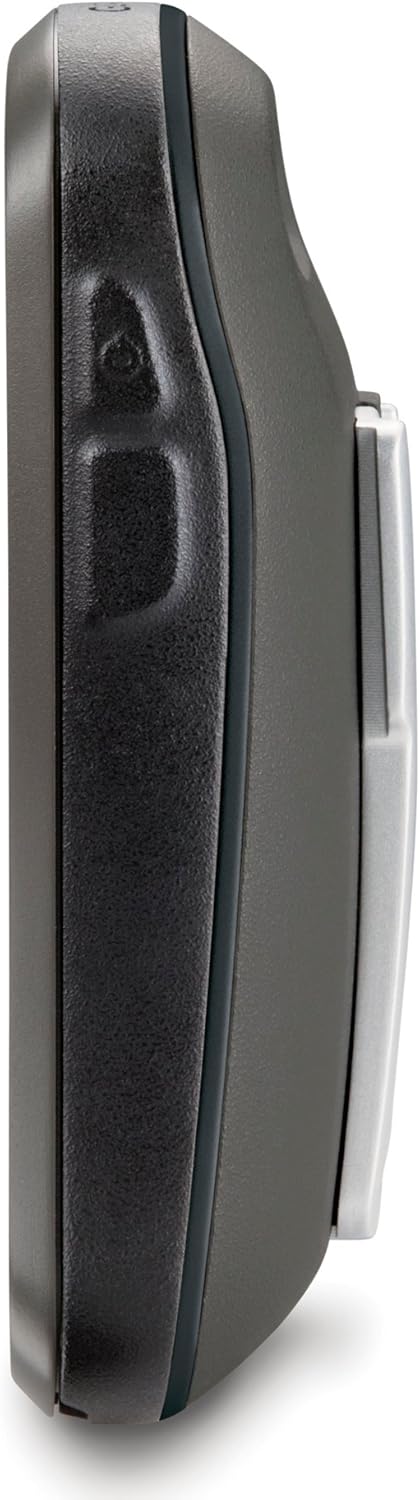
شڪل 2.1: پاسي view of the Oregon 650, highlighting its durable design.

شڪل 2.2: پوئتي view of the Oregon 650, showing the battery compartment and carabiner clip.
3. سيٽ اپ
3.1 پيڪنگ ۽ شامل ڪيل جزا
پڪ ڪريو ته سڀئي جزا موجود آهن:
- Garmin Oregon 650 device
- Worldwide basemap (preloaded)
- NiMH بيٽري پيڪ
- USB/charging cable
- AC اڊاپٽر
- ڪارينبنر ڪلپ
- دستاويز (هي دستور العمل)
3.2 بيٽري لڳائڻ
The Oregon 650 supports a dual battery system, allowing the use of either the included NiMH battery pack or two AA batteries (alkaline or rechargeable). The NiMH pack can be charged directly within the device.
- ڊوائيس جي پوئين پاسي بيٽري جي خاني کي ڳوليو.
- Twist the D-ring counter-clockwise and remove the battery cover.
- Insert the NiMH battery pack or two AA batteries, observing polarity markings.
- Replace the battery cover and twist the D-ring clockwise to secure it. Ensure the cover is properly sealed to maintain water resistance.
3.3 شروعاتي پاور آن ۽ سيٽلائيٽ حاصل ڪرڻ
- Press and hold the power button on the side of the device until the screen turns on.
- پنهنجي ٻولي ۽ شروعاتي سيٽنگون چونڊڻ لاءِ اسڪرين تي ڏنل هدايتن تي عمل ڪريو.
- For initial satellite acquisition, take the device outdoors with a clear view of the sky. The device will automatically begin searching for GPS and GLONASS satellites. This process may take several minutes for the first time.
3.4 سافٽ ويئر اپڊيٽ
It is recommended to keep your device's software updated for optimal performance and access to the latest features. Connect your Oregon 650 to a computer using the USB cable and use Garmin Express or WebUpdater software to check for and install updates.
4. آپريٽنگ هدايتون
4.1 ٽچ اسڪرين انٽرفيس
The Oregon 650 features a responsive multi-touch touchscreen. Use gestures such as tapping, swiping, pinching, and spreading to navigate menus, zoom maps, and interact with features.
4.2 مين مينيو نيويگيشن
From the home screen, tap icons to access various functions. The main menu provides access to maps, compass, geocaching, camera, trip computer, and more. You can customize the order of icons for quick access to frequently used features.
4.3 نيويگيشن ۽ ميپنگ
The device utilizes both GPS and GLONASS satellite systems for accurate positioning. The preloaded worldwide basemap provides general geographical information.
- Viewنقشي ۾ داخل ٿيڻ: Tap the 'Map' icon. Use pinch-to-zoom and drag gestures to pan across the map.
- Finding Locations: Use the 'Where To?' option to search for waypoints, geocaches, addresses, or points of interest.
- رستا ٺاهڻ: Plan custom routes by selecting multiple waypoints or points on the map.
- کمپاس: The 3-axis electronic compass provides accurate heading information even when stationary. Tap the 'Compass' icon to view.

Figure 4.1: Map display on the Oregon 650, showing a marked location and navigation option.

Figure 4.2: Turn-by-turn navigation view on the Oregon 650.
4.4 ڪئميرا ڪارڪردگي
The Oregon 650 includes an 8-megapixel autofocus camera with an LED flash/torch. Photos are automatically geotagged with location data.
- Tap the 'Camera' icon to activate the camera.
- Frame your shot using the touchscreen.
- Tap the camera icon on the screen to take a photo.
- The LED flash can also be used as a flashlight by accessing it through the quick menu or a customizable action button.

Figure 4.3: Camera interface on the Oregon 650.
4.5 Sensors and Data Display
The device integrates several sensors for enhanced data collection:
- 3-محور ڪمپاس: Provides accurate heading regardless of device orientation.
- ايڪليروميٽر: Used for automatic screen orientation (portrait/landscape) and other motion-based features.
- باروميٽرڪ الٽيميٽر: Provides precise elevation data and can be used to plot ascent/descent profiles.

Figure 4.4: Altitude profile display on the Oregon 650.

Figure 4.5: Detailed ascent profile on the Oregon 650.
4.6 وائرليس ڪنيڪشن
The Oregon 650 supports ANT+ and Bluetooth technology for wireless data transfer.
- Sharing Data: Wirelessly share routes, tracks, waypoints, geocaches, custom maps, and photos with other compatible Garmin devices.
- خارجي سينسر: Connect to compatible ANT+ sensors (e.g., heart rate monitors, temperature sensors).
5. سار سنڀال
5.1 ڊوائيس کي صاف ڪرڻ
- اسڪرين: Use a soft, lint-free cloth to clean the touchscreen. For stubborn smudges, dampاليڪٽرانڪس لاءِ ٺهيل پاڻي يا اسڪرين ڪلينر سان ڪپڙو. رگڙيندڙ مواد يا سخت ڪيميڪلز کان پاسو ڪريو.
- Casing: ڊوائيس صاف ڪريو casinاشتهار سان گڏ جيamp ڪپڙو. مضبوط صابن يا solvents استعمال نه ڪريو.
5.2 بيٽري جي سنڀال
- NiMH Battery Pack: Charge the NiMH battery pack using the provided USB cable and AC adapter. Avoid overcharging or completely draining the battery for extended periods to prolong its lifespan.
- AA بيٽريون: If using AA batteries, replace them when the low battery indicator appears. Always use fresh batteries of the same type and brand.
5.3 پاڻي جي مزاحمت
The Oregon 650 is rated IPX7, meaning it can withstand accidental immersion in 1 meter of water for up to 30 minutes. Ensure all port covers and the battery compartment are securely closed before exposing the device to water.
5.4 اسٽوريج
When storing the device for an extended period, remove the batteries to prevent leakage. Store the device in a cool, dry place away from direct sunlight and extreme temperatures.
6. مسئلا حل ڪرڻ
6.1 ڊوائيس منجمد ٿي وڃي ٿو يا غير جوابده ٿي وڃي ٿو
- حل: If the device freezes, try holding the power button for 10-15 seconds to force a shutdown. If this does not work, remove the batteries for a few seconds and then reinsert them to perform a hard reset.
- روڪٿام: Ensure your device's firmware is up to date. Avoid loading an excessive number of geocaches or tracks, as this can sometimes lead to performance issues.
6.2 Satellite Acquisition Problems
- مسئلو: Device takes a long time to acquire satellites or loses signal frequently.
- حل: پڪ ڪريو ته توهان هڪ کليل علائقي ۾ آهيو جتي صاف پاڻي هجي view of the sky. Avoid dense tree cover, tall buildings, or deep canyons. Verify that both GPS and GLONASS are enabled in the system settings.
6.3 مختصر بيٽري جي زندگي
- مسئلو: Batteries drain faster than expected.
- حل: Reduce screen brightness. Disable unnecessary features like Bluetooth or ANT+ if not in use. Ensure the NiMH battery pack is fully charged or use fresh, high-quality AA batteries.
7. وضاحتون
| خاصيت | تفصيل |
|---|---|
| برانڊ | گرمين |
| ماڊل نالو | 650 |
| اسڪرين جي ماپ | 3 Inches (Note: Product description states 3-inch, specifications state 2.4 inches. Using 3 inches as per product description.) |
| ڊسپلي جو قسم | Sunlight readable touchscreen |
| قرارداد | 240 x 400 پکسلز |
| رابطي ٽيڪنالاجي | ANT, USB |
| سپورٽ سيٽلائيٽ نيويگيشن سسٽم | GPS، GLONASS |
| خاص خاصيتون | Dual Battery System, 8MP Autofocus Camera, 3-axis Compass, Accelerometer, Barometric Altimeter |
| Internal Memory Storage Capacity | 3.5 جي بي |
| بيٽري جي زندگي | Up to 16 Hours (with NiMH pack) |
| پاڻي جي درجه بندي | IPX7 |
| شيءِ جو وزن | 0.2 ڪلوگرام |
8. وارنٽي ۽ سپورٽ
وارنٽي جي معلومات ۽ ٽيڪنيڪل سپورٽ لاءِ، مھرباني ڪري سرڪاري گارمن جو حوالو ڏيو webسائيٽ يا گارمن ڪسٽمر سروس سان رابطو ڪريو. وارنٽي دعوائن لاءِ خريداري جو ثبوت رکو.
آن لائين وسيلا: گهمڻ www.garmin.com for product registration, software updates, and additional support materials.