
1. پراڊڪٽ ختمview
The TP-Link TL-WA750RE is a 150Mbps Universal Wireless Range Extender designed to expand the coverage of an existing wireless network. It eliminates Wi-Fi dead zones by boosting the wireless signal to previously unreachable or hard-to-wire areas. Its compact, wall-mounted design allows for flexible deployment and easy relocation within your home or office.
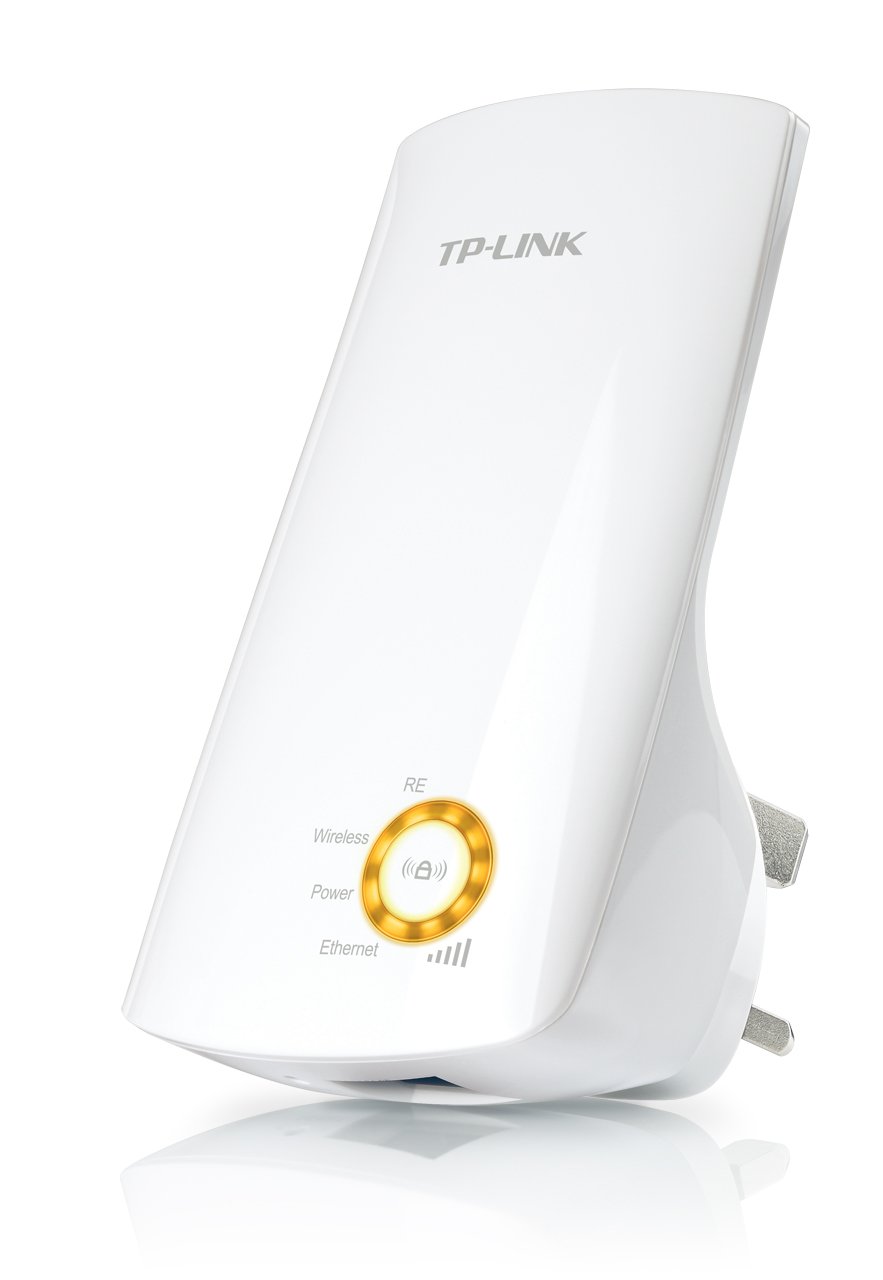
شڪل 1: TP-Link TL-WA750RE Universal Wireless Range Extender. This image shows the device in its retail packaging, highlighting its compact design and wall-plug form factor.
2. اهم خاصيتون
- حد وڌائڻ وارو موڊ: Boosts wireless signal to eliminate Wi-Fi dead zones and extend network coverage.
- ڪمپيڪٽ ڊيزائن: Small size and wall-mounted design for easy deployment and flexible movement.
- WPS بٽڻ: Allows for instant setup and secure connection with compatible routers.
- سمارٽ سگنل اشارو: Helps users find the optimal location for placing the range extender for best performance.
- يونيورسل مطابقت: Works seamlessly with all 802.11n/g/b wireless devices.
3. پيڪيج مواد
پراڊڪٽ پيڪيج ۾ عام طور تي هيٺيون شيون شامل هونديون آهن:
- TP-Link TL-WA750RE 150Mbps Universal Wireless Range Extender
- ھدايت وارو دستور
4. سيٽ اپ گائيڊ
4.1. WPS بٽڻ استعمال ڪندي تڪڙو سيٽ اپ
- پلگ ان: TL-WA750RE کي پنهنجي وائرليس روٽر جي ويجهو هڪ اليڪٽريڪل آئوٽليٽ ۾ لڳايو.
- روٽر تي WPS چالو ڪريو: Press the WPS button on your main wireless router. Refer to your router's manual for the exact location and procedure.
- ايڪسٽينڊر تي WPS چالو ڪريو: Within two minutes, press the WPS button on the TL-WA750RE. The Signal LED on the extender should begin to flash.
- ڪنيڪشن جو انتظار ڪريو: The Signal LED will turn solid blue or green when a successful connection is established.
- منتقلي وڌائڻ وارو: Unplug the extender and move it to a location between your router and the Wi-Fi dead zone. Ensure the Signal LED indicates a strong connection (e.g., solid blue or green) in the new location.
4.2. Manual Setup via Web برائوزر
- پلگ ان: Plug the TL-WA750RE into an electrical outlet near your computer.
- ايڪسٽينڊر سان ڳنڍيو: Connect your computer to the extender's Wi-Fi network (e.g., "TP-LINK_Extender_XXXXXX"). No password is required initially.
- پهچ Web انٽرفيس: کوليو a web برائوزر ۽ قسم http://tplinkrepeater.net or the extender's default IP address (usually 192.168.0.254) into the address bar.
- لاگ ان: Enter "admin" for both the username and password when prompted.
- اسڪرين تي ڏنل هدايتن تي عمل ڪريو: Use the Quick Setup wizard to select your main Wi-Fi network and enter its password.
- منتقلي وڌائڻ وارو: Once configured, unplug the extender and move it to an optimal location between your router and the desired coverage area.
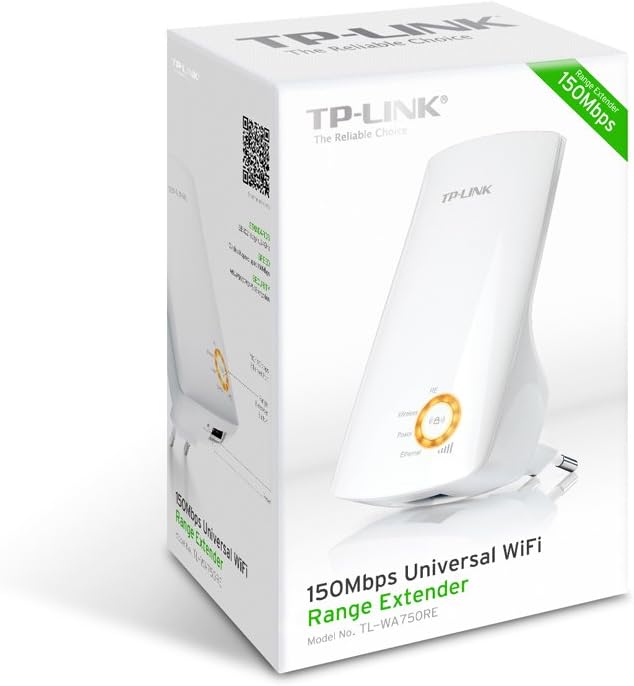
شڪل 2: پاسي view of the TL-WA750RE. This image illustrates the physical layout of the device, including the WPS button and Ethernet port, which are crucial for setup and operation.
5. رينج ايڪسٽينڊر کي هلائڻ
Once the TL-WA750RE is successfully set up, it will automatically extend your existing Wi-Fi network. Devices within the extended range can connect to the network name created by the extender (e.g., "YourNetworkName_EXT").
5.1. سمارٽ سگنل اشارو
The Smart Signal Indicator LEDs on the front of the device provide real-time feedback on the signal strength received from your main router. This helps you determine the best placement for the extender:
- مضبوط نيرو / سائو: Excellent signal strength.
- مضبوط ڳاڙهو: Weak signal strength. Consider relocating the extender closer to your router.
- بند: No connection to the main router.
5.2. ايٿرنيٽ پورٽ جو استعمال
The TL-WA750RE includes an Ethernet port. This port can be used to connect a wired device, such as a desktop computer, gaming console, or smart TV, to your wireless network, providing a stable wired connection in the extended Wi-Fi area.
6. سار سنڀال
- صفائي: ڊوائيس کي صاف ڪرڻ لاءِ نرم، سڪل ڪپڙو استعمال ڪريو. مائع يا ايروسول ڪلينر استعمال نه ڪريو.
- لڳائڻ: ايڪسٽينڊر کي سڌي سج جي روشني ۾، گرمي جي ذريعن جي ويجهو، يا وڌيڪ نمي وارن علائقن ۾ رکڻ کان پاسو ڪريو.
- فرم ويئر اپڊيٽس: وقت بوقت ٽي پي لنڪ جي سرڪاري چيڪ ڪريو webبهترين ڪارڪردگي ۽ سيڪيورٽي کي يقيني بڻائڻ لاءِ فرم ويئر اپڊيٽس لاءِ سائيٽ.
- پاور سائيڪل: جيڪڏهن ڊوائيس ۾ مسئلا اچن ٿا، ته ان کي 10 سيڪنڊن لاءِ پاور آئوٽليٽ مان ڪڍڻ جي ڪوشش ڪريو ۽ پوءِ ان کي واپس پلگ ان ڪريو.
7. مسئلا حل ڪرڻ
- Q1: What should I do if I cannot access the extender's web انتظامي صفحو؟
- A1: Ensure your computer is connected to the extender's network. Verify that http://tplinkrepeater.net is correctly typed in the browser. If issues persist, try using the extender's IP address (e.g., 192.168.0.254) or reset the extender to factory defaults.
- Q2: My extended network has poor signal or frequent disconnections.
- A2: Check the Smart Signal Indicator on the extender. If it's red or off, the extender is too far from your main router. Relocate the extender to a position where the indicator shows a strong signal (solid blue/green). Ensure there are no major obstructions between the router and the extender.
- Q3: How do I reset the extender to factory default settings?
- A3: With the extender powered on, use a pin to press and hold the Reset button (usually a small hole) for approximately 5-10 seconds until all LEDs flash briefly. The extender will then restart with factory default settings.
8. وضاحتون
| برانڊ | ٽي پي لنڪ |
| ماڊل نمبر | ٽي ايل- WA750RE |
| وائرلیس معياري | 802.11b/g/n |
| ڊيٽا جي منتقلي جي شرح | 150 ايم بي پي ايس |
| تعدد | 2.4 GHz |
| خاص خاصيتون | Smart Signal Indicator, WPS Button |
| ڪنيڪٽر جو قسم | آر جي 45 (ايٿرنيٽ پورٽ) |
| شيءِ جو وزن | 0.4 پائونڊ |
| رنگ | اڇو |
9. وارنٽي ۽ سپورٽ
9.1. وارنٽي ڄاڻ
This TP-Link TL-WA750RE device comes with a 2 سال وارنٽي خريداري جي تاريخ کان. مھرباني ڪري وارنٽي جي دعوائن لاءِ خريداري جو ثبوت رکو. وارنٽي عام استعمال هيٺ مواد ۽ ڪاريگري ۾ خرابين کي ڍڪيندي آهي.
9.2. ٽيڪنيڪل سپورٽ
ٽيڪنيڪل مدد، مسئلو حل ڪرڻ، يا وڌيڪ پڇا ڳاڇا لاءِ، مھرباني ڪري سرڪاري TP-Link سپورٽ تي وڃو. website or contact their customer service. You can find detailed support resources, FAQs, and contact information at www.tp-link.com/support.