
لنڪسس EA6900
Linksys EA6900 Smart WiFi AC1900 Router Instruction Manual
Model: EA6900 | Brand: Linksys
تعارف
The Linksys EA6900 Smart WiFi AC1900 Router is designed to provide high-speed wireless connectivity for your home network. Featuring advanced Wireless-AC technology and simultaneous dual-band operation, it is optimized for demanding tasks such as HD video streaming and online gaming. This manual provides essential information for setting up, operating, and maintaining your router, ensuring optimal performance and a secure network environment.
پيڪيج مواد
- لنڪسس اسمارٽ وائي فائي روٽر AC1900، EA6900
- تڪڙو شروع ھدايت
- 3 اينٽيننا
- دستاويزن سان گڏ سي ڊي روم
- Ethernet ڪيبل
- پاور اڊاپٽر
سيٽ اپ ڪريو
Follow these steps to set up your Linksys EA6900 router:
- روٽر کوليو: روٽر ۽ سڀني لوازمات کي پيڪنگ مان احتياط سان هٽايو.
- Antennas ڳنڍيو: Attach the three external antennas to the designated ports on the back of the router. Ensure they are securely fastened.
- روٽر کي پوزيشن ڏيو: روٽر کي پنهنجي گهر ۾ مرڪزي جڳهه تي رکو، رڪاوٽن ۽ ٻين اليڪٽرانڪ ڊوائيسز کان پري جيڪي مداخلت جو سبب بڻجي سگهن ٿا.
- پاور سان ڳنڍيو: Plug the power adapter into the router's power port and then into an electrical outlet. The power LED on the router should illuminate.
- موڊيم سان ڳنڍيو: Connect one end of the provided Ethernet cable to the yellow "Internet" (WAN) port on the router and the other end to your modem's Ethernet port.
- ڊوائيسز ڳنڍيو (اختياري): For wired connections, connect Ethernet cables from your devices (e.g., computer, gaming console) to any of the four blue "Ethernet" (LAN) ports on the router.
- شروعاتي تشڪيل:
- Connect your computer or mobile device to the router's default Wi-Fi network (SSID and password can be found on the router's label or Quick Start Guide).
- کوليو a web browser and navigate to the Linksys Smart WiFi setup page (usually
linksyssmartwifi.comor192.168.1.1). - Follow the on-screen instructions to complete the setup, including creating a new Wi-Fi network name (SSID) and password, and setting up an administrator password for the router.
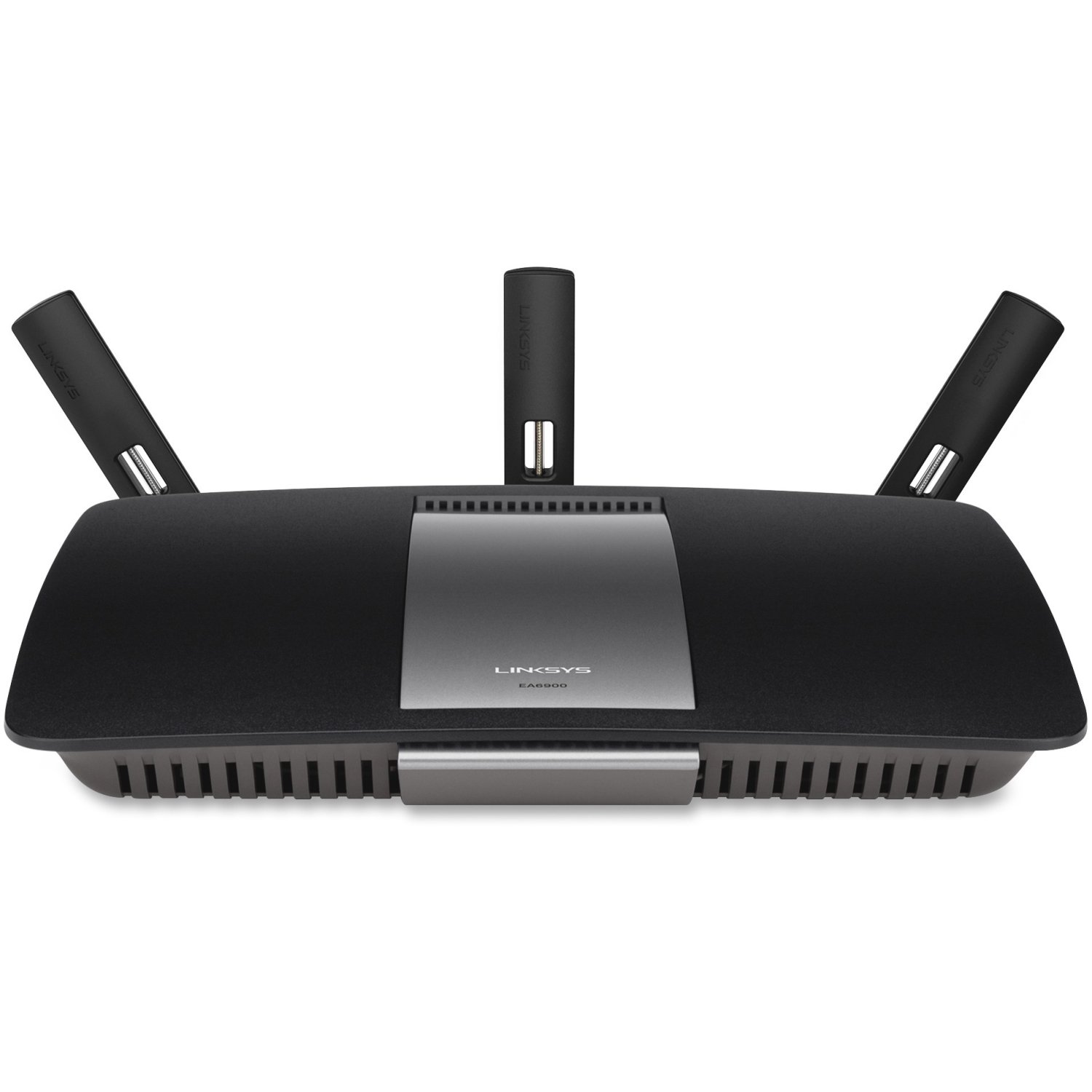
شڪل 1: سامهون view of the Linksys EA6900 Router, showcasing its design and external antennas.

Figure 2: Rear panel of the Linksys EA6900 Router, showing the power port, WAN port, four LAN ports, and USB ports.
روٽر هلائڻ
The Linksys EA6900 router offers various features to manage your network:
- Dual-Band Wi-Fi: The router operates on both 2.4 GHz and 5 GHz frequencies simultaneously. The 2.4 GHz band provides wider coverage, while the 5 GHz band offers faster speeds for compatible devices.
- Linksys Smart WiFi Software: Access your router settings and manage your network from anywhere using the Linksys Smart WiFi app or web interface. Features include guest access, parental controls, and device prioritization.
- وائي فائي محفوظ سيٽ اپ (WPS): Easily connect WPS-compatible devices to your Wi-Fi network by pressing the WPS button on the router and the device.
- USB بندرگاهن: The router includes one USB 2.0 port and one USB 3.0 port. These can be used to connect external storage devices for network-attached storage (NAS) functionality, allowing you to share fileتوهان جي نيٽ ورڪ تي.
- Gigabit Ethernet بندرگاهن: Four Gigabit LAN ports provide high-speed wired connections for devices like desktop computers, smart TVs, and gaming consoles.
سار سنڀال
To ensure the longevity and optimal performance of your Linksys EA6900 router, consider the following maintenance tips:
- فرم ويئر اپڊيٽس: Regularly check for and install firmware updates through the Linksys Smart WiFi software. Updates often include performance improvements, security patches, and new features.
- جسماني جڳهه: پڪ ڪريو ته روٽر کي گرم ٿيڻ کان روڪڻ لاءِ سٺي هوادار علائقي ۾ رکيو ويو آهي. ان کي بند جڳهن ۾ يا گرمي جي ذريعن جي ويجهو رکڻ کان پاسو ڪريو.
- ڪيبل جو انتظام: Keep all cables connected to the router tidy and free from kinks or excessive bending to prevent signal degradation.
- وقتي طور تي ٻيهر شروع ڪريو: ڪڏهن ڪڏهن پنهنجي روٽر کي ٻيهر شروع ڪرڻ (پاور سائيڪلنگ) ان جي ياداشت کي صاف ڪرڻ ۽ معمولي ڪارڪردگي جي مسئلن کي حل ڪرڻ ۾ مدد ڪري سگهي ٿو.
مشڪلاتون
If you encounter issues with your Linksys EA6900 router, try these troubleshooting steps:
- انٽرنيٽ ڪنيڪشن ناهي:
- چيڪ ڪريو ته موڊيم صحيح ڪم ڪري رهيو آهي.
- Ensure the Ethernet cable from the modem is securely connected to the router's yellow "Internet" (WAN) port.
- Restart both your modem and router by unplugging them from power for 30 seconds and then plugging them back in.
- Slow Wi-Fi Speeds or Frequent Disconnects:
- Move the router to a more central location, away from walls, large metal objects, and other electronics.
- Ensure your devices are connected to the appropriate Wi-Fi band (5 GHz for faster speeds, 2.4 GHz for wider range).
- Check for firmware updates for your router.
- Reduce the number of active devices or bandwidth-intensive applications if possible.
- روٽر سيٽنگن تائين رسائي نه ٿي سگهي:
- پڪ ڪريو ته توهان جو ڊوائيس روٽر جي وائي فائي نيٽ ورڪ سان يا ايٿرنيٽ ڪيبل ذريعي ڳنڍيل آهي.
- Verify the router's IP address (usually
192.168.1.1) يا استعمال ڪريوlinksyssmartwifi.com. - If you forgot your administrator password, you may need to perform a factory reset (see Quick Start Guide for instructions).
- Wi-Fi Protected Setup (WPS) Issues:
- Ensure your device supports WPS.
- Try initiating WPS from both the router and the device within two minutes.
- If WPS fails, connect the device manually using the Wi-Fi network name (SSID) and password.
وضاحتون
| خاصيت | تفصيل |
|---|---|
| برانڊ | لنڪس |
| ماڊل نالو | EA6900 |
| وائرليس ٽيڪنالاجي | Advanced Wireless-AC (up to 4.3x faster than Wireless-N) |
| فريڪوئنسي بينڊ ڪلاس | ڊوئل بينڊ (2.4 GHz ۽ 5 GHz) |
| Max. Link Rate | 1300 Mbps (AC1300) + N600 Mbps |
| Ethernet بندرگاهن | 1x Gigabit WAN (10/100/1000), 4x Gigabit LAN (10/100/1000) |
| USB بندرگاهن | 1x USB 2.0، 1x USB 3.0 |
| اينٽينا | 3 فڪسڊ اينٽينا |
| خاص خاصيتون | Linksys Smart WiFi software, Wi-Fi Protected Setup (WPS) |
| آپريٽنگ جي درجه حرارت | 32 کان 104 °F (0 کان 40 °C) |
| آپريٽنگ نمي | 10 کان 80٪ غير ڪنڊينسنگ |
| نيٽ ورڪ معيار | IEEE 802.11a/b/g/n/ac, IEEE 802.3/3u |
| مطابقت رکندڙ OS | Mac OS X (10.5.8 to 10.9), Windows (XP to 8 32/64) |
وارنٽي ۽ سپورٽ
The Linksys EA6900 Smart WiFi AC1900 Router comes with a 1-year hardware limited warranty. For technical support, product registration, or to access the full documentation, please visit the official Linksys support website. You can also find additional resources and FAQs through the Linksys Smart WiFi software.
Ask a question about this manual
Ask about setup, troubleshooting, compatibility, parts, safety, or missing instructions. Manuals+ will review the question and use this page’s manual context to help answer it.