
تعارف
This manual provides essential information for the proper setup, operation, and maintenance of your RCA Cambio 10.1 W101 V2 Windows 10 2-in-1 Tablet PC. Please read these instructions thoroughly before using your device to ensure optimal performance and longevity.
The RCA Cambio 10.1 W101 V2 is a versatile 10-inch tablet powered by an Intel quad-core processor and preloaded with Windows 10. It features a detachable keyboard, allowing for flexible use as both a tablet and a laptop. Key features include Bluetooth connectivity, front and rear 2MP cameras, and 32GB of internal storage.
سيٽ اپ ڪريو
1. انباڪسنگ ۽ ابتدائي معائنو
پيڪنگ مان سڀني حصن کي احتياط سان هٽايو. پڪ ڪريو ته هيٺيون شيون موجود آهن:
- RCA Cambio 10.1 W101 V2 Tablet
- ڌار ڪرڻ لائق ڪي بورڊ
- پاور اڊاپٽر
Inspect the device for any visible damage. If any components are missing or damaged, contact customer support.
2. ڊوائيس کي چارج ڪرڻ
Before first use, fully charge the tablet. Connect the power adapter to the charging port on the tablet and then to a power outlet. The charging indicator will illuminate. A full charge may take several hours.
3. ڌار ٿيندڙ ڪي بورڊ ڳنڍڻ
Align the tablet with the magnetic connector on the detachable keyboard. Gently push the tablet down until it securely clicks into place. The keyboard does not require separate power or pairing.

تصوير: پوئين پاسي view of the RCA Cambio 10.1 W101 V2 tablet with the detachable keyboard attached, illustrating the connection point and available ports.
4. شروعاتي پاور آن ۽ ونڊوز 10 سيٽ اپ
Press and hold the power button located on the side of the tablet until the screen illuminates. Follow the on-screen prompts to complete the initial Windows 10 setup, including language selection, network connection, and user account creation.
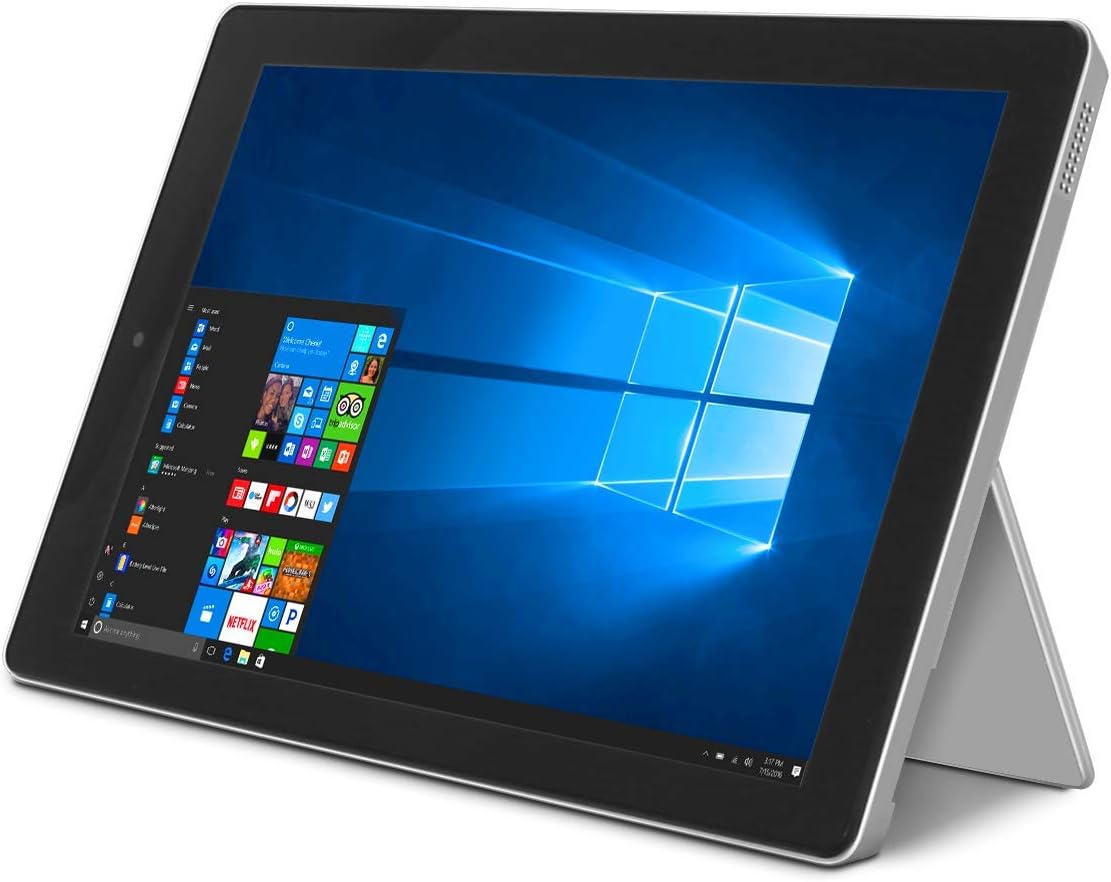
Image: The RCA Cambio 10.1 W101 V2 tablet in laptop mode, showcasing the Windows 10 operating system interface.
آپريٽنگ هدايتون
1. بنيادي نيويگيشن
ٽچ اسڪرين:
The tablet features a multi-touch display. Use gestures such as tap, swipe, pinch-to-zoom, and press-and-hold to interact with the interface.
ڪي بورڊ ۽ ٽچ پيڊ:
When the detachable keyboard is connected, you can use the physical keys for typing and the integrated touchpad for cursor control. The touchpad supports multi-touch gestures similar to a laptop touchpad.

Image: The RCA Cambio 10.1 W101 V2 tablet in portrait orientation, showing the Windows 10 Start screen with application tiles.
2. وائي فائي سان ڳنڍڻ
- کوليو شروع مينيو ۽ ڪلڪ ڪريو سيٽنگون.
- چونڊيو نيٽ ورڪ ۽ انٽرنيٽ.
- چونڊيو وائي فائي کاٻي هٿ واري مينيو مان.
- وائي فائي کي ٽوگل ڪريو On جيڪڏهن اهو بند آهي.
- Select your desired network from the list and click ڳنڍڻ.
- نيٽ ورڪ پاسورڊ داخل ڪريو جيڪڏهن اشارو ڪيو وڃي.
3. بلوٽوٽ جوئر
- کوليو شروع مينيو ۽ ڪلڪ ڪريو سيٽنگون.
- چونڊيو ڊوائيسز.
- چونڊيو بلوٽوٿ ۽ ٻيا ڊوائيس کاٻي هٿ واري مينيو مان.
- بلوٽوت کي ٽوگل ڪريو On.
- ڪلڪ ڪريو بلوٽوٽ يا ٻيو ڊوائيس شامل ڪريو and follow the instructions to pair with your desired device.
4. ڪئميرا استعمال ڪندي
The tablet is equipped with front and rear 2MP cameras. To access the camera, open the ڪئميرا application from the Start Menu or search bar. You can switch between front and rear cameras within the application interface.
5. Productivity with Microsoft Office 365
The device comes preloaded with Windows 10, which supports Microsoft Office 365 applications. You can create and edit documents, spreadsheets, and presentations. An active subscription to Microsoft Office 365 may be required for full functionality.

Image: The RCA Cambio 10.1 W101 V2 tablet running Microsoft Office applications, highlighting its use for productivity tasks.
6. اسٽوريج جو انتظام
The tablet includes 32GB of internal storage. To manage your storage, go to سيٽنگون> سسٽم> اسٽوريج. توهان ڪري سگهو ٿا view storage usage, free up space, and change where new content is saved. Consider using cloud storage or an external microSD card (not included) for additional space.
سار سنڀال
1. ڊوائيس صاف ڪرڻ
Use a soft, lint-free cloth to clean the screen and exterior surfaces. For stubborn smudges, slightly dampڪپڙي کي پاڻي يا اسڪرين صاف ڪرڻ واري محلول سان ڌوئڻ ڏيو. سخت ڪيميڪلز يا رگڙيندڙ مواد استعمال ڪرڻ کان پاسو ڪريو.
2. سافٽ ويئر اپڊيٽ
باقاعدي طور تي ونڊوز اپڊيٽس جي جانچ ڪريو ۽ انسٽال ڪريو ته جيئن پڪ ڪري سگهجي ته توهان جي سسٽم ۾ جديد سيڪيورٽي پيچ ۽ خاصيتون آهن. ڏانهن وڃو سيٽنگون> اپڊيٽ ۽ سيڪيورٽي> ونڊوز اپڊيٽ اپڊيٽ لاء چيڪ ڪرڻ لاء.
3. بيٽري جي سنڀال
بيٽري جي زندگي کي وڌائڻ لاء:
- بيٽري کي بار بار مڪمل طور تي چارج ڪرڻ کان پاسو ڪريو.
- ڊوائيس کي انتهائي گرمي پد تي ظاهر نه ڪريو.
- Unplug the charger once the battery is fully charged, especially during extended periods of non-use.
4. ڊيٽا بيڪ اپ
Regularly back up important data to an external drive or cloud storage to prevent data loss in case of device malfunction.
مشڪلاتون
This section addresses common issues you might encounter with your RCA Cambio 10.1 W101 V2.
ڊوائيس تي طاقت نه آهي:
- پڪ ڪريو ته ڊوائيس مڪمل طور تي چارج ٿيل آهي. پاور اڊاپٽر کي ڳنڍيو ۽ ٻيهر پاور آن ڪرڻ جي ڪوشش ڪرڻ کان پهريان ڪجهه منٽ انتظار ڪريو.
- Press and hold the power button for at least 10-15 seconds to perform a hard reset.
Slow Performance or Freezing:
- پس منظر ۾ هلندڙ غير ضروري ايپليڪيشنون بند ڪريو.
- ڪنهن به التوا واري ونڊوز اپڊيٽ جي جانچ ڪريو ۽ انسٽال ڪريو.
- Ensure sufficient free storage space. Delete unnecessary files or move them to external storage.
- ڊوائيس ٻيهر شروع ڪريو.
وائي فائي رابطي جا مسئلا:
- پڪ ڪريو ته وائي فائي فعال آهي سيٽنگون > نيٽ ورڪ ۽ انٽرنيٽ > وائي فائي.
- پنهنجو وائي فائي روٽر ۽ ٽيبليٽ ٻيهر شروع ڪريو.
- نيٽ ورڪ کي وساريو ۽ ٻيهر پاسورڊ داخل ڪري ٻيهر ڳنڍيو.
- پڪ ڪريو ته توهان وائي فائي سگنل جي حد اندر آهيو.
بلوٽوٿ جوڙڻ جا مسئلا:
- پڪ ڪريو ته بلوٽوٿ ٽيبليٽ ۽ ڊوائيس ٻنهي تي فعال آهي جنهن کي توهان جوڙڻ جي ڪوشش ڪري رهيا آهيو.
- Make sure both devices are in pairing mode and within close proximity.
- Remove previously paired devices from the tablet's Bluetooth settings if you are experiencing conflicts.
ڪي بورڊ جواب نه ڏئي رهيو آهي:
- Ensure the keyboard is securely attached to the tablet's magnetic connector.
- Detach and reattach the keyboard.
- ٽيبلٽ ٻيهر شروع ڪريو.
بيٽري جلدي ختم ٿئي ٿي:
- اسڪرين جي چمڪ کي گھٽ سيٽنگ تي ترتيب ڏيو.
- Close background applications and disable unnecessary features like Bluetooth or Wi-Fi when not in use.
- بيٽري جي استعمال کي چيڪ ڪريو Settings > System > Battery to identify power-consuming applications.
فيڪٽري ري سيٽ (آخري رستو):
If issues persist, you may consider performing a factory reset. This will erase all data and reinstall Windows 10. اڳتي وڌڻ کان اڳ سڀني اهم ڊيٽا جو بيڪ اپ وٺو. ڏانهن وڃو Settings > Update & Security > Recovery > Reset this PC ۽ اسڪرين تي ڏنل هدايتن تي عمل ڪريو.
وضاحتون
| خاصيت | تفصيل |
|---|---|
| ماڊل نمبر | W101 V2 |
| آپريٽنگ سسٽم | ونڊوز 10 |
| اسڪرين جي ماپ | 10.1 انچ |
| اسڪرين جي قرارداد | 1280 x 800 |
| پروسيسر | Intel Quad-Core (1.83 GHz) |
| رام | 2 GB DDR3 SDRAM |
| اندروني اسٽوريج | 32 GB فليش ميموري |
| وائرليس ڪنيڪشن | 802.11b Wi-Fi, Bluetooth |
| ڪيمرا | Front and Rear (2 MP) |
| بيٽري | 1 ليتيم آئن بيٽري (شامل) |
| طول و عرض (LxWxH) | 12.2 x 8.5 x 3.15 انچ |
| شيءِ جو وزن | 2.75 پائونڊ |
وارنٽي ۽ سپورٽ
For warranty information and technical support, please refer to the documentation included with your product or visit the official RCA support webسائيٽ. وارنٽي دعوائن لاءِ خريداري جو ثبوت رکو.
For further assistance, you may contact RCA customer service. Contact details are typically available on the manufacturer's webسائيٽ.