
تعارف
This manual provides detailed instructions for the setup, operation, and maintenance of your Mobility Lab ML308227 Wireless Keyboard and Mouse Combo. This combo utilizes 2.4 GHz wireless technology, offering a reliable connection for your computing needs. The keyboard features a compact, ergonomic design with an AZERTY layout and a numeric keypad, while the mouse is designed for comfort with a scroll wheel and optical tracking.
پيڪيج مواد
مھرباني ڪري تصديق ڪريو ته سڀ شيون توھان جي پيڪيج ۾ موجود آھن:
- وائرليس ڪي بورڊ
- وائرليس ماؤس
- USB رسيور (2.4 GHz)
- استعمال ڪندڙ جو دستياب (ھي دستاويز)
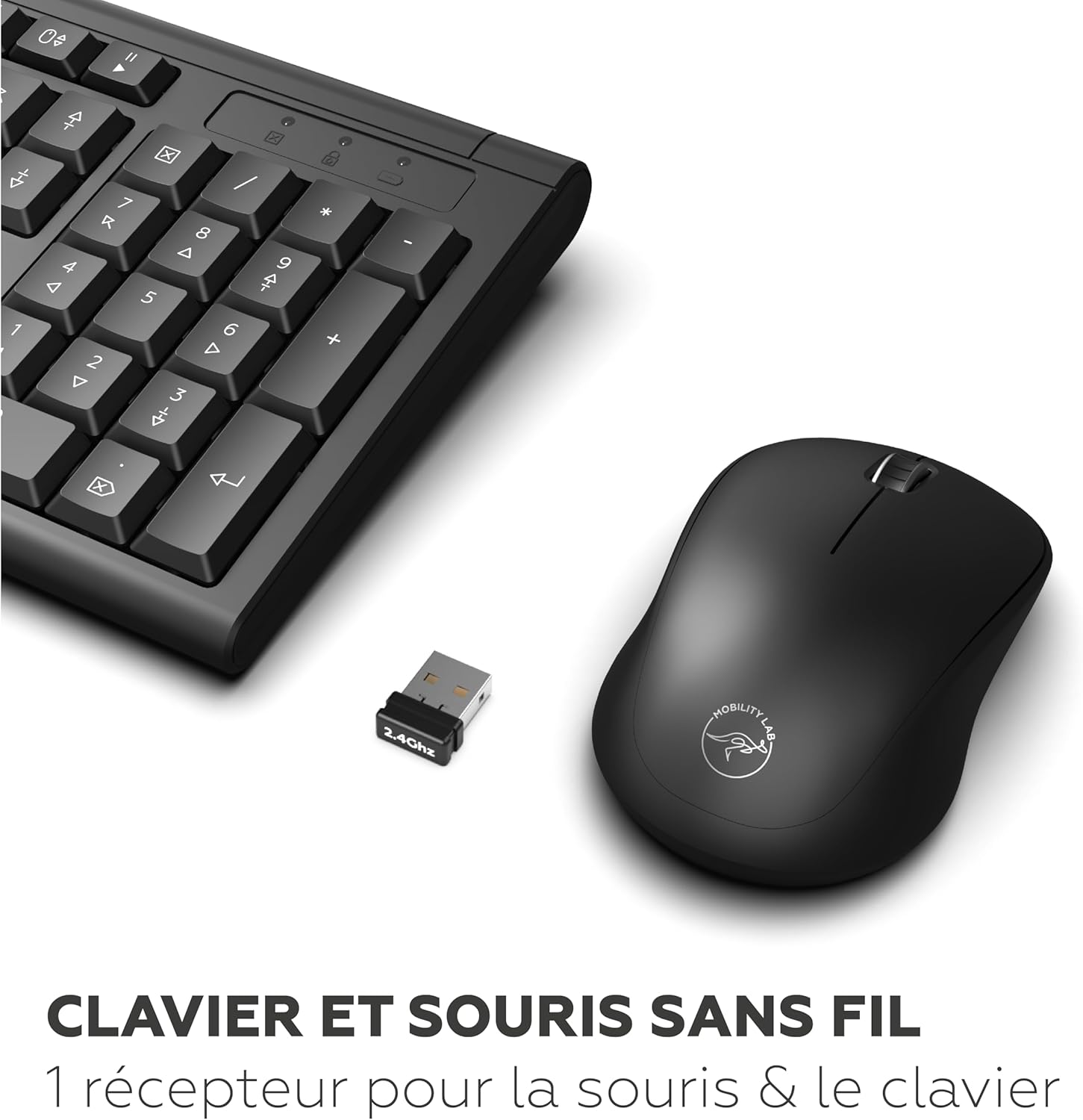
Image: The wireless keyboard, mouse, and the small USB receiver, illustrating the main components of the combo.
سيٽ اپ جون هدايتون
- بيٽري داخل ڪريو:
Locate the battery compartments on the underside of both the keyboard and the mouse. Insert the required batteries (typically AA or AAA, not included) according to the polarity indicators (+/-). Close the battery covers securely.
- USB وصول ڪندڙ کي ڳنڍيو:
Plug the 2.4 GHz USB receiver into an available USB port on your computer. The system should automatically detect and install the necessary drivers. This process may take a few moments.
Image: A close-up of the USB receiver, which connects both the keyboard and mouse wirelessly to your computer.
- پاور آن ڊوائيسز:
Ensure the power switches on both the keyboard and mouse are in the "ON" position. The devices should now be ready for use.
آپريٽنگ هدايتون
ڪي بورڊ جو استعمال
- ترتيب: The keyboard features an AZERTY layout, standard for French-speaking regions.
- عددي ڪي پيڊ: A full numeric keypad is integrated for efficient data entry.
- فنڪشن ڪيچ: Utilize the function keys (F1-F12) for various shortcuts, often in combination with the 'Fn' key if present.
- ترتيب ڏيڻ وارو جھڪو: The keyboard includes foldable feet on the underside, allowing you to adjust the typing angle for improved comfort.

تصوير: هڪ ويجهو تصوير view highlighting the AZERTY key layout of the keyboard.

Image: The keyboard shown with its foldable feet extended, demonstrating the two available inclination modes for ergonomic typing.
مائوس جو استعمال
- آپٽيڪل ٽريڪنگ: The mouse uses optical technology for precise cursor movement.
- اسڪرول ويل: Use the scroll wheel for easy navigation through documents and web صفحا.
- Ergonomic ڊيزائن: The mouse is shaped for comfortable use over extended periods.

تصوير: هڪ تفصيلي view of the wireless mouse, highlighting its ergonomic shape and scroll wheel.
سار سنڀال
- صفائي: ڪيبورڊ ۽ مائوس جي مٿاڇري کي صاف ڪرڻ لاءِ نرم، سڪل ڪپڙو استعمال ڪريو. ضدي مٽيءَ لاءِ، ٿورو ڊيamp هلڪي صابڻ سان ڪپڙو استعمال ڪري سگهجي ٿو، انهي ڳالهه کي يقيني بڻائي ته ڪو به مائع ڊوائيسز ۾ داخل نه ٿئي.
- بيٽري مٽائڻ: Replace batteries when performance degrades or devices become unresponsive. Always use fresh batteries of the specified type.
- اسٽوريج: When not in use for extended periods, turn off the devices to conserve battery life. Store in a cool, dry place.
مشڪلاتون
| مسئلو | ممڪن سبب | حل |
|---|---|---|
| ڪي بورڊ/ماؤس جواب نه ڏئي رهيو آهي |
|
|
| دير يا وقفي وقفي سان ڪنيڪشن |
|
|
| مائوس ڪرسر بي ترتيب |
|
|
وضاحتون
| خاصيت | تفصيل |
|---|---|
| برانڊ | موبلٽي ليب |
| ماڊل نمبر | ايم ايل 308227 |
| رنگ | ڪارو |
| رابطي ٽيڪنالاجي | 2.4 GHz وائرليس |
| ڪي بورڊ لي آئوٽ | ازرٽي (فرانسيسي) |
| ڪي بورڊ جون خاصيتون | Full-size, Numeric Keypad, Membrane Keys, 2 Inclination Modes |
| Mouse Tracking Technology | بصري |
| مائوس جي حساسيت | 1200 ڊي پي آئي |
| خاص خصوصيت | Ergonomic ڊيزائن |
| مطابقت رکندڙ ڊوائيسز | Laptop, PC (Windows operating system) |
| طاقت جو ذريعو | بيٽري سان هلندڙ |

Image: Diagram showing the approximate dimensions of the keyboard (445mm x 140mm) and mouse (63mm x 106mm).
وارنٽي ۽ سپورٽ
Mobility Lab products are designed for reliability and performance. For specific warranty information, please refer to the warranty card included with your product or visit the official Mobility Lab website. For technical support or further assistance, please contact Mobility Lab customer service through their official channels.
مھرباني ڪري وارنٽي دعوائن لاءِ خريد ڪرڻ جو پنھنجو ثبوت رکو.