
تعارف
The HyperGear Rave Wireless Stereo Speaker delivers high-fidelity sound with an interactive multi-colored LED light show. It features Bluetooth connectivity, a built-in speakerphone, and an FM radio, making it suitable for various audio needs.
پيڪيج مواد
- Rave Wireless Speaker
- 3.5mm Stereo Auxiliary Cable
- مائڪرو USB چارجنگ ڪيبل
- استعمال ڪندڙ جو دستياب (ھي دستاويز)

پيداوار ختمview
Familiarize yourself with the speaker's controls and ports.

ڪنٽرول بٽڻ
- پاور بٽڻ: اسپيڪر کي آن يا آف ڪرڻ لاءِ دٻايو ۽ رکو.
- موڊ بٽڻ (M): Press to switch between Bluetooth, FM Radio, and AUX modes.
- Play/Pause Button (►/∕): Press to play or pause audio. In call mode, press to answer/end calls.
- Volume Down / Previous Track (-/◀◀): حجم گهٽائڻ لاءِ دٻايو. پوئين ٽريڪ تي وڃڻ لاءِ دٻايو ۽ رکو.
- Volume Up / Next Track (+/►►): حجم وڌائڻ لاءِ دٻايو. ايندڙ ٽريڪ تي وڃڻ لاءِ دٻايو ۽ رکو.
- Light Mode Button (*): Press to cycle through different LED light patterns or turn off the light show.
بندرگاهن
- مائڪرو USB چارجنگ پورٽ: اسپيڪر جي اندروني بيٽري کي چارج ڪرڻ لاءِ.
- 3.5mm AUX ان پٽ: معاون ڪيبل ذريعي ٻاهرين آڊيو ڊوائيسز کي ڳنڍڻ لاءِ.
سيٽ اپ ڪريو
اسپيڪر کي چارج ڏيڻ
Before first use, fully charge the speaker. Connect the Micro USB charging cable to the speaker's charging port and the other end to a USB power adapter (not included) or a computer's USB port. The charging indicator light will illuminate during charging and turn off when fully charged. A full charge takes approximately 3-4 hours and provides up to 8 hours of playback.
پاور آن / آف
کي دٻايو ۽ رکو پاور بٽڻ for approximately 3 seconds to turn the speaker on or off. A voice prompt will indicate the power status.
آپريٽنگ هدايتون
بلوٽوٽ جوئر
- پڪ ڪريو ته اسپيڪر آن آهي ۽ بلوٽوٿ موڊ ۾ آهي. جيڪڏهن نه، دٻايو موڊ بٽڻ (M) until you hear the Bluetooth pairing prompt. The LED indicator will flash, indicating it is ready to pair.
- توهان جي موبائل ڊوائيس تي، بلوٽوت کي فعال ڪريو ۽ دستياب ڊوائيسز لاء ڳولا ڪريو.
- Select "HyperGear Rave" from the list of devices.
- Once paired, the speaker will emit a confirmation tone, and the LED indicator will stop flashing.

موسيقي کيڏڻ
بلوٽوٽ موڊ
After successful pairing, you can play music from your connected device. Use the speaker's راند/روڪ, حجم مٿي/ا Nextيون ٽريڪ، ۽ حجم ھي//پوئين ٽريڪ buttons to control playback, or control directly from your device.
ويڪس موڊ
Connect one end of the 3.5mm auxiliary cable to the speaker's AUX input and the other end to the audio output of your external device. Press the موڊ بٽڻ (M) to switch to AUX mode. Audio will play directly from your connected device.
هينڊ فري ڪالنگ
When connected via Bluetooth, the speaker can be used as a speakerphone. When a call comes in, the music will pause. Press the Play/Pause Button to answer an incoming call. Press it again to end the call. Press and hold the Play/Pause Button ايندڙ ڪال کي رد ڪرڻ.
ايف ايم ريڊيو آپريشن
کي دٻايو موڊ بٽڻ (M) to switch to FM Radio mode. The speaker will automatically scan and save available stations. Use the حجم مٿي/ا Nextيون ٽريڪ ۽ حجم ھي//پوئين ٽريڪ buttons to navigate between saved stations. Press and hold these buttons to fine-tune the frequency.
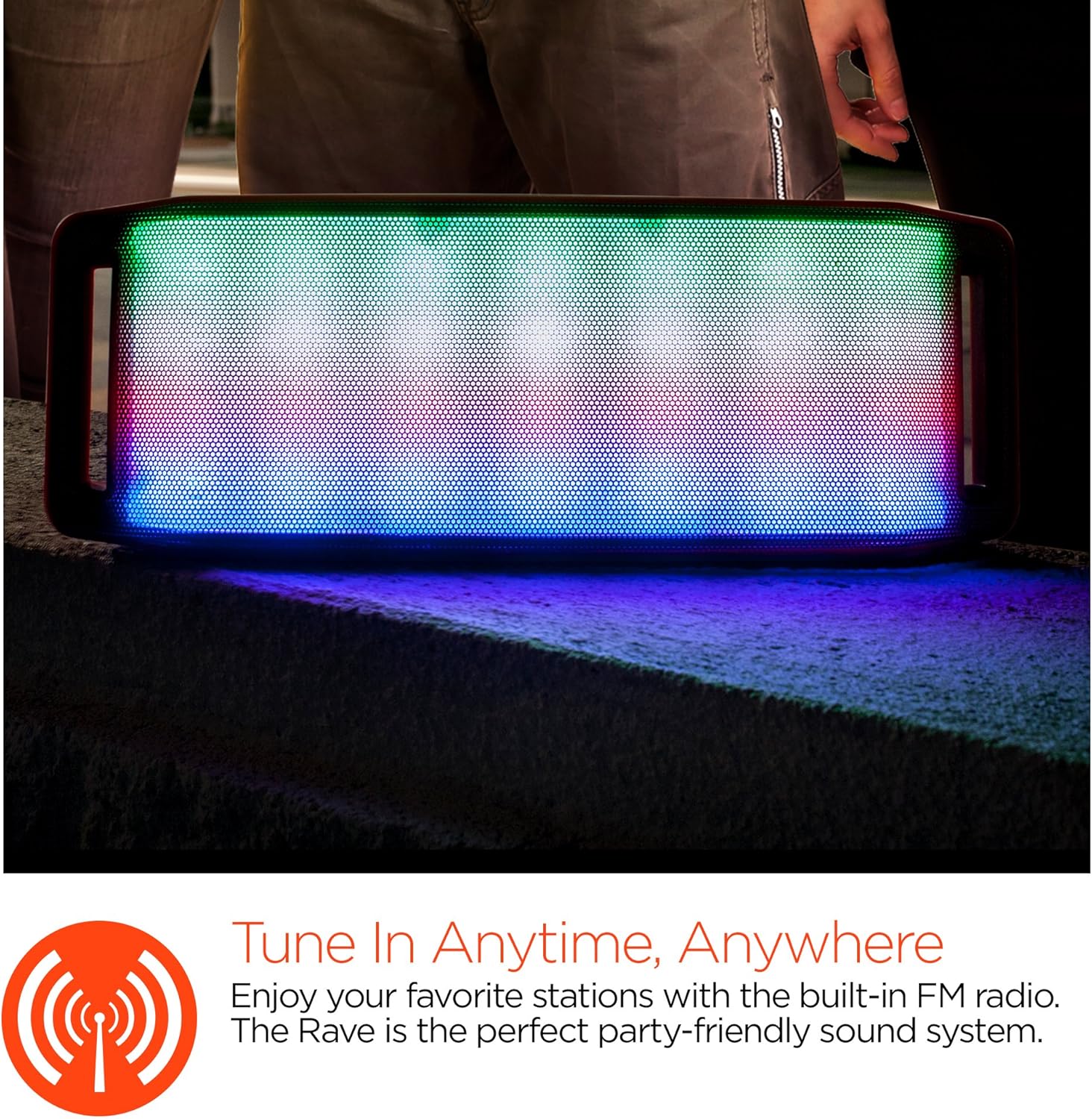
LED لائيٽ شو
The speaker features an interactive multi-colored LED light show. Press the Light Mode Button (*) to cycle through different light patterns or to turn the light show off.

سار سنڀال
صفائي
Wipe the speaker with a soft, dry cloth. Do not use abrasive cleaners or solvents. Avoid exposing the speaker to excessive moisture.
ذخيرو
اسپيڪر کي سڌي سج جي روشني ۽ انتهائي گرمي پد کان پري ٿڌي، سڪل جاءِ تي رکو. جيڪڏهن گهڻي عرصي تائين ذخيرو ڪيو وڃي ته، بيٽري کي وقت بوقت چارج ڪريو ته جيئن ان جي عمر برقرار رهي.
بيٽري جي سنڀال
To prolong battery life, avoid fully discharging the speaker frequently. Charge the speaker regularly, even if not in use, to prevent deep discharge.
مشڪلاتون
| مسئلو | ممڪن سبب | حل |
|---|---|---|
| اسپيڪر آن نٿو ٿئي. | بيٽري ختم ٿي وئي آهي. | مائڪرو USB ڪيبل استعمال ڪندي اسپيڪر کي چارج ڪريو. |
| بلوٽوٿ ذريعي جوڙي نه ٿو سگهجي. | اسپيڪر پيئرنگ موڊ ۾ نه آهي؛ ڊوائيس تي بلوٽوٿ بند آهي؛ ڊوائيس تمام پري آهي. | Ensure speaker is in Bluetooth pairing mode (flashing LED). Turn on Bluetooth on your device. Move device closer to speaker (within 10 meters). |
| آواز ڪونهي. | Volume is too low; incorrect mode selected; device not playing. | Increase volume on both speaker and connected device. Ensure correct mode (Bluetooth/AUX/FM) is selected. Verify audio is playing on the source device. |
| آواز ۾ تحريف. | آواز تمام گهڻو آهي؛ بيٽري گهٽ آهي؛ مداخلت. | آواز گھٽايو. اسپيڪر کي چارج ڪريو. اسپيڪر کي ٻين اليڪٽرانڪ ڊوائيسز کان پري ڪريو. |
| ايف ايم ريڊيو جي وصولي خراب آهي. | ڪمزور سگنل؛ ماحولياتي مداخلت. | Relocate the speaker to an area with better reception. Extend the charging cable (if connected) as it can act as an antenna. |
وضاحتون
| خاصيت | تفصيل |
|---|---|
| ماڊل نمبر | 13604 |
| بلوٽوت ورزن | 3.0 ± EDR |
| اسپيڪر آئوٽ پاور پاور | 2 x 5W (ڪل 10W) |
| سگنل کان شور جو تناسب (S/N) | 80 ڊي بي |
| بيٽري جي گنجائش | 1500mAh |
| راند جو وقت | 8 ڪلاڪ تائين |
| بلوٽوٿ رينج | 33ft / 10m تائين |
| رابطي ٽيڪنالاجي | بلوٽوٿ، وائرليس |
| آڊيو آئوٽ پٽ موڊ | اسٽيريو |
| ڪنٽرول جو طريقو | ڇڪڻ |
| وزن | 2.25 پائونڊ |
| خاص خاصيتون | Bass Boost, Display, Multi-colored LED Light Show, Built-in Speakerphone, FM Radio |
وارنٽي ۽ سپورٽ
For warranty information or technical support, please refer to the contact details provided on the product packaging or visit the official HYPERGEAR webسائيٽ. خريداري جي ثبوت طور پنهنجي خريداري جي رسيد رکو.