
تعارف
خريد ڪرڻ لاءِ مهربانيasing the Gemini AS-12BLU Professional Audio Bluetooth PA Loudspeaker. This manual provides essential information for the safe and efficient operation of your new audio system. Please read this manual thoroughly before use and retain it for future reference.
اهم خاصيتون
- 12-inch 1500W Peak Class AB Built-In Amplifier for crisp, concert-quality sound.
- Impedance at 4 Ohms with a linear frequency response between 30Hz-20Khz.
- Pure titanium 1" HF Compression Driver and Wide Dispersion Horn.
- Integrated MP3 player with USB, SD card, Bluetooth, and FM Radio capabilities.
- Two input channels with separate gain controls.
- Multiple input options: Mic and Line XLR, 1/4’’, 1/8’’, and RCA inputs.
- Mix Output for connecting to other audio devices.
- High/Low Equalization Controls for precise audio adjustment.
- Durable ABS Impact Resistant Nylon Fiber Cabinet.
- Top and side handles for easy transport.
- Flyable and stand-mountable design for versatile placement.
- Clip LED Alert to prevent overheating.
پيڪيج مواد
مھرباني ڪري ھيٺ ڏنل شين لاءِ دٻي کي چيڪ ڪريو:
- Gemini AS-12BLU PA Loudspeaker
- پاور اڊاپٽر
- استعمال ڪندڙ جو دستياب (ھي دستاويز)
جيڪڏهن ڪا به شيون غائب يا خراب آهن، مهرباني ڪري فوري طور تي پنهنجي ڊيلر سان رابطو ڪريو.
ڪنٽرول ۽ ڪنيڪشن
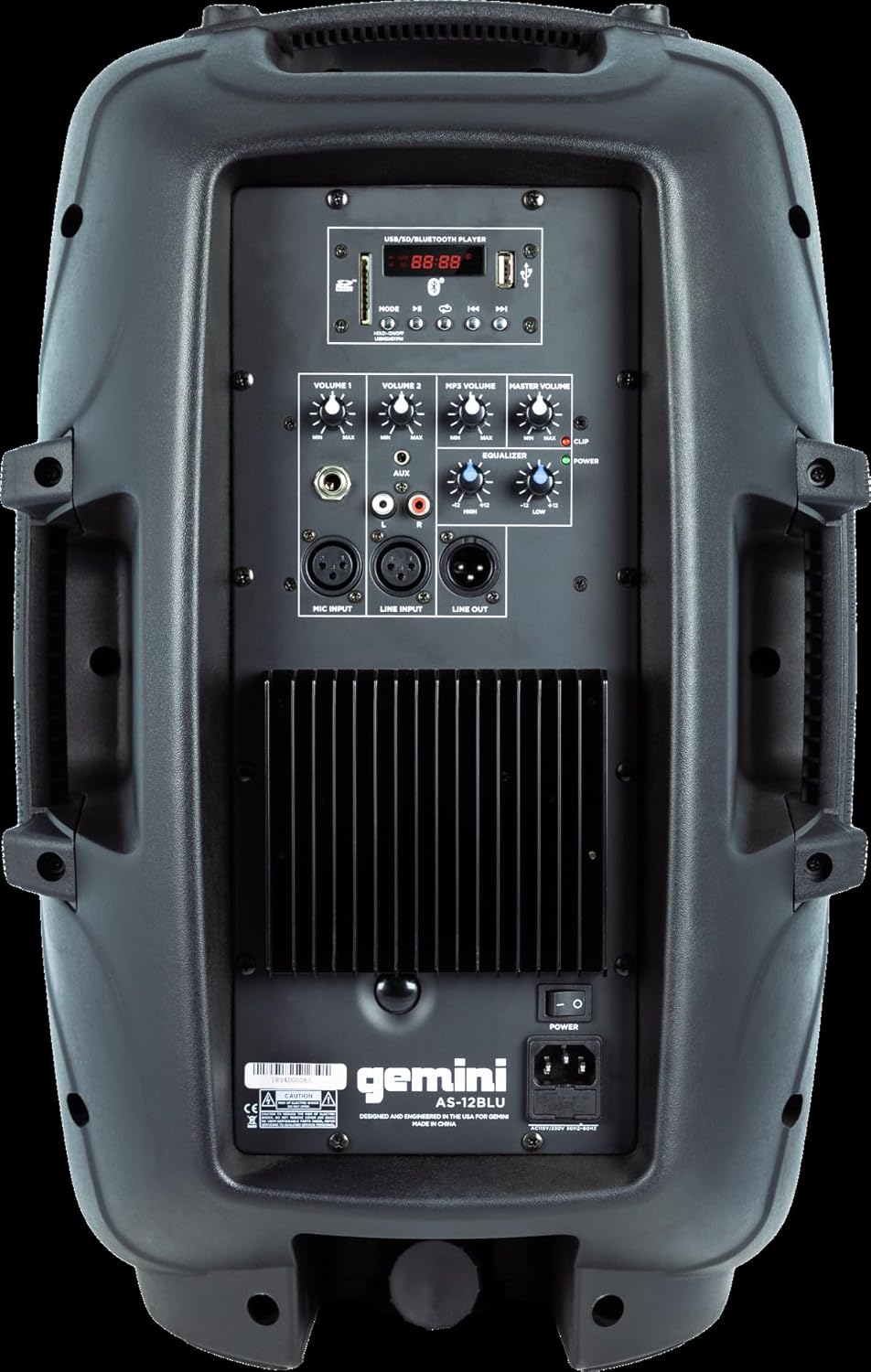
Image: Rear panel of the AS-12BLU loudspeaker. This view highlights the comprehensive control interface, including the USB/SD/Bluetooth player, volume controls, equalization knobs, and various input/output jacks.
سامهون View
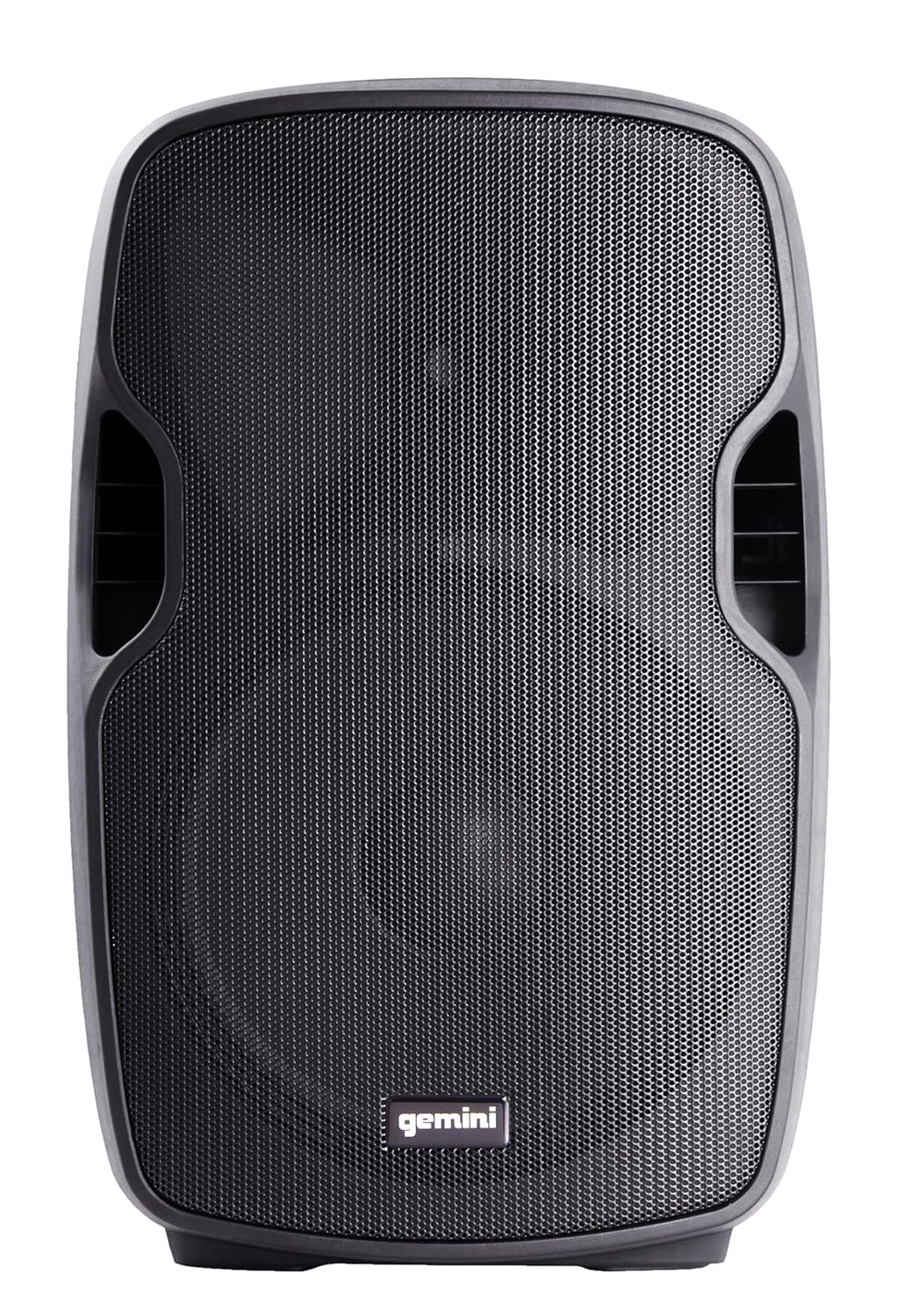
تصوير: سامهون view of the AS-12BLU loudspeaker. This image displays the speaker's robust grille and integrated side handles, designed for both protection and portability.
زاويه View
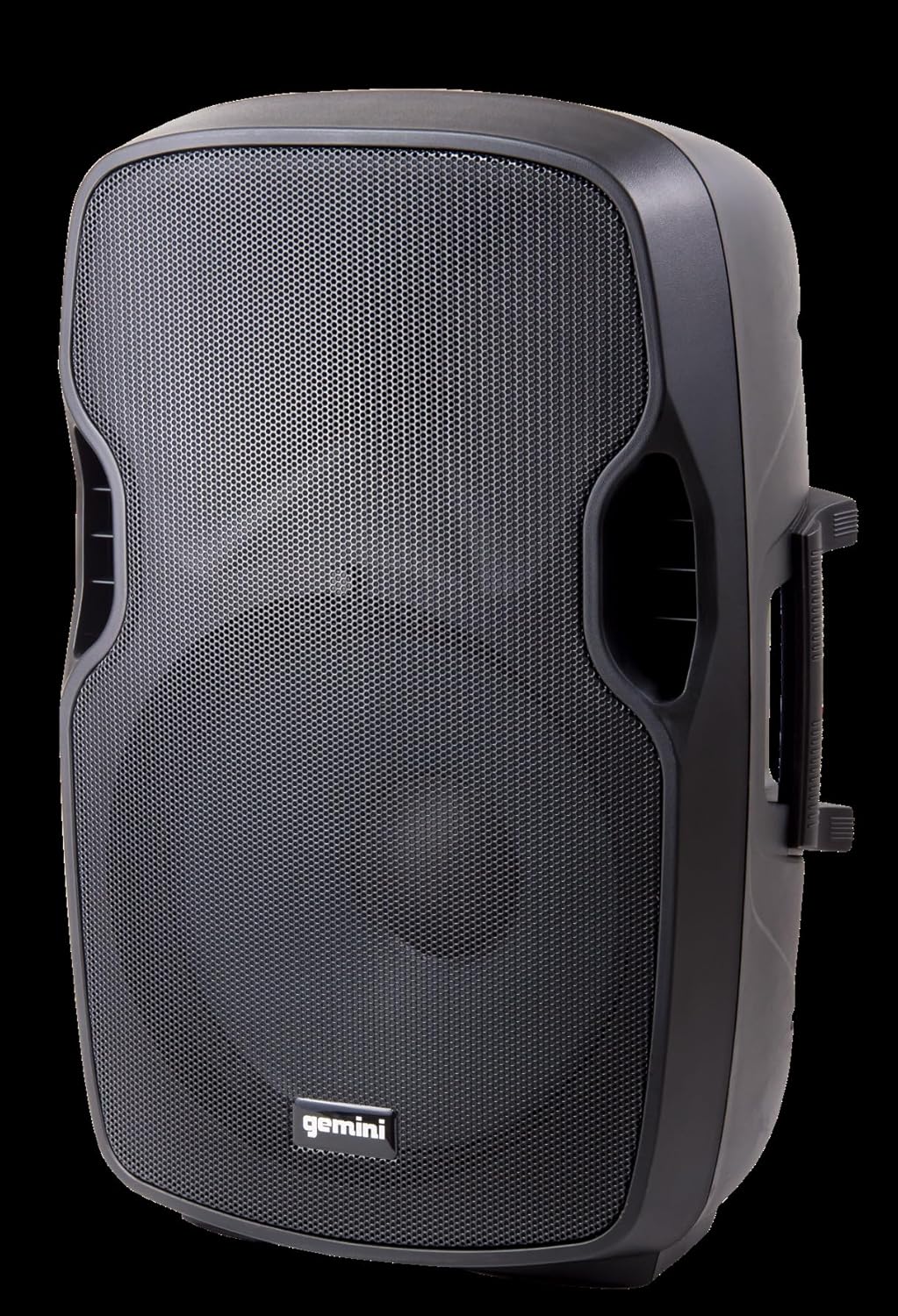
تصوير: زاويه view of the AS-12BLU loudspeaker. This perspective highlights the speaker's ergonomic design, including the integrated handles on both sides, facilitating easy transport and setup.
ريئر پينل ختمview:
- USB/SD/Bluetooth Player: Digital media playback interface.
- موڊ بٽڻ: Switches between USB, SD, Bluetooth, and FM Radio modes.
- Volume 1 & 2: Independent gain controls for Mic and Line inputs.
- ايم پي 3 واليوم: Controls the volume of the integrated media player.
- ماسٽر حجم: Overall output volume control.
- High/Low Equalization: Adjusts treble and bass frequencies.
- Mic Input (XLR & 1/4"): مائڪروفون ڳنڍڻ لاءِ.
- Line Input (XLR, 1/4", 1/8", RCA): For connecting line-level audio sources (e.g., mixers, instruments, media players).
- Line Out (XLR): For connecting to additional PA speakers or recording devices.
- پاور سوئچ: يونٽ کي آن/آف ڪري ٿو.
- AC ان پٽ: Connects the power adaptor.
- ڪلپ لائيٽ: Illuminates when the audio signal is clipping, indicating potential distortion.
سيٽ اپ ڪريو
- لڳائڻ: Position the AS-12BLU on a stable, flat surface or mount it on a compatible speaker stand. Ensure adequate ventilation around the unit.
- پاور ڪنيڪشن: Connect the provided power adaptor to the AC Input on the rear panel of the speaker, then plug the other end into a suitable power outlet.
- شروعاتي پاور آن: Ensure all volume controls are set to minimum before turning on the power switch.
- ڳنڍڻ آڊيو ذريعن:
- مائڪروفون: Connect your microphone to the Mic Input (XLR or 1/4").
- لائين-ليول ڊوائيسز: Connect mixers, instruments, or other audio players to the Line Input (XLR, 1/4", 1/8", or RCA).
- Connecting Additional Speakers (Optional): Use the Line Out (XLR) to connect to the input of another powered PA speaker for expanded sound coverage.
آپريٽنگ هدايتون
بنيادي آپريشن:
- After connecting all sources and powering on, slowly increase the Master Volume to a desired listening level.
- Adjust individual input volumes (Volume 1, Volume 2, MP3 Volume) as needed for proper balance.
- Use the High/Low Equalization controls to fine-tune the audio's treble and bass response.
- Monitor the Clip LED. If it illuminates frequently, reduce the input gain or volume to prevent distortion and potential speaker damage.
بلوٽيون ٺاھڻ:
- Press the "Mode" button on the USB/SD/Bluetooth Player until "BLUE" or "BT" appears on the display, indicating Bluetooth mode.
- پنهنجي بلوٽوٿ-فعال ڊوائيس (اسمارٽ فون، ٽيبليٽ، وغيره) تي، بلوٽوٿ کي فعال ڪريو ۽ دستياب ڊوائيسز جي ڳولا ڪريو.
- Select "GEMINI AS-12BLU" from the list of devices.
- هڪ ڀيرو جوڙيو ويو، توهان اسپيڪر ذريعي پنهنجي ڊوائيس مان آڊيو هلائي سگهو ٿا.
USB/SD پلے بیک:
- هڪ USB فليش ڊرائيو يا SD ڪارڊ داخل ڪريو جنهن ۾ MP3 آڊيو هجي. files into the corresponding slot on the USB/SD/Bluetooth Player.
- The unit should automatically switch to USB or SD mode and begin playback. If not, press the "Mode" button to select the correct source.
- Use the playback controls (Play/Pause, Next/Previous Track) on the player to navigate your music.
ايف ايم ريڊيو:
- Press the "Mode" button until "FM" appears on the display.
- The unit will automatically scan and store available FM radio stations.
- Use the Next/Previous Track buttons to cycle through the stored stations.
سار سنڀال
- صفائي: اسپيڪر جي ٻاهرين حصي کي صاف ڪرڻ لاءِ نرم، سڪل ڪپڙو استعمال ڪريو. رگڙيندڙ صاف ڪندڙ، موم، يا محلول استعمال نه ڪريو.
- اسٽوريج: جڏهن استعمال ۾ نه هجي، اسپيڪر کي ٿڌي، سڪل جاءِ تي، سڌي سج جي روشني ۽ انتهائي گرمي پد کان پري رکو.
- وينٽيليشن: پڪ ڪريو ته اسپيڪر جا وينٽ بند نه آهن ته جيئن وڌيڪ گرم ٿيڻ کان بچي سگهجي.
- پاور ڪنڊ: Regularly inspect the power cord for any damage. If damaged, replace it with an authorized Gemini part.
مشڪلاتون
| مسئلو | ممڪن سبب | حل |
|---|---|---|
| ڪابه طاقت | بجلي جي تار ڳنڍيل نه آهي؛ بجلي جو آئوٽليٽ فعال نه آهي؛ بجلي جو سوئچ بند آهي. | Ensure power cord is securely connected. Check power outlet with another device. Turn power switch ON. |
| ڪوبه آواز آئوٽ | Master Volume too low; Input volume too low; Incorrect input selected; Audio source issue. | Increase Master Volume. Increase relevant input volume. Press "Mode" to select correct input. Check audio source device. |
| بگڙيل آواز | Volume levels too high (clipping); Damaged cable; Speaker overload. | Reduce Master Volume or input gain until Clip LED no longer illuminates. Replace faulty cables. Do not exceed speaker's rated power. |
| بلوٽوٿ نه جوڙڻ | Speaker not in Bluetooth mode; Device too far; Device already paired to another speaker. | Ensure speaker is in Bluetooth mode ("BLUE" or "BT" on display). Move device closer to speaker. Disconnect device from other Bluetooth speakers. |
| USB/SD نه هلي رهيو آهي | غلط file فارميٽ؛ USB/SD ڪارڊ خراب ٿي ويو آهي؛ غلط موڊ چونڊيو ويو آهي. | يقين ڏياريو files are MP3 format. Try a different USB/SD card. Press "Mode" to select USB or SD. |
وضاحتون
| خاصيت | تفصيل |
|---|---|
| ماڊل نمبر | AS-12BLU |
| اسپيڪر جو قسم | 12-inch Portable Active PA Loudspeaker |
| چوٽي پاور آئوٽ | 1500 واٽ |
| Ampوierيڪ ڪلاس | ڪلاس AB |
| رڪاوٽ | 4 اومس |
| تعدد جواب | 30 هز - 20 ڪلو هرٽز |
| ايڇ ڊرائيور | 1" Pure Titanium Compression Driver |
| رابطي | Bluetooth, USB, SD Card, FM Radio, XLR, 1/4", 1/8", RCA |
| آڊيو آئوٽ پٽ موڊ | اسٽيريو |
| پيداوار جي ماپ | 14.57 x 11.81 x 22.83 انچ |
| شيءِ جو وزن | 11.42 پائونڊ |
| ڪابينا مواد | ABS Impact Resistant Nylon Fiber |
وارنٽي ۽ سپورٽ
Gemini products are designed for reliability and performance. For information regarding warranty coverage, technical support, or service, please visit the official Gemini webسائيٽ يا انهن جي ڪسٽمر سروس کاتي سان رابطو ڪريو.
Official Gemini Webسائيٽ: www.geminisound.com
مھرباني ڪري وارنٽي دعوائن لاءِ خريد ڪرڻ جو پنھنجو ثبوت رکو.