
تعارف
The Gear Pro HypeCam GDV485SL.01 is a compact and powerful 4K Ultra HD sports action camera designed to capture high-quality video and photos in various environments. Featuring Wi-Fi connectivity for smartphone control, a waterproof case, and a 2.0-inch LCD display, this camera is ideal for recording your adventures. This manual provides detailed instructions for setup, operation, maintenance, and troubleshooting to ensure optimal performance of your device.
دٻي ۾ ڇا آهي
مھرباني ڪري تصديق ڪريو ته سيٽ اپ سان اڳتي وڌڻ کان اڳ سڀ شيون موجود آھن.
- Hype 4K Cam
- پنروڪ ڪيس
- Data Transfer/Charging Cable
- هينڊل بار جبل
- يونيورسل بيس مائونٽ
- جڙيل پٽي
پيداوار ختمview
اجزاء ۽ ڪنٽرول
Familiarize yourself with the camera's main components and controls.
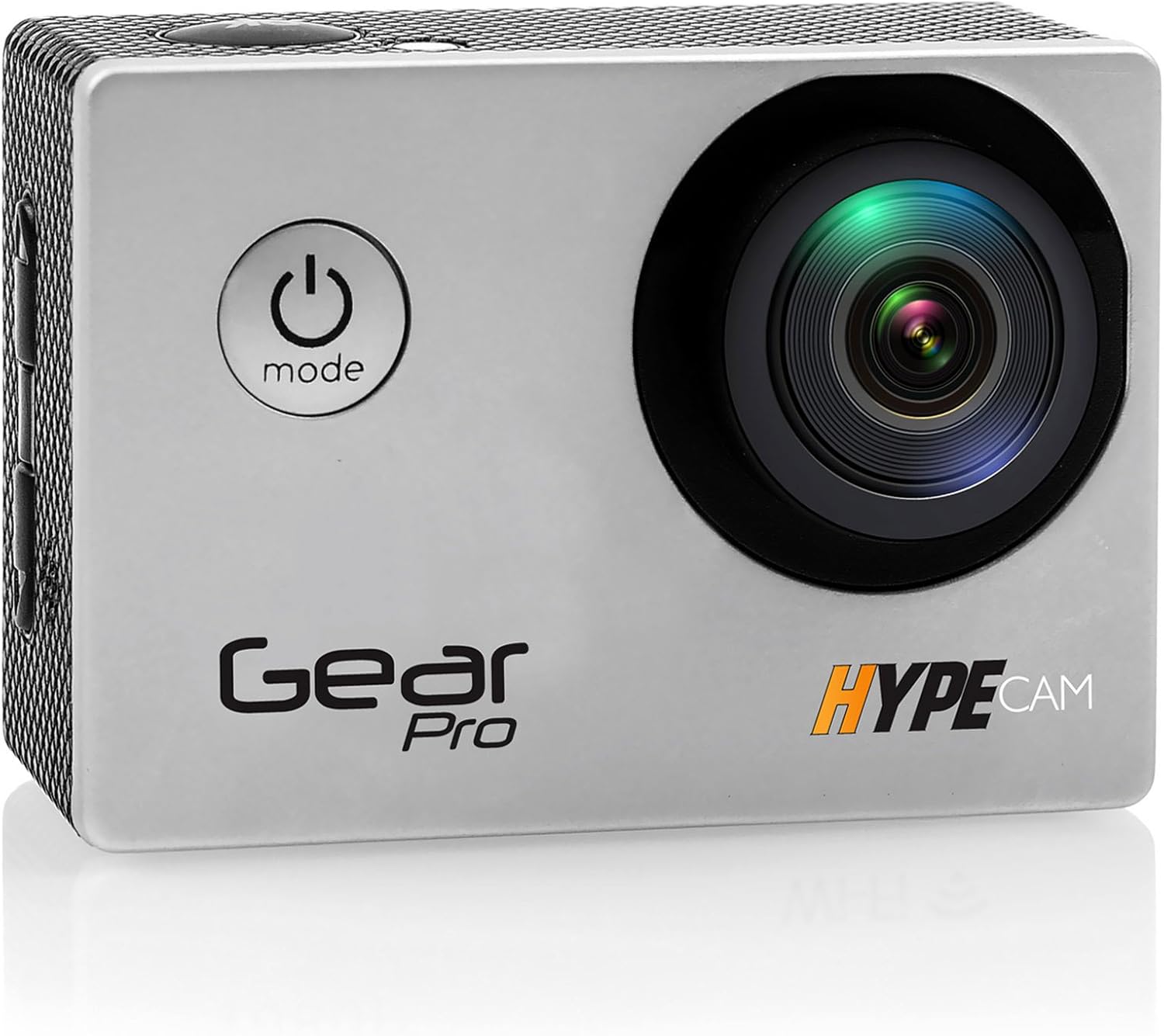
تصوير: سامهون view of the Gear Pro HypeCam GDV485SL.01, highlighting the lens and power/mode button.
| Component/Control | وصف |
|---|---|
| پاور / موڊ بٽڻ | Press and hold to power on/off. Press briefly to switch between video, photo, and playback modes. |
| شٽر / ٺيڪ بٽڻ | Press to start/stop recording video or take a photo. In menu, confirms selection. |
| مٿي / مٿي واري بٽڻ | مينيو اختيارن تي وڃو. |
| مائڪرو ايس ڊي ڪارڊ سلاٽ | Insert Micro SD card for storage. Supports up to 32GB (Class 10 or higher recommended). |
| مائڪرو USB پورٽ | For charging the battery and transferring data to a computer. |
| مائڪرو HDMI پورٽ | لاءِ HDTV سان ڳنڍيو viewمواد. |
| 2.0 انچ LCD ڊسپلي | View زنده فوtage, playback, and navigate menus. |
| لينس | Captures video and photo input. |
| مائڪروفون | آڊيو رڪارڊ ڪري ٿو. |
سيٽ اپ ڪريو
بيٽري لڳائڻ
- ڪئميرا جي تري ۾ بيٽري جي ڪمپارٽمينٽ جو ڍڪ کوليو.
- شامل ٿيل ريچارجبل بيٽري داخل ڪريو، صحيح پولارٽي کي يقيني بڻائي.
- بيٽري جي ڪمري واري ڍڪ کي محفوظ طور تي بند ڪريو.
- Connect the camera to a USB power source using the provided data transfer/charging cable to fully charge the battery before first use. The charging indicator light will turn off when charging is complete.
مائڪرو ايس ڊي ڪارڊ لائڻ
- ڪئميرا جي پاسي تي مائڪرو ايس ڊي ڪارڊ سلاٽ ڳوليو.
- Insert a Class 10 or higher Micro SD card (up to 32GB) with the contacts facing the back of the camera until it clicks into place.
- هٽائڻ لاءِ، ڪارڊ کي نرميءَ سان اندر دٻايو جيستائين اهو ڪلڪ نه ڪري، پوءِ ٻاهر ڪڍڻ لاءِ ڇڏي ڏيو.
Attaching the Waterproof Case
The included waterproof case allows the camera to be fully submerged, making it suitable for water sports and adverse weather conditions.
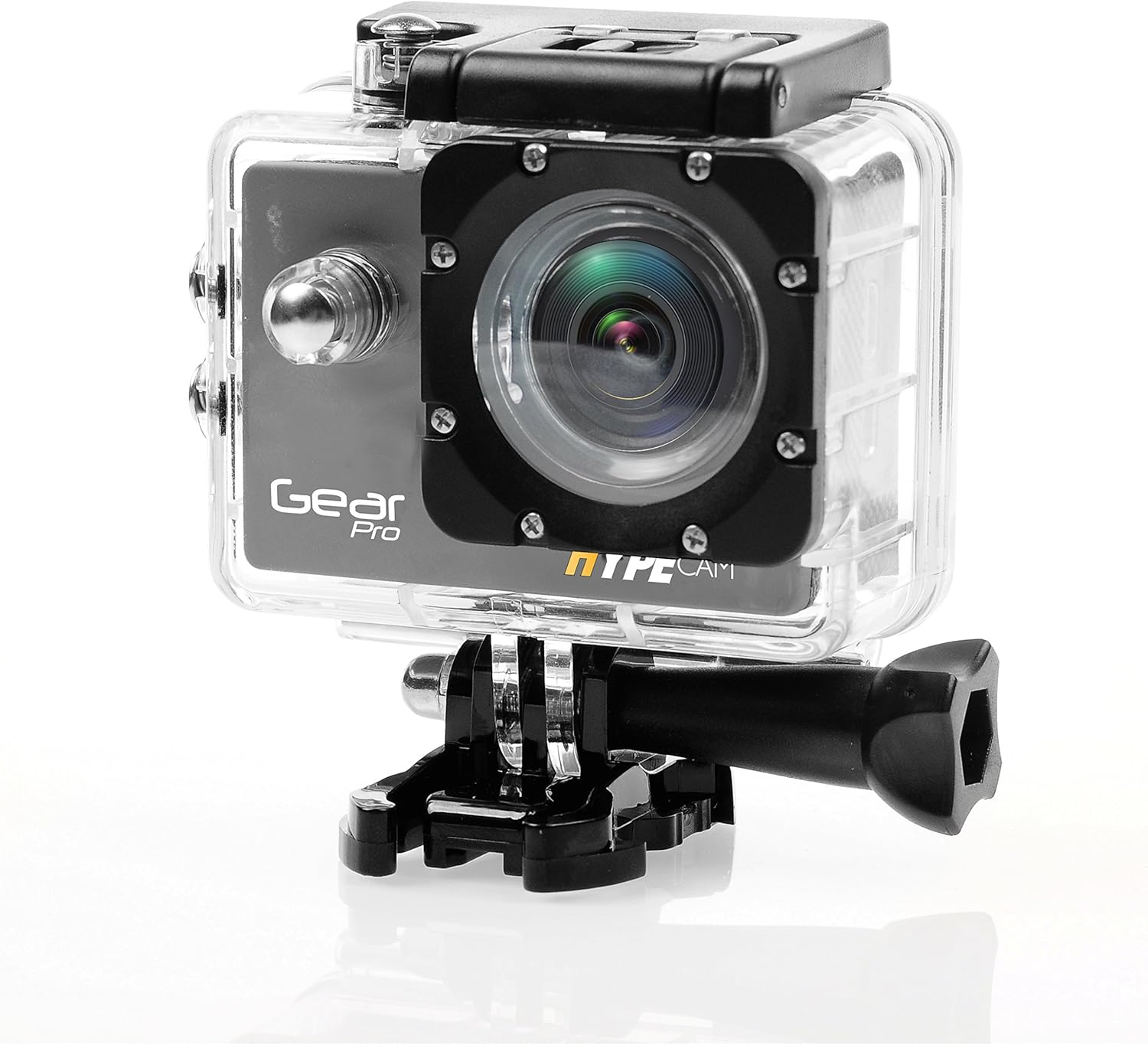
Image: The camera securely housed within its transparent waterproof case, ready for mounting.
- پنروڪ ڪيس جي مٿي تي لچ کوليو.
- Carefully place the camera inside the case, ensuring it fits snugly.
- Close the latch firmly until it clicks, ensuring a watertight seal.
- Before first use in water, perform a leak test by placing the empty case in water for 30 minutes.
چڙهڻ جا اختيار
Utilize the various mounts provided to attach your camera to helmets, handlebars, or other surfaces.

Image: The camera being used in diverse outdoor activities, demonstrating its versatility with different mounting options.
- Attach the waterproof case to the desired mount (e.g., handlebar mount, base mount) using the provided screws and fastening strap.
- Ensure all connections are secure before engaging in activity.
آپريٽنگ
پاور آن / آف
- To power on: Press and hold the Power/Mode button for 3 seconds. The LCD screen will light up.
- To power off: Press and hold the Power/Mode button for 3 seconds. The LCD screen will turn off.
موڊ جي چونڊ
After powering on, press the Power/Mode button briefly to cycle through the main modes:
- وڊيو رڪارڊنگ موڊ: وڊيو ڪئميرا آئڪن سان ظاهر ڪيل.
- Photo Capture Mode: ڪئميرا آئڪن سان ظاهر ڪيل.
- پلے بیک موڊ: Indicated by a play icon.
- سيٽنگون موڊ: Indicated by a gear icon.
وڊيو رڪارڊنگ
- Switch to Video Recording Mode.
- Press the Shutter/OK button to start recording. A red dot or recording timer will appear on the screen.
- Press the Shutter/OK button again to stop recording. The recording timer will disappear.
فوٽو ڪ Captڻ
- Switch to Photo Capture Mode.
- LCD ڊسپلي استعمال ڪندي پنهنجي شاٽ کي فريم ڪريو.
- تصوير ڪڍڻ لاءِ شٽر/ٺيڪ بٽڻ کي دٻايو.
وائي فائي ڪنيڪشن
The built-in Wi-Fi allows you to connect your HypeCam to a smartphone for remote control and file منتقلي
- Download the official Gear Pro HypeCam app from your smartphone's app store.
- On the camera, navigate to Settings Mode and enable Wi-Fi. The Wi-Fi indicator will appear on the screen.
- On your smartphone, go to Wi-Fi settings and connect to the HypeCam's Wi-Fi network (e.g., "HypeCam_XXXX"). The default password is usually "1234567890" or similar, check the camera screen for details.
- Open the HypeCam app on your smartphone. You can now view زنده فوtage, control recording, and access camera settings remotely.
Slow-Motion Recording
The HypeCam supports slow-motion video capture at specific resolutions and frame rates.

Image: Visual representation of the camera's slow-motion feature, detailing supported resolutions and frame rates.
- Access the video settings menu on the camera.
- Select a resolution that supports higher frame rates for slow-motion, such as 1080p @ 60fps or 720p @ 120fps.
- Record as usual. The footage will play back in slow motion.
سار سنڀال
- لينس جي صفائي: ڪئميرا لينس لاءِ خاص طور تي ٺهيل نرم، لِنٽ فري ڪپڙو استعمال ڪريو. رگڙيندڙ مواد يا سخت ڪيميڪلز کان پاسو ڪريو.
- ڪئميرا جي جسم کي صاف ڪرڻ: نرم سان مسح ڪريو، ڊيamp ڪپڙو. solvents استعمال نه ڪريو.
- پنروڪ ڪيس جي سنڀال: After use in saltwater, rinse the case with fresh water and allow it to air dry. Inspect the O-ring seal regularly for debris or damage.
- بيٽري جي سنڀال: Store the battery in a cool, dry place. If not used for extended periods, charge and discharge the battery periodically to maintain its health.
- اسٽوريج: Store the camera and accessories in a dry, dust-free environment away from direct sunlight and extreme temperatures.
مشڪلاتون
| مسئلو | ممڪن حل |
|---|---|
| ڪئميرا آن نٿو ٿئي. | Ensure the battery is fully charged and correctly inserted. Try charging the camera for at least 2 hours. |
| وڊيو رڪارڊ نه ٿو ڪري سگھجي/فوٽو نه ٿو ڪڍي سگھجي. | Check if a Micro SD card is inserted and has sufficient free space. Ensure the card is Class 10 or higher. Format the SD card if necessary (this will erase all data). |
| وائي فائي ڪنيڪشن ناڪام ٿيو. | Ensure Wi-Fi is enabled on the camera. Restart both the camera and your smartphone. Verify the Wi-Fi password. |
| خراب وڊيو/فوٽو معيار. | Clean the camera lens. Ensure sufficient lighting. Check resolution settings; higher resolutions provide better quality. |
| ڪئميرا منجمد ٿي وڃي ٿو يا غير جوابده ٿي وڃي ٿو. | هارڊ ري سيٽ ڪرڻ لاءِ بيٽري ڪڍو ۽ ٻيهر لڳايو. |
| پنروڪ ڪيس اندر پاڻي. | Immediately remove the camera. Inspect the O-ring seal for dirt, hair, or damage. Ensure the latch is fully closed. Do not use the case if the seal is compromised. |
وضاحتون
| خاصيت | تفصيل |
|---|---|
| ماڊل نمبر | GDV485SL.01 |
| پيداوار جي ماپ | 0.97 x 2.33 x 1.62 انچ |
| شيءِ جو وزن | 1.1 پائونڊ |
| فوٽو سينسر ٽيڪنالاجي | CMOS |
| وڊيو ڪيپچر ريزوليوشن | 4K Ultra HD, 2.7K, 1080p, 720p |
| وڌ ۾ وڌ فوڪل ڊگھائي | 30 |
| وڌ ۾ وڌ ايپرچر | 2 ملي ميٽر |
| فليش ميموري جو قسم | مائڪرو ايس ڊي (32GB تائين) |
| وڊيو ڪيپچر فارميٽ | ايم پي 4 |
| سپورٽ آڊيو فارميٽ | ايم پي 3 |
| اسڪرين جي ماپ | 2 انچ |
| رابطي ٽيڪنالاجي | Built-in WiFi, Micro HDMI Port, USB Type 2.0 |
| ٺاهيندڙ | چوڌاري آواز |
وارنٽي ۽ سپورٽ
For warranty information and technical support, please refer to the official ProGear webسائيٽ تي وڃو يا انهن جي ڪسٽمر سروس سان رابطو ڪريو. ڪنهن به وارنٽي دعوائن لاءِ خريداري جي ثبوت طور پنهنجي خريداري جي رسيد رکو.