1. پراڊڪٽ ختمview
The Uniden R3 is a high-performance laser/radar detector designed to provide advanced warning of radar and laser signals. It features a built-in GPS for marking locations and voice alerts for convenient operation.
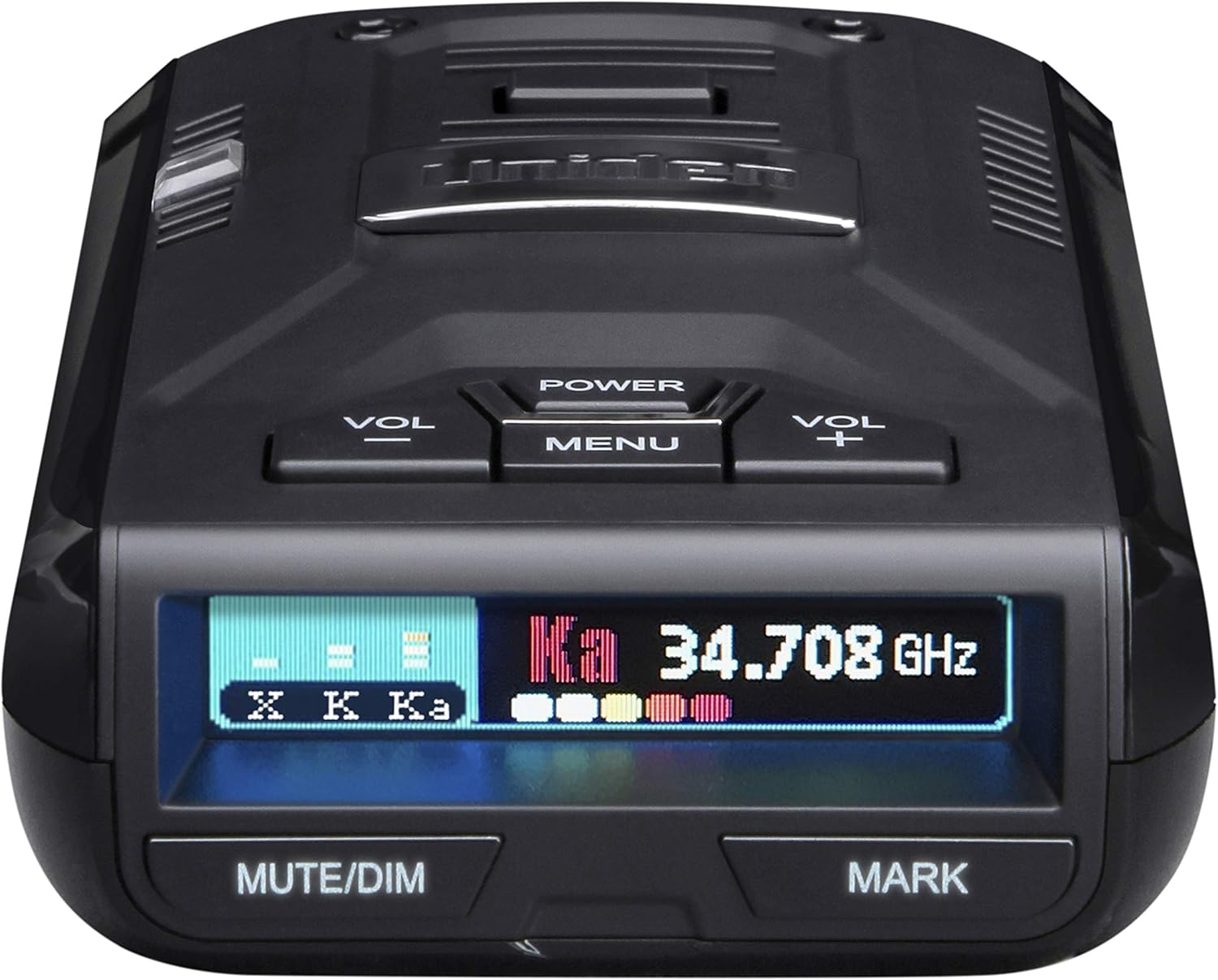
شڪل 1: سامهون view of the Uniden R3 Radar Detector.
This device is engineered for extreme long-range detection and includes advanced false alert filtering to minimize unnecessary warnings from other vehicle systems.
2. دٻي ۾ ڇا آهي
پيڪيج کولڻ تي، تصديق ڪريو ته سڀئي جزا موجود آهن:
- Uniden R3 Radar Detector Unit
- کڻڻ وارو ڪيس
- Cigarette Adapter with Mute Key and USB Jack
- Single-suction Bracket
- Dual-suction Bracket
- 3M Velcro for mounting

Figure 2: All items included in the Uniden R3 package.
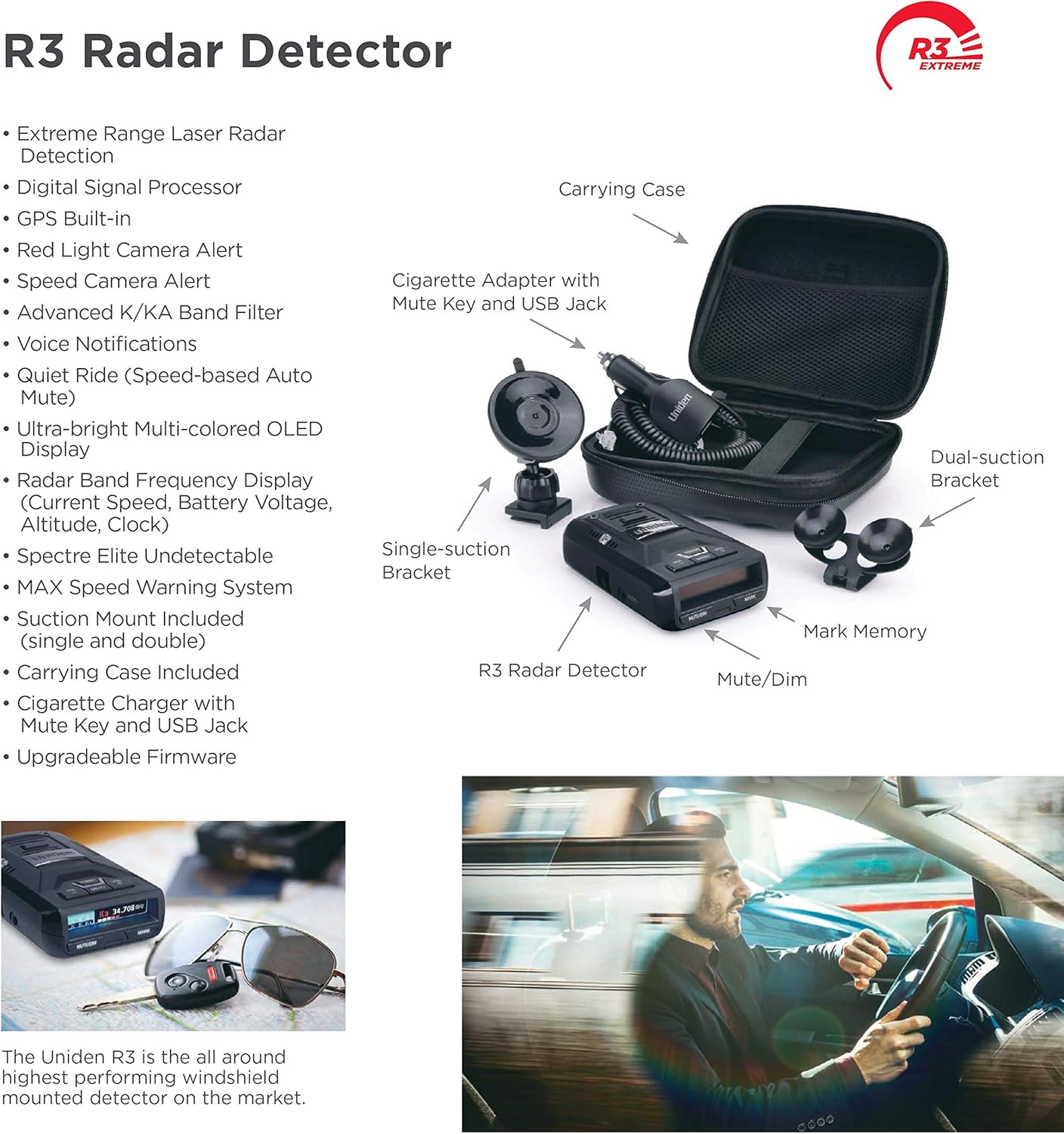
Figure 3: Labeled diagram of the Uniden R3 Radar Detector and its accessories.
3. سيٽ اپ ۽ تنصيب
Proper installation ensures optimal performance and safety. Choose a mounting location that does not obstruct your view روڊ جي هيٺان يا ايئر بيگ جي تعیناتي ۾ مداخلت.
3.1 ڊيڪٽر کي لڳائڻ
The Uniden R3 offers multiple mounting options:
- سکشن ڪپ جبل: Attach the single or dual suction cup bracket to a clean, dry section of your windshield. Ensure the detector is level and has a clear view رستي جي اڳيان ۽ پويان.
- 3M Velcro Mount: For a more permanent installation, use the provided 3M Velcro. Clean the mounting surface thoroughly before applying.
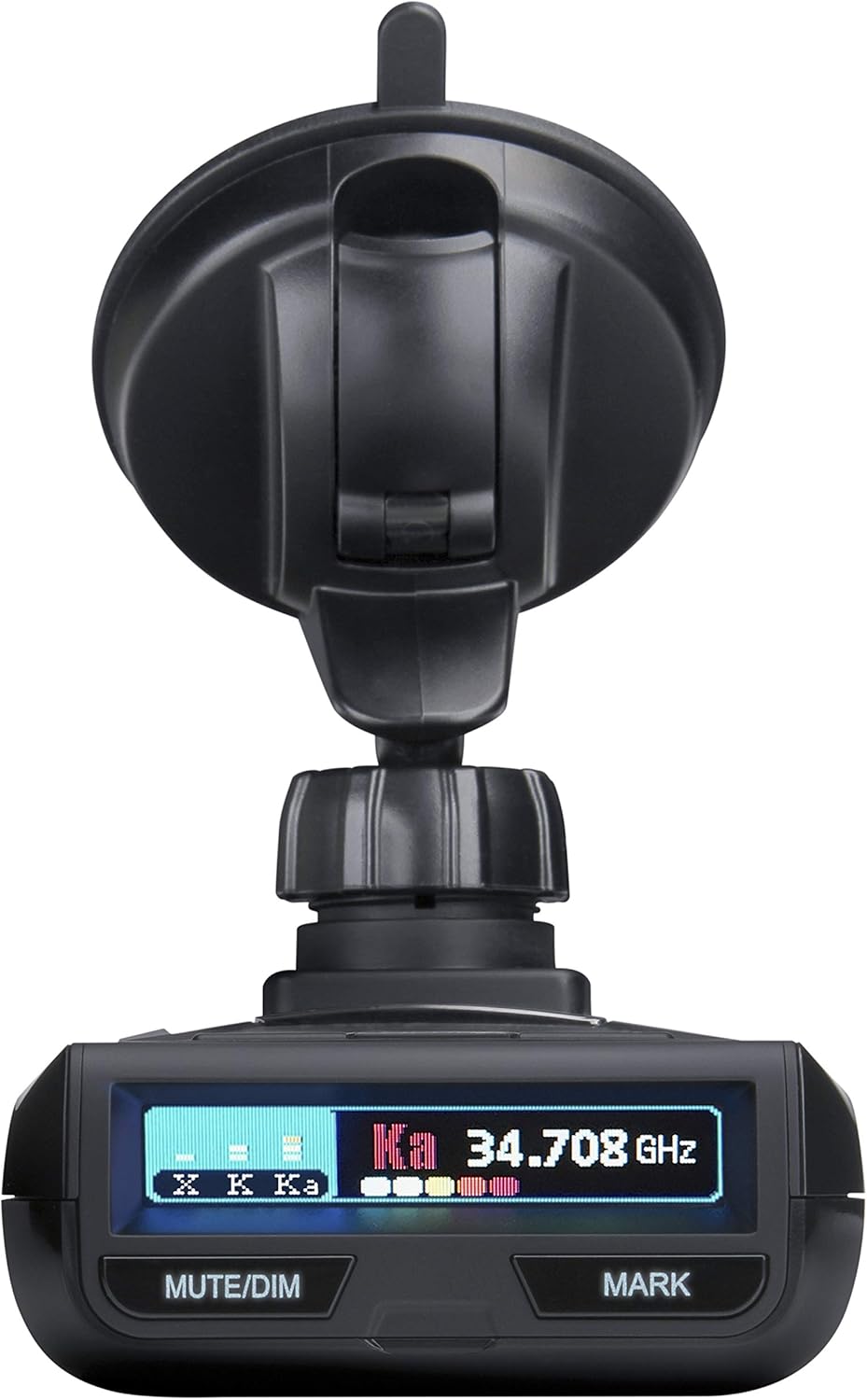
Figure 4: Uniden R3 mounted on a windshield using the suction cup bracket.
3.2 پاور ڪنيڪشن
Connect the provided cigarette adapter to the power input on the detector and then into your vehicle's 12V accessory outlet. The unit will power on automatically when the vehicle's ignition is turned on.
3.3 شروعاتي تياري
Before first use, gently peel off any protective plastic film from the display and sensor lens to ensure clear visibility and optimal performance.
4. ڊوائيس کي هلائڻ
The Uniden R3 is designed for intuitive operation. Familiarize yourself with the controls and display for effective use.
4.1 ڪنٽرول ۽ ڊسپلي
The device features several buttons and a multi-color OLED display:

شڪل 5: بند اپ view of the Uniden R3 display and control buttons.
- طاقت: يونٽ کي آن/آف ڪري ٿو.
- VOL +/-: Adjusts the volume of voice alerts.
- مينيو Accesses the device settings and options.
- MUTE/DIM: Mutes current alerts or adjusts display brightness.
- نشان: Allows you to mark geographical points for future alerts (e.g., speed traps, red light cameras).
- OLED ڊسپلي: Provides clear, multi-color visual information including detected radar bands and signal strength.
4.2 اهم خاصيتون
- GPS Technology: Enables the R3 to remember and mute common false alerts (e.g., automatic doors) along frequently traveled routes. It also provides preloaded Red Light and Speed Camera locations.
- وائس الرٽ: Provides clear voice notifications for detected threats, allowing for hands-free operation.
- Advanced False Alert Filtering: Minimizes false alerts from Blind Spot Monitoring and Collision Avoidance systems in other vehicles.
- Ka Frequency Voice Alert: Specifically announces Ka band radar detections.

شڪل 6: ختمview of key features of the Uniden R3 Radar Detector.
4.3 بندرگاهن ۽ ڪنيڪشن
The unit includes various ports for power, data, and audio output:
- USB پورٽ: Used for firmware updates and database updates.
- آڊيو جيڪ: For connecting external headphones or audio systems.
- پاور ان پٽ: Connects to the cigarette lighter adapter for power.

شڪل 7: پاسي view of the Uniden R3 showing the USB, Audio, and Power ports.
5. سار سنڀال
To ensure the longevity and optimal performance of your Uniden R3, follow these maintenance guidelines:
- صفائي: نرم استعمال ڪريو، ڊيamp cloth to clean the exterior of the unit and the display. Avoid abrasive cleaners or solvents.
- سينسر جي سنڀال: Keep the front sensor lens clean and free from obstructions (dust, fingerprints) for accurate detection.
- فرم ويئر اپڊيٽس: Regularly check the Uniden website for free database and firmware updates to ensure your detector is always up-to-date with the latest features and threat information.
6. مسئلا حل ڪرڻ
If you encounter issues with your Uniden R3, consider the following common solutions:
- طاقت ناهي: Ensure the cigarette adapter is securely plugged into both the detector and the vehicle's 12V outlet. Check the vehicle's fuse for the accessory outlet.
- Frequent False Alerts: Utilize the GPS mute memory feature to mark common false alert locations. Ensure the advanced false alert filtering is enabled in the settings.
- جي پي ايس ڪم نه ڪري رهيو آهي: پڪ ڪريو ته يونٽ صاف آهي view of the sky for satellite acquisition. Verify GPS settings in the menu.
- نه آڊيو: Check the volume level using the VOL +/- buttons. Ensure the unit is not in mute mode.
For more detailed troubleshooting steps, refer to the official User Manual PDF or contact Uniden Customer Support.
7. وضاحتون
| خاصيت | تفصيل |
|---|---|
| پيداوار جي ماپ | 4.5 x 2.81 x 1.25 انچ (4.5"ليٽر x 2.81"ڊبليو x 1.25"ايڇ) |
| شيءِ جو وزن | 1.65 پائونڊ |
| ماڊل نمبر | R3 |
| طاقت جو ذريعو | DC (12 Volts) |
| ڊسپلي جو قسم | Multi-Color OLED |
| فريڪوئنسي بينڊ سپورٽ ٿيل | 34.7 GHz, 24.125 GHz, 10.525 GHz, Laser |
| يو پي سي | 050633600313 |
| پهرين دستياب | 20 جولاءِ 2017ع |
8. وارنٽي ۽ سپورٽ
Uniden provides customer support to assist with product setup and troubleshooting. For comprehensive information, please refer to the official user manual.
- سرڪاري استعمال ڪندڙ دستورالعمل (PDF): PDF ڊائون لوڊ ڪريو
- Uniden Support: جو دورو ڪريو Uniden Store on Amazon وڌيڪ معلومات ۽ سپورٽ وسيلن لاء.
اهم قانوني دستبرداري
Radar detectors are forbidden in the Commonwealth of Virginia, military bases, and nationally for commercial truck drivers.
هن پراڊڪٽ ۾ شايد ڪيليفورنيا رياست کي معلوم ڪيميڪل شامل هجن جيڪي ڪينسر ۽ پيدائشي نقص يا ٻيون پيدائشي نقصان جو سبب بڻجن ٿا. وڌيڪ معلومات لاءِ، وڃو www.P65 ورننگس .ca.gov.