
1. تعارف
خريد ڪرڻ لاءِ مهربانيasing the Coby CSB04 Bluetooth Soundbar Speaker. This manual provides important information regarding the setup, operation, and maintenance of your new soundbar. Please read this manual thoroughly before using the device and retain it for future reference.
The Coby CSB04 is a sleek and compact soundbar designed to enhance your audio experience. It features wireless Bluetooth connectivity, an RCA line input, and comes with a remote control for convenient operation.
2. حفاظت جي ڄاڻ
ڊوائيس کي نقصان پهچڻ يا پاڻ کي زخمي ٿيڻ کان بچائڻ لاءِ مهرباني ڪري هيٺ ڏنل حفاظتي احتياطي تدبيرن تي عمل ڪريو:
- سائونڊ بار کي مينهن، نمي، يا انتهائي گرمي پد جي سامهون نه آڻيو.
- سي نه کوليوasing. سڀني خدمتن کي قابل اهلڪارن جي حوالي ڪريو.
- پڪ ڪريو ته پاور اڊاپٽر توهان جي مقامي پاور سپلائي سان مطابقت رکي ٿو.
- Keep the soundbar away from heat sources and direct sunlight.
- صرف سڪل ڪپڙي سان صاف ڪريو.
3. پيڪيج مواد
Carefully unpack your Coby CSB04 Soundbar and check that all items are present and in good condition. If any items are missing or damaged, contact your retailer.
- Coby CSB04 Bluetooth Soundbar Speaker
- اي سي پاور ايڊاپٽر
- آر سي سي ڪيبل
- ريموٽ ڪنٽرول
- استعمال ڪندڙ جو دستياب (ھي دستاويز)

Image 3.1: Coby CSB04 Soundbar packaging. The box displays the Coby logo and "Slim 2.0 Sound Bar" text.
4. پراڊڪٽ ختمview
Familiarize yourself with the components and controls of your Coby CSB04 Soundbar.
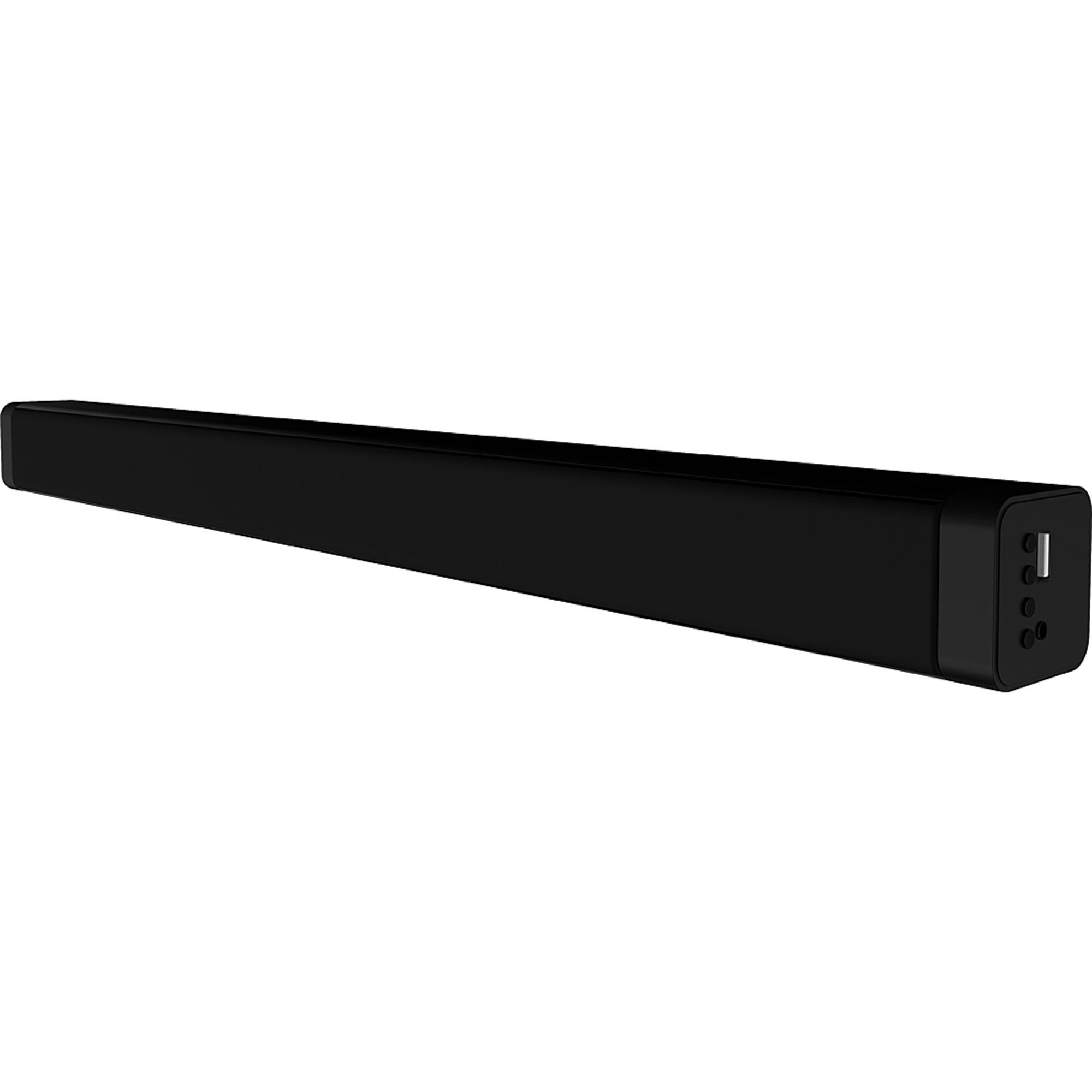
تصوير 4.1: سامهون view of the Coby CSB04 Bluetooth Soundbar. The soundbar is black and rectangular.

تصوير 4.2: پاسي view of the Coby CSB04 Soundbar, showing a USB port and other connection points.
4.1. Front Panel / Top Panel Controls
- پاور بٽڻ: سائونڊ بار کي آن يا آف ڪري ٿو.
- حجم مٿي / ھيٺ: حجم جي سطح کي ترتيب ڏئي ٿو.
- موڊ بٽڻ: Switches between input modes (Bluetooth, RCA).
- LED اشارو: Shows current status (e.g., Bluetooth pairing, input mode).
4.2. ريئر پينل ڪنيڪشن
- ڊي سي اندر AC پاور اڊاپٽر کي Connectنيو هتي.
- RCA L/R Input: Connect external audio devices using the RCA cable.
- USB پورٽ: For potential firmware updates or specific media playback (functionality may vary).
4.3. ريموٽ ڪنٽرول
The included remote control allows for convenient operation of the soundbar from a distance. Functions typically include Power, Volume Up/Down, Mode Selection, Mute, and Playback controls for Bluetooth mode.
5. سيٽ اپ
5.1. پاور ڪنيڪشن
- Connect the AC power adapter to the ڊي سي اين سائونڊ بار جي پوئين پاسي پورٽ.
- AC پاور اڊاپٽر جي ٻئي ڇيڙي کي وال آئوٽليٽ ۾ لڳايو.
- سائونڊ بار اسٽينڊ بائي موڊ ۾ داخل ٿيندو.
5.2. آڊيو ڪنيڪشن
You can connect audio sources to the soundbar via Bluetooth or RCA cable.
5.2.1. بلوٽوٽ ڪنيڪشن
- Power on the soundbar using the Power button on the unit or remote control.
- کي دٻايو موڊ button repeatedly until the LED indicator shows Bluetooth mode (usually a blinking blue light).
- On your smartphone or other Bluetooth-enabled device, enable Bluetooth and search for available devices.
- Select "CSB04" (or similar name) from the list of devices.
- Once paired, the LED indicator will turn solid blue, and you will hear a confirmation tone.
- هاڻي توهان پنهنجي ڊوائيس مان سائونڊ بار ذريعي آڊيو هلائي سگهو ٿا.
5.2.2. RCA ڪنيڪشن
- Connect one end of the RCA cable to the آر سي سي ايل / آر انپٽ سائونڊ بار تي بندرگاهن.
- Connect the other end of the RCA cable to the audio output ports (usually "Audio Out" or "L/R Out") of your TV, DVD player, or other audio source.
- صوتي بار تي پاور.
- کي دٻايو موڊ button repeatedly until the LED indicator shows RCA mode (e.g., a green light).
- پنهنجي ڳنڍيل ڊوائس تان آڊيو هلايو.
6. آپريٽنگ هدايتون
6.1. پاور آن/آف
کي دٻايو طاقت يونٽ کي آن يا آف ڪرڻ لاءِ سائونڊ بار يا ريموٽ ڪنٽرول تي بٽڻ.
6.2. حجم کي ترتيب ڏيڻ
استعمال ڪريو حجم وڌايو (+) ۽ حجم نمبر (-) آڊيو ليول کي ترتيب ڏيڻ لاءِ سائونڊ بار يا ريموٽ ڪنٽرول تي بٽڻ.
6.3. Changing Input Mode
کي دٻايو موڊ button on the soundbar or remote control to cycle through available input sources: Bluetooth, RCA.
6.4. بلوٽوت پلے بیک
Once paired, your Bluetooth device will automatically connect to the soundbar when both are powered on and within range. Use your device's controls or the soundbar's remote control (if applicable) for playback functions like Play/Pause, Next Track, and Previous Track.
7. سار سنڀال
مناسب سار سنڀال توهان جي سائونڊ بار جي ڊگهي عمر ۽ بهترين ڪارڪردگي کي يقيني بڻائي ٿي.
- صفائي: Use a soft, dry cloth to wipe the exterior of the soundbar. Do not use liquid cleaners or aerosols.
- اسٽوريج: جيڪڏهن سائونڊ بار کي گهڻي عرصي تائين ذخيرو ڪري رهيا آهيو، ته ان کي بجلي کان ڌار ڪريو ۽ ان کي ٿڌي، سڪل جاءِ تي ذخيرو ڪريو.
- وينٽيليشن: Ensure the soundbar has adequate ventilation and is not covered, to prevent overheating.
8. مسئلا حل ڪرڻ
If you encounter issues with your Coby CSB04 Soundbar, refer to the following common problems and solutions:
| مسئلو | ممڪن سبب | حل |
|---|---|---|
| طاقت نه آهي | پاور اڊاپٽر ڳنڍيل نه آهي يا آئوٽ ليٽ خراب آهي. | Ensure the power adapter is securely connected to the soundbar and a working power outlet. Try a different outlet. |
| آواز ڪونهي | Incorrect input mode, low volume, or incorrect cable connection. |
|
| بلوٽوٿ جوڙڻ ناڪام ٿيو | Soundbar not in pairing mode, device too far, or interference. |
|
| ريموٽ ڪنٽرول ڪم نه ڪري رهيو آهي | مئل بيٽريون يا رڪاوٽ. | Replace the batteries in the remote control. Ensure there is no obstruction between the remote and the soundbar's sensor. |
9. وضاحتون
Here are the technical specifications for the Coby CSB04 Bluetooth Soundbar Speaker:
- ماڊل: CSB04
- اسپيڪر جو قسم: سائونڊ بار
- رابطي ٽيڪنالاجي: بلوٽوٿ
- وڌ ۾ وڌ اسپيڪر آئوٽ پُٽ پاور: 10 واٽ
- مطابقت رکندڙ ڊوائيسز: Smartphone (and other Bluetooth/RCA audio sources)
- ڪنٽرول جو طريقو: ريموٽ ڪنٽرول
- طاقت جو ذريعو: اليڪٽرڪ ڪيبل (اي سي اڊاپٽر)
- رنگ: ڪارو
- طول و عرض: 85.09 x 14.22 x 38.35 سينٽي ميٽر (تقريبن 33.5 x 5.6 x 15.1 انچ)
- وزن: 1.54 ڪلوگرام (تقريبن 3.4 پائونڊ)
- چڙهڻ جو قسم: ڊيسڪ ٽاپ جبل
10. وارنٽي ۽ سپورٽ
For warranty information and technical support, please refer to the warranty card included with your product or visit the official Coby webسائيٽ. خريداري جي ثبوت طور پنهنجي خريداري جي رسيد رکو.
For further assistance, you may contact Coby customer service through their official channels.