
پيداوار ختمview
The MY ARCADE Super Gamepad is a wireless gaming controller designed to replace wired controllers for various Nintendo consoles. It offers wireless freedom and enhanced gaming features.
اهم خاصيتون:
- وائرلیس رابطي Enjoy gaming up to 25 feet away from your console without lag.
- وڌايل راند جو وقت: Over 27 hours of gameplay on two AAA batteries (not included).
- Ergonomic ڊيزائن: Provides comfortable grip and precise control for extended gaming sessions.
- هوم بٽڻ: Quickly access the main game selection menu directly from the controller.
- ٽربو بٽڻ: Assign turbo functionality to any action button for rapid input.
پيڪيج مواد
سيٽ اپ سان اڳتي وڌڻ کان اڳ پڪ ڪريو ته سڀئي شيون موجود آهن:
- MY ARCADE Super Gamepad (DGUN-2960)
- وائرلیس ايڊاپٽر
- هدايت نامو (هي دستاويز)
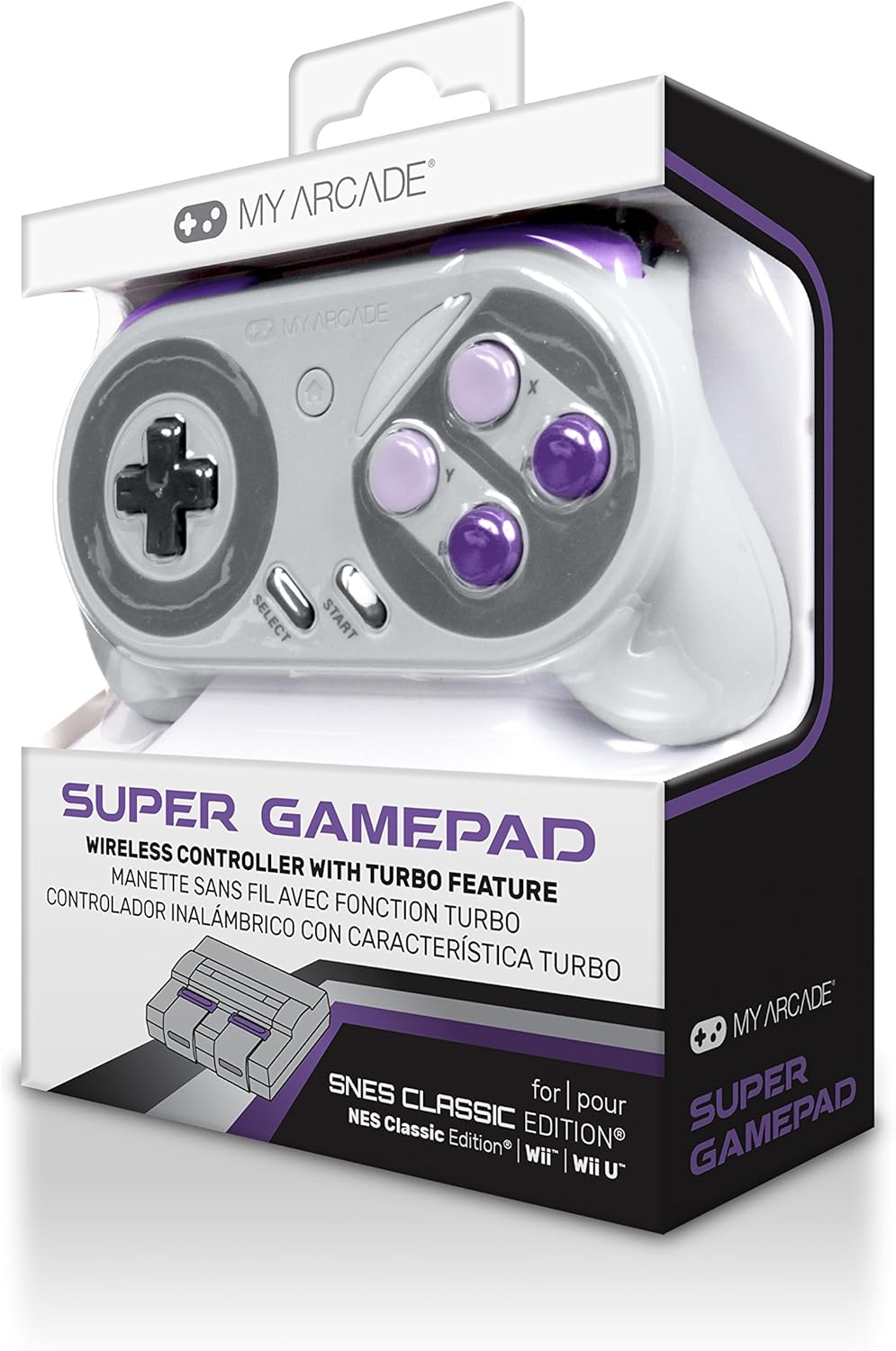
تصوير: سامهون view of the MY ARCADE Super Gamepad packaging, showing the controller and branding.
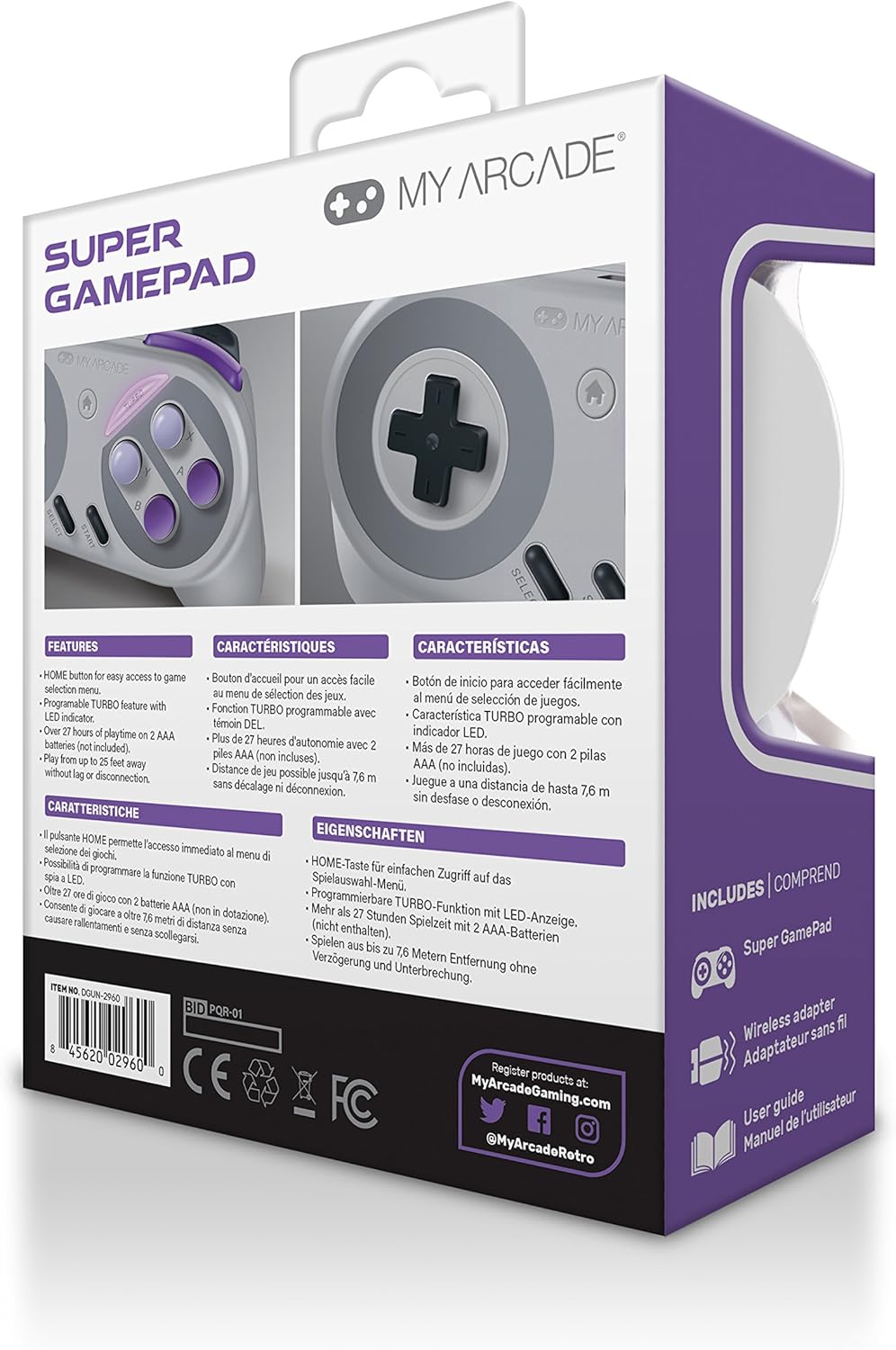
تصوير: پوئتي view of the MY ARCADE Super Gamepad packaging, detailing features and contents in multiple languages.
سيٽ اپ گائيڊ
1. بيٽرين کي انسٽال ڪريو
The Super Gamepad requires two AAA batteries (not included). Open the battery compartment on the back of the controller and insert the batteries, ensuring correct polarity (+/-).
2. Connect Wireless Adapter
Plug the included wireless adapter into an available controller port on your compatible console (Nintendo SNES Classic, NES Classic, Super Famicom, Wii, or Wii U).

Image: The MY ARCADE Super Gamepad shown alongside its compact wireless adapter, illustrating the wireless connection capability.
3. Power On and Pair
Turn on your console. Press the power button on the Super Gamepad. The controller should automatically pair with the wireless adapter. An indicator light on the controller will confirm a successful connection.
آپريٽنگ هدايتون
Familiarize yourself with the controller's buttons for optimal gameplay.
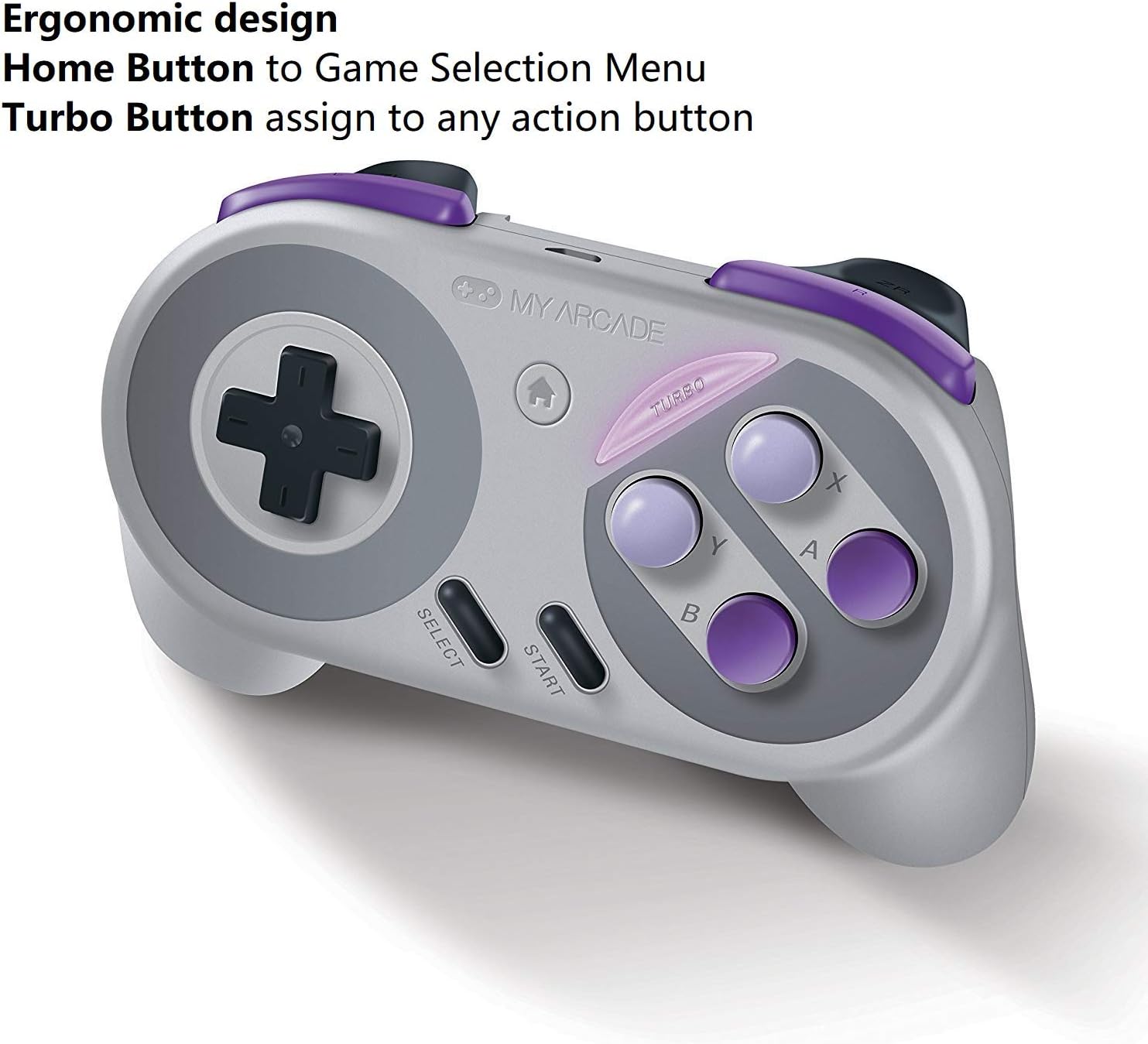
Image: The MY ARCADE Super Gamepad, highlighting the Home button (house icon) and Turbo button for special functions.
هوم بٽڻ:
کي دٻايو گهر جو بٽڻ (typically marked with a house icon) to return to the main game selection menu of your console. This eliminates the need to manually reset the console to change games.
ٽربو بٽڻ:
جي ٽربو بٽڻ allows you to assign rapid-fire functionality to any action button. To activate:
- کي دٻايو ۽ رکو ٽربو بٽڻ.
- While holding Turbo, press the desired action button (e.g., A, B, X, Y) to which you want to assign rapid-fire.
- Release both buttons. The assigned action button will now have turbo functionality.
سار سنڀال
Proper care will extend the life of your Super Gamepad.
- صفائي: Use a soft, dry cloth to clean the controller. Avoid abrasive cleaners or solvents.
- اسٽوريج: ڪنٽرولر کي سڌي سج جي روشني ۽ انتهائي گرمي پد کان پري ٿڌي، سڪل جاءِ تي ذخيرو ڪريو.
- بيٽري مٽائڻ: When the controller's performance degrades or it fails to power on, replace both AAA batteries with fresh ones.
مشڪلاتون
جيڪڏهن توهان کي مسئلا درپيش اچن ٿا، ته انهن عام حلن جي ڪوشش ڪريو:
- ڪنٽرولر جواب نه ڏنو:
- پڪ ڪريو ته بيٽريون صحيح طرح سان نصب ٿيل آهن ۽ ختم نه ٿيون ٿين. جيڪڏهن ضروري هجي ته تبديل ڪريو.
- Verify the wireless adapter is securely plugged into the console.
- Confirm the controller is powered on.
- Move closer to the console to ensure you are within the 25-foot wireless range.
- دير يا ڊسڪنيڪٽيشن:
- ٻين وائرليس ڊوائيسز کان ممڪن مداخلت جي جانچ ڪريو.
- Ensure the controller and adapter have a clear line of sight.
- جيڪڏهن بيٽريون گهٽ آهن ته انهن کي تبديل ڪريو.
- بٽڻ ڪم نه ڪري رهيا آهن:
- ڪنهن به ملبي کي هٽائڻ لاء بٽڻ جي چوڌاري صاف ڪريو.
- Ensure the controller is properly paired.
وضاحتون
| خاصيت | تفصيل |
|---|---|
| ماڊل نمبر | DGUN-2960 |
| برانڊ | منهنجو آرڪيڊ |
| رابطي | وائرليس (بلوٽوت) |
| وائرلیس رينج | 25 فوٽ (7.6 ميٽر) تائين |
| مطابقت رکندڙ ڪنسولز | Nintendo SNES Classic, NES Classic, Super Famicom, Wii, Wii U |
| طاقت جو ذريعو | 2 x AAA بيٽريون (شامل نه آهن) |
| بيٽري جي زندگي | Over 27 hours of playtime |
| پيداوار جي ماپ | 3.81 x 10.16 x 8.26 سينٽي (1.5 x 4 x 3.25 انچ) |
| شيءِ جو وزن | 136.08 گرام (4.8 اوز) |
| بٽڻ جي مقدار | 16 |
| رنگ | Super NES Colors |
وارنٽي ۽ سپورٽ
وارنٽي ڄاڻ:
The MY ARCADE Super Gamepad comes with a 120 ڏينهن وارنٽي خريداري جي تاريخ کان. هي وارنٽي عام استعمال هيٺ پيداوار جي خرابين کي ڍڪيندي آهي. مھرباني ڪري وارنٽي دعوائن لاءِ خريداري جو ثبوت رکو.
ڪسٽمر سپورٽ:
For technical assistance, troubleshooting, or warranty inquiries, please contact the manufacturer:
ٺاهيندڙ: DreamGEAR
رابطي جي ڄاڻ: TORRANCE, CA, 90501 US
You may also visit the official MY ARCADE webاضافي وسيلن ۽ مدد لاء سائيٽ.