
1. پراڊڪٽ ختمview
The Lexmark MS521dn is a high-performance monochrome laser printer designed for office environments. It offers fast printing speeds, two-sided duplex printing, and robust security features to meet the demands of large workgroups. With a 2.4-inch LCD display, managing print jobs and system information is intuitive and straightforward.
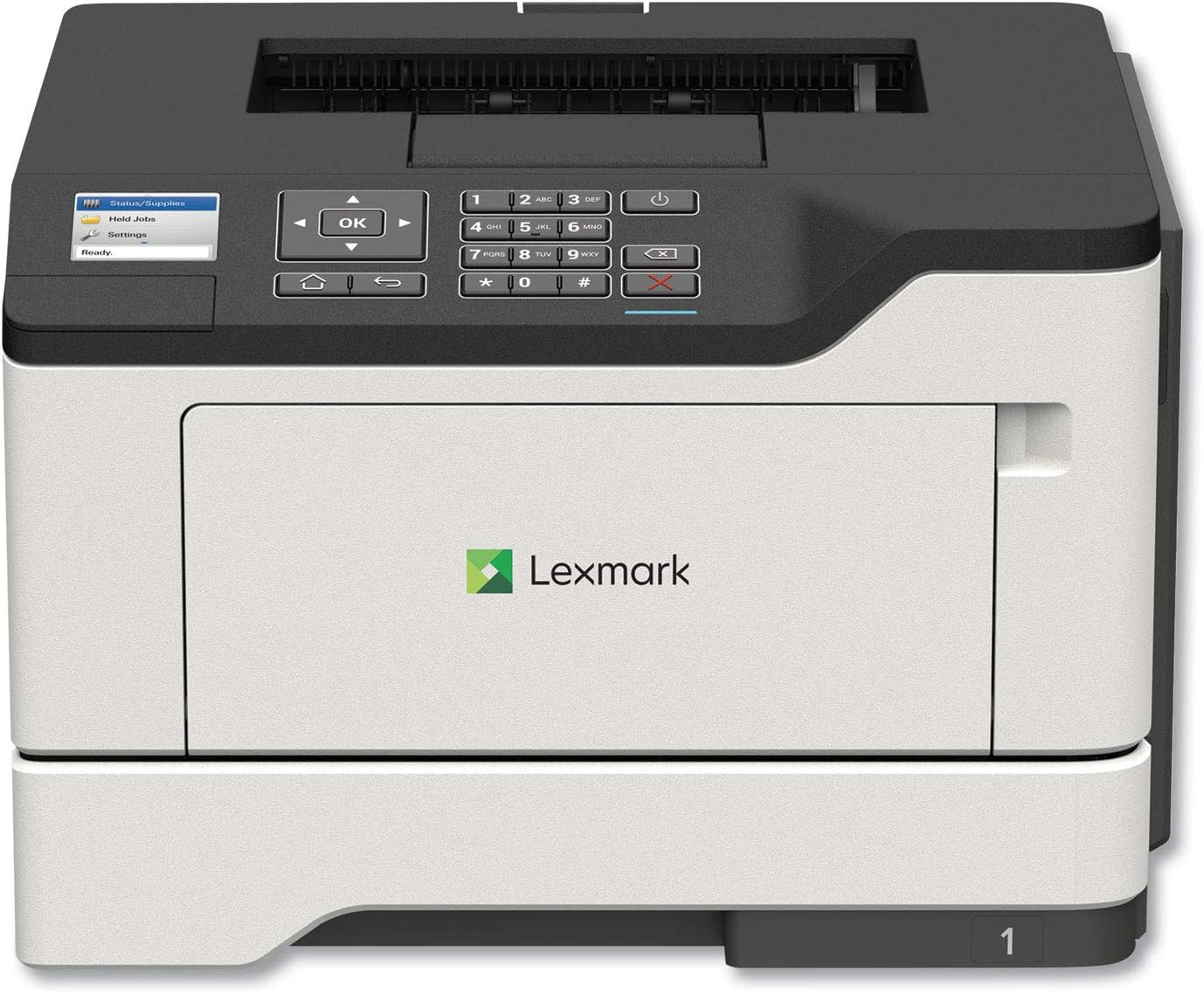
تصوير: سامهون view of the Lexmark MS521dn Monochrome Laser Printer, showcasing ان جي ڪمپيڪٽ ڊيزائن ۽ ڪنٽرول پينل.
اهم خاصيتون شامل آهن:
- اعليٰ ڪارڪردگي: Print speeds up to 46 pages per minute with a 1-GHz dual-core processor and 512 MB of memory.
- Duplex ڇپائي: Standard two-sided printing for paper saving.
- مضبوط سيڪيورٽي: Comprehensive security architecture to protect information on the device and network.
- استعمال ڪندڙ-دوست انٽرفيس: 2.4-inch color LCD for easy configuration and monitoring.
- ورسٽائل ميڊيا هينڊلنگ: Supports various media types and sizes, from A6 to legal, with a 100-sheet multipurpose feeder.
- توانائي جي ڪارڪردگي: Designed to reduce power consumption in active and sleep modes, meeting ENERGY STAR 2.0 requirements.
2. سيٽ اپ
Follow these steps to set up your Lexmark MS521dn printer and install the toner cartridge:
- پرنٽر کوليو: Carefully remove the printer from its packaging. Remove all packing materials, tapes, and protective films.
- پاور Connectنيو: پاور ڪنڊ کي پرنٽر ۾ لڳايو ۽ پوءِ گرائونڊ ٿيل اليڪٽريڪل آئوٽليٽ ۾ لڳايو.
- ٽونر ڪارٽريج انسٽال ڪريو:
- پرنٽر جي سامهون واري رسائي واري دروازي کي کوليو.
- If replacing an old cartridge, gently pull it out.
- Unpack the new toner cartridge from its box and protective bag.
- Gently shake the new cartridge from side to side to distribute the toner evenly.
- Align the cartridge with the guides inside the printer and push it in until it clicks into place.
- اڳيان رسائي وارو دروازو بند ڪريو.
- نيٽ ورڪ/ڪمپيوٽر سان ڳنڍيو:
- For network connectivity, connect an Ethernet cable from your router or network switch to the printer's Ethernet port.
- سڌي ڪنيڪشن لاءِ، پرنٽر کي پنهنجي ڪمپيوٽر سان ڳنڍڻ لاءِ USB ڪيبل استعمال ڪريو.
- سافٽ ويئر انسٽال ڪريو: Insert the provided Software and documentation CD into your computer's CD/DVD drive and follow the on-screen instructions to install the printer drivers and software. Alternatively, download the latest drivers from the official Lexmark support webسائيٽ.
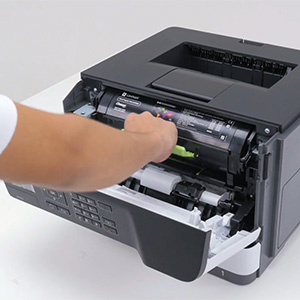
Image: A hand demonstrating the installation of a toner cartridge into the printer's front compartment.
Video: Official Lexmark guide on replacing the toner cartridge for the MS521dn printer. This video demonstrates the step-by-step process of opening the printer, removing the old cartridge, unpacking and preparing the new cartridge, and inserting it correctly.
3. آپريٽنگ هدايتون
The Lexmark MS521dn is designed for straightforward operation. Here are basic instructions for common tasks:
3.1. بنيادي پرنٽنگ
- پڪ ڪريو ته پرنٽر آن آهي ۽ توهان جي ڪمپيوٽر يا نيٽ ورڪ سان ڳنڍيل آهي.
- Load paper into the main paper tray or the multipurpose feeder. Adjust the paper guides to fit the paper size.
- پنهنجي ڪمپيوٽر مان، اهو دستاويز يا تصوير کوليو جيڪو توهان پرنٽ ڪرڻ چاهيو ٿا.
- چونڊيو File > ڇاپيو (يا توهان جي ايپليڪيشن ۾ برابر حڪم).
- Choose the Lexmark MS521dn from the list of available printers.
- Adjust print settings as needed (e.g., number of copies, paper size, print quality, duplex printing).
- ڪلڪ ڪريو ڇپائي.
3.2. ڪنٽرول پينل استعمال ڪندي
The 2.4-inch color LCD display and control panel allow you to manage printer settings and monitor status:
- نيويگيشن بٽڻ: Use the arrow keys and OK button to navigate through menus.
- Status/Supplies: Check toner levels, paper tray status, and printer errors.
- سيٽنگون: Configure network settings, paper handling options, print quality, and security features.
- Held Jobs: Access and manage print jobs held in the printer's memory.
4. سار سنڀال
Regular maintenance ensures optimal performance and longevity of your Lexmark MS521dn printer.
4.1. Replacing Toner Cartridge
When the printer indicates low toner or print quality degrades, it's time to replace the toner cartridge. Refer to the "Setup" section (Step 3) for detailed instructions and the embedded video on how to replace the toner cartridge.
4.2. پرنٽر جي صفائي
- ٻاهران: نرم استعمال ڪريو، ڊيamp، پرنٽر جي ٻاهرين حصي کي صاف ڪرڻ لاءِ لِنٽ فري ڪپڙو. رگڙيندڙ صاف ڪندڙن کان پاسو ڪريو.
- اندروني: Periodically open the front cover and gently remove any paper dust or debris from the interior using a dry, lint-free cloth. Do not touch the imaging unit's drum.
4.3. Fuser and Imaging Components
The Lexmark MS521dn features long-life fuser and imaging components designed to extend uptime and reduce the frequency of replacements. Consult the printer's display or the Lexmark support website for indicators on when these components may require attention.
5. مسئلا حل ڪرڻ
This section addresses common issues you might encounter with your Lexmark MS521dn printer.
5.1. پرنٽر جواب نه ڏئي رهيو آهي
- طاقت چيڪ ڪريو: پڪ ڪريو ته پرنٽر پلگ ان ٿيل آهي ۽ پاور آن آهي.
- ڪنيڪشن چيڪ ڪريو: تصديق ڪريو ته USB يا ايٿرنيٽ ڪيبل محفوظ طور تي پرنٽر ۽ ڪمپيوٽر/نيٽ ورڪ ٻنهي سان ڳنڍيل آهي.
- ڊوائيس ٻيهر شروع ڪريو: Turn off the printer, computer, and router (if applicable). Wait a few minutes, then turn them back on in the following order: router, printer, computer.
- پرنٽر جي حيثيت: Check the printer's LCD display for any error messages or status indicators.
5.2. خراب پرنٽ معيار
- ٽونر ليول: Check the toner cartridge level via the printer's display or software. Replace if low.
- ڪاغذ جو قسم: پڪ ڪريو ته توهان پنهنجي پرنٽ جي ڪم لاءِ صحيح پيپر جي قسم ۽ معيار استعمال ڪري رهيا آهيو.
- پرنٽر سيٽنگون: پنهنجي پرنٽر ڊرائيور ۾ پرنٽ جي معيار جي سيٽنگن کي ترتيب ڏيو.
- اندروني صفائي: Perform an internal cleaning cycle if available through the printer's menu.
5.3. پيپر جام
- جام ڳوليو: The printer's display will usually indicate the location of the paper jam.
- Open Access Areas: سڀ رسائي لائق ڍڪ ۽ ٽري کوليو.
- ڪاغذ هٽايو: Carefully pull out any jammed paper in the direction of the paper path. Avoid tearing the paper.
- بند ڪپڙا: سڀئي ڍڪ ۽ ٽري محفوظ طور تي بند ڪريو.
5.4. Connectivity Issues (e.g., Not Wireless)
The Lexmark MS521dn model (36S0300) connects via Ethernet or USB. It does not have built-in wireless connectivity. If you require wireless printing, you may need an external wireless print server or a network setup that allows for wireless access to a wired printer. Please verify your network configuration and ensure the printer is connected via a supported method.
6. وضاحتون
| خاصيت | تفصيل |
|---|---|
| برانڊ | ليڪس مارڪ |
| ماڊل نالو | MS521dn (36S0300) |
| ڇپائي ٽيڪنالاجي | ليزر |
| پرنٽر آئوٽ | مونوڪروم |
| وڌ ۾ وڌ پرنٽ اسپيڊ (مونوڪروم) | 46 پي پي ايم |
| وڌ ۾ وڌ پرنٽ ريزوليوشن | 1200 x 1200 dpi |
| Duplex پرنٽنگ | خودڪار (ٻه طرفو) |
| رابطي ٽيڪنالاجي | ايٿرنيٽ، يو ايس بي |
| پروسيسر شمار | 2 (ڊبل ڪور) |
| ميموري رکڻ جي صلاحيت | 512 ايم بي |
| ڊسپلي جو قسم | 2.4 انچ رنگين LCD |
| وڌ ۾ وڌ ان پٽ شيٽ جي گنجائش | 350 sheets (expandable to 2000 sheets) |
| پيداوار جي ماپ (DxWxH) | 16.93"ڊي x 18.5"ڊي x 14.8"ايڇ |
| شيءِ جو وزن | 31.1 پائونڊ |
| بجلي جو استعمال | 620 واٽ (آن موڊ) |
7. وارنٽي ۽ سپورٽ
Your Lexmark MS521dn printer comes with a limited warranty. For specific details regarding the warranty period and coverage, please refer to the "Statement of limited warranty/guarantee" included in your product packaging.
Lexmark is committed to providing comprehensive product security and support. If you encounter issues that cannot be resolved using the troubleshooting guide, or for further assistance, please contact Lexmark customer support. You can find contact information and additional resources on the official Lexmark webسائيٽ.
For information on the Lexmark Cartridge Collection Program (LCCP) for recycling used cartridges, please refer to the included documentation or the Lexmark webسائيٽ.