
SoundMAGIC P22BT Wireless Bluetooth Headphones User Manual
Model: P22BT | Brand: SoundMAGIC
1. تعارف
The SoundMAGIC P22BT headphones offer a high-quality wireless audio experience with advanced Bluetooth v4.1 connectivity and NFC for quick pairing. Designed for comfort and portability, these headphones feature 40mm drivers for rich, balanced sound and a foldable design. This manual provides essential information for the proper use and maintenance of your P22BT headphones.
2. پيڪيج مواد
مھرباني ڪري ھيٺ ڏنل شين لاءِ دٻي کي چيڪ ڪريو:
- 1 x SoundMAGIC P22BT Wireless Bluetooth Headphones
- 1 x USB چارجنگ ڪيبل
- 1 x 3.5mm آڊيو ڪيبل
- 1 x Soft Carrying Case
- 1 x استعمال ڪندڙ دستياب (هي دستاويز)
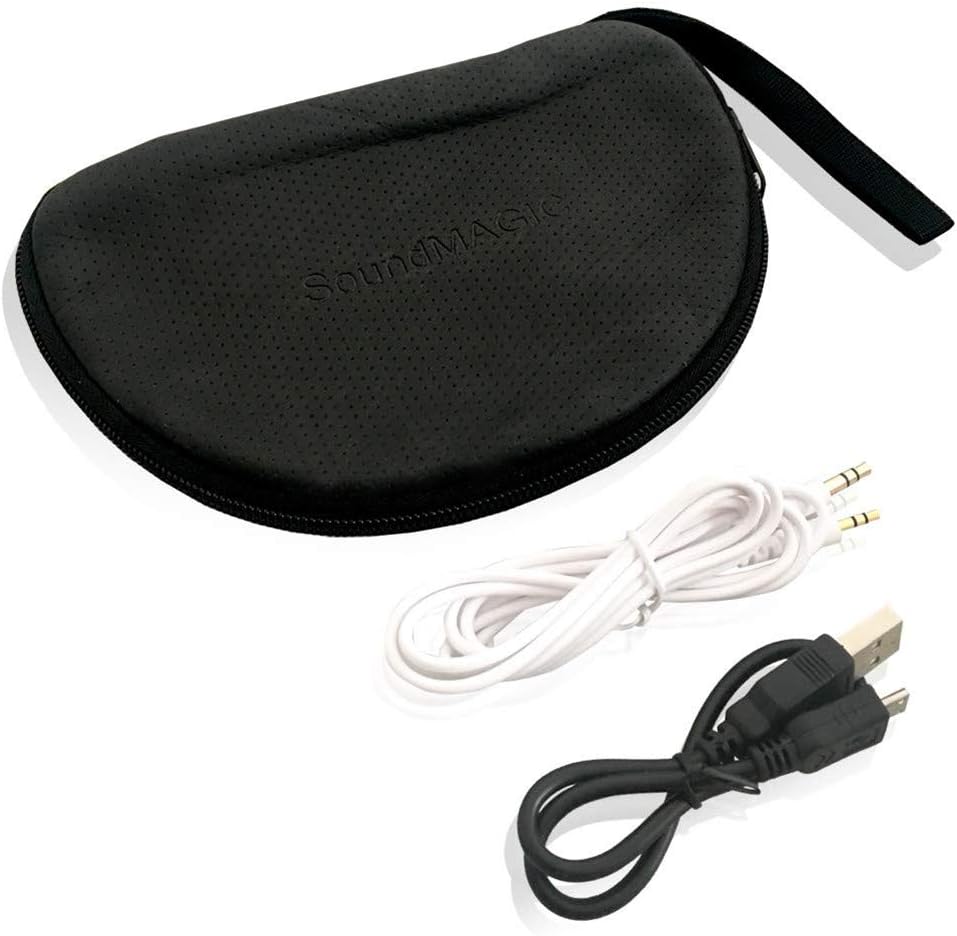
The package includes essential accessories for charging, wired listening, and protection.
3. سيٽ اپ
3.1 هيڊفون چارج ڪرڻ
Before first use, fully charge the headphones. Connect the supplied USB charging cable to the micro-USB port on the headphones and the other end to a USB power source (e.g., computer USB port, wall adapter). The LED indicator will show charging status and turn off or change color when fully charged. A full charge provides approximately 18-20 hours of music playback.
3.2 بلوٽوٽ جوڙي
- پڪ ڪريو ته هيڊفون بند ٿيل آهن.
- پاور بٽڻ کي دٻايو ۽ رکو جيستائين LED اشارو نيرو ۽ ڳاڙهو متبادل طور تي چمڪي، جيڪو جوڙڻ واري موڊ کي ظاهر ڪري ٿو.
- پنهنجي ڊوائيس (اسمارٽ فون، ٽيبليٽ، وغيره) تي، بلوٽوٿ کي فعال ڪريو ۽ موجود ڊوائيسز جي ڳولا ڪريو.
- Select "SoundMAGIC P22BT" from the list of found devices.
- Once paired, the LED indicator will flash blue periodically.
NFC Pairing (if supported by your device)
With NFC enabled on your device and the headphones in pairing mode, simply tap your device against the NFC area on the left ear cup to initiate quick pairing.
3.3 وائرڊ ڪنيڪشن
To use the headphones in wired mode, connect one end of the 3.5mm audio cable to the audio input port on the headphones and the other end to your audio source. The headphones can be used passively in wired mode, even if the battery is depleted.

For extended listening or when battery is low, connect the headphones using the provided 3.5mm audio cable.
4. آپريٽنگ هدايتون
4.1 ڪنٽرول ختمview
The main controls are located on the right ear cup.

The right ear cup houses intuitive controls for power, volume adjustment, music playback, and call management.
- پاور بٽڻ (مرڪز): پاور آن/آف ڪرڻ لاءِ دٻايو ۽ رکو. موسيقي هلائڻ/روڪ ڪرڻ يا ڪالن جو جواب ڏيڻ/ختم ڪرڻ لاءِ مختصر دٻايو.
- حجم وڌايو (+): حجم وڌائڻ لاءِ مختصر دٻايو. ايندڙ ٽريڪ تي وڃڻ لاءِ ڊگهو دٻايو.
- حجم گھٽ (-): حجم گهٽائڻ لاءِ مختصر دٻايو. پوئين ٽريڪ تي وڃڻ لاءِ ڊگهو دٻايو.
- Multi-function Button (Phone icon): Short press to answer/end calls. Long press to reject calls. Double press to redial the last number.
4.2 پاور آن/آف
- پاور آن: Press and hold the Power button for approximately 3 seconds until the LED flashes blue.
- بجلي بند: Press and hold the Power button for approximately 3 seconds until the LED flashes red and then turns off.
4.3 ميوزڪ پلے بیک
- راند/روڪ: پاور بٽڻ کي مختصر دٻايو.
- اڳيون ٽريڪ: واليوم اپ (+) بٽڻ کي ڊگھو دٻايو.
- پويون ٽريڪ: واليوم ڊائون (-) بٽڻ کي ڊگھو دٻايو.
4.4 ڪال مئنيجمينٽ
- جواب/آخر ڪال: ملٽي فنڪشن بٽڻ کي مختصر دٻايو.
- ڪال رد ڪريو: ملٽي فنڪشن بٽڻ کي ڊگھو دٻايو.
- ريڊل آخري نمبر: ملٽي فنڪشن بٽڻ کي ٻٽي دٻايو.
5. سار سنڀال
5.1 صفائي
Wipe the headphones with a soft, dry cloth. Do not use abrasive cleaners or solvents. The ear pads can be gently cleaned with a damp cloth and mild soap, then allowed to air dry completely before use.
5.2 اسٽوريج
When not in use, store the headphones in the provided soft carrying case to protect them from dust and damage. The foldable design allows for compact storage.
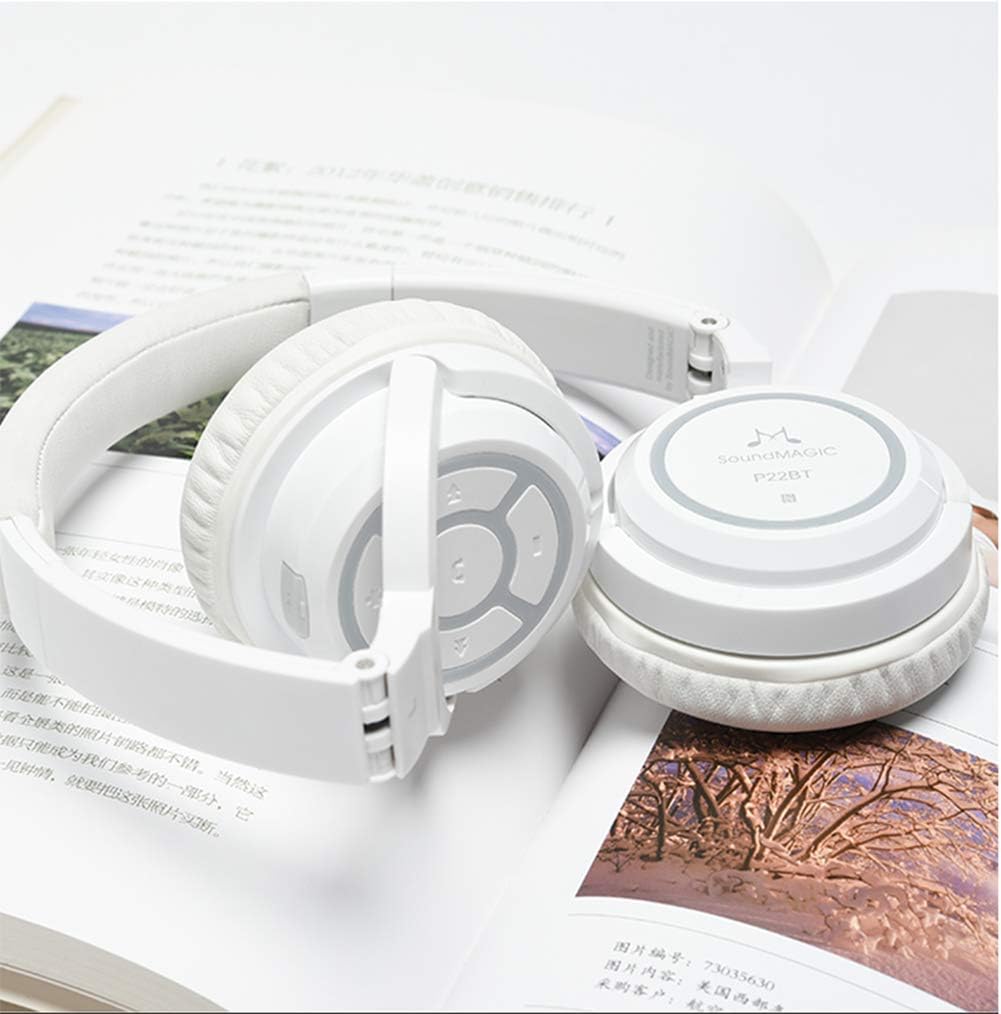
The headphones fold inward, making them easy to store and transport in the included soft case.
Avoid storing in extreme temperatures or high humidity. Keep away from direct sunlight.
6. مسئلا حل ڪرڻ
- هيڊفون آن نه ٿا ٿين: Ensure the headphones are fully charged. Connect to a USB power source and try again.
- ڊوائيس سان جوڙو نه ٿو ٺاهي سگهجي:
- پڪ ڪريو ته هيڊفون پيئرنگ موڊ ۾ آهن (ايل اي ڊي چمڪندڙ نيرو ۽ ڳاڙهو).
- پڪ ڪريو ته توهان جي ڊوائيس تي بلوٽوت فعال آهي.
- هيڊفونز کي پنهنجي ڊوائيس جي ويجهو منتقل ڪريو.
- هيڊفون ۽ پنهنجي ڊوائيس ٻنهي کي بند ڪري آن ڪريو، پوءِ ٻيهر جوڙڻ جي ڪوشش ڪريو.
- جيڪڏهن ضروري هجي ته پنهنجي ڊوائيس تي پوئين بلوٽوٿ ڪنيڪشن صاف ڪريو.
- ڪابه آواز يا گهٽ آواز:
- هيڊفونز ۽ توهان جي ڳنڍيل ڊوائيس تي حجم جي سطح چيڪ ڪريو.
- پڪ ڪريو ته هيڊفون صحيح طرح سان جوڙيل ۽ ڳنڍيل آهن.
- If using wired connection, ensure the 3.5mm cable is fully inserted into both the headphones and the audio source.
- غريب آواز جي معيار:
- مداخلت کان بچڻ لاءِ پنهنجي ڳنڍيل ڊوائيس جي ويجهو وڃو.
- پڪ ڪريو ته هيڊفونز ۽ توهان جي ڊوائيس جي وچ ۾ ڪا به رڪاوٽ نه آهي.
- ذريعن جي مسئلن کي رد ڪرڻ لاءِ مختلف آڊيو ذريعن کي هلائڻ جي ڪوشش ڪريو.
7. وضاحتون
| ماڊل | پي 22 بي ٽي |
| بلوٽوت ورزن | v4.1 |
| ڊرائيور يونٽ | 40mm Neodymium Boron Magnetic Coil |
| ٽرانسميشن جو فاصلو | اٽڪل 13 ميٽر |
| رڪاوٽ | 32 ± 3 Ω |
| MIC حساسيت | 95 ± 3 ڊي بي |
| بجلي جو استعمال | ڪلاس 2 |
| آپريٽنگ موجوده | 30 mAh |
| ميوزڪ پلے بیک وقت | 18-20 ڪلاڪ |
| ڳالهائڻ جو وقت | 13-15 ڪلاڪ |
| اسٽينڊ بائي ٽائيم | 640 ڪلاڪ |
| آپريٽنگ جي درجه حرارت | -20 °C کان 60 °C |
| وزن | 158 گرام |
| رابطي | Wireless Bluetooth, 3.5mm Jack, USB |
| مواد | Memory foam (earpads), Metal reinforced headband |
| انداز | Supra-aural (On-ear) |
| شور جي الڳ ٿيڻ | ها |
8. وارنٽي ۽ سپورٽ
SoundMAGIC products are manufactured to high standards and undergo rigorous quality control. For specific warranty information, please refer to the warranty card included with your purchase or visit the official SoundMAGIC website. If you encounter any issues or require technical assistance, please contact SoundMAGIC customer support through their official channels.
مھرباني ڪري وارنٽي دعوائن لاءِ خريد ڪرڻ جو پنھنجو ثبوت رکو.