
1. تعارف
The PNI IP930W is a 1080P 2MP wireless P2P PTZ IP surveillance camera designed for indoor use. It offers comprehensive monitoring capabilities with its pan-tilt-zoom functionality, two-way audio, motion detection, and advanced night vision. This manual provides detailed instructions for setting up, operating, and maintaining your camera to ensure optimal performance and security.
2. پيڪيج مواد
Before proceeding with the installation, please verify that all items listed below are present in your package.
- PNI IP930W Camera
- پاور اڊاپٽر (5V/1A)
- وڌندڙ خط
- استعمال ڪندڙ دستي
- چڙهڻ اسڪرو
- پاور ڪيبل

Image: Contents of the PNI IP930W package, including the camera, power adapter, USB cable, mounting bracket, and user manual.
3. پراڊڪٽ ختمview
ڪئميرا جي حصن ۽ انٽرفيس سان پاڻ کي واقف ڪريو.
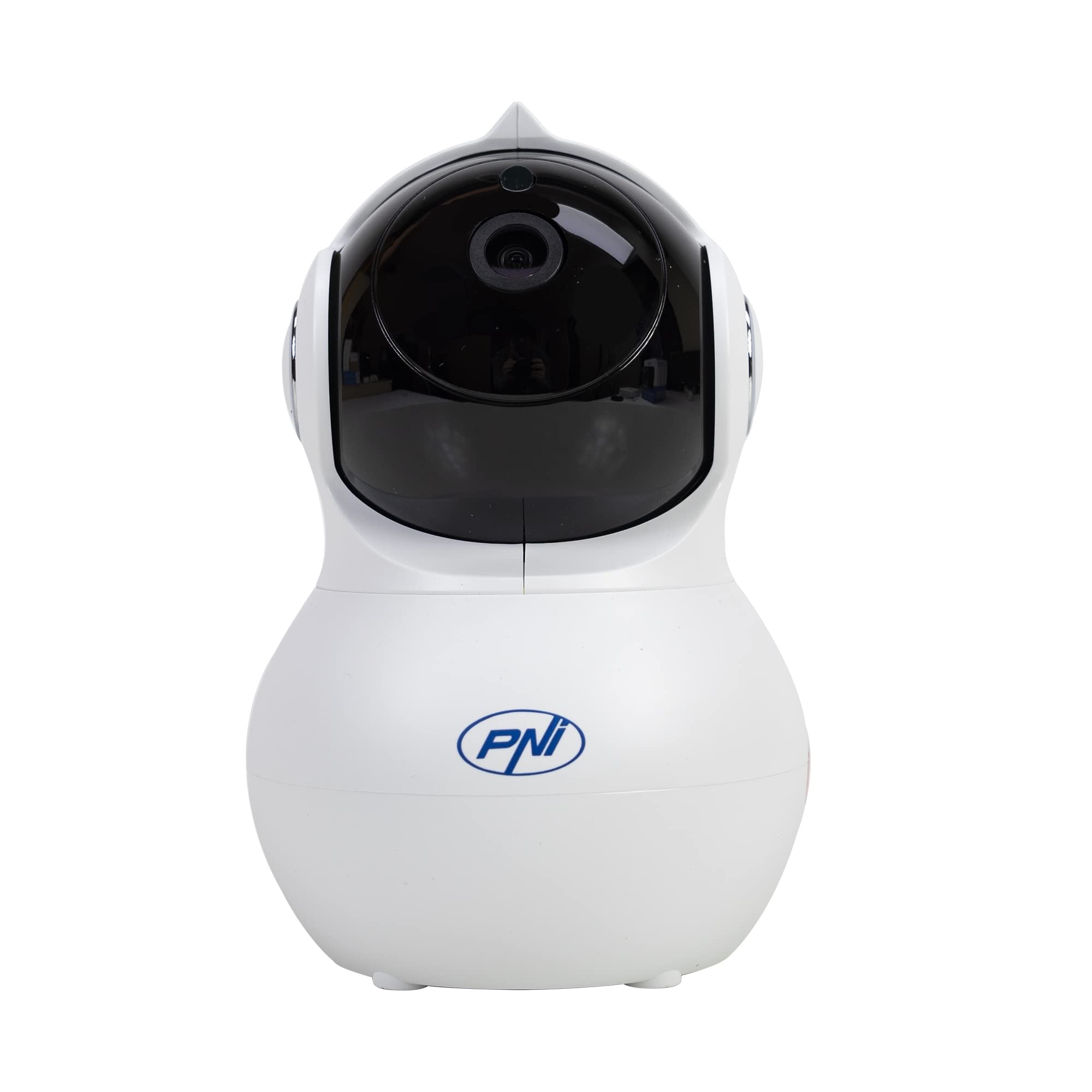
تصوير: سامهون view of the PNI IP930W surveillance camera, showing its dome shape and lens.

تصوير: تفصيلي view of the PNI IP930W camera with labels pointing to the Reset Button, TF Card Slot, DC Interface (power), and LAN Interface (Ethernet port.

تصوير: هيٺيون view of the PNI IP930W camera, showing the mounting points, product label with model number, QR code, and power specifications.
4. سيٽ اپ جون هدايتون
4.1. ڪئميرا تي پاورنگ
- Connect the provided power cable to the DC Interface on the camera.
- پاور اڊاپٽر کي معياري برقي آئوٽليٽ ۾ لڳايو.
- The camera will power on and initiate its self-test sequence.
4.2. نيٽ ورڪ ڪنيڪشن
The PNI IP930W supports both wireless (Wi-Fi) and wired (Ethernet) connections.
Wireless Connection (Recommended)
- Download the "Yi IOT" application from your mobile device's app store (iOS or Android).
- هڪ اڪائونٽ رجسٽر ڪريو ۽ لاگ ان ڪريو.
- Follow the in-app instructions to add your camera. This typically involves scanning a QR code on the camera or connecting to a temporary Wi-Fi hotspot created by the camera.
- پنھنجي گھر جي وائي فائي نيٽ ورڪ چونڊيو ۽ پاسورڊ داخل ڪريو.
- Wait for the camera to connect to your Wi-Fi network.
وائرڊ ڪنيڪشن
- Connect an Ethernet cable from your router to the LAN Interface on the camera.
- Follow the in-app instructions in the "Yi IOT" application to add your camera. The app should detect the camera automatically on the local network.
4.3. مائڪرو ايس ڊي ڪارڊ جي انسٽاليشن (اختياري)
ڪيمرا مقامي وڊيو اسٽوريج لاءِ 64GB تائين مائڪرو ايس ڊي ڪارڊ کي سپورٽ ڪري ٿو.
- Locate the TF Card Slot on the camera (refer to Product Overview تصوير).
- Gently insert the MicroSD card into the slot until it clicks into place.
- Format the MicroSD card via the "Yi IOT" app settings for proper functionality.
4.4. ڪئميرا لڳائڻ
The camera can be placed on a flat surface or mounted to a ceiling or wall using the provided bracket and screws.

Image: The PNI IP930W camera mounted upside down on a ceiling using its bracket, demonstrating flexible installation options.
- Choose a suitable indoor location for optimal viewing.
- Attach the mounting bracket to the desired surface using the mounting screws.
- ڪئميرا کي محفوظ طور تي ماؤنٽنگ بریکٹ سان ڳنڍيو.
- Adjust the camera's orientation as needed.
5. آپريٽنگ هدايتون
5.1. لائيو View ۽ PTZ ڪنٽرول
- Open the "Yi IOT" app and select your camera.
- لائيو وڊيو فيڊ ظاهر ٿيندو.
- Use the on-screen controls to pan (horizontal 355°) and tilt (vertical 155°) the camera lens to adjust the viewزاويه.
5.2. ٻه طرفي آڊيو
- رهڻ دوران view, tap the microphone icon in the app to speak through the camera's built-in speaker.
- ڪئميرا جو ٺهيل مائڪروفون ماحول مان آڊيو کي پڪڙيندو.
5.3. حرڪت جي ڳولا ۽ الرٽ
- Enable motion detection in the "Yi IOT" app settings.
- ضرورت مطابق حساسيت جي سطح کي ترتيب ڏيو.
- When motion is detected, the camera can send alarm notifications to your mobile phone and record a short video clip (e.g., 6 seconds).
5.4. رات جو نظارو
- The camera automatically switches to night vision mode in low-light conditions using its 8 infrared LEDs.
- رات جو نظارو 10 ميٽر تائين صاف ڪارو ۽ اڇو وڊيو فراهم ڪري ٿو.
5.5. وڊيو رڪارڊنگ ۽ اسٽوريج
- Recordings can be stored locally on the MicroSD card or in the cloud (subscription required).
- رسائي رڪارڊ ٿيل footage through the "Yi IOT" app's playback feature.
6. سار سنڀال
- صفائي: ڪئميرا لينس ۽ باڊي کي صاف ڪرڻ لاءِ نرم، سڪل ڪپڙو استعمال ڪريو. رگڙيندڙ صاف ڪندڙ يا محلولن کان پاسو ڪريو.
- فرم ويئر اپڊيٽس: Regularly check the "Yi IOT" app for available firmware updates to ensure optimal performance and security.
- MicroSD ڪارڊ: Periodically check the MicroSD card for errors and ensure it has sufficient storage space. Back up important recordings as needed.
7. مسئلا حل ڪرڻ
| مسئلو | ممڪن سبب | حل |
|---|---|---|
| ڪئميرا پاور نه آهي | پاور اڊاپٽر ڳنڍيل نه آهي يا خراب آهي؛ پاور آئوٽليٽ جو مسئلو. | Ensure power cable is securely connected. Try a different power outlet. Verify power adapter functionality. |
| وائي فائي سان ڳنڍڻ کان قاصر | Incorrect Wi-Fi password; camera too far from router; Wi-Fi signal interference. | Double-check Wi-Fi password. Move camera closer to the router. Reduce interference from other devices. Ensure router is 2.4GHz compatible. |
| ايپ ۾ ڪابه وڊيو فيڊ ناهي | Network connection issue; app malfunction. | Check network connection. Restart camera and app. Re-add camera to the app if necessary. |
| حرڪت جي چڪاس ڪم نه ڪندي | Motion detection disabled; sensitivity too low; incorrect detection zone. | Enable motion detection in app settings. Increase sensitivity. Adjust detection zones. |
| مائڪرو ايس ڊي ڪارڊ رڪارڊ نه ٿي رهيو آهي | Card not inserted correctly; card not formatted; card full or faulty. | Reinsert MicroSD card. Format card via app. Replace card if faulty. |
8. وضاحتون
| خاصيت | تفصيل |
|---|---|
| ماڊل نمبر | IP930W |
| تصويري سينسر | 1/2.7" |
| سينسر جي حل | 2 ميگا پکسل |
| وڊيو قرارداد | 1080 پي (1920x1080) |
| لينس جو قسم | f:3.6 mm |
| گھٽ ۾ گھٽ روشني | 0.01 لکس |
| Viewزاويه | 80° (Fixed Lens), 360° (PTZ Coverage) |
| IR-ڪٽ فلٽر | ها |
| وڊيو ڪمپريشن | ايڇ.264 |
| فريم في سيڪنڊ | 20-25 fps |
| آڊيو ان پٽ | بلٽ ان مائڪروفون |
| آڊيو آئوٽ | بلٽ ان اسپيڪر |
| ايٿرنيٽ | 10/100 Mbit/s RJ-45 |
| وائرليس ڪنيڪشن | وائي فائي (802.11b/g/n) |
| وائرليس سيڪيورٽي | WEP، WPA، WPA2 انڪريشن |
| پين / ٽائل رينج | افقي: 355°، عمودي: 155° |
| طول و عرض (L x W x H) | 20.25 x 12.15 x 11.7 سينٽي |
| خالص وزن | 225 جي |
| مائڪ ايس ايس ڊي ڪارڊ | Max 64 GB (card not included) |
| حرڪت جي چڪاس | ها |
| وڊيو رڪارڊنگ | Local (MicroSD), Cloud (paid) |
| بيبي مانيٽر فنڪشن | ها |
| انفراريڊ مفاصلو | 10 م تائين |
| الارم نوٽيفڪيشن | To mobile phone |
| P2P Support | ها |
| وقف ٿيل ايپليڪيشن | Yi IOT |
| پاور سپلائي Voltage | 5V/1A |
| بجلي جو استعمال | 5W |
| آپريٽنگ جي درجه حرارت | -26°C ~ +80°C |
| آپريٽنگ نمي | 20٪ -85٪ (غير ڀاڻ) |
| ماحول جو استعمال | اندريون |
| IP جي درجه بندي | IP66 |
9. وارنٽي ۽ سپورٽ
For warranty information, please refer to the documentation provided with your purchase or contact your retailer.
For technical support, please visit the official PNI website or contact their customer service. The dedicated "Yi IOT" application also provides support resources and FAQs.

Image: An image indicating PNI technical support, showing tools and a multimeter, suggesting repair and service capabilities.