
Elitech RC-4HC
ايليٽيچ آر سي-4 ايڇ سي يو ايس بي گرمي پد ۽ نمي ڊيٽا لاگر هدايت نامو
Model: RC-4HC
1. پراڊڪٽ ختمview
The Elitech RC-4HC is a USB temperature and humidity data logger designed for monitoring and recording environmental conditions. It features an internal temperature and humidity sensor, with an option for an external temperature sensor. The device has a large storage capacity and allows for data export via USB.
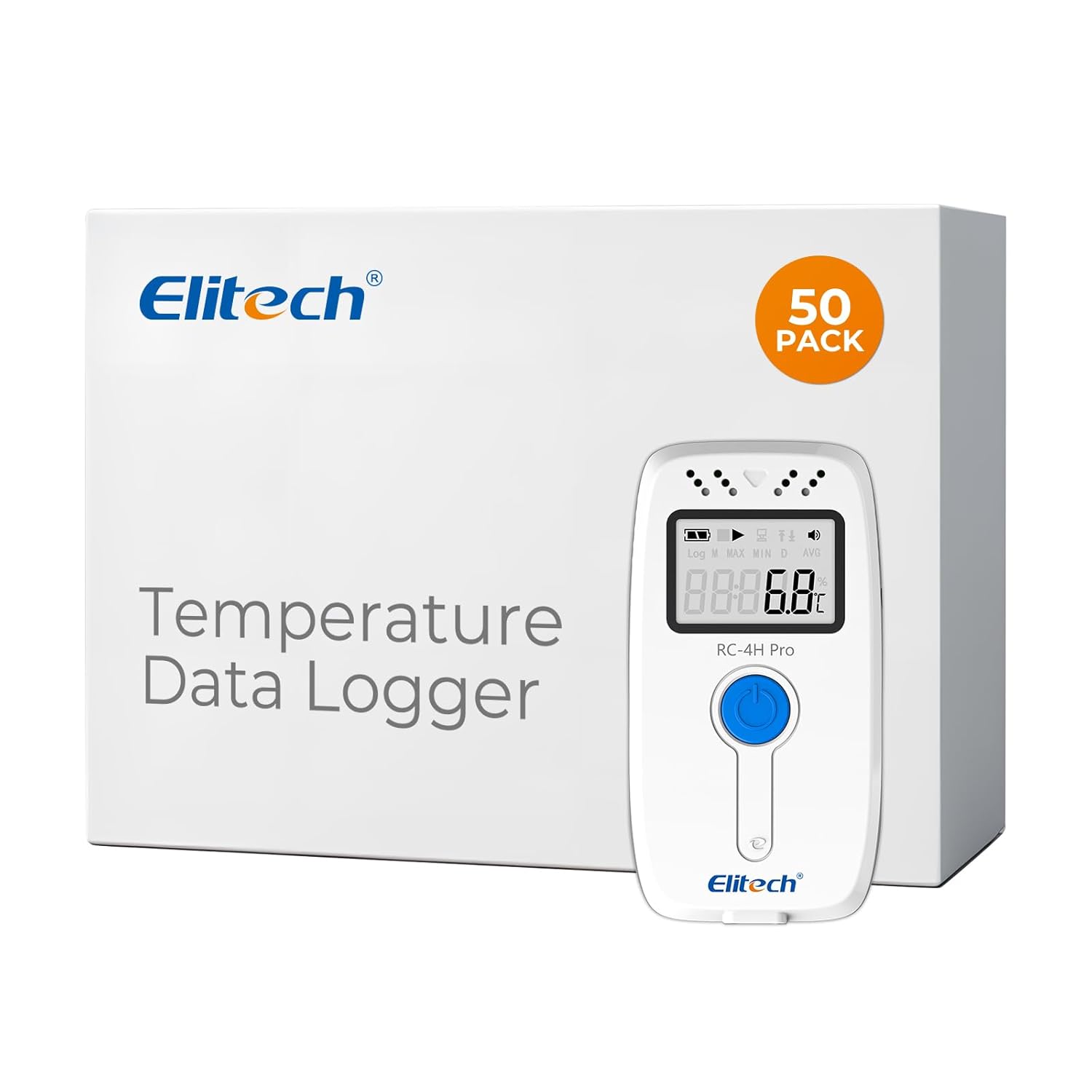
Image 1: Elitech RC-4HC USB Temperature and Humidity Data Logger with its packaging, showing the device and the '50 PACK' label.
2. پيڪيج مواد
پڪ ڪريو ته سڀئي شيون پيڪيج ۾ موجود آهن:
- 1 x RC-4HC Data Logger
- 1 x Temperatureاهرين گرمي پد سينسر
- 1 x USB ڪيبل
- 1 x استعمال ڪندڙ دستياب
- 1 x Validation Certificate
- 1 x Lithium Metal Battery
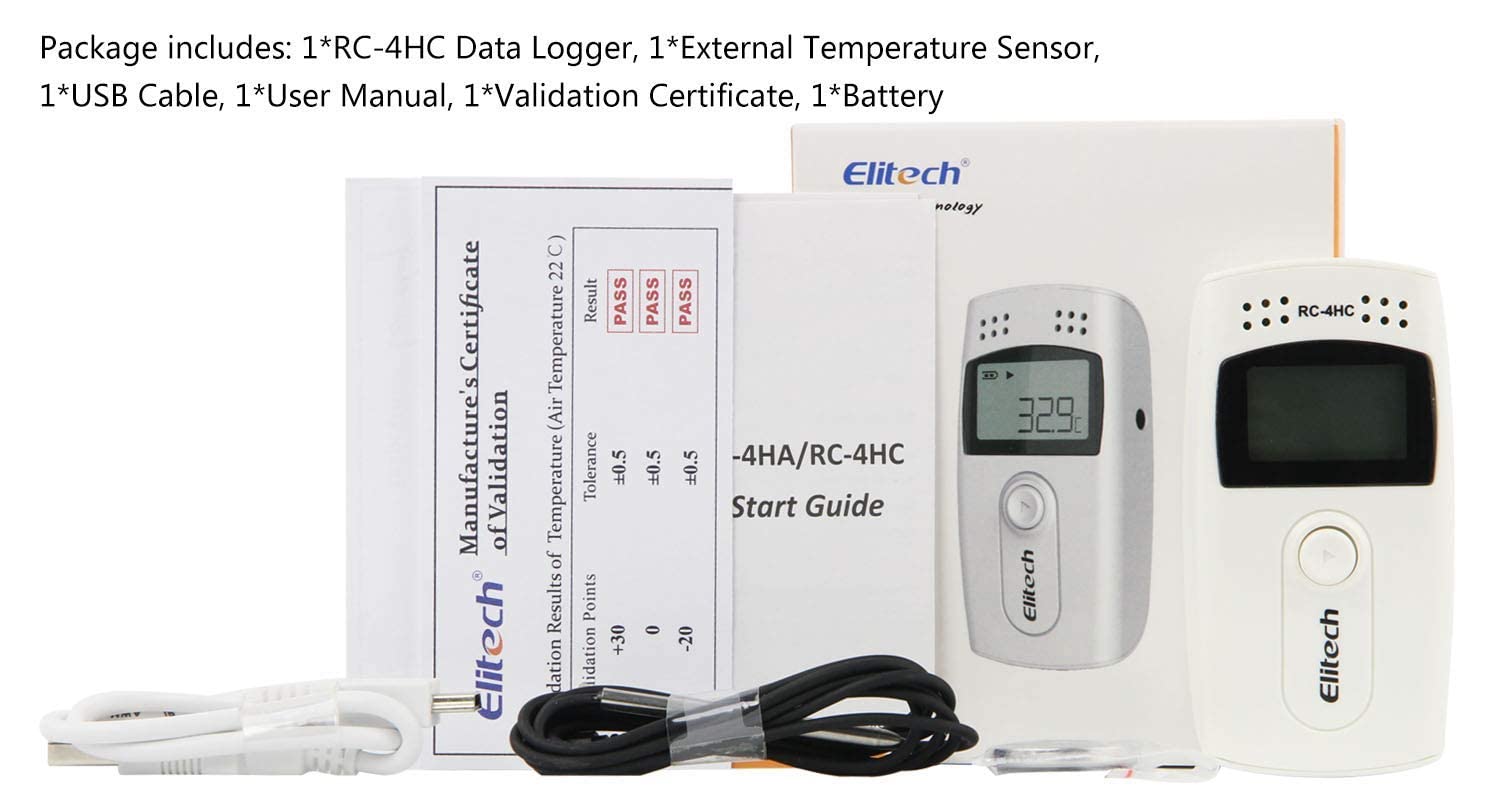
Image 2: Contents of the Elitech RC-4HC package, including the data logger, external sensor, USB cable, user manual, certificate, and battery.
3. سيٽ اپ ۽ تنصيب
3.1 بيٽري لڳائڻ
Before initial use, install the included Lithium Metal battery.
- Locate the battery compartment on the back of the data logger.
- Use a coin or similar tool to twist the battery cover counter-clockwise to open.
- Place the battery under the small metal clip with the positive pole (+) facing you.
- بيٽري جو ڍڪ تبديل ڪريو ۽ ان کي محفوظ ڪرڻ لاءِ گھڙيال جي طرف موڙيو.

Image 3: A four-step visual guide demonstrating how to correctly install the battery into the Elitech RC-4HC data logger, showing the positive terminal placement.
3.2 External Sensor Connection (Optional)
If external temperature monitoring is required, connect the external temperature sensor to the designated port on the data logger.

Image 4: The Elitech RC-4HC data logger connected to a computer via USB and also showing the external temperature sensor connected.
3.3 Software Installation and Initial Parameter Setup
To configure the data logger and retrieve data, install the ElitechLog software on your computer (compatible with MAC/WIN). The software allows you to set logging parameters such as interval (e.g., 10 seconds), alarm limits, and temperature units (e.g., ℃ or ℉).

Image 5: A flowchart illustrating the workflow for setting up the data logger using ElitechLog software on both Windows and Mac operating systems, from connecting the device to saving parameters and starting recording.
Video: Elitech RC-4HC USB Temperature and Humidity Data Logger How to Use
4. آپريٽنگ هدايتون
4.1 Starting Data Logging
After setting parameters via the software, disconnect the logger from the computer. To start logging, press and hold the button on the logger for more than 4 seconds. A triangle sign firmly lit up on the screen indicates that logging has started.
4.2 Viewing Current Data
Press the button once to light up the screen and view the current temperature. Press again to cycle through humidity, total logged points, time, date, maximum temperature, minimum temperature, and upper/lower temperature limits.
4.3 Data Retrieval and Export
Connect the data logger to your computer using the USB cable. Open the ElitechLog software. The software will automatically read the recorded data. You can then view the data in graph or list format and export it to PDF or Excel files. The software also supports managing and comparing multiple historical data sets.

Image 6: An illustration showing the Elitech RC-4HC data logger connected to a computer, with data being exported to various formats like PDF, Word, Excel, and TXT via ElitechLog software.
5. خاصيتون ۽ وضاحتون
- سينسر: Internal 1 temperature sensor and 1 humidity sensor, 1 optional external temperature sensor.
- درجه حرارت جي حد: -40℃ to +85℃ (-22℉ to 185℉).
- نمی رینج: 10٪ کان 99٪ RH.
- درجه حرارت جي درستگي: ±0.5℃/±0.9℉ (-20℃ to +40℃); ±1℃/±1.8℉ (others).
- قرارداد: 0.1℃/℉.
- ڊيٽا پوائنٽس: 16,000.
- لاگ انٽرول: Adjustable from 10 seconds to 24 hours.
- درجه حرارت يونٽ: Selectable between ℉ and ℃.
- الارم: LCD alarm indication, buzzer alarm.
- رابطي: USB for PC connection.
- ڊيٽا برآمد: PDF/EXCEL via data management software.
- بيٽري: 1 Lithium Metal battery (included).
- طول و عرض: Width: 44mm, Height: 84mm, Thickness: 20mm.

Image 7: A visual representation of the Elitech RC-4HC data logger's key specifications, including temperature and humidity measurement ranges, accuracy, resolution, and data capacity.

Image 8: The Elitech RC-4HC data logger showing its dimensions (width 44mm, height 84mm, thickness 20mm) and highlighting the buzzer alarm feature.
6. سار سنڀال
To ensure optimal performance and longevity of your Elitech RC-4HC data logger:
- صفائي: Wipe the device clean with a soft, dry cloth. Avoid using abrasive cleaners or solvents.
- بيٽري مٽائڻ: Replace the Lithium Metal battery when the low battery indicator appears on the display.
- اسٽوريج: جڏهن ڊگهي عرصي تائين استعمال ۾ نه هجي ته ڊوائيس کي سڌي سج جي روشني ۽ انتهائي گرمي پد کان پري ٿڌي، سڪل جاءِ تي رکو.
7. مسئلا حل ڪرڻ
If you encounter issues with your Elitech RC-4HC data logger, consider the following:
- ڊوائيس شروع نه ٿي رهيو آهي: Ensure the battery is correctly installed with the positive pole facing up and is not depleted.
- No Data on Software: Verify the USB connection to the computer. Ensure the ElitechLog software is running and the device is recognized.
- غلط پڙھڻ: Check if the external sensor is properly connected (if used). Ensure the device is placed in an environment suitable for its operating range.
- سافٽ ويئر جا مسئلا: Ensure you have the latest version of ElitechLog software installed. Refer to the software's help documentation for specific error messages.
8. وارنٽي ۽ سپورٽ
For warranty information, technical support, or service inquiries, please contact Elitech Technology Inc. using the details below:
- ٽيليفون: (+1)408-844-4070
- اي ميل: support@elitechus.com
- Webسائيٽ: www.elitechustore.com
Ask a question about this manual
Ask about setup, troubleshooting, compatibility, parts, safety, or missing instructions. Manuals+ will review the question and use this page’s manual context to help answer it.