
Superior Electronics SUPTRB019
Superior Electronics Ready5 Smart Universal Remote Control
Model: SUPTRB019
تعارف
This manual provides detailed instructions for the Superior Electronics Ready5 Smart Universal Remote Control, Model SUPTRB019. This remote is designed for immediate use with a wide range of LG, Samsung, Sony, Philips, and Panasonic televisions, eliminating the need for complex programming.
اهم خاصيتون شامل آهن:
- Universal compatibility with major TV brands (LG, Samsung, Sony, Philips, Panasonic).
- Ready-to-use functionality; no programming required.
- Full Smart TV compatibility for enhanced control.
- Dedicated quick access buttons for popular streaming services like Netflix and Prime Video.
- Ergonomic design with intuitive button layout for comfortable and immediate operation.
- ڊگھي عرصي واري ڪارڪردگي لاء پائيدار مواد مان ٺهيل.

Image: The Superior Electronics Ready5 Smart Universal Remote Control shown in its retail packaging, highlighting its "Ready to Use" feature and compatibility with various TV brands.
سيٽ اپ ڪريو
1. بيٽري داخل ڪرڻ
The remote control requires two (2) AAA batteries (not included). Follow these steps to insert them correctly:
- ريموٽ ڪنٽرول جي پٺيءَ تي بيٽري جي دٻي جي احاطي کي ڳولھيو.
- ڍڪ کي هيٺئين طرف سلائڊ ڪريو يا ڪمپارٽمينٽ کولڻ لاءِ لچ (جيڪڏهن موجود هجي) کي دٻايو.
- Insert two AAA batteries, ensuring that the positive (+) and negative (-) terminals align with the indicators inside the compartment. Incorrect polarity can prevent the remote from functioning.
- بيٽري جي ڪمپارٽمينٽ جي ڍڪ کي واپس جاءِ تي سلائڊ ڪريو جيستائين اهو محفوظ طور تي ڪلڪ نه ڪري.

تصوير: پوئين پاسي view of the remote control, illustrating the location of the battery compartment for easy access and battery insertion.
2. شروعاتي استعمال
The Superior Electronics Ready5 Smart remote control is designed for immediate use with compatible LG, Samsung, Sony, Philips, and Panasonic TVs. Once the batteries are correctly inserted, the remote is ready to operate your television without any additional programming or setup. Simply point the remote at your TV and begin using its functions.
آپريٽنگ هدايتون
This section details the primary functions of the buttons on your Ready5 Smart remote control.

تصوير: سامهون view of the Superior Electronics Ready5 Smart remote control, displaying all buttons and their layout for easy identification.
بٽڻ جو ڪم ختمview
| بٽڻ | فنڪشن |
|---|---|
| طاقت (●) | ٽي وي کي آن يا بند ڪري ٿو. |
| ان پٽ | ان پٽ سورس (HDMI، AV، وغيره) چونڊيندو آهي. |
| Smart Video / NET.TV | Direct access to Smart TV features or specific streaming apps. |
| 3D | 3D موڊ کي چالو يا غير فعال ڪري ٿو (جيڪڏهن ٽي وي جي مدد سان هجي). |
| ھدايت | اليڪٽرانڪ پروگرام گائيڊ ڏيکاري ٿو. |
| مينيو | ٽي وي جو مکيه مينيو کوليندو آهي. |
| ذيلي. | سب ٽائيٽل کي آن يا آف ٽوگل ڪري ٿو. |
| پسند | پسنديده چينلن جي فهرست تائين رسائي حاصل ڪري ٿو. |
| ڄاڻ | موجوده پروگرام يا ان پٽ بابت معلومات ڏيکاري ٿو. |
| نيويگيشن (مٿي، هيٺ، کاٻي، ساڄي، ٺيڪ) | مينيو ذريعي نيويگيٽ ڪري ٿو ۽ چونڊن جي تصديق ڪري ٿو. |
| پوئتي | پوئين اسڪرين يا مينيو ڏانھن واپسي. |
| نڪرڻ | موجوده مينيو يا ايپليڪيشن مان نڪرندو آهي. |
| حجم +/- | حجم کي مٿي يا گھٽ ڪري ٿو. |
| گونگا | ٽي وي جي آواز کي ميوٽ يا ان ميوٽ ڪري ٿو. |
| Ch +/- | چينل کي مٿي يا ھيٺ تبديل ڪري ٿو. |
| نمبر پيڊ (0-9) | Directly enters channel numbers or numerical inputs. |
| فهرست | Displays a list of channels or media. |
| Netflix | سڌو سنئون نيٽ فلڪس ايپليڪيشن لانچ ڪري ٿو. |
| وزيراعظم وڊيو | Directly launches the Amazon Prime Video application. |
| رنگ جا بٽڻ (ڳاڙهو، سائو، پيلو، نيرو) | Functions vary depending on the TV model and current menu/application. |
| Media Control (Play, Pause, Stop, Rewind, Fast Forward, Record) | Controls media playback (e.g., USB, streaming apps). |
Smart TV and Streaming Access
The Ready5 Smart remote is designed to seamlessly integrate with your Smart TV's functionalities. Use the navigation buttons to browse Smart TV menus and applications. The dedicated Netflix and Prime Video buttons provide instant access to these popular streaming platforms, allowing you to start watching your favorite content with a single press.
سار سنڀال
ريموٽ ڪنٽرول جي صفائي
پنهنجي ريموٽ ڪنٽرول جي بهترين ڪارڪردگي ۽ ڊگهي عمر کي يقيني بڻائڻ لاءِ، انهن صفائي جي هدايتن تي عمل ڪريو:
- صفائي ڪرڻ کان اڳ هميشه بيٽريون هٽايو.
- ريموٽ جي مٿاڇري کي صاف ڪرڻ لاءِ نرم، سڪل ڪپڙو استعمال ڪريو.
- ضدي مٽيءَ لاءِ، ٿورو ڊيampڪپڙي کي پاڻي يا نرم، غير رگڙيندڙ صاف ڪندڙ سان ڌوئڻ ڏيو. گهڻي نمي کان پاسو ڪريو.
- سخت ڪيميڪل، رگڙيندڙ صاف ڪندڙ، يا محلول استعمال نه ڪريو، ڇاڪاڻ ته اهي ريموٽ جي ختم يا اندروني حصن کي نقصان پهچائي سگهن ٿا.
- Ensure the remote is completely dry before reinserting batteries.
بيٽري جي سنڀال ۽ متبادل
Replace batteries when the remote's response becomes sluggish or it stops functioning. Always replace both batteries at the same time with new AAA batteries. Do not mix old and new batteries, or different types of batteries. Dispose of used batteries responsibly according to local regulations.
مشڪلاتون
If you encounter issues with your Ready5 Smart remote control, refer to the following common problems and solutions:
ريموٽ جواب نه ڏيڻ
- بيٽري چيڪ ڪريو: پڪ ڪريو ته بيٽريون صحيح پولارٽي (+/-) سان صحيح طرح سان داخل ڪيون ويون آهن ۽ ختم نه ٿيون ٿين. جيڪڏهن ضروري هجي ته تازيون AAA بيٽريون سان تبديل ڪريو.
- نظارو لائن: Make sure there are no obstructions between the remote control and the TV's infrared receiver. Point the remote directly at the TV.
- فاصلو: Ensure you are within the effective operating range (up to 10 meters).
- ٽي وي پاور: Confirm that your TV is powered on and not in standby mode.
Specific Buttons Not Working
- عام ڪارڪردگي: If most buttons work but a few do not, it might indicate a specific TV model's lack of support for that particular function via universal remote, or a dirty contact under the button.
- Smart TV/Streaming Buttons: Ensure your TV is a Smart TV and has the respective applications (Netflix, Prime Video) installed and updated.
مطابقت جا مسئلا
The Ready5 Smart remote is pre-programmed for LG, Samsung, Sony, Philips, and Panasonic TVs manufactured from 2000 onwards. If your TV is from a different brand or an older model, full functionality may not be guaranteed. No programming is required for the listed compatible brands.
وضاحتون
| خاصيت | تفصيل |
|---|---|
| ماڊل نالو | Ready5 Smart |
| ماڊل نمبر | SUPTRB019 تي اپلوڊ ڪيو ويو | |
| برانڊ | Superior Electronics |
| مطابقت رکندڙ ڊوائيسز | LG, Samsung, Sony, Philips, Panasonic Televisions (models from 2000 onwards) |
| رابطي ٽيڪنالاجي | انفراريڊ (IR) |
| طاقت جو ذريعو | 2 x AAA بيٽريون (شامل نه آهن) |
| وڌ ۾ وڌ رينج | 10 ميٽر (تقريبن 33 فوٽ) |
| پيداوار جي ماپ | 5 x 1.5 x 19 سينٽي ميٽر (تقريبن 1.97 x 0.59 x 7.48 انچ) |
| وزن | 100 گرام (تقريبن 3.53 آونس) |
| رنگ | ڪارو |
| خاص خصوصيت | Universal, immediately ready for use (no programming) |
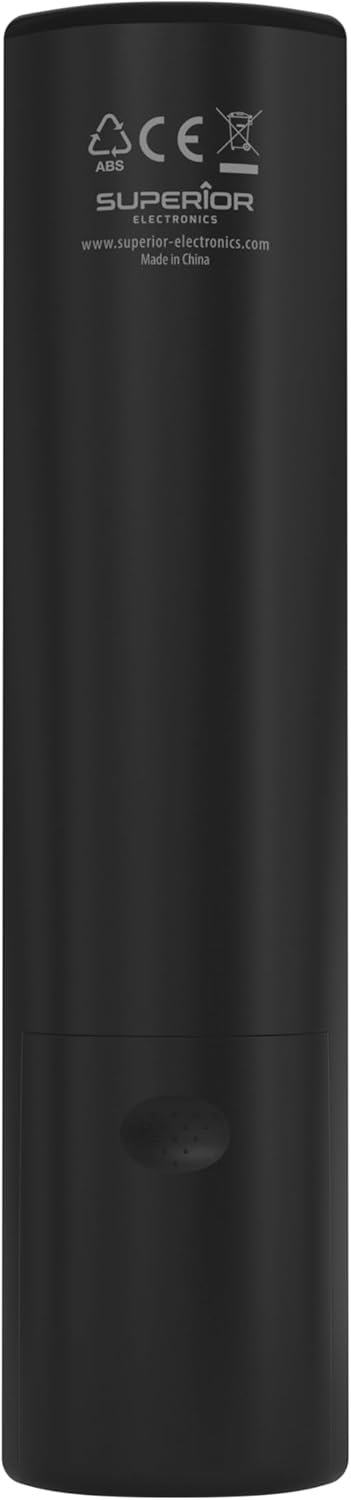
Image: The remote control with its approximate dimensions (4.8 cm width, 19.5 cm length) highlighted for reference.
وارنٽي ڄاڻ
Specific warranty details for the Superior Electronics Ready5 Smart Universal Remote Control are typically provided with your purchase documentation or can be found on the official Superior Electronics website. Please refer to these resources for comprehensive information regarding warranty coverage, terms, and conditions.
حمايت
For further assistance, technical support, or additional product information, please visit the official Superior Electronics website or contact their customer service department. Contact details are usually available on the product packaging or the manufacturer's webسائيٽ.
Manufacturer: Superior Electronics
وڌيڪ معلومات لاءِ، توهان دورو ڪري سگهو ٿا Superior Electronics Store on Amazon.
Ask a question about this manual
Ask about setup, troubleshooting, compatibility, parts, safety, or missing instructions. Manuals+ will review the question and use this page’s manual context to help answer it.