
1. تعارف
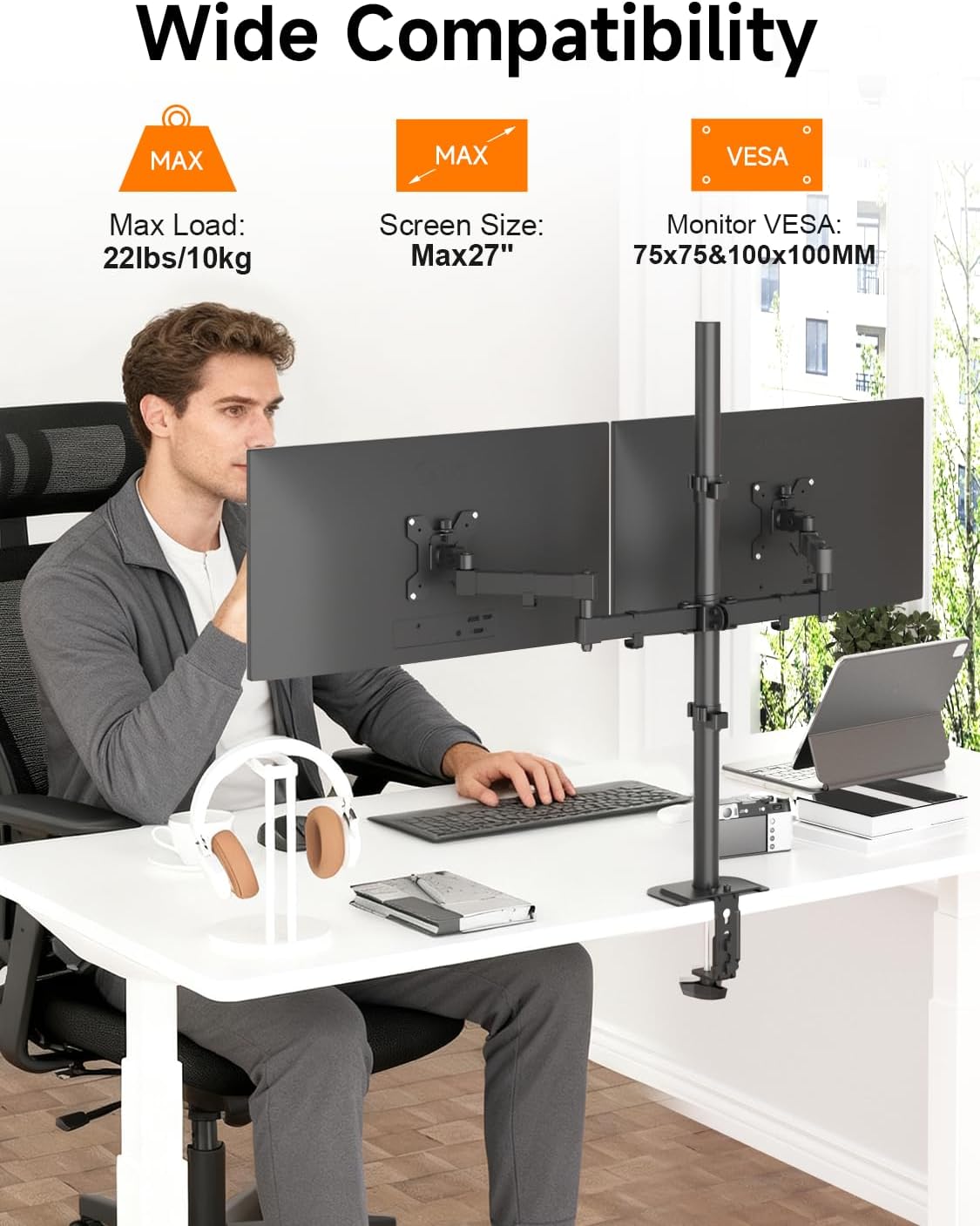
This manual provides detailed instructions for the assembly, operation, and maintenance of your Bracwiser MD7842 Dual Monitor Arm Stand. This stand is designed to securely hold two monitors, ranging from 13 to 27 inches in size and up to 22 lbs (10 kg) per arm, optimizing your workspace and improving ergonomic positioning.

Figure 1: Bracwiser MD7842 Dual Monitor Arm Stand in use.
2. حفاظت جي ڄاڻ
- اسيمبلي ۽ انسٽاليشن کان اڳ سڀ هدايتون احتياط سان پڙهو.
- Ensure your desk or mounting surface can support the combined weight of the stand and your monitors.
- في بازو 22 پائونڊ (10 ڪلوگرام) جي وڌ ۾ وڌ وزن جي گنجائش کان وڌيڪ نه ڪريو.
- Verify that your monitors are VESA compatible (75x75mm or 100x100mm).
- Tighten all screws and bolts securely. Periodically check for tightness.
- اسيمبلي دوران ٻارن ۽ پالتو جانور کي پري رکو.
- Use appropriate tools as specified in the instructions.
3. پيڪيج مواد
مھرباني ڪري چيڪ ڪريو ته سڀئي جزا موجود آھن ۽ نقصان کان بچيل آھن:
- 1 x Monitor Mount (main assembly)
- 1 x Mounting Hardware Kit (screws, washers, spacers, Allen keys)
- 1 x استعمال ڪندڙ دستياب (هي دستاويز)
4. وضاحتون
| خاصيت | تفصيل |
|---|---|
| ماڊل | ايم ڊي 7842 |
| چڙهڻ جو قسم | ٽيبل ٽاپ مائونٽ (سي-سي ايل)amp يا گروميٽ) |
| مواد | مصر جو اسٽيل |
| مطابقت واري اسڪرين سائيز | 13 - 27 inches (per monitor) |
| وڌ ۾ وڌ لوڊ گنجائش | 22 پائونڊ (10 ڪلوگرام) في بازو |
| VESA مطابقت | 75x75mm، 100x100mm |
| حرڪت جو قسم | گھمرو ، ڦيرو ، گھمرو |
| جھڪندڙ زاويه | ±80 درجا |
| گھمڻ وارو زاويو | ±90 degrees (3 joints) |
| گردش | 360 درجا |
| قطب جي اوچائي | 31.5 انچ (800mm) |
5. سيٽ اپ ۽ تنصيب
Follow these steps to assemble and install your Bracwiser MD7842 monitor arm stand.
5.1. Desktop Compatibility
The stand supports two installation methods: C-Clamp and Grommet mount. Ensure your desk meets the following requirements:
- سي-ڪلamp: Maximum desk thickness of 3.39 inches (86mm).
- گروميٽ جبل: Desk hole diameter greater than 1.65 inches (42mm).
- Suitable for wood desks. Not recommended for plastic or glass desks.
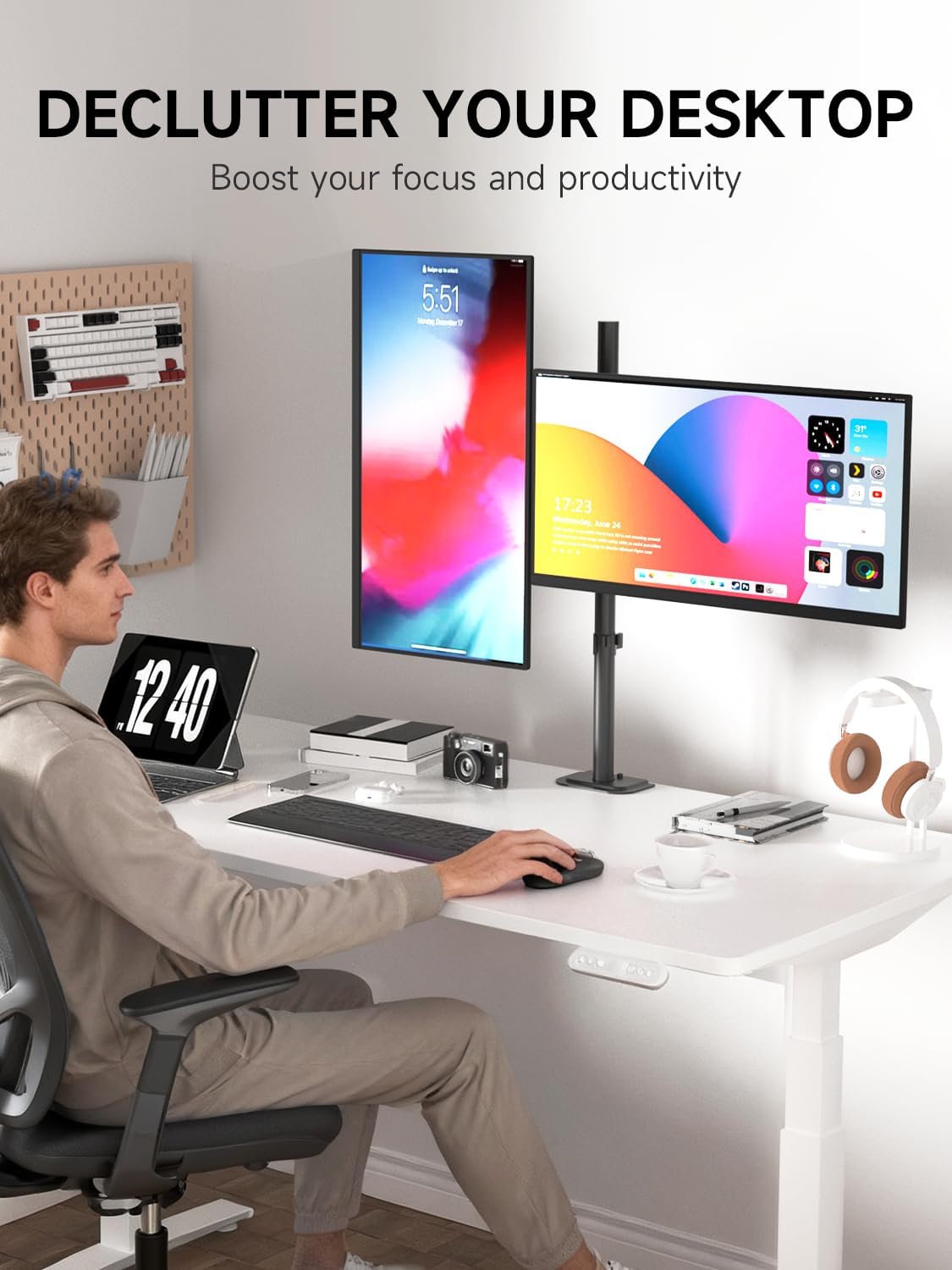
Figure 2: Desktop compatibility for C-Clamp and Grommet mounting.
5.2. ويسا مطابقت
Before attaching your monitors, confirm they have VESA mounting holes of either 75x75mm or 100x100mm. If your monitor does not have VESA holes, a VESA adapter (not included) may be required.

Figure 3: Checking VESA pattern on your monitor.
5.3. اسيمبليءَ جا مرحلا
بصري رهنمائي لاءِ، مھرباني ڪري ھيٺ ڏنل اسيمبلي وڊيو ڏسو:
Video 1: Assembly instructions for the Bracwiser MD7842 Dual Monitor Stand.
- Install the Desk Clamp: C-cl سان ڳنڍيوamp or grommet base to your desk. Ensure it is securely tightened to prevent movement.
- قطب کي گڏ ڪريو: Connect the two pole sections and tighten the bolt with the provided Allen key. Insert the assembled pole into the desk clamp.
- مانيٽر آرمز لڳايو: Loosen the screws on the pipe clamps of the monitor arms. Slide the arms onto the pole at your desired height. Tighten the screws to secure the arms.
- VESA پليٽون مانيٽر سان ڳنڍيو: Secure the VESA plates to the back of your monitors using the appropriate screws from the hardware kit. Ensure all screws are tightened.
- Mount Monitors to Arms: Slide the monitors (with attached VESA plates) onto the monitor arms. Secure them by tightening the locking screws.

Figure 4: General installation overview.
6. آپريٽنگ هدايتون
The Bracwiser MD7842 offers extensive adjustability to achieve optimal viewزاويه ۽ ergonomic پوزيشن.
6.1. مانيٽر جي پوزيشن کي ترتيب ڏيڻ
Your monitor arm allows for the following adjustments:
- اونچائي جي ترتيب: Loosen the screws on the pole clamp to slide the entire arm assembly up or down the 31.5-inch pole. Re-tighten securely.
- جھلڻ: Adjust the monitor vertically by tilting it up or down by ±80 degrees.
- گھمڻ: Pivot the monitor horizontally by ±90 degrees at three different joints along the arm.
- گردش: لينڊ اسڪيپ ۽ پورٽريٽ اورينٽيشن جي وچ ۾ سوئچ ڪرڻ لاءِ مانيٽر کي 360 درجا گھمايو.
شڪل 5: مانيٽر بازو جي مڪمل ترتيب ڏيڻ جي صلاحيت.
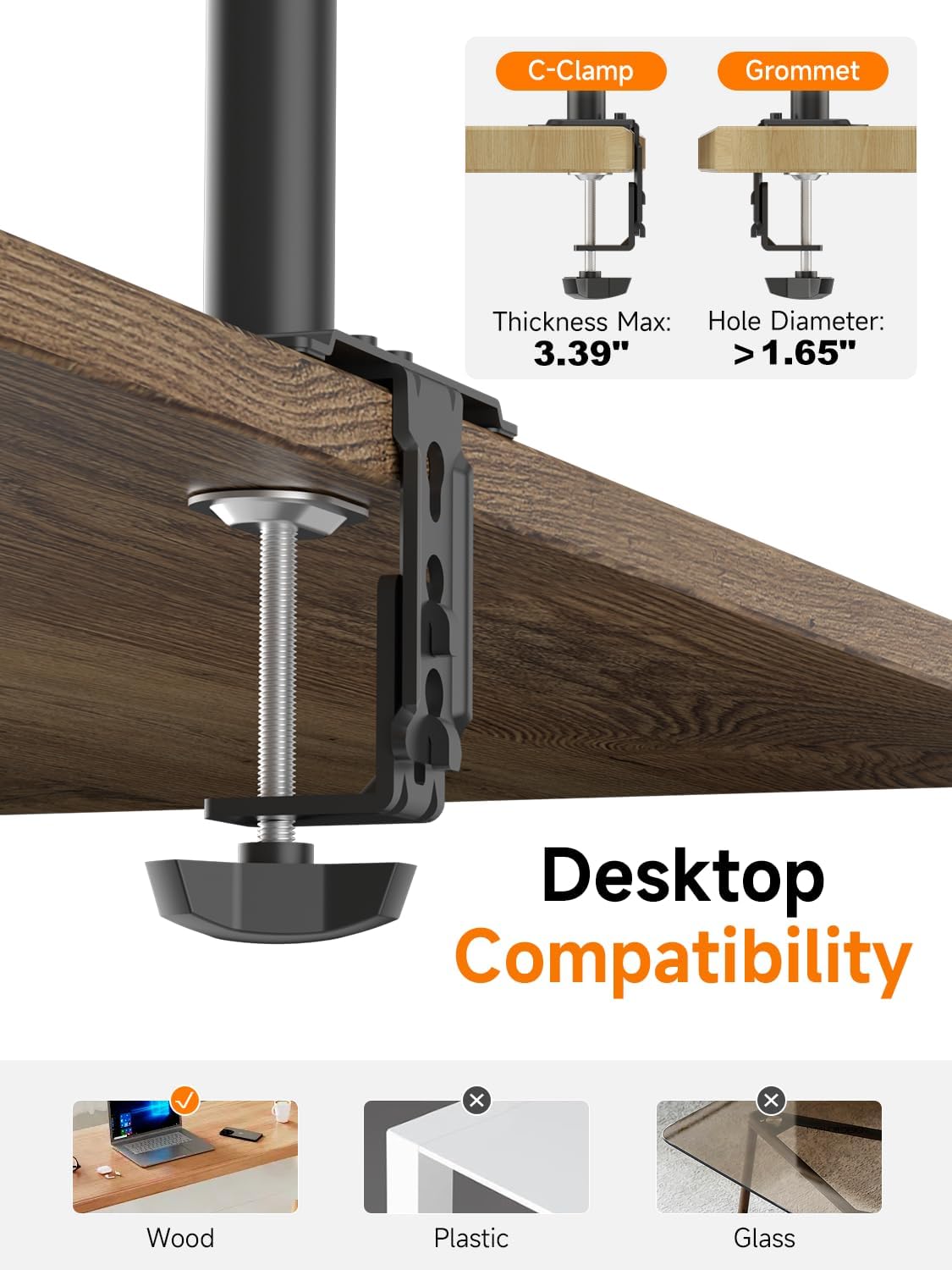
Figure 6: The 31.5-inch tall pole allows for flexible height adjustments.
For a visual demonstration of the stand's display capabilities and adjustments, please watch the video below:
Video 2: Demonstration of the Bracwiser MD7842 Dual Monitor Stand's display and adjustment features.
6.2. Ergonomic Benefits
Proper adjustment of your monitor height and angle can help reduce neck and eye strain, contributing to a healthier work posture.

Figure 7: Ergonomic monitor positioning to reduce neck pain.
7. ڪيبل جو انتظام
The stand includes integrated cable clips on the pole and arms to help organize your monitor cables, creating a cleaner and more organized workspace. A storage slot for Allen keys is also provided on the pole for convenience.

Figure 8: Cable management and Allen key storage.
8. سار سنڀال
- صفائي: اسٽينڊ کي نرم، ڊي سان صاف ڪريوamp ڪپڙو. گھڙڻ وارا صاف ڪندڙ يا محلولن کان پاسو ڪريو.
- سختي جي چڪاس: Periodically check all screws and bolts to ensure they remain tight, especially after making adjustments or moving the stand.
- لوڻ: No lubrication is typically required for the moving parts.
9. مسئلا حل ڪرڻ
- Monitors are not stable/sagging: Ensure all mounting screws and pole clamps are fully tightened. Verify that the monitor weight does not exceed the 22 lbs (10 kg) per arm capacity.
- Difficulty adjusting monitor angle: Loosen the head screw on the VESA plate attachment slightly to adjust the angle, then re-tighten appropriately.
- اسٽينڊ لڏپلاڻ وارو آهي: Check that the desk clamp or grommet mount is securely fastened to the desk. Ensure the desk surface is stable.
- مانيٽر ليول نه آهن: Adjust the height of each monitor arm individually on the pole, or fine-tune the tilt mechanism on the VESA plate.
10. وارنٽي ۽ سپورٽ
For any product-related inquiries, technical support, or warranty information, please contact Bracwiser customer service through the retailer where the product was purchased or visit the official Bracwiser webسائيٽ. وڌايل ڪوريج لاءِ حفاظتي منصوبا پڻ موجود ٿي سگهن ٿا.