
تعارف
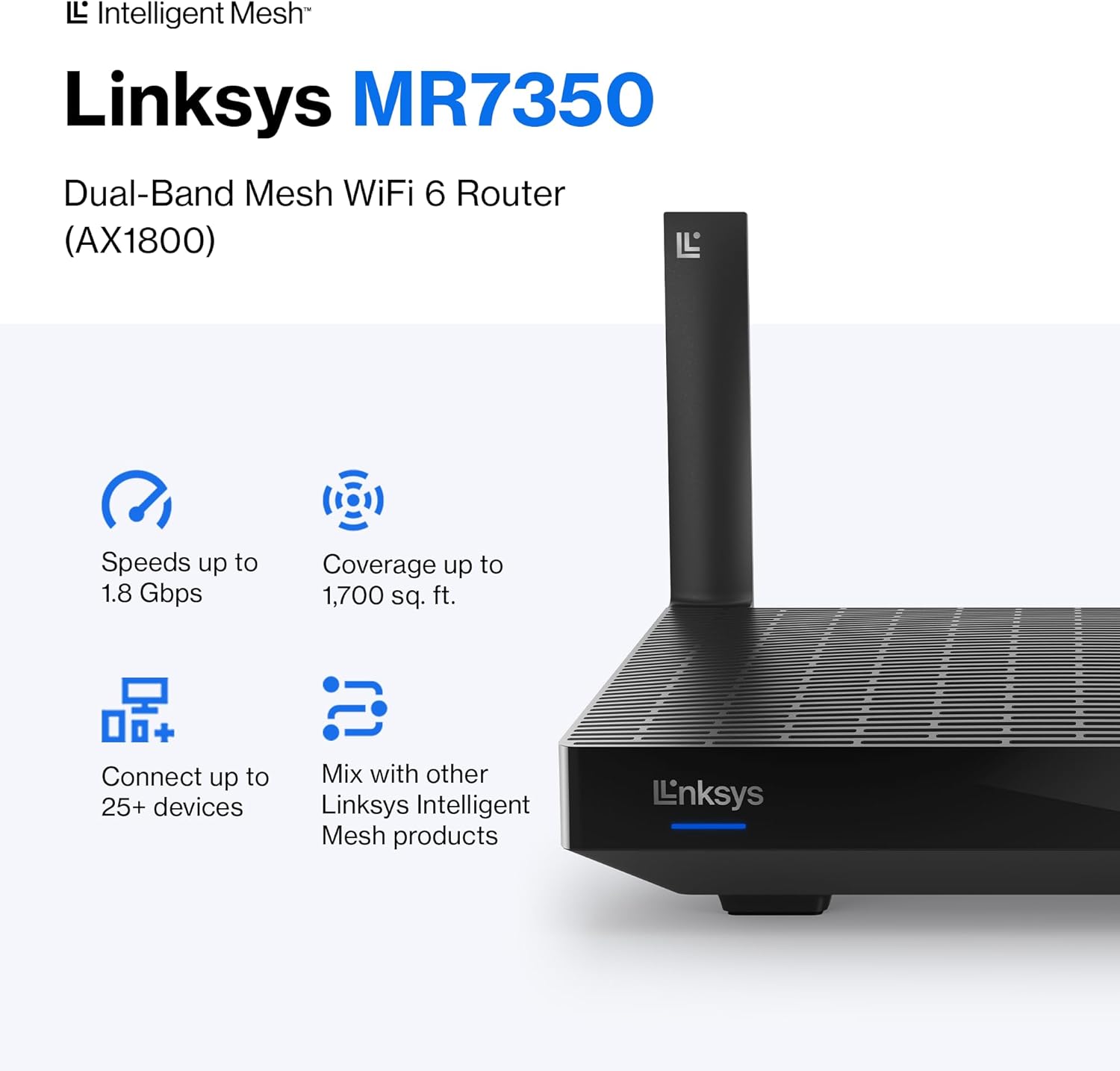
The Linksys MR7350 Dual-Band Mesh WiFi 6 Router is designed to provide robust and reliable wireless connectivity throughout your home. Featuring Intelligent Mesh Technology and WiFi 6 (802.11ax) standard, this router delivers high speeds and extended coverage for multiple devices simultaneously. It is ideal for streaming, gaming, and managing a connected smart home environment.

Figure 1: Linksys MR7350 Dual-Band Mesh WiFi 6 Router
دٻي ۾ ڇا آهي
پڪ ڪريو ته سڀئي شيون پيڪيج ۾ موجود آهن:
- Linksys Dual-Band Mesh WiFi 6 Router (MR7350)
- تڪڙو شروع ھدايت
- Ethernet ڪيبل
- پاور اڊاپٽر
- Warranty and Regulatory Documentation
سيٽ اپ ڪريو
Setting up your Linksys MR7350 router is designed to be quick and straightforward using the Linksys App. Follow these steps for initial installation:
- روٽر ڳنڍيو: Plug the power adapter into the router and an electrical outlet. Connect one end of the provided Ethernet cable to the yellow 'Internet' port on the back of the MR7350 router and the other end to your modem.
- پاور آن: Turn on your modem and then the Linksys MR7350 router. Wait for the router's LED indicator to show a solid blue light, indicating it's ready for setup.
- Download the Linksys App: Download and install the free Linksys App on your iOS or Android smartphone.
- Launch Setup: Open the Linksys App and follow the on-screen instructions to begin the setup process. The app will guide you through creating your Wi-Fi network name (SSID) and password.
- Add to Mesh Network (Optional): If you are expanding an existing Linksys Intelligent Mesh network, log in to the Linksys App, find "Set Up a New Product" from the menu, and select "Add Another Node."

Figure 2: Easy Setup via the Linksys App
آپريٽنگ هدايتون
Once your Linksys MR7350 router is set up, you can manage and optimize your network using the Linksys App or through a web برائوزر انٽرفيس.
Network Management via Linksys App
- View ڳنڍيل ڊوائيسز: See all devices connected to your network.
- ڊوائيس جي ترجيح: Prioritize specific devices for optimal performance during high-bandwidth activities like gaming or streaming.
- مهمان پهچ: Create a separate, password-protected Wi-Fi network for guests.
- والدين ڪنٽرول: Manage internet access for specific devices, set schedules, and block webسائيٽون.
- Automatic Firmware Updates: Ensure your network is always secure and up-to-date with automatic updates.
جسماني رابطا
The back of the router features several ports for wired connections:
- انٽرنيٽ پورٽ (پيلو): انٽرنيٽ تائين رسائي لاءِ توهان جي موڊيم سان ڳنڍي ٿو.
- ايٿرنيٽ بندرگاهن (1-4): Four Gigabit Ethernet ports for wired devices such as computers, gaming consoles, or smart TVs.
- USB 3.0 پورٽ: Connect a storage device to share fileتوهان جي نيٽ ورڪ تي.
- WPS بٽڻ: For easy, secure connection of WPS-compatible devices.
- ري سيٽ بٽڻ: روٽر کي فيڪٽري ڊفالٽ سيٽنگز ۾ بحال ڪرڻ لاءِ استعمال ڪيو ويندو آهي.
- پاور آن/آف سوئچ: To manually turn the router on or off.
شڪل 3: پوئتي view of the Linksys MR7350 with ports
خاصيتون
The Linksys MR7350 is packed with features to enhance your home network experience:
- Intelligent Mesh Technology: Dynamically maximizes speed and eliminates dead zones, adapting to your Wi-Fi needs for full-strength signal throughout your entire home.
- WiFi 6 (802.11ax) Standard: Delivers faster speeds (up to 1.8 Gbps AX1800), increased capacity (25+ devices), and improved efficiency for a seamless experience.
- ڊبل بينڊ ڪنيڪشن: Operates on both 2.4 GHz and 5 GHz bands for optimal performance and device compatibility.
- Quad-Core CPU: A powerful processor for extremely fast data transfer and multiple simultaneous data streams.
- بيم فارمنگ ٽيڪنالاجي: Optimizes performance and reduces interference by focusing wireless signals directly to connected devices.
- ترقي يافته سيڪيورٽي: Safeguards your network with wireless WPA3 encryption and an SPI firewall.
- وسعت وارو نظام: Easily expand your Wi-Fi coverage by adding any Linksys Mesh compatible products.

Figure 4: Full House Coverage with Intelligent Mesh Technology

Figure 5: WiFi Standards Evolution
وضاحتون
| وصف | قدر |
|---|---|
| برانڊ | لنڪس |
| ماڊل نمبر | MR7350 |
| وائي فائي نسل | وائي فائي 6 (802.11ax) |
| فريڪوئنسي بينڊ ڪلاس | ڊوئل بينڊ (2.4 GHz، 5 GHz) |
| ڊيٽا جي منتقلي جي شرح | Up to 1.8 Gigabits Per Second (AX1800) |
| ڪوريج | 1700 چورس فوٽ تائين |
| سپورٽ ٿيل ڊوائيسز جو تعداد | 25+ Devices |
| ايٿرنيٽ پورٽن جو تعداد | 5 (1 Internet, 4 LAN) |
| LAN پورٽ بينڊوڊٿ | 1 جي بي پي ايس |
| USB پورٽ | USB 3.0 |
| سيڪيورٽي پروٽوڪول | WPA3-PSK |
| ڪنٽرول جو طريقو | لنڪسس ايپ |
| Antenna جو قسم | Retractable (2 Antennas) |
| شيون طول و عرض (L x W x H) | 5.9"ليٽر x 8.07"ڊبليو x 5.4"ايڇ |
| شيءِ جو وزن | 2 پائونڊ |
| رنگ | اڇو |
سار سنڀال
To ensure optimal performance and longevity of your Linksys MR7350 router, consider the following maintenance tips:
- بهترين جڳهه: Place the router in a central location in your home, away from obstructions and devices that may cause interference (e.g., microwaves, cordless phones).
- فرم ويئر اپڊيٽس: Enable automatic firmware updates via the Linksys App to ensure your router has the latest security patches and performance enhancements.
- باقاعده ريبوٽ: Periodically reboot your router (unplug from power for 10 seconds, then plug back in) to clear its memory and refresh the network connection.
- صفائي: Keep the router clean and free of dust to prevent overheating. Use a soft, dry cloth to wipe the exterior.
- نيٽ ورڪ مانيٽرنگ: Use the Linksys App to monitor network activity and identify any unusual behavior or connected devices.
مشڪلاتون
If you encounter issues with your Linksys MR7350 router, try the following troubleshooting steps:
- انٽرنيٽ ڪنيڪشن ناهي: Check the cable connections between your modem and router. Ensure the 'Internet' port LED on the router is solid blue. Reboot both your modem and router.
- سست رفتار: Ensure your devices are connected to the appropriate Wi-Fi band (5 GHz for faster speeds, 2.4 GHz for longer range). Check for interference from other electronic devices. Use the Linksys App to prioritize devices.
- بند ٿيل ڪنيڪشن: Update device drivers for your wireless adapters. Ensure your router's firmware is up-to-date. Adjust antenna orientation for better signal.
- روٽر سيٽنگن تائين رسائي نه ٿي سگهي: Ensure your device is connected to the router's Wi-Fi network. Try accessing the Linksys App or the web interface (usually 192.168.1.1) after a router reboot.
- فيڪٽري ريسٽ: If all else fails, press and hold the 'Reset' button on the back of the router for 10-15 seconds until the LED blinks. This will restore factory default settings, and you will need to re-run the setup process.
وارنٽي ۽ سپورٽ
The Linksys MR7350 Dual-Band Mesh WiFi 6 Router comes with an 18-Month Warranty. For technical assistance, product information, or warranty claims, please refer to the Warranty and Regulatory Documentation included in your package.
Linksys also offers 24/7 customer support. You can find contact information and additional resources on the official Linksys website or through the Linksys App.
وڌيڪ مدد لاء، دورو ڪريو جي Linksys Store.