
پيداوار ختمview
The FLEXISPOT EN2 Electric Standing Desk is designed to provide a versatile and ergonomic workspace. This whole-piece standing desk features a motorized height adjustment system, programmable memory presets, and integrated power solutions to enhance productivity and comfort.

تصوير: The FLEXISPOT EN2 Electric Standing Desk in a home office, showcasing its spacious black tabletop and black frame. Two computer monitors are set up on the desk, with a chair positioned for sitting. A water cooler is visible to the left.
حفاظت ۽ اهم معلومات
- هميشه احتياط سان اسيمبلي جي هدايتن تي عمل ڪريو.
- Use the desk on a stable surface.
- ڊيسڪ کي گرمي جي ذريعن کان پري رکو.
- Do not exceed the maximum weight recommendation of 154 pounds (55 kg) for the desk surface.
- Keep children and pets away from the desk when it is in motion.
- Assembly may require an electric drill, which is not included.
سيٽ اپ ۽ اسيمبلي
The FLEXISPOT EN2 desk is designed for straightforward assembly. Ensure all parts are present and refer to the detailed instructions provided in the packaging. An electric drill may be required for certain steps.
اسيمبلي جا مرحلا ختمview:
- سڀني حصن کي کوليو ۽ حصن جي فهرست جي خلاف تصديق ڪريو.
- Assemble the desk frame, attaching the feet and crossbeam.
- Attach the desktop to the assembled frame using the provided screws.
- Install the control panel and connect all necessary cables.
- Attach the removable desktop power outlet and cable management device.
اسيمبليءَ تي بصري رهنمائي لاءِ، مھرباني ڪري ھيٺ ڏنل وڊيو ڏسو:
وڊيو: A seller-provided video demonstrating the assembly process of a FLEXISPOT electric standing desk, showing the frame construction and desktop attachment.
آپريٽنگ هدايتون
اونچائي جي ترتيب:
The desk features a 6-button digital controller for easy height adjustment. Use the up and down arrows to manually adjust the desk height. The motorized system adjusts smoothly from 28.1 inches to 45.7 inches.
ياداشت جي اڳڪٿي:
The controller includes four programmable memory presets (buttons 1, 2, 3, 4). To set a preset:
- مٿي/هيٺ تيرن جي استعمال سان ڊيسڪ کي پنهنجي گهربل اوچائي تي ترتيب ڏيو.
- Press and hold one of the number buttons (1-4) until the display flashes or beeps, indicating the height is saved.
- محفوظ ڪيل اوچائي کي ياد ڪرڻ لاءِ، صرف لاڳاپيل نمبر بٽڻ کي دٻايو.
تصوير: هڪ بند اپ view of the FLEXISPOT EN2's digital control panel, highlighting the LED display, up/down arrows, and four height setting buttons.
هٽائڻ وارو ڊيسڪ ٽاپ پاور آئوٽليٽ:
The desktop is equipped with 3 AC power outlets and 2 USB charging ports. This unit can be clipped to the back or side of your desk for convenient access to power for your electronic devices.
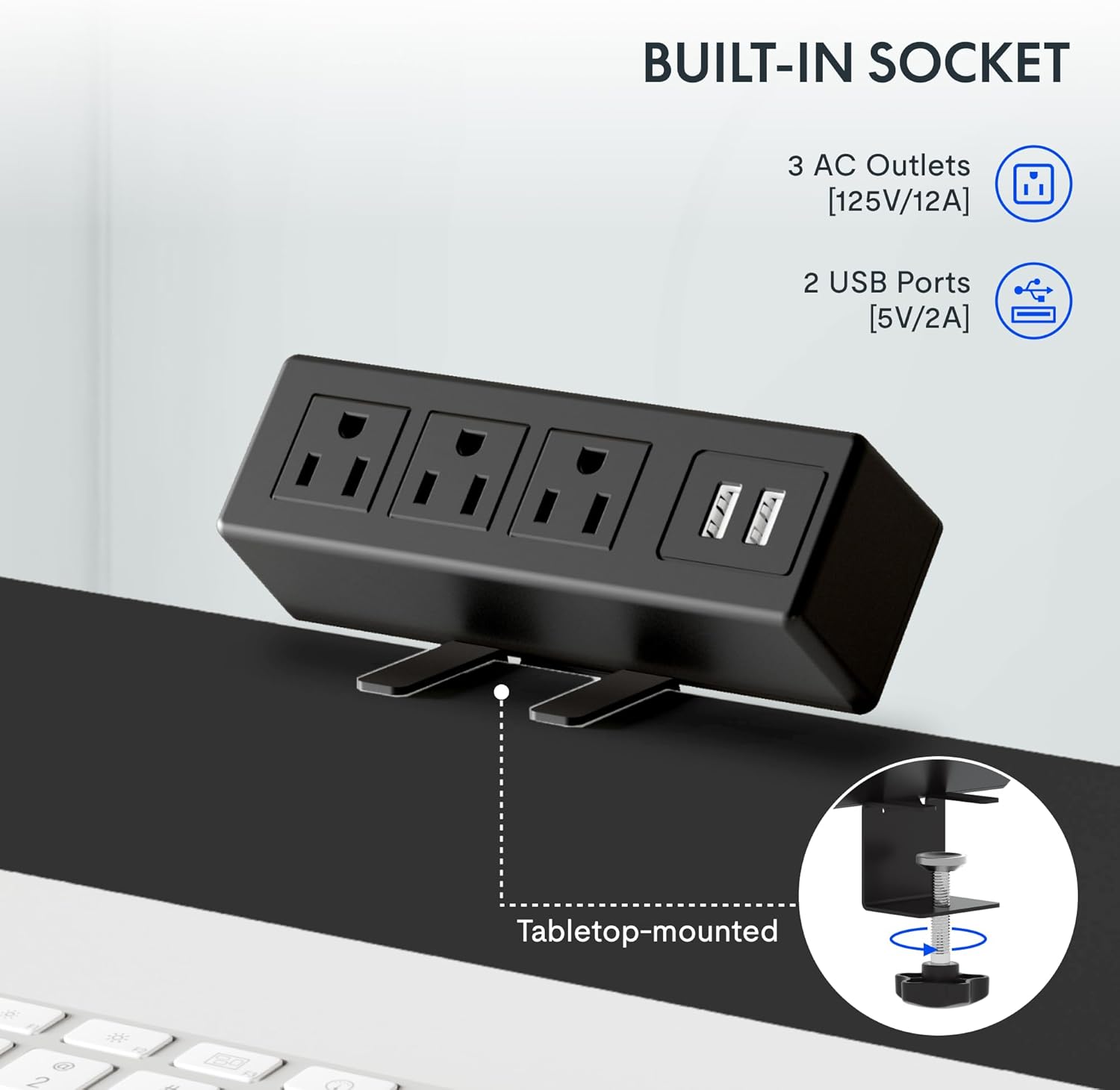
تصوير: A detailed shot of the removable desktop power outlet, showing its three AC outlets and two USB ports, designed to clamp ڊيسڪ جي ڪناري تي.
سار سنڀال
پنهنجي FLEXISPOT EN2 ڊيسڪ جي ڊگهي عمر ۽ بهترين ڪارڪردگي کي يقيني بڻائڻ لاءِ، انهن سار سنڀال جي هدايتن تي عمل ڪريو:
- صفائي: ڊيسڪ ٽاپ جي مٿاڇري کي نرم، ڊي سان صاف ڪريوamp ڪپڙو. گھڻائي صاف ڪندڙ يا سخت ڪيميائي کان بچاء جيڪي ختم ڪري سگھن ٿيون.
- موٽر سنڀال: The motor is designed for quiet operation. Avoid obstructing the motor or lifting mechanisms.
- ڪيبل جو انتظام: Regularly check and organize cables using the provided cable management device to prevent tangles and damage.
- وزن جي تقسيم: موٽر ۽ فريم تي دٻاءُ کان بچڻ لاءِ ڊيسڪ ٽاپ تي وزن برابر ورهايو.
مشڪلاتون
If you encounter any issues with your FLEXISPOT EN2 desk, refer to the following common troubleshooting tips:
- ڊيسڪ نه حرڪت:
- چيڪ ڪريو ته ڇا پاور ڪنڊ ڊيسڪ ۽ وال آئوٽليٽ ٻنهي ۾ محفوظ طور تي لڳل آهي.
- Ensure there are no obstructions preventing the desk from moving up or down.
- Reset the system by unplugging the desk for 10 seconds and then plugging it back in.
- غير معمولي تحريڪ:
- پڪ ڪريو ته ڊيسڪ هڪ سطح جي سطح تي رکيل آهي.
- Ensure weight is evenly distributed on the desktop.
- آپريشن دوران شور:
- A quiet motor operation (less than 50 dB) is normal. Excessive noise may indicate an obstruction or loose component. Inspect the moving parts for any issues.
جيڪڏهن مسئلا برقرار رهن، مهرباني ڪري ڪسٽمر سپورٽ سان رابطو ڪريو.
وضاحتون
| خاصيت | تفصيل |
|---|---|
| برانڊ | FLEXISPOT |
| ماڊل نمبر | EN2 |
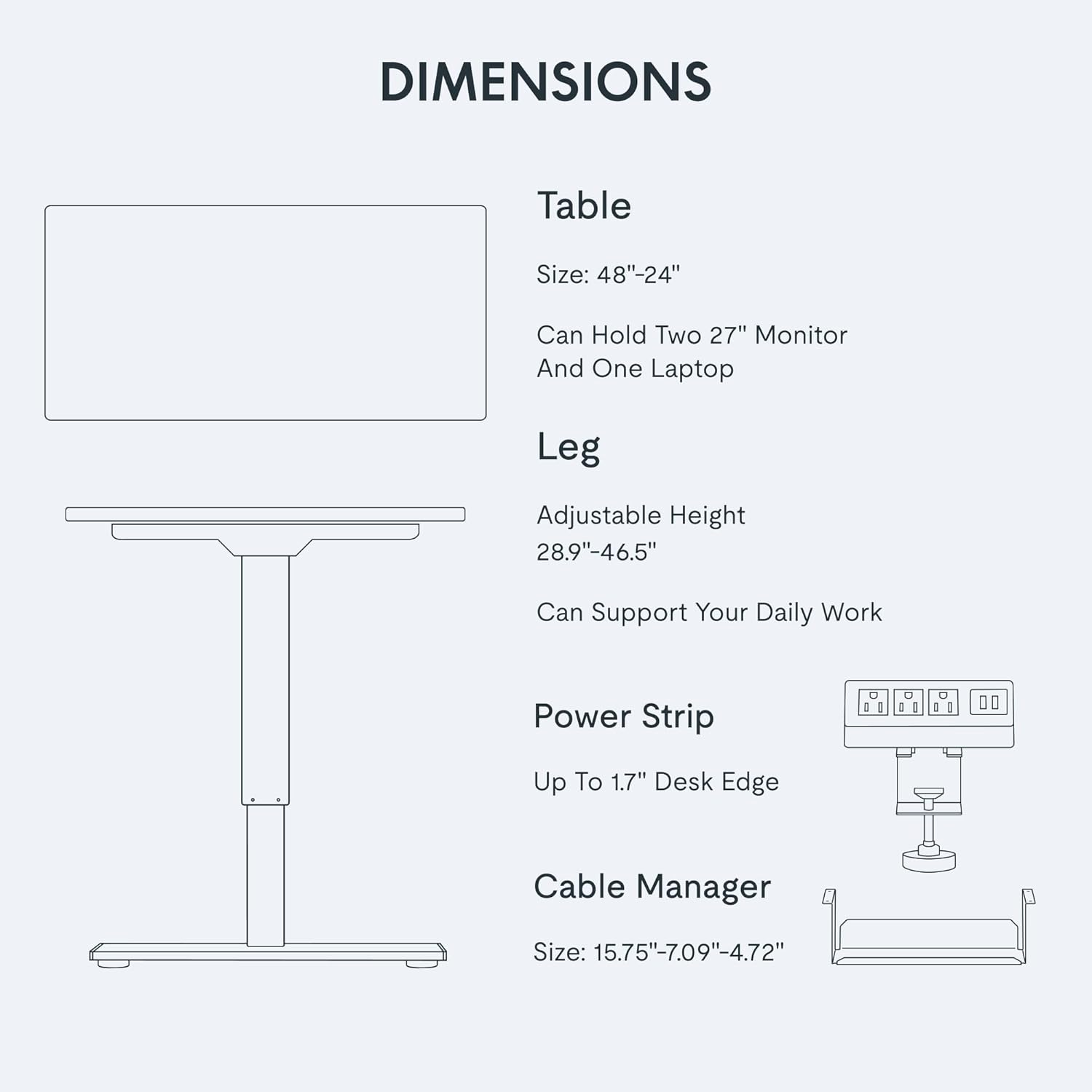
| ڊيسڪ ٽاپ جي ماپ | 48"ڊبليو x 24"ڊبليو |
| اونچائي جي ترتيب جي حد | 28.1" کان 45.7" تائين |
| وڌ ۾ وڌ وزن جي گنجائش | 154 پائونڊ (55 ڪلوگرام) |
| ڊيسڪ ٽاپ مواد | FSC تصديق ٿيل ڪاٺ |
| فريم مواد | صنعتي گريڊ اسٽيل |
| شور جي سطح | 50 ڊي بي کان گھٽ |
| پاور ليٽليٽ | 3 AC outlets, 2 USB charging ports |
| ڪنٽرولر جو قسم | 6-button digital with 4 memory presets |
وارنٽي ۽ سپورٽ
FLEXISPOT provides the following warranty for your EN2 Electric Standing Desk:
- 5 سال وارنٽي: فريم، موٽر، ۽ ٻين مشيني ڊوائيسز کي ڍڪي ٿو.
- 2 سال وارنٽي: ڪنٽرولرز، سوئچز، ۽ اليڪٽرانڪس کي ڍڪي ٿو.
For technical support, warranty claims, or any questions regarding your product, please visit the official FLEXISPOT webسائيٽ تي وڃو يا انهن جي ڪسٽمر سروس ڊپارٽمينٽ سان رابطو ڪريو. وارنٽي جي تصديق لاءِ پنهنجي خريداري جي رسيد رکو.
توهان وڌيڪ معلومات ۽ مدد تي ڳولي سگهو ٿا Amazon تي FLEXISPOT اسٽور.