
1. کانview
The CHONCHOW T931 is a full-sized wired gaming keyboard designed for various computing and gaming platforms. It features LED rainbow backlighting, anti-ghosting capabilities, and an ergonomic design for comfortable use. This manual provides instructions for setup, operation, maintenance, and troubleshooting.
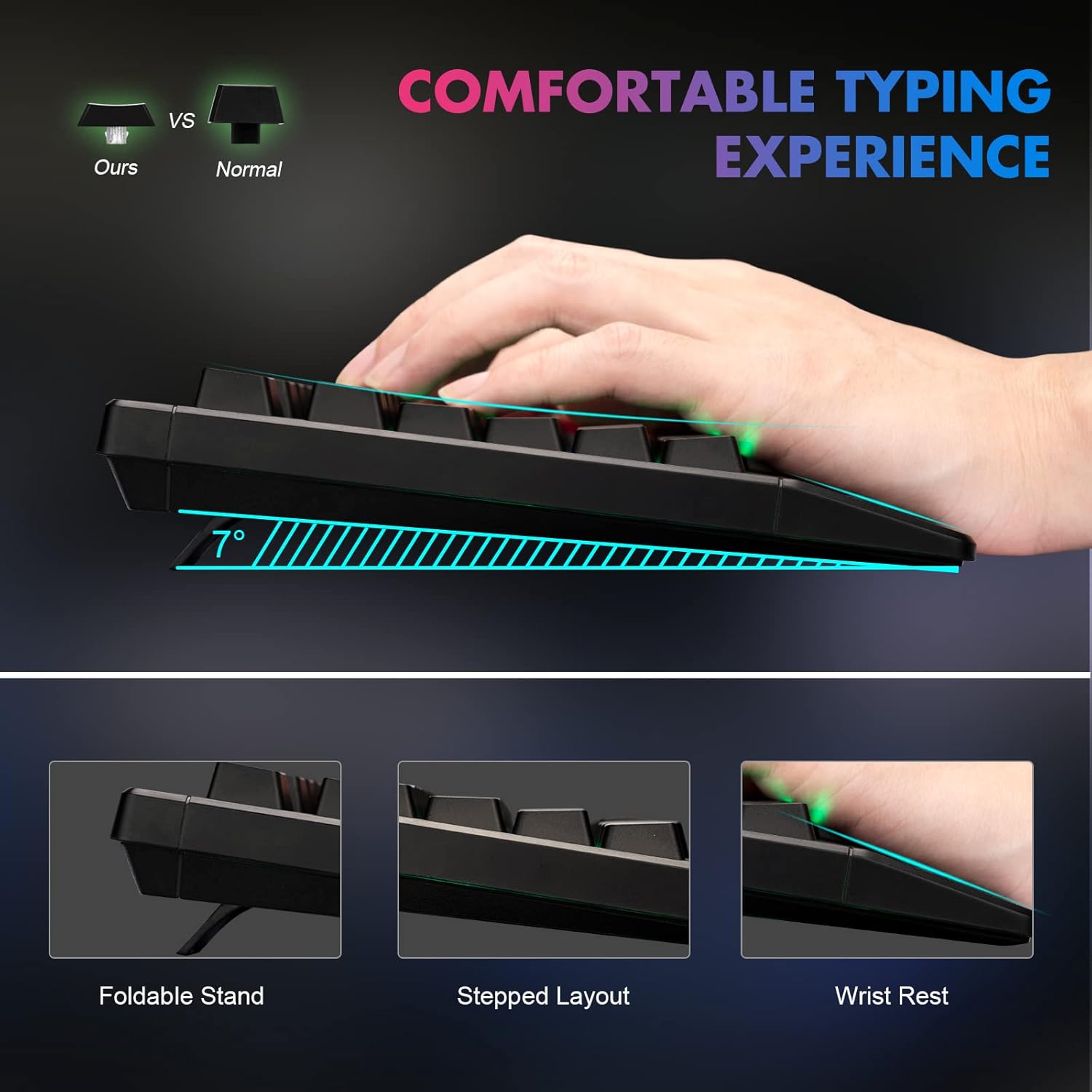
Figure 1: Ergonomic design of the CHONCHOW T931 keyboard, highlighting the integrated wrist rest, stepped key layout, and foldable feet for adjustable typing angle.
2. سيٽ اپ
The CHONCHOW T931 keyboard is a plug-and-play device, requiring no additional driver installation for basic functionality.
2.1 ڪي بورڊ کي ڳنڍڻ
- Locate an available USB port on your computer, laptop, or compatible gaming console (PS3, PS4, PS5, Xbox).
- ڪيبورڊ جي USB ڪنيڪٽر کي USB پورٽ ۾ داخل ڪريو.
- The operating system will automatically detect and install the necessary drivers. The keyboard will be ready for use within a few seconds.
2.2 مطابقت
This keyboard is compatible with a wide range of operating systems and devices, including:
- آپريٽنگ سسٽم: Windows 2000, 2003, XP, Vista, Win7, Win8, Win10, Win11, macOS, Linux.
- ڊوائيسز: PC, Laptops, Gaming Consoles (PS3, PS4, PS5, Xbox), and various tablet models.
3. آپريٽنگ هدايتون
3.1 Backlight ڪنٽرول
The keyboard features LED rainbow backlighting with multiple modes and adjustable brightness.
- Turn Backlight On/Off: دٻايو FN + Light Bulb Key (located next to the right ALT key) to toggle the backlight on or off.
- روشني جا طريقا تبديل ڪريو: دٻايو FN + PG UP / PG DN to cycle through available static and dynamic backlight modes.
- روشني کي ترتيب ڏيو: دٻايو FN + Plus (+) / Minus (-) keys to adjust the backlight brightness (3 levels available).
- Adjust Dynamic Speed: For dynamic lighting modes, press FN + Left Arrow / Right Arrow to adjust the speed of the effect.
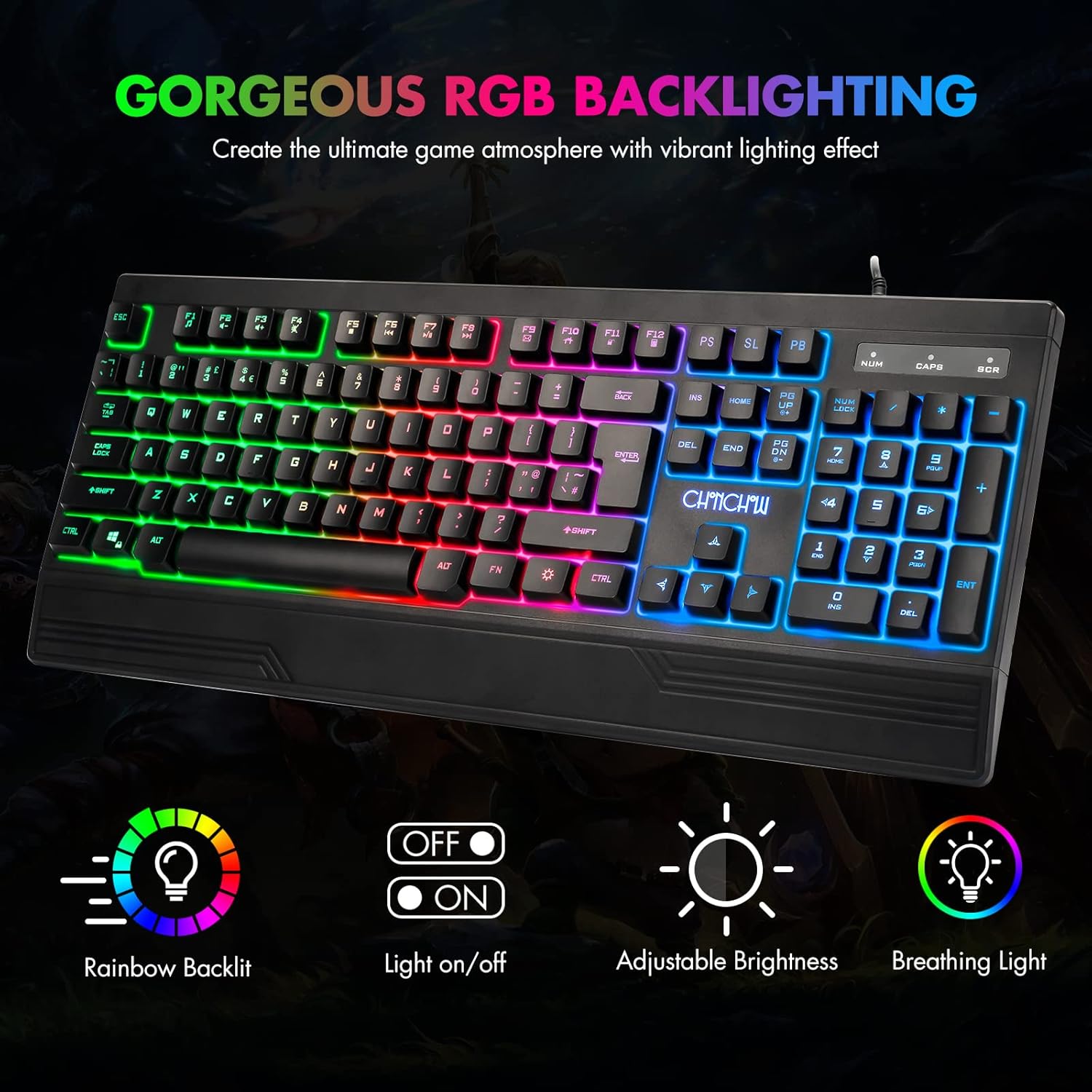
Figure 2: The CHONCHOW T931 keyboard showcasing its vibrant rainbow LED backlighting and indicators for various lighting controls.
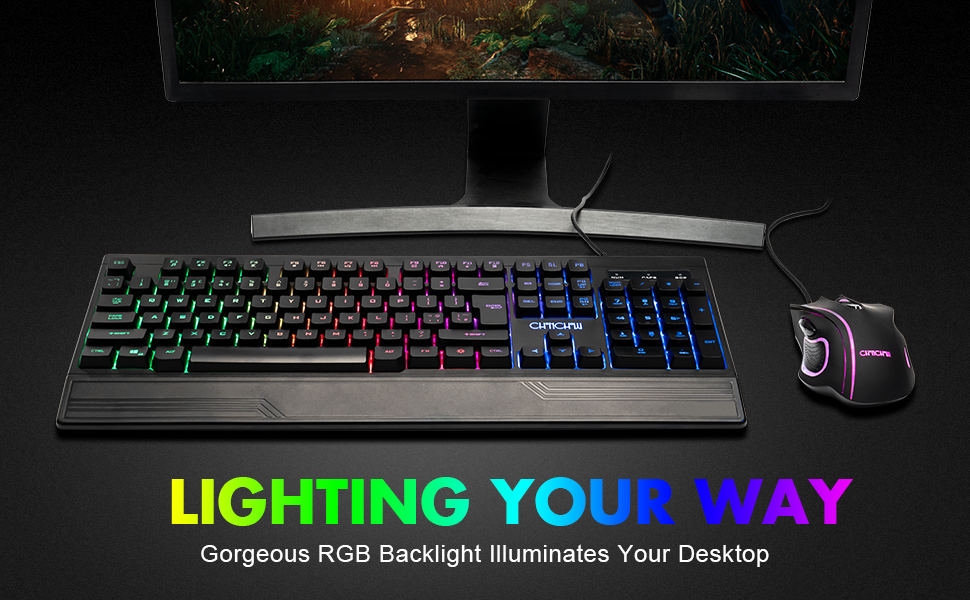
شڪل 3: تفصيلي view of the FN key combinations for managing the keyboard's LED backlight settings.
3.2 ملٽي ميڊيا فنڪشن
Access multimedia controls by pressing the FN key in combination with the designated function keys (F1-F12).
| ڪنيڪشن | فنڪشن |
|---|---|
| FN + F1 | ميوزڪ پليئر |
| FN + F2 | حجم ھيٺ |
| FN + F3 | حجم مٿي |
| FN + F4 | گونگا |
| FN + F5 | پلے بیک کي روڪيو |
| FN + F6 | اڳيون ٽريڪ |
| FN + F7 | راند/روڪ |
| FN + F8 | ايندڙ ٽريڪ |
| FN + F9 | اي ميل |
| FN + F10 | هوم صفحو |
| FN + F11 | ڪي بورڊ لاڪ |
| FN + F12 | حساب ڪندڙ |

Figure 4: Illustration of multimedia function keys and the WASD interchange function.
3.3 گيمنگ جون خاصيتون
- 26-اهم اينٽي گھوسٽنگ: This feature ensures that multiple key presses are registered simultaneously without conflict, which is crucial for fast-paced gaming.
- Interchangeable W/A/S/D Keys: دٻايو FN + W to swap the functionality of the W, A, S, D keys with the arrow keys (Up, Left, Down, Right). Press FN + W again to restore the original setting.
- WIN Lock Function: The keyboard includes a WIN lock function to prevent accidental presses of the Windows key during gameplay, which can minimize interruptions.

Figure 5: The keyboard's anti-ghosting capability ensures accurate registration of multiple simultaneous key presses.
4. سار سنڀال
Proper maintenance can extend the lifespan and performance of your keyboard.
4.1 اسپيل مزاحمتي ڊيزائن
The CHONCHOW T931 keyboard features a spill-resistant design to protect against minor liquid spills. In case of a spill, immediately disconnect the keyboard from your device and allow it to dry completely before reconnecting.

Figure 6: The keyboard's spill-resistant construction helps protect against accidental liquid exposure.
4.2 Cleaning and Detachable Keycaps
For thorough cleaning, the keycaps are detachable.
- Gently pull up on the keycaps to remove them. A keycap puller (not included) can assist in this process.
- Clean the keycaps with a soft, damp cloth. For the keyboard base, use a soft brush or compressed air to remove dust and debris.
- Ensure all components are completely dry before reattaching the keycaps.
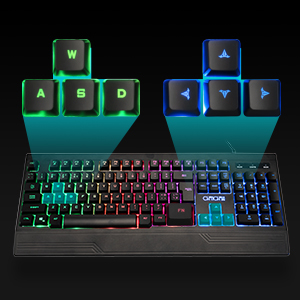
Figure 7: Detachable keycaps facilitate easy cleaning and maintenance of the keyboard.
5. مسئلا حل ڪرڻ
If you encounter issues with your CHONCHOW T931 keyboard, please refer to the following common solutions:
- ڪي بورڊ جواب نه ڏئي رهيو آهي:
- Ensure the USB cable is securely connected to both the keyboard and the device.
- ڪيبورڊ کي ڪنهن ٻئي USB پورٽ سان ڳنڍڻ جي ڪوشش ڪريو.
- Test the keyboard on another computer or device to rule out a device-specific issue.
- پنهنجو ڪمپيوٽر يا ڊوائيس ٻيهر شروع ڪريو.
- بيڪ لائيٽ ڪم نه ڪري رهي آهي:
- دٻايو FN + Light Bulb Key پڪ ڪرڻ لاءِ ته بيڪ لائيٽ آن آهي.
- استعمال ڪندي روشني کي ترتيب ڏيو FN + Plus (+) / Minus (-) چاٻيون
- Keys Not Registering Correctly:
- Ensure no debris is lodged under the keycaps. Refer to the cleaning instructions in Section 4.2.
- If W/A/S/D keys are acting as arrow keys, press FN + W to revert to standard functionality.
جيڪڏهن انهن قدمن سان مسئلو حل نه ٿيو ته وڌيڪ مدد لاءِ مهرباني ڪري ڪسٽمر سپورٽ سان رابطو ڪريو.
6. وضاحتون
| خاصيت | تفصيل |
|---|---|
| برانڊ | چونچو |
| ماڊل نمبر | تي931 |
| رابطي ٽيڪنالاجي | USB وائرڊ |
| ڪي بورڊ لي آئوٽ | QWERTY, 104 Keys |
| سوئچ جو قسم | Crater Switch Keys |
| پٺڀرائي | LED Rainbow (RGB) |
| خاص خاصيتون | Backlit, Ergonomic, Wrist Rest, 26-Key Anti-Ghosting, Spill-Resistant |
| پيداوار جي ماپ (L x W x H) | 17.4" x 6.4" x 1.2" (44.2 سينٽي ميٽر x 16.3 سينٽي ميٽر x 3.0 سينٽي ميٽر) |
| مواد | پلاسٽڪ |
| مطابقت رکندڙ آپريٽنگ سسٽم | ونڊوز، ميڪوس، لينڪس |
| سفارش ٿيل استعمال | گيمنگ |
7. وارنٽي ۽ سپورٽ
CHONCHOW offers a 30-day refund or replacement policy for quality issues and a 12-month warranty from the date of purchase.
For warranty claims, technical support, or any product-related inquiries, please contact CHONCHOW customer service through the retailer's platform or the official CHONCHOW webسائيٽ.