
1. تعارف
This manual provides detailed instructions for the SabineTek AudioWow wireless Bluetooth lavalier microphone. It covers product features, setup, operation, maintenance, troubleshooting, and technical specifications to ensure optimal use of your device for various audio recording needs, including smartphone recording, vlogging, and mixing.
The AudioWow is a compact and versatile audio device designed to enhance your sound recording experience with smartphones and other compatible devices.
2. پراڊڪٽ ختمview
2.1 پيڪيج مواد
The SabineTek AudioWow package typically includes:
- SabineTek AudioWow Microphone
- USB چارجنگ ڪيبل
- Wind Muff (for outdoor use)
- Earphones (for monitoring)
- استعمال ڪندڙ دستي

Image 2.1: SabineTek AudioWow microphone with charging cable, wind muff, earphones, and manual.
2.2 اهم خاصيتون
The AudioWow offers a range of features for professional-grade audio capture:
- الٽرا ڪمپيڪٽ ڊيزائن: Weighing approximately 15 grams (0.529 ounces) and measuring 1.77 x 1.06 x 0.47 inches, it is highly portable.
- Integrated DSP: Features a built-in Digital Signal Processor for enhanced audio quality.
- آڊيو اثرات: Includes an equalizer, sound changer, and reverb functions.
- وائرلیس رابطي Bluetooth lavalier microphone for wireless audio capture up to 15 meters.
- اسٽيريو رڪارڊنگ: Capable of capturing stereo, CD-quality sound.
- حقيقي وقت جي نگراني: Allows users to monitor audio during recording.
- شور جي گھٽتائي: Features noise reduction capabilities for clearer sound pickup.
- ڪال رڪارڊنگ: Supports professional-grade phone call and meeting recording.
- Audio-to-Text Transcription: Compatible with the AudioWow app for transcribing audio in over 120 languages.
- ڪاروائي موڊ: Dedicated mode for karaoke use.

Image 2.2: Visual representation of key features including noise reduction, real-time monitoring, Bluetooth connectivity, and call recording.

تصوير 2.3: مٿيview of SabineTek AudioWow's core functionalities and benefits.
3. سيٽ اپ
3.1 ڊوائيس چارج ڪرڻ
Before initial use, fully charge your AudioWow microphone. Connect the provided USB charging cable to the AudioWow and a standard USB power source (e.g., computer USB port, wall adapter). The charging indicator light will provide feedback on the charging status.
3.2 Installing the AudioWow App
For full functionality and advanced features, download and install the official AudioWow application on your smartphone. The app is available on major app stores (e.g., Apple App Store, Google Play Store).
3.3 بلوٽوٽ جوڙي
- Ensure the AudioWow is sufficiently charged.
- Power on the AudioWow by pressing and holding the power button until the indicator light activates.
- پنهنجي اسمارٽ فون تي بلوٽوت کي فعال ڪريو.
- Open your smartphone's Bluetooth settings and search for available devices.
- Select "AudioWow" from the list of discovered devices to initiate pairing.
- Once paired, the AudioWow indicator light will change, typically to a solid blue, confirming the connection.
4. آپريٽنگ هدايتون
4.1 Basic Audio Recording
After pairing, you can use the AudioWow as a standard Bluetooth microphone with your smartphone's default camera or voice recorder app. For enhanced features, use the AudioWow app.
4.2 Using the AudioWow App
The AudioWow app unlocks the full potential of your microphone:
- ترتيب ڏيڻ وارو حجم: Fine-tune input levels for optimal recording.
- Mixing Effects: Apply various audio effects, including equalizer, reverb, and voice changer.
- AI تقرير جي سڃاڻپ: Utilize the app's AI for speech-to-text transcription in multiple languages.
- حقيقي وقت جي نگراني: Connect earphones to the AudioWow to monitor your audio input in real-time.
- شور جي گھٽتائي: Activate noise reduction features for clearer recordings in noisy environments.
- ڪاروائي موڊ: Access specific settings optimized for karaoke performances.

Image 4.1: The AudioWow application interface on a smartphone, displaying various audio control and effect options.

تصوير 4.2: تفصيلي view of the AudioWow app's audio processing capabilities, including equalization and effects.
4.3 Phone Call Recording and Transcription
The AudioWow can be used to record phone calls and meetings. With the app, these recordings can also be transcribed into text, supporting over 120 languages.
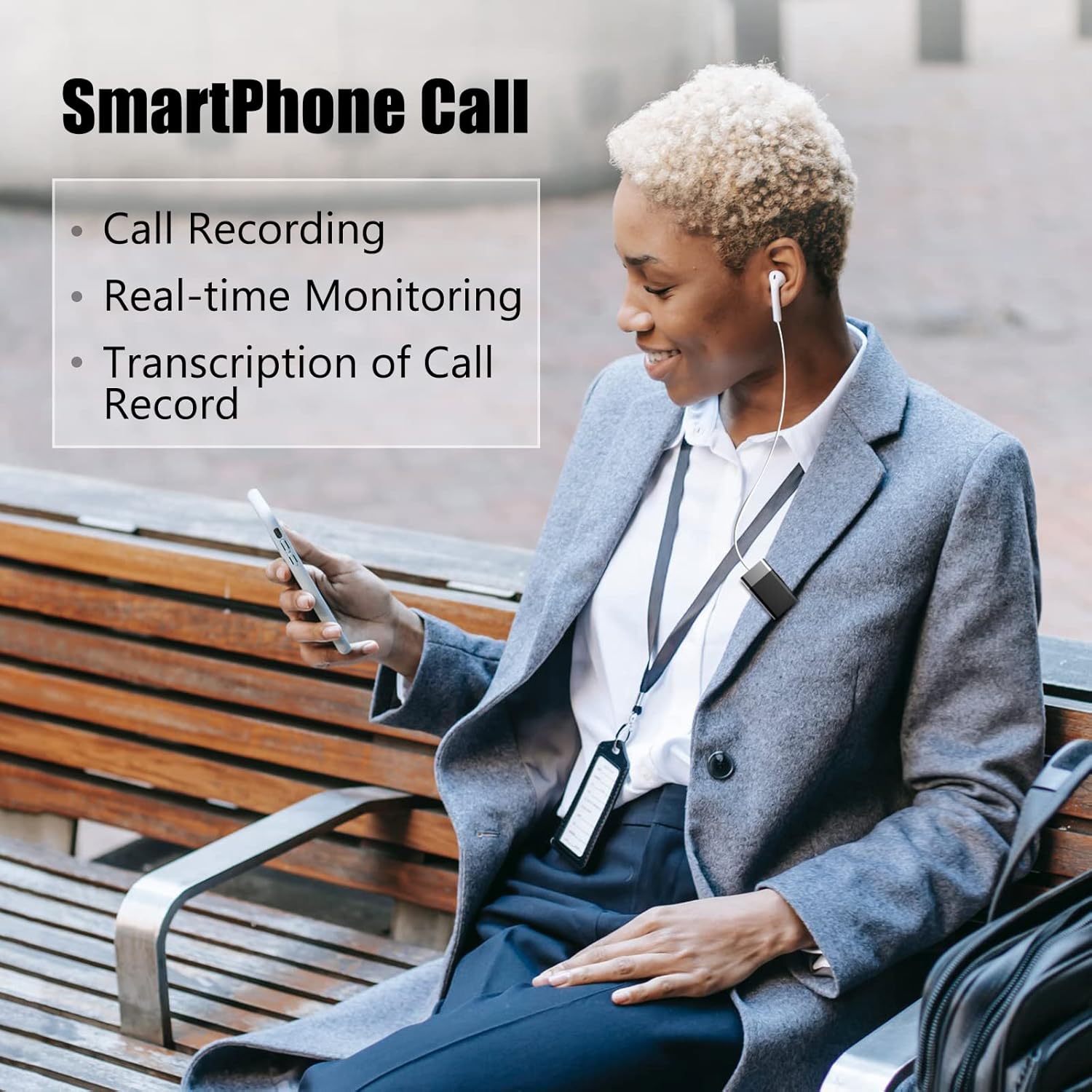
Image 4.3: Demonstrating the AudioWow's use for smartphone call recording and monitoring.

Image 4.4: The AudioWow app's real-time transcription feature with multi-language support.
4.4 استعمال جا منظر
The AudioWow is suitable for various applications:
- Vlogging and content creation
- Live streaming (e.g., Facebook Live)
- Online conferencing and virtual meetings
- Music recording and mixing
- Educational purposes and speeches

Image 4.5: Diverse applications of the AudioWow microphone in daily life and professional settings.
5. سار سنڀال
To ensure the longevity and optimal performance of your SabineTek AudioWow, follow these maintenance guidelines:
- صفائي: ڊوائيس جي ٻاهرين حصي کي صاف ڪرڻ لاءِ نرم، سڪل ڪپڙو استعمال ڪريو. مائع صاف ڪندڙ يا محلول استعمال ڪرڻ کان پاسو ڪريو.
- اسٽوريج: مائڪروفون کي سڌي سج جي روشني ۽ انتهائي گرمي پد کان پري ٿڌي، سڪل جاءِ تي رکو.
- بيٽري جي سنڀال: Avoid overcharging the device. While the AudioWow has built-in battery protection, prolonged charging beyond full capacity can reduce battery lifespan. Charge only when necessary and disconnect once fully charged.
- تحفظ: When not in use, consider storing the AudioWow in a protective pouch to prevent scratches or damage.
6. مسئلا حل ڪرڻ
If you encounter issues with your AudioWow, refer to the following common problems and solutions:
6.1 ڊوائيس جوڙو نه پيو وڃي
- طاقت چيڪ ڪريو: Ensure the AudioWow is powered on and has sufficient battery charge.
- بلوٽوٿ آن: Verify that Bluetooth is enabled on your smartphone or host device.
- ڊوائيس ٻيهر شروع ڪريو: Try restarting both the AudioWow and your smartphone.
- ڊيوائس وساريو: If previously paired, remove or "forget" the AudioWow from your device's Bluetooth list and attempt to pair again.
- قربت: Ensure the AudioWow is within close range of your smartphone during pairing.
6.2 Muffled or Echoing Sound
- مائڪروفون لڳائڻ: پڪ ڪريو ته مائڪروفون صحيح طور تي رکيل آهي ۽ رڪاوٽ نه آهي.
- ماحول: پس منظر جي شور کي گھٽ ڪرڻ لاءِ خاموش ماحول ۾ رڪارڊ ڪريو.
- ايپ سيٽنگون: Check the AudioWow app's equalizer and effect settings. Reset them to default if necessary.
- فرم ویئر: Ensure the device firmware is up to date via the AudioWow app.
- Headphone Check: If monitoring with headphones, ensure they are functioning correctly and properly connected.
6.3 Firmware Update Failure
- مستحڪم ڪنيڪشن: Ensure a stable Bluetooth connection and internet access during the update process.
- بيٽري جي سطح: The AudioWow should have at least 50% battery charge before attempting a firmware update.
- ٻيهر ڪوشش ڪريو: Close and reopen the AudioWow app, then attempt the update again.
- Alternative Device: If issues persist, try updating the firmware using a different compatible smartphone or tablet.
7. وضاحتون
| خاصيت | تفصيل |
|---|---|
| ماڊل نمبر | ميني ايڪس |
| برانڊ | سبين ٽيڪ |
| رابطي ٽيڪنالاجي | بلوٽوٿ |
| مائڪروفون فارم فيڪٽر | لاوليئر |
| شيءِ جو وزن | 15 گرام (0.529 آونس) |
| آڊيو حساسيت | 100 ڊيسيبل |
| سگنل کان شور جي نسبت | 40 ڊي بي |
| طاقت جو ذريعو | بيٽري سان هلندڙ (1 ليتيم پوليمر بيٽري شامل آهي) |
| مطابقت رکندڙ ڊوائيسز | Smartphone, Headphone |
| پولر نمونو | Bidirectional, Omnidirectional |
| ڪنيڪٽر جو قسم | 3.5 مليڪ جيڪ |
| رنگ | ڀورو |
| مواد | Fleece (for wind muff) |
| يو پي سي | 194371063013 |
8. وارنٽي ۽ سپورٽ
For warranty information and customer support, please refer to the documentation included with your purchase or visit the official SabineTek webسائيٽ. توهان اضافي وسيلا ۽ رابطي جي معلومات پڻ ڳولي سگهو ٿا SabineTek Brand Store on Amazon.
SabineTek is committed to providing quality products and support. If you experience any issues not covered in this manual, please contact their customer service for assistance.