
1. تعارف
Thank you for choosing the MageGee TS92 Wireless 60% Gaming Keyboard. This compact, rechargeable keyboard offers a stable 2.4G wireless connection, vibrant RGB backlighting, and a durable, water-resistant design. This manual provides detailed instructions for setup, operation, and maintenance to ensure optimal performance.

Image: MageGee TS92 wireless keyboard on a wooden table next to a speaker and a book, showcasing its use in a home environment. This image provides a general view of the product in use.
2. پيڪيج مواد
- MageGee TS92 Wireless 60% Gaming Keyboard
- USB Nano Receiver (stored in the keyboard's bottom compartment)
- Detachable USB Type-C Charging Cable
- استعمال ڪندڙ جو دستياب (ھي دستاويز)
3. سيٽ اپ
3.1 شروعاتي چارجنگ
Before first use, fully charge the keyboard using the provided USB Type-C cable. Connect the Type-C end to the keyboard's charging port and the USB-A end to a power source (e.g., computer USB port, USB wall adapter). The charging indicator will show the charging status.

Image: MageGee TS92 keyboard connected via USB-C cable with 2.4G wireless dongle inserted into a laptop. This image illustrates the charging connection and the wireless receiver.
3.2 وائرلیس ڪنيڪشن
- Locate the USB Nano Receiver in the compartment on the bottom of the keyboard.
- Plug the USB Nano Receiver into an available USB port on your computer or laptop.
- Turn on the keyboard using the power switch located on the bottom of the keyboard.
- The keyboard should automatically connect to your device. No additional software or drivers are required.
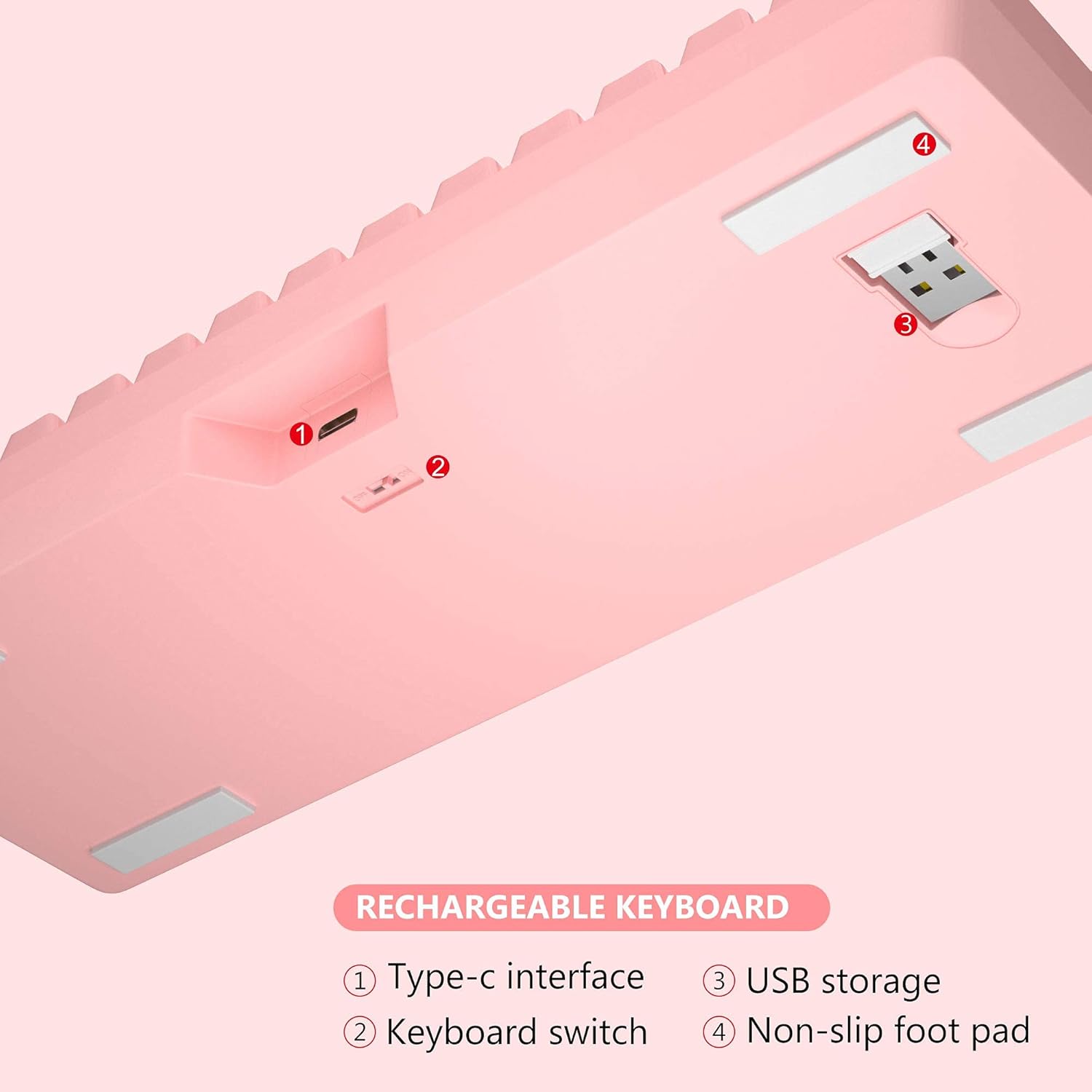
تصوير: هيٺيون view of MageGee TS92 keyboard showing the USB receiver storage compartment, power switch, and Type-C interface. This image highlights the location of the wireless dongle and power switch.
4. آپريٽنگ هدايتون
4.1 آر جي بي بيڪ لائيٽنگ ڪنٽرول
The MageGee TS92 keyboard features vibrant RGB backlighting with 7 color options (red, green, purple, yellow, blue, white, cyan) and various lighting effects.
- ايف اين + ڪي: Switch between different backlight modes (e.g., Ripples, Waves, Breathing, Aurora).
- ايف اين + ايل: بيڪ لائيٽ جي چمڪ کي ترتيب ڏيو (5 سطحون).
- FN + I: بيڪ لائيٽ آن/آف ڪريو.
- FN + U: بيڪ لائيٽ جي رفتار وڌايو.
- FN + J: backlight جي رفتار کي گھٽايو.

Image: MageGee TS92 keyboard displaying colorful RGB backlighting. This image showcases the keyboard's illuminated keys.
Video: Demonstration of MageGee TS92 Wireless 61 Keys RGB Keyboard features, including various RGB lighting modes and key functions. This video provides a visual guide to the keyboard's dynamic lighting effects.
4.2 ملٽي ميڊيا ۽ فنڪشن ڪيز
The 61-key layout includes essential multimedia and function keys accessible via the FN key combinations.
| ميلاپ | فنڪشن |
|---|---|
| ايف اين + آر | حجم ھيٺ |
| ايف اين + ٽي | حجم مٿي |
| FN + Y | گونگا |
| FN + K | بيڪ لائيٽ موڊس کي تبديل ڪريو |
| ايف اين + ايل | backlight جي روشني کي ترتيب ڏيو |
| FN + I | پٺتي پيل / بند |
| FN + U | Speed up backlight speed |
| FN + جي | backlight جي رفتار کي سست ڪريو |

Image: Diagram showing FN key combinations for multimedia and lighting control on MageGee TS92 keyboard. This image provides a visual reference for special key functions.
4.3 پاور مئنيجمينٽ
The keyboard is equipped with a 2000mAh rechargeable battery. It offers up to 24 hours of wireless usage and 480 hours of standby time on a single charge.
- The keyboard will automatically enter sleep mode after 1 minute of inactivity to conserve power.
- Click any key to wake it up.
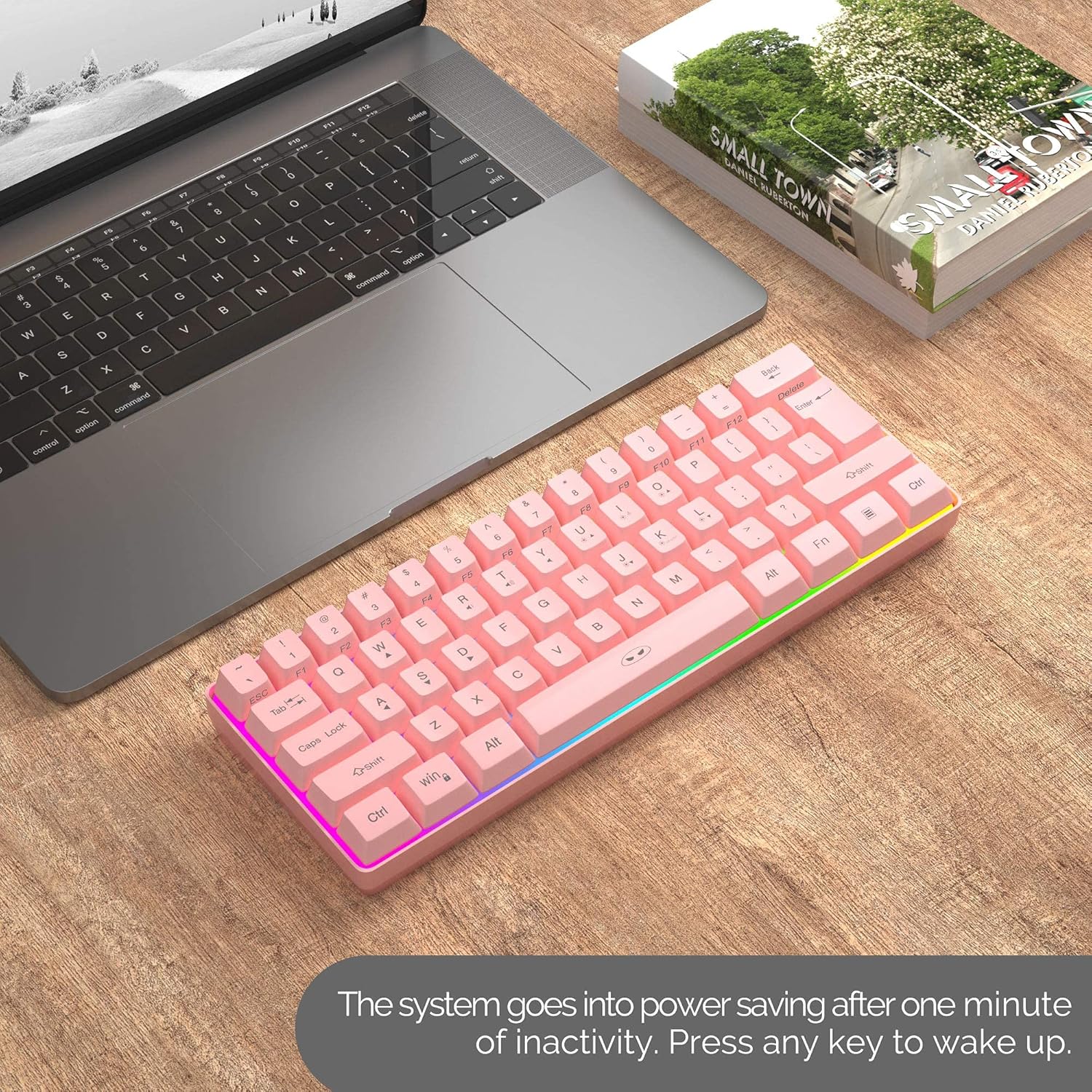
Image: MageGee TS92 keyboard on a desk next to a laptop, illustrating the automatic sleep mode feature. This image shows the keyboard in a typical usage scenario.
4.4 مطابقت
The MageGee TS92 keyboard is compatible with a wide range of operating systems, including:
- Windows (Win2000, Win XP, Win ME, Vista, Win 7, Win 8, Win 10)
- Mac OS
- لينڪس
- Other devices with USB ports
5. سار سنڀال
5.1 پاڻي جي مزاحمت
The keyboard is designed to be water-resistant, protecting against damage from spilled drinks or coffee. However, it is important to note:
- نه soak the keyboard in water.
- نه rinse it under tap water.
- In case of spills, gently wipe the keyboard dry with a soft cloth.
5.2 صفائي
To clean the keyboard, use a soft, slightly damp cloth. Avoid using harsh chemicals or abrasive materials that could damage the surface or keycaps.
6. مسئلا حل ڪرڻ
- ڪي بورڊ جواب نه ڏئي رهيو آهي:
- پڪ ڪريو ته ڪيبورڊ فعال آهي.
- Check if the USB Nano Receiver is securely plugged into a working USB port on your device.
- Verify the keyboard battery is charged. Connect the Type-C cable to charge if needed.
- Try plugging the USB Nano Receiver into a different USB port.
- پنهنجي ڪمپيوٽر کي ٻيهر شروع ڪريو.
- RGB lights not working or stuck:
- دٻايو FN + I پڪ ڪرڻ لاءِ ته بيڪ لائيٽ آن آهي.
- دٻايو FN + K مختلف روشني جي طريقن ذريعي چڪر ڪرڻ لاءِ.
- دٻايو ايف اين + ايل روشني کي ترتيب ڏيڻ لاء.
- پڪ ڪريو ته ڪيبورڊ جي بيٽري ڪافي چارج ٿيل آهي.
- وقفي وقفي سان ڳنڍڻ:
- پڪ ڪريو ته ڪيبورڊ USB رسيور جي 10 ميٽر آپريٽنگ رينج اندر آهي.
- Avoid placing the keyboard near strong electromagnetic interference sources.
- پڪ ڪريو ته ڪيبورڊ مڪمل طور تي چارج ٿيل آهي.
7. وضاحتون
| خاصيت | تفصيل |
|---|---|
| ماڊل | TS92 |
| ڪنيڪشن موڊ | 2.4G وائرليس |
| ڪنجي جو تعداد | 61 |
| بيٽري جي گنجائش | 2000mAh |
| چارجنگ پورٽ | USB قسم-سي |
| آپريٽنگ فاصلو | 10 ميٽر تائين |
| مطابقت | ونڊوز، ميڪ، لينڪس |
| خاص خاصيتون | RGB Backlit, Rechargeable, Water Resistant |
| ڪي بورڊ جو طول و عرض | 292 x 102 x 40 ملي ميٽر (تقريبن 11.5 x 4.0 x 1.6 انچ) |
| شيءِ جو وزن | 1.12 پائونڊ (تقريبن 508 گرام) |
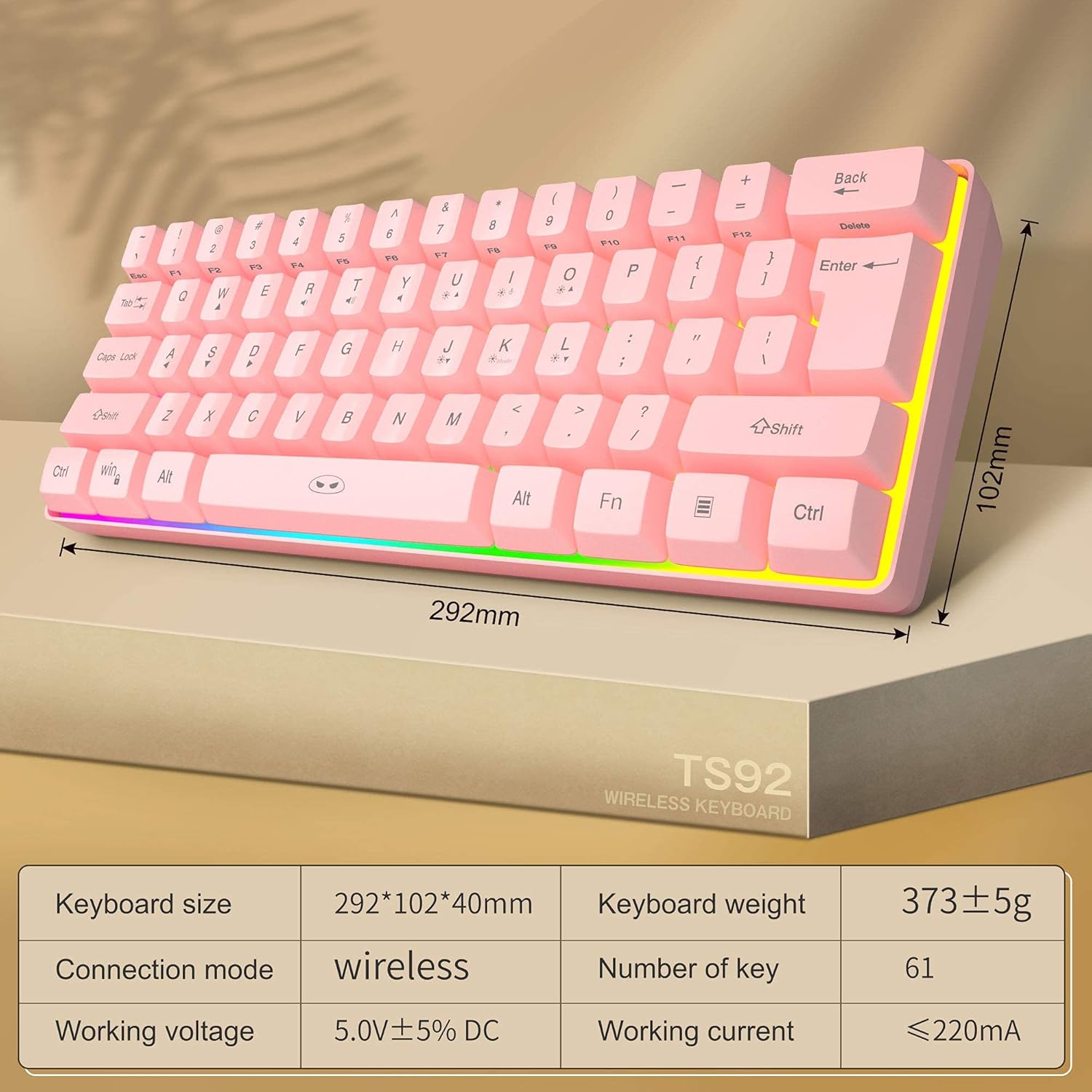
Image: Diagram showing the dimensions and key specifications of the MageGee TS92 wireless keyboard. This image provides a visual overview of the keyboard's physical attributes and technical details.
8. وارنٽي ۽ سپورٽ
ميج گي جون شيون اعتبار ۽ ڪارڪردگيءَ لاءِ ٺهيل آهن. وارنٽي جي معلومات يا ٽيڪنيڪل سپورٽ لاءِ، مھرباني ڪري پنھنجي خريداري سان مهيا ڪيل رابطي جي تفصيلن جو حوالو ڏيو يا سرڪاري ميج گي جو دورو ڪريو. webسائيٽ. وارنٽي جي دعوي لاء توهان جي خريداري جي رسيد رکو.