
1. اهم حفاظتي ڄاڻ
مھرباني ڪري اسيمبلي ۽ استعمال کان اڳ سڀ ھدايتون احتياط سان پڙھو. مستقبل جي حوالي لاءِ ھن دستور کي برقرار رکو.
- خبردار: Always assemble the desk according to the provided instructions to ensure stability.
- وڌ ۾ وڌ وزن جي گنجائش 177 پائونڊ (80 ڪلوگرام) کان وڌيڪ نه ڪريو.
- Be cautious when using the height adjustment feature to avoid injury from moving parts.
- Keep hands and fingers away from the moving parts during operation.
- Ensure the power cord is not pinched or damaged during assembly or operation.
- هي پراڊڪٽ صرف اندروني استعمال لاء آهي.
2. پراڊڪٽ ختمview
The FLEXISPOT E1L is a dual-motor, L-shaped electric standing desk designed for home and office use. It features adjustable height, a quiet operation, and a customizable control panel.

Image 2.1: The FLEXISPOT E1L desk frame demonstrating its adjustable height capabilities.

Image 2.2: The FLEXISPOT E1L desk in a typical office setup, showcasing its L-shape and functionality.
3. سيٽ اپ ۽ اسيمبلي
Assembly of the FLEXISPOT E1L desk is designed to be straightforward, typically taking less than 30 minutes. All necessary tools are included.
3.1 پيڪنگ ۽ اجزاء جي چڪاس
Carefully unpack all components and verify against the packing list. Ensure all parts are present and undamaged before proceeding.
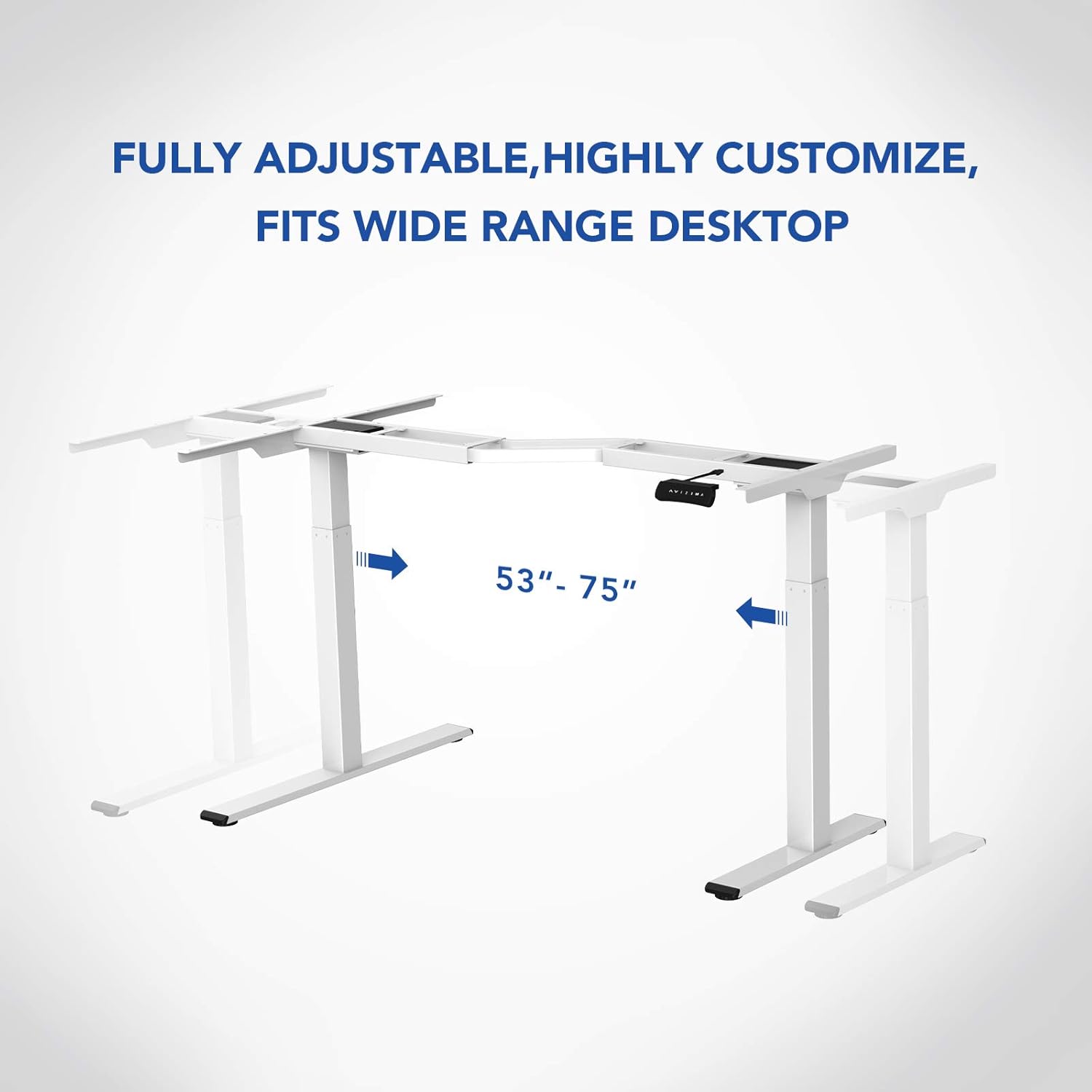
تصوير 3.1: مٿيview of the FLEXISPOT E1L desk frame components prior to assembly.
3.2 اسيمبليءَ جا مرحلا
- لفٽنگ ڪالمن کي ڊيسڪ ٽاپ فريم سان ڳنڍيو.
- Secure the feet to the bottom of the lifting columns.
- Connect the control box and motor cables as per the detailed diagram in the included assembly guide.
- Mount the control panel to the desired location on the desk.
- Place the desktop surface onto the assembled frame and secure it.
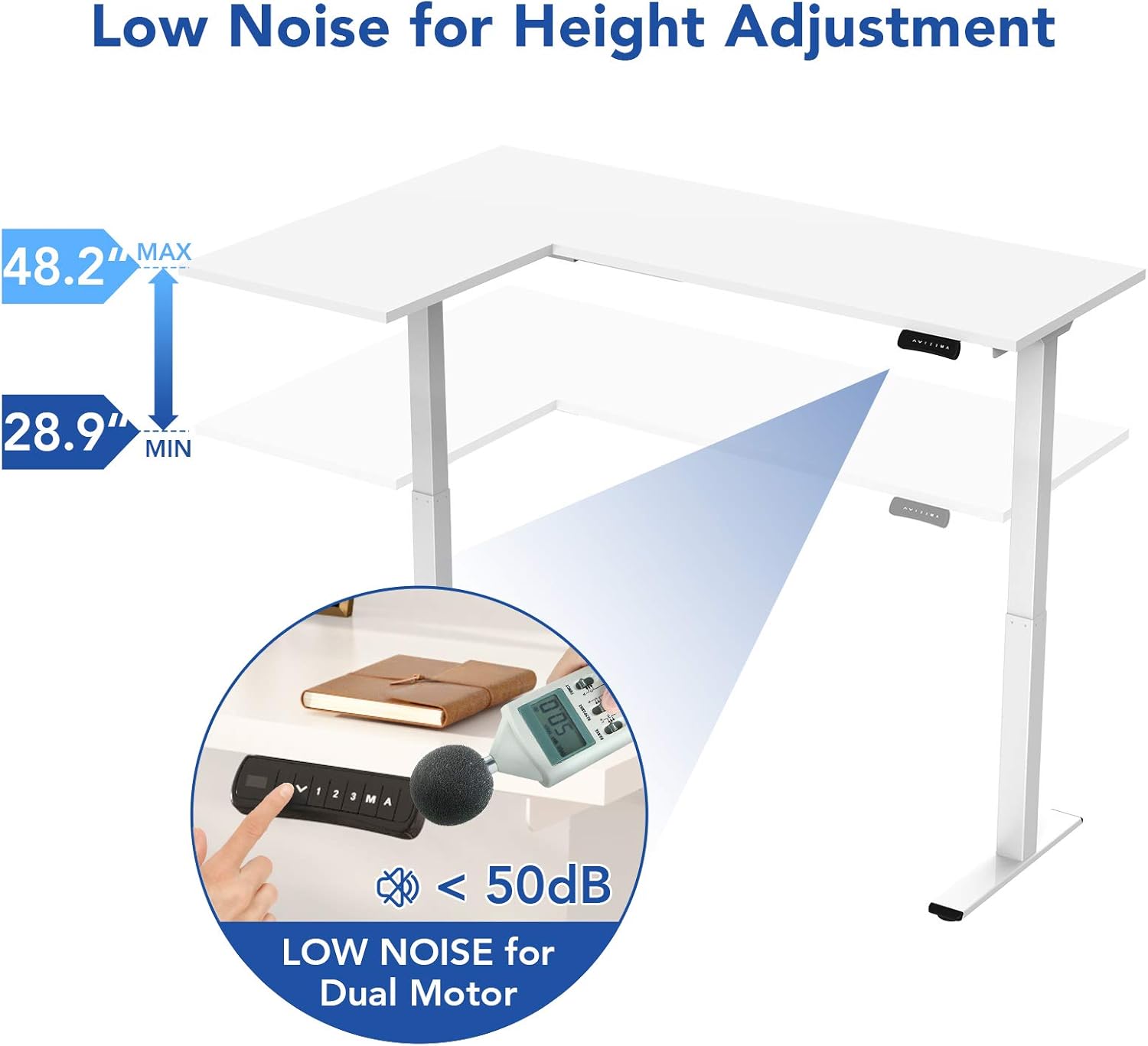
Image 3.2: An assembly step illustrating the connection of the L-shaped desk frame components.

Image 3.3: The desk frame nearing completion, with the control panel attached.
3.3 Reversible L-Shape Configuration
The L-shaped configuration of the desk is reversible, allowing you to set up the longer side on either the left or right, depending on your preference and workspace layout. This flexibility is determined during the assembly process.

Image 3.4: Visual representation of the desk's reversible L-shape, allowing for left or right-hand configurations.
4. آپريٽنگ هدايتون
4.1 اونچائي جي ترتيب
The desk features a dual-motor lift mechanism for smooth and quiet height adjustments. The height can be adjusted from 27.9 inches (70.9 cm) to 47.2 inches (120 cm).
- استعمال ڪريو Up (▲) ۽ هيٺ (▼) buttons on the control panel to manually adjust the desk height.
- The desk operates at a speed of 1 inch per second and maintains a noise level under 50 dB during movement.

Image 4.1: Illustration highlighting the low noise operation (under 50 dB) of the desk's dual motor system.
4.2 ڪنٽرول پينل جا ڪم
The built-in LED control panel allows for easy customization and programming of desk height settings.

Image 4.2: Close-up of the control panel, detailing its buttons and functions.
- Up/Down Buttons (▲, ▼): Manually adjust the desk height.
- ياداشت جا اڳواٽ سيٽ (1، 2، 3): Store and recall up to three preferred height settings. To save a height, adjust the desk to the desired position, then press the 'M' button followed by the desired number (1, 2, or 3).
- ميموري بٽڻ (M): Used to save height presets.
- Sit-Stand Reminder (A): Activate a programmable timer to remind you to switch between sitting and standing postures. Refer to the full assembly guide for detailed programming instructions.
4.3 اينٽي ڪوليشن سسٽم
The desk is equipped with a built-in anti-collision system. If the desk encounters an obstruction during height adjustment, it will automatically stop and reverse slightly to prevent damage or injury.

Image 4.3: Visual explanation of the anti-collision system, showing the desk reversing upon contact with an obstacle.
5. سار سنڀال
Regular maintenance ensures the longevity and optimal performance of your FLEXISPOT E1L desk.
- صفائي: ڊيسڪ جي مٿاڇري ۽ فريم کي نرم، ڊي سان صاف ڪريوamp ڪپڙو. گھڙڻ وارا صاف ڪندڙ يا محلولن کان پاسو ڪريو جيڪي ختم کي نقصان پهچائي سگھن ٿا.
- ڪيبل جو انتظام: Periodically check all cables to ensure they are securely connected and not pinched or frayed. Use the included cable management tray to keep wires organized.
- فاسٽنرز: ڪڏهن ڪڏهن سڀني اسڪرو ۽ بولٽن کي چيڪ ڪريو ته جيئن پڪ ٿئي ته اهي تنگ آهن. جيڪڏهن ضروري هجي ته ٻيهر مضبوط ڪريو.
- موٽر جي چڪاس: Listen for any unusual noises during operation. If you notice any, discontinue use and consult the troubleshooting section or contact customer support.
6. مسئلا حل ڪرڻ
If you encounter issues with your desk, refer to the following common troubleshooting steps:
| مسئلو | ممڪن سبب | حل |
|---|---|---|
| ڊيسڪ حرڪت نٿي ڪري. | Power cable disconnected; control box error; overload. | Check power connections. Unplug and replug the power cord. Reduce weight on the desk. |
| ڊيسڪ غير برابري سان هلي ٿي. | Uneven load; motor synchronization issue. | Distribute weight evenly. Perform a reset (refer to the full manual for specific reset procedures). |
| غلطي ڪوڊ ڏيکاريو ويو. | مخصوص سسٽم جي خرابي. | Refer to the detailed error code list in the complete user manual or contact customer support. Often, a power cycle (unplugging for 10 seconds and replugging) can resolve temporary errors. |
| ٽڪراءُ مخالف نظام تمام آساني سان شروع ٿئي ٿو. | حساسيت جي سيٽنگ تمام گهڻي آهي. | Adjust the anti-collision sensitivity setting via the control panel (refer to the full manual for instructions). |
جيڪڏهن انهن قدمن سان مسئلو حل نه ٿيو ته مهرباني ڪري FLEXISPOT ڪسٽمر سپورٽ سان رابطو ڪريو.
7. وضاحتون
| خاصيت | تفصيل |
|---|---|
| برانڊ | FLEXISPOT |
| ماڊل نمبر | E1L |
| ڊيسڪ ڊيزائن | ايل-شڪل ڪمپيوٽر ڊيسڪ |
| فريم مواد | صنعتي گريڊ اسٽيل |
| کڻڻ واري مشين | ٻٽي اليڪٽرڪ موٽر |
| اونچائي جي ترتيب جي حد | 27.9" کان 47.2" (70.9 سينٽي ميٽر کان 120 سينٽي ميٽر) |
| کڻڻ جي رفتار | 1"/second |
| شور جي سطح | 50 ڊي بي کان گهٽ |
| وڌ ۾ وڌ وزن جي گنجائش | 177 پائونڊ (80 ڪلوگرام) |
| ڪنٽرول پينل | LED with 3 Memory Presets & Sit-Stand Reminder |
| خاص خاصيتون | Anti-Collision System, Corded Operation, Reversible L-Shape |
| اسيمبلي گهربل | ها (سڀ اسيمبلي اوزار شامل آهن) |
| اسيمبليءَ لاءِ تجويز ڪيل ماڻهو | 1 |
8. وارنٽي ۽ سپورٽ
8.1 وارنٽي ڄاڻ
The FLEXISPOT E1L desk comes with a Limited Warranty. Please refer to the warranty card included with your product or visit the official FLEXISPOT website for detailed terms and conditions regarding parts and labor coverage.
8.2 ڪسٽمر سپورٽ
For technical assistance, warranty claims, or any questions regarding your FLEXISPOT E1L desk, please contact FLEXISPOT customer support through their official webسائيٽ يا توهان جي پراڊڪٽ پيڪنگنگ ۾ ڏنل رابطي جي معلومات.
توھان پڻ دورو ڪري سگھو ٿا Amazon تي FLEXISPOT اسٽور اضافي پراڊڪٽ جي معلومات ۽ سپورٽ وسيلن لاءِ.