1. تعارف
This manual provides instructions for the setup, operation, and maintenance of your Nixplay 10.1 inch Smart Digital Photo Frame (Model W10J). Please read this manual thoroughly before using your device to ensure proper functionality and longevity.
2. پراڊڪٽ ختمview
The Nixplay Smart Digital Photo Frame allows you to display photos and videos from your connected accounts or directly uploaded content. It features Wi-Fi connectivity for easy content management.
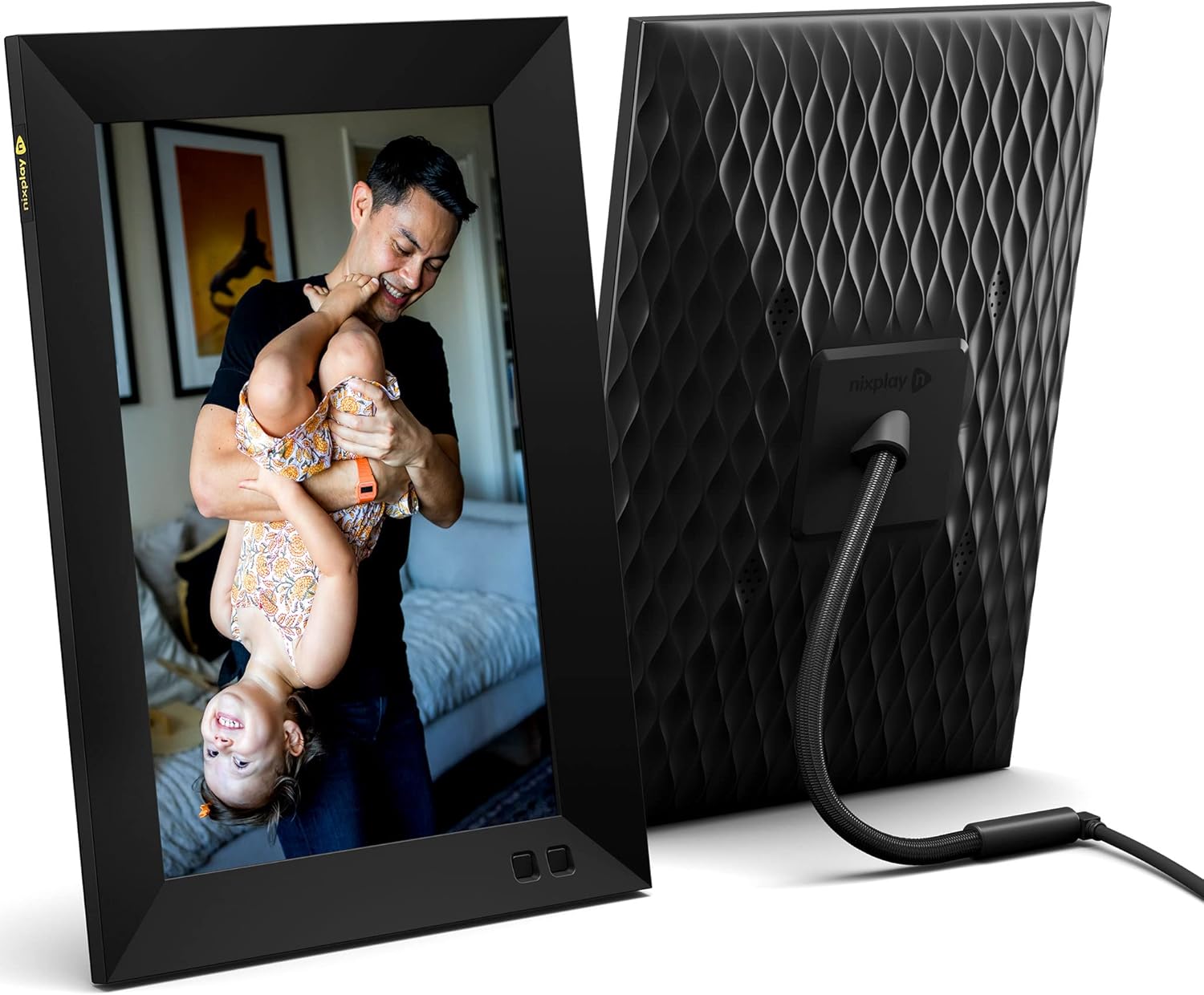
شڪل 2.1: اڳيان ۽ پوئتي view of the Nixplay 10.1 inch Smart Digital Photo Frame. The front displays an image of a person holding a child, while the rear shows the textured back panel and power cable connection.
2.1 پيڪيج مواد

شڪل 2.2: Contents of the Nixplay Smart Digital Photo Frame package. Includes the frame, power adapter, remote control, wall mounting guide, screws, and a brief guide.
Upon unboxing, verify that all items are present:
- Nixplay 10.1 inch Smart Digital Photo Frame
- پاور اڊاپٽر
- ريموٽ ڪنٽرول
- Wall Mounting Guide and Hardware
- تڪڙو شروع ھدايت
3. سيٽ اپ
3.1 فريم تي پاورنگ
- Connect the power adapter to the frame's power port.
- پاور اڊاپٽر کي وال آئوٽليٽ ۾ لڳايو.
- The frame will automatically power on and display the Nixplay logo.
3.2 Initial Wi-Fi and Account Setup
Follow the on-screen prompts to connect your frame to a Wi-Fi network and create or log in to your Nixplay account. This process typically involves:
- Selecting your Wi-Fi network and entering the password.
- Downloading the Nixplay app on your smartphone or tablet.
- Pairing your frame with your Nixplay account using the app.

شڪل 3.1: The Nixplay app displayed on a smartphone, illustrating how to share photos and videos instantly. The digital frame is shown displaying a family photo.
4. آپريٽنگ هدايتون
4.1 Managing Content with the Nixplay App
The Nixplay app is the primary tool for managing your frame's content. It allows you to upload photos and videos, create playlists, and invite others to share content.
- تصويرون / وڊيوز اپ لوڊ ڪرڻ: Use the app to select media from your device or linked cloud services (e.g., Google Photos, Dropbox) and upload them to your Nixplay account.
- Creating Playlists: Organize your uploaded media into playlists. You can assign specific playlists to your frame.
- حصيداري: Invite family and friends to contribute photos and videos to your frame via email or the Nixplay app.

شڪل 4.1: The Nixplay app interface displaying various playlists, including "Google Photos family," "Christmas Playlist," and "Wedding." This demonstrates the app's content organization features.
4.2 ريموٽ ڪنٽرول استعمال ڪندي
The included remote control allows for basic navigation and settings adjustments directly on the frame. Functions typically include:
- Navigating through menus.
- Adjusting volume (for videos).
- Pausing/playing slideshows.
- Accessing frame settings.
4.3 Motion Sensor Functionality
The frame features a motion sensor that can be configured to turn the display on when motion is detected and off after a period of inactivity, conserving energy.
5. سار سنڀال
5.1 فريم جي صفائي
- Use a soft, dry, lint-free cloth to clean the screen and frame exterior.
- Avoid using abrasive cleaners, solvents, or aerosol sprays, as these can damage the surface.
- اسڪرين تي ضدي نشانن لاءِ، هلڪو ڊيampen the cloth with water, then wipe gently.
5.2 سافٽ ويئر اپڊيٽ
Ensure your frame's software is up to date for optimal performance and new features. The frame typically updates automatically when connected to Wi-Fi, or you may be prompted to install updates via the Nixplay app.
6. مسئلا حل ڪرڻ
| مسئلو | ممڪن حل |
|---|---|
| فريم آن نٿو ٿئي. | پڪ ڪريو ته پاور اڊاپٽر فريم ۽ ڪم ڪندڙ پاور آئوٽليٽ ٻنهي سان محفوظ طور تي ڳنڍيل آهي. هڪ مختلف آئوٽليٽ آزمايو. |
| وائي فائي سان ڳنڍجي نٿو سگھي. | Verify the Wi-Fi password. Ensure the frame is within range of your router. Restart your router and the frame. |
| فريم تي تصويرون نظر نه ٿيون اچن. | Check your Nixplay app to confirm photos are uploaded and assigned to the correct playlist for your frame. Ensure the frame is connected to Wi-Fi. |
| ريموٽ ڪنٽرول ڪم نه ڪري رهيو آهي. | پڪ ڪريو ته ريموٽ ۽ فريم جي وچ ۾ ڪا به رڪاوٽ نه آهي. جيڪڏهن ضروري هجي ته ريموٽ ڪنٽرول جي بيٽري کي تبديل ڪريو. |
7. وضاحتون
- ماڊل نمبر: W10J
- اسڪرين جي ماپ: 10.1 انچ
- قرارداد: 1280 x 800
- رنگ: ڪارو
- پيداوار جي ماپ: 8.54 x 35 x 0.99 انچ
- شيء جو وزن: 2.86 پائونڊ
- مطابقت رکندڙ ڊوائيسز: اسمارٽ فون، ٽيبليٽ
- بيٽريون: 1 Lithium Metal battery (included, for remote control)
- ٺاهيندڙ: نڪس پلي
- ASIN: B09364Y1QJ
8. وارنٽي ۽ سپورٽ
For warranty information and technical support, please refer to the documentation included with your product or visit the official Nixplay support website. Contact information for customer service can typically be found on the manufacturer's webسائيٽ.


