
1. تعارف
Thank you for choosing the MageGee MK1 Mechanical Gaming Keyboard and Mouse Combo. This product is designed to enhance your gaming and work experience with its responsive mechanical keys, customizable LED backlighting, and ergonomic design. This manual provides detailed instructions for setup, operation, maintenance, and troubleshooting to ensure optimal performance.
The combo includes an 87-key mechanical keyboard with blue switches, an ergonomic gaming mouse, and a large mouse pad. The compact keyboard design saves desk space while offering a tactile and audible typing experience, suitable for both gaming and office tasks.

تصوير 1.1: مٿيview of the MageGee MK1 87-key mechanical keyboard with blue backlighting.
2. سيٽ اپ جون هدايتون
Follow these steps to set up your MageGee MK1 Keyboard and Mouse Combo:
- اجزاء کي کوليو: Carefully remove the keyboard, mouse, and mouse pad from their packaging.
- ڪي بورڊ ڳنڍيو: ڪيبورڊ جي USB ڪنيڪٽر کي پنهنجي ڪمپيوٽر تي موجود USB پورٽ ۾ لڳايو.
- ماؤس کي ڳنڍيو: Plug the USB connector of the mouse into another available USB port on your computer.
- ماؤس پيڊ رکو: Position the large mouse pad on your desk for optimal mouse movement.
- ڊرائيور لڳائڻ: The keyboard and mouse are plug-and-play devices. Your operating system (Windows 10, 8, 7, Vista, XP, or limited Mac OS support) should automatically detect and install the necessary drivers. No additional software installation is typically required.
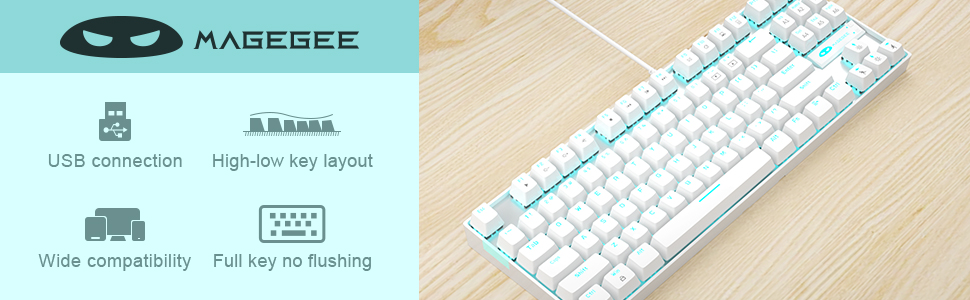
Image 2.1: Key features of the MageGee MK1 keyboard, including USB connection and wide compatibility.
3. آپريٽنگ هدايتون
3.1 ڪي بورڊ جا ڪم
The MK1 keyboard features 87 mechanical keys with blue switches, providing a distinct tactile bump and audible click for precise feedback. The compact layout is designed for efficiency and comfort.
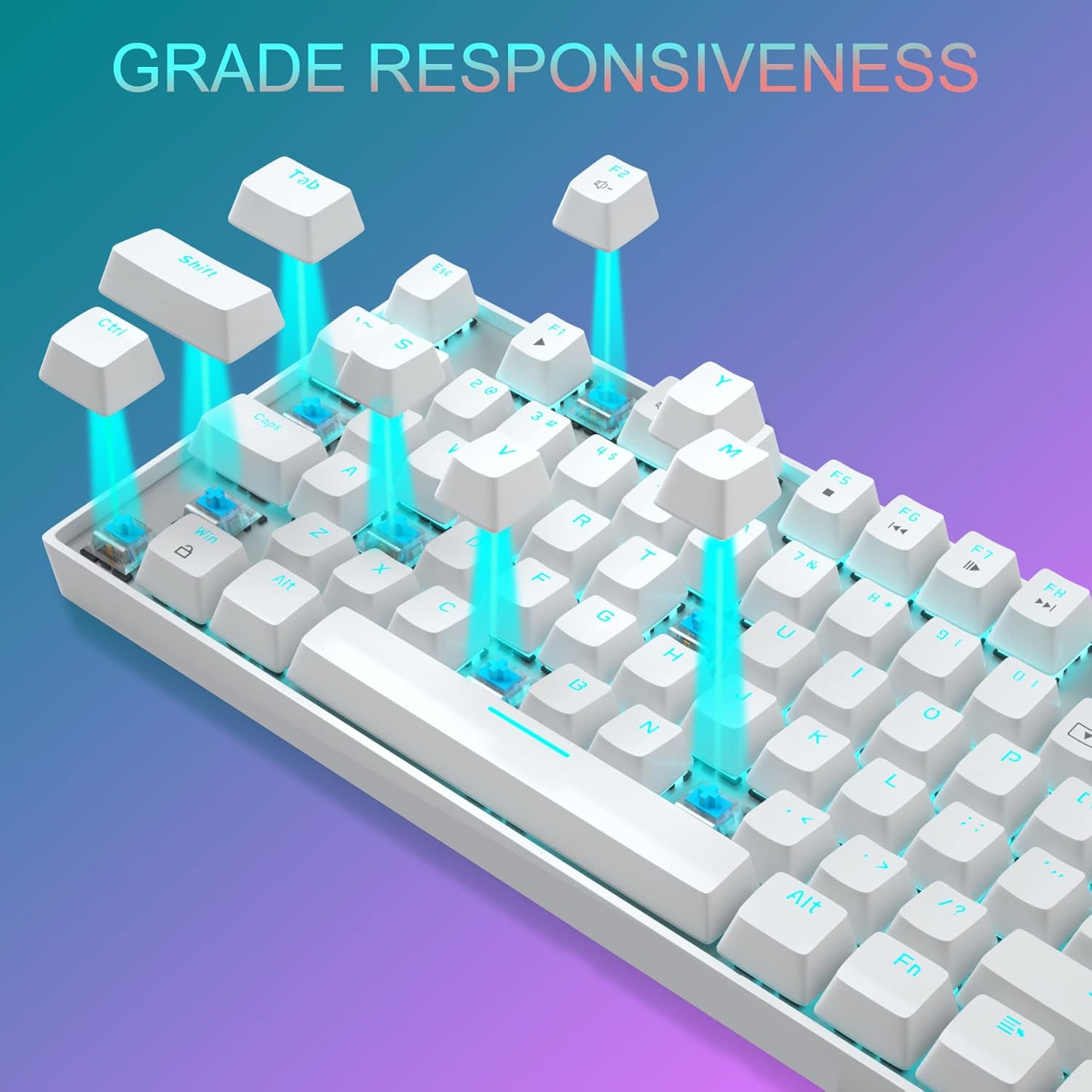
تصوير 3.1: ويجهو تصوير view of the keyboard demonstrating the blue mechanical switches for responsive typing.
3.1.1 Backlighting Modes
The keyboard supports 24 different LED breathing backlight modes. Use the following key combinations to control the backlighting:
- FN + INS: Cycle through various preset lighting modes.
- FN + گهر: Cycle through additional lighting effects.
- FN + PGUP: بيڪ لائيٽ جي چمڪ کي ترتيب ڏيو (4 سطحون).
- FN + PGDN: Adjust breathing speed (4 levels).
- FN + DEL: Change backlight color in certain modes.
- FN + END: Activate or deactivate specific lighting patterns.
You can also customize lighting effects by pressing FN + 1/2/3/4/5 key combinations. The WASD and ARROW keys are interchangeable for user preference.
3.1.2 ملٽي ميڊيا ڪيز
The keyboard includes 12 multimedia function keys, accessible by pressing the FN key in combination with the F1-F12 keys. These provide quick access to common functions:

Image 3.2: Chart detailing the FN key combinations for multimedia controls.
- FN + F1: ميڊيا پليئر
- FN + F2: حجم ھيٺ
- FN + F3: حجم مٿي
- FN + F4: گونگا
- FN + F5: روڪ
- FN + F6: اڳيون ٽريڪ
- FN + F7: راند/روڪ
- FN + F8: ايندڙ ٽريڪ
- FN + F9: اي ميل
- FN + F10: Web/گھر
- FN + F11: منهنجو ڪمپيوٽر
- FN + F12: حساب ڪندڙ
3.2 مائوس جا ڪم
The gaming mouse features 7 programmable buttons and adjustable DPI settings for precision control.
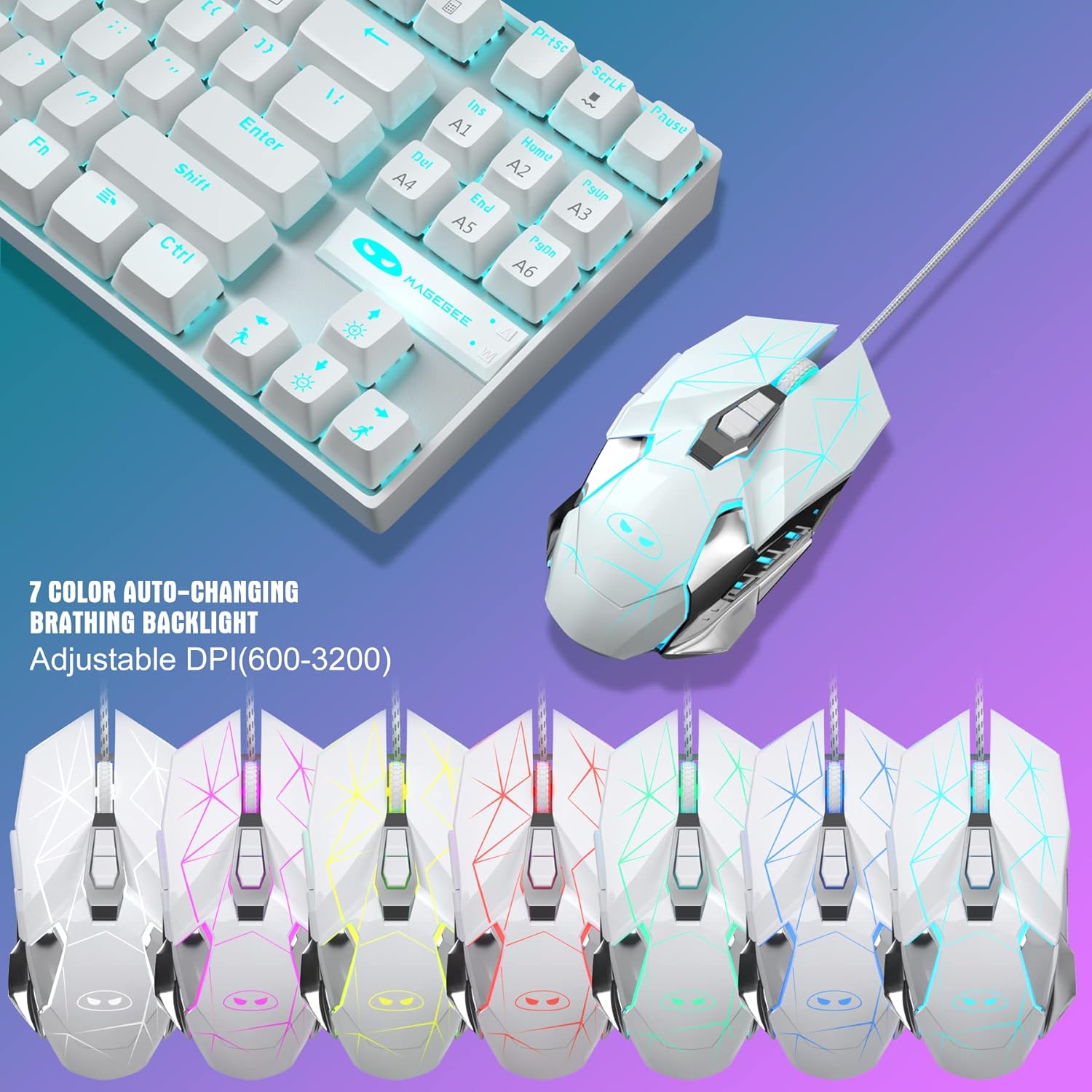
Image 3.3: The MageGee gaming mouse, showcasing its ergonomic design and customizable backlighting.
3.2.1 ڊي پي آئي ايڊجسٽمينٽ
The mouse offers 6 adjustable DPI levels (600, 800, 1200, 1600, 2400, 3200). Press the DPI button (usually located behind the scroll wheel) to cycle through these settings in real-time. Each DPI level is indicated by a different backlight color:
- پيلو
- نيرو
- واڱڻائي
- سائو
- ڳاڙهو
- سائي
3.2.2 Mouse Backlight Control
The mouse backlight color changes with the DPI setting. To control the mouse backlight, press the "Forward + DPI" keys simultaneously. This combination allows you to select a single preferred color, enable automatic color flashing, or turn off the backlight.
3.3 ماؤس پيڊ
The included large mouse pad (300x250 mm) features a silk-processed cloth surface for smooth, ultra-precise mouse movements. Its advanced multi-layer surface provides thousands of light-reflecting microscopic points for accurate tracking. The underside is made of natural processed foam rubber, ensuring a stable grip on various surfaces. Stitched edges prevent fraying and curling, enhancing durability. The mouse pad is waterproof and washable for easy cleaning.
4. سار سنڀال
Proper maintenance ensures the longevity and performance of your keyboard and mouse combo:
- ڪي بورڊ جي صفائي: Use a soft, dry cloth to wipe down the keycaps and chassis. For deeper cleaning, you can use compressed air to remove dust and debris from between the keys. Avoid using harsh chemicals or abrasive materials.
- مائوس جي صفائي: مائوس جي مٿاڇري کي نرم، ٿوري ڊي سان صاف ڪريو.amp cloth. Ensure no liquid enters the internal components. Clean the optical sensor area regularly to maintain tracking accuracy.
- Cleaning the Mouse Pad: The mouse pad is waterproof and washable. You can gently hand wash it with mild soap and water, then air dry completely before use.
- اسٽوريج: When not in use for extended periods, store the combo in a clean, dry environment away from direct sunlight and extreme temperatures.
5. مسئلا حل ڪرڻ
If you encounter issues with your MageGee MK1 combo, refer to the following common solutions:
- ڪي بورڊ/ماؤس جواب نه ڏئي رهيو آهي:
- پڪ ڪريو ته ٻئي USB ڪيبل محفوظ طور تي توهان جي ڪمپيوٽر جي USB پورٽن ۾ لڳل آهن.
- ڊوائيسز کي مختلف USB پورٽن ۾ لڳائڻ جي ڪوشش ڪريو.
- پنهنجي ڪمپيوٽر کي ٻيهر شروع ڪريو.
- ٻئي ڪمپيوٽر تي ڪيبورڊ/ماؤس کي جانچيو ته اهو طئي ڪيو وڃي ته مسئلو ڊوائيس سان آهي يا توهان جي سسٽم سان.
- بيڪ لائيٽ ڪم نه ڪري رهي آهي يا غلط آهي:
- Ensure the backlight is not turned off (check FN key combinations).
- Adjust brightness using FN + PGUP.
- Cycle through different lighting modes using FN + INS/HOME.
- مائوس ٽريڪنگ جا مسئلا:
- Clean the mouse sensor and the mouse pad surface.
- Adjust the DPI setting to a level suitable for your use.
- Ensure the mouse pad is on a flat, stable surface.
- رجسٽر نه ٿيندڙ چاٻيون:
- پڪ ڪريو ته ڪيبورڊ صحيح طرح سان ڳنڍيل آهي.
- ڪنهن به ملبي کي هٽائڻ لاءِ متاثر ٿيل چاٻي جي چوڌاري صاف ڪريو.
- If specific keys consistently fail, contact customer support.
6. وضاحتون
| برانڊ | ميج گي |
| ماڊل | MK1 |
| ڪي بورڊ جو قسم | مشيني گيمنگ ڪي بورڊ |
| سوئچ جو قسم | بليو سوئچز |
| ڪيڏي ترتيب | 87 Keys (Compact) |
| پٺاڻ | LED Backlit (24 modes, adjustable brightness/speed) |
| رابطي | وائرڊ USB |
| مائوس جي ڊي پي آءِ ليولز | 600، 800، 1200، 1600، 2400، 3200،XNUMX |
| مائوس بٽڻ | 7 پروگراميبل بٽڻ |
| ماؤس پيڊ سائيز | 300 x 250 ملي ميٽر |
| مطابقت | Windows 10/8/7/Vista/XP, Limited Mac OS support |
| شيءِ جو وزن | 2.59 پائونڊ (تقريبن) |
| پيڪيج جي ماپ | 14.92 x 8.94 x 1.77 انچ (تقريبن) |
7. وارنٽي ۽ سپورٽ
The MageGee MK1 Mechanical Gaming Keyboard and Mouse Combo comes with a full 1-year manufacturer's warranty from the date of purchase. This warranty covers defects in materials and workmanship under normal use.
For any questions, technical assistance, or warranty claims, please do not hesitate to contact our friendly customer service team. We are available 24 hours a day, 7 days a week to provide support.
Please refer to the contact information provided with your product packaging or visit the official MageGee webجديد ترين سپورٽ تفصيلن لاءِ سائيٽ.