
1. پراڊڪٽ ختمview
The HeimVision CA01 is a 1080P (2.0MP) wireless IP security camera designed for outdoor surveillance. It features 65ft night vision, an IP66 waterproof rating, and motion alert capabilities, making it suitable for integration with the HeimVision 8CH WiFi Surveillance System. This camera provides clear video monitoring and enhances security for your property.

شڪل 1: مٿانview of a typical wireless security camera system setup, illustrating how multiple cameras connect wirelessly to a central recording unit (NVR) to cover various areas of a property.
2. سيٽ اپ
2.1 دٻي ۾ ڇا آهي
- HeimVision CA01 Wireless Security Camera
- ڪئميرا لاءِ پاور اڊاپٽر
- ماؤنٽنگ اسڪرو ۽ وال پلگ
- استعمال ڪندڙ جو دستياب (ھي دستاويز)
2.2 تنصيب
- جڳھ چونڊيو: هڪ ٻاهرين جڳهه چونڊيو جيڪا گهربل فراهم ڪري viewing angle and is within range of your HeimVision NVR's Wi-Fi signal. Ensure the camera is positioned to avoid direct sunlight into the lens for optimal image quality.
- ڪئميرا نصب ڪريو: Use the provided mounting screws and wall plugs to securely attach the camera to a wall or suitable surface. Ensure the camera is firmly fixed to prevent movement.
- پاور Connectنيو: Connect the camera to the power adapter and plug it into a power outlet. The camera will power on and begin its startup sequence.
- خودڪار جوڙڻ: The CA01 camera is designed for automatic pairing with your HeimVision 8CH WiFi Surveillance System (NVR). Once powered on, it should automatically connect to the NVR if it's within range and the NVR is also powered on. Refer to your NVR's manual for specific pairing instructions if automatic connection does not occur.
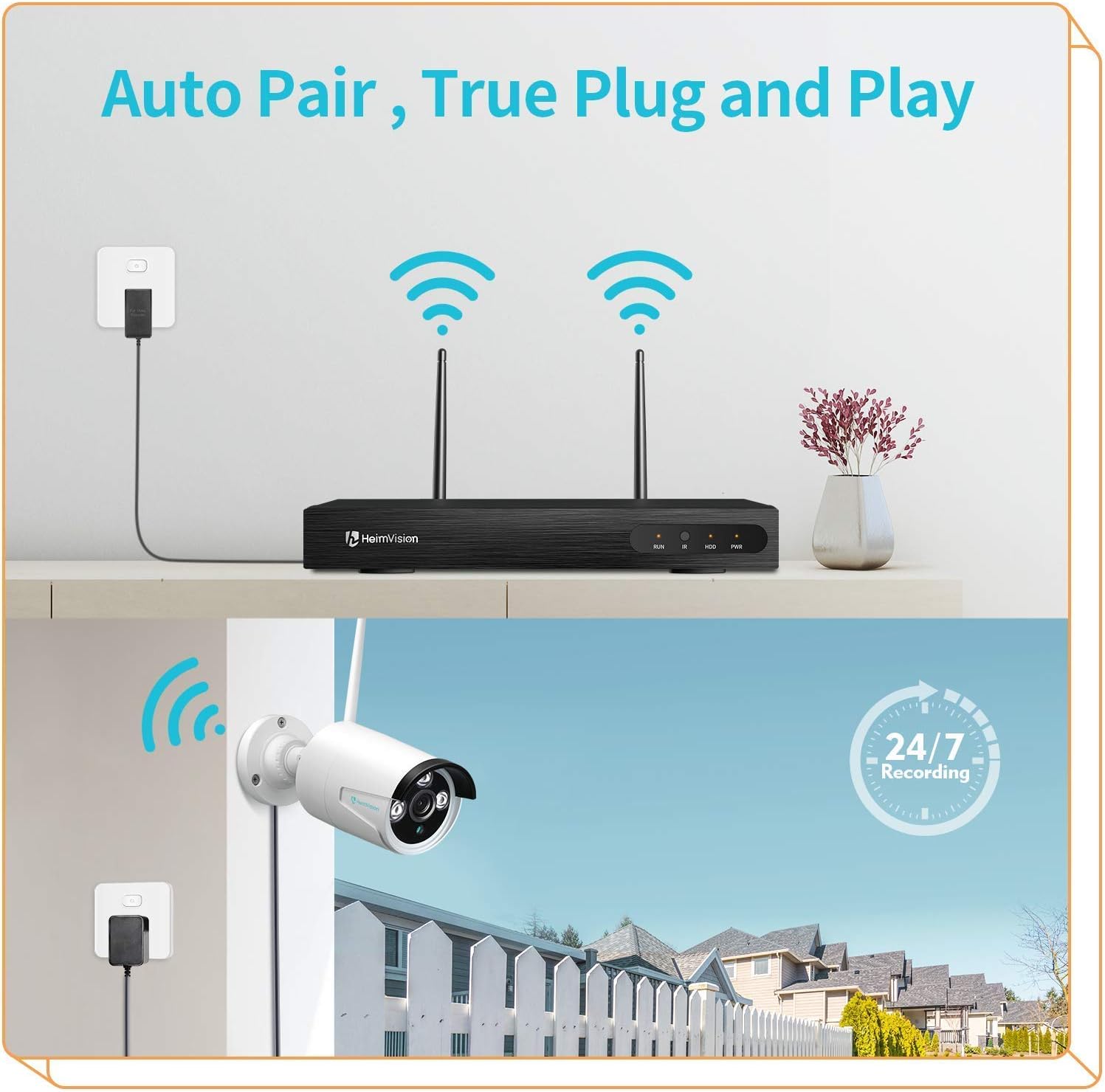
شڪل 2: The 'Auto Pair, True Plug and Play' functionality, demonstrating the simple wireless connection between the camera and the NVR.

شڪل 3: The camera's IP66 waterproof design, ensuring reliable operation in various outdoor weather conditions.
3. آپريٽنگ هدايتون
3.1 Accessing Live View ۽ رڪارڊنگز
Once the camera is successfully paired with your HeimVision NVR, you can access the live video feed and recorded footage through the NVR's interface, a dedicated mobile application, or PC software.
- NVR Monitor: Connect a monitor to your NVR to view all camera feeds directly.
- موبائل ايپ: Download the official HeimVision mobile application from your device's app store. Follow the in-app instructions to add your NVR system and view ڪئميرا remotely.
- پي سي سافٽ ويئر: Install the HeimVision client software on your computer. Use the software to manage your NVR and view ڪئميرا فيڊ.

شڪل 4: سسٽم سپورٽ ڪري ٿو viewing on PC and mobile devices, allowing flexible access to your surveillance feeds.
3.2 حرڪت جي ڳولا ۽ خبرداريون
The CA01 camera features intelligent motion detection. When motion is detected within the camera's field of view, the system can trigger various alerts.
- رڪارڊنگ: The NVR will automatically begin recording footage.
- اي ميل جون خبرون: Configure email notifications in the NVR settings to receive alerts with snapshots when motion is detected.
- ايپ نوٽيفڪيشن: Receive push notifications on your mobile device through the HeimVision app.
To customize motion detection zones and sensitivity, access the NVR's settings or the mobile application's camera settings.

شڪل 5: Motion detection capabilities, showing an alert notification on a smartphone when suspicious activity is detected.
3.3 رات جو خواب
The camera is equipped with infrared (IR) LEDs to provide clear surveillance even in low-light or complete darkness, with a night vision range of up to 65 feet.
- ڏينهن جو نظارو: During daylight hours, the camera captures full-color video.
- رات جو خواب: In low light conditions, the camera automatically switches to infrared night vision, providing clear black and white images.

شڪل 6: Comparison of colorful day vision and clear night vision, demonstrating the camera's ability to provide surveillance around the clock.
3.4 مسلسل رڪارڊنگ
The HeimVision system supports 24/7 continuous recording, ensuring that all activity is captured. Storage capacity depends on the hard drive installed in your NVR. The system will typically overwrite the oldest footage once the storage is full.
4. سار سنڀال
- لينس جي صفائي: Periodically clean the camera lens with a soft, dry cloth to ensure clear image quality. Avoid using harsh chemicals that could damage the lens coating.
- پاور ڪنيڪشن: Regularly check the power adapter and cable for any signs of damage or wear. Ensure the connection remains secure.
- فرم ويئر اپڊيٽس: Check the HeimVision official website or mobile app for any available firmware updates for your NVR and cameras. Keeping your system updated ensures optimal performance and security.
- ماحولياتي چڪاس: پڪ ڪريو ته ڪا به رڪاوٽ ڪئميرا کي روڪي نه رهي آهي view and that the mounting remains secure, especially after severe weather conditions.
5. مسئلا حل ڪرڻ
| مسئلو | ممڪن سبب | حل |
|---|---|---|
| ڪئميرا پاور نه آهي | No power to the adapter or faulty adapter/cable. | Check power outlet, ensure adapter is securely connected, and inspect cable for damage. Try a different power outlet. |
| ڪئميرا مان ڪابه وڊيو فيڊ ناهي | Camera not paired with NVR, out of Wi-Fi range, or signal interference. | Ensure camera is powered on. Check NVR settings for camera status. Move camera closer to NVR or reduce interference. Re-pair the camera if necessary (refer to NVR manual). |
| خراب تصوير جو معيار | Dirty lens, low light conditions, or poor Wi-Fi signal. | Clean the camera lens. Ensure adequate lighting for color vision or verify night vision is active. Improve Wi-Fi signal strength. |
| حرڪت جي چڪاس ڪم نه ڪندي | Motion detection settings incorrect, sensitivity too low, or area not covered. | Check motion detection settings in NVR or app. Adjust sensitivity. Ensure camera covers the desired area. |
6. وضاحتون
| خاصيت | تفصيل |
|---|---|
| ماڊل | CA01 |
| وڊيو ڪيپچر ريزوليوشن | 1080p (2.0 ايم پي) |
| رابطي ٽيڪنالاجي | وائرليس (وائي فائي) |
| اندروني / ٻاهران استعمال | ٻاھران |
| پنروڪ درجه بندي | IP66 |
| رات جو نظارو | Up to 65ft, Night Color (IR) |
| خاص خاصيتون | موشن سينسر، نائيٽ ويزن |
| انتباہ جو قسم | صرف حرڪت |
| مطابقت رکندڙ ڊوائيسز | Smartphone (via app), NVR |
| جبل جو قسم | ڀت جبل |
| فارم فيڪٽر | گولي |
7. وارنٽي ۽ سپورٽ
هي پراڊڪٽ هڪ Amazon Renewed آئٽم جي طور تي پيش ڪئي وئي آهي. Amazon Renewed پراڊڪٽس کي پيشه ورانه طور تي معائنو ۽ جانچيو ويندو آهي ته جيئن اهي ڪم ڪن ۽ نئين وانگر نظر اچن. جيڪڏهن توهان پنهنجي خريداري سان مطمئن نه آهيو، ته تجديد ٿيل پراڊڪٽس متبادل يا واپسي جي اهل آهن. Amazon جي تجديد ڪيل گارنٽي.
For further technical assistance or support, please refer to the official HeimVision support channels or the Amazon Renewed customer service.