
1. تعارف
Thank you for choosing the DEKCO 2K Solar Security Camera. This wireless outdoor camera provides comprehensive surveillance with its 2K resolution, 360° pan and tilt capabilities, and solar-powered design. Equipped with advanced features like motion detection, two-way audio, and enhanced night vision, it offers reliable home security. This manual provides detailed instructions for installation, operation, and maintenance to ensure optimal performance of your device.
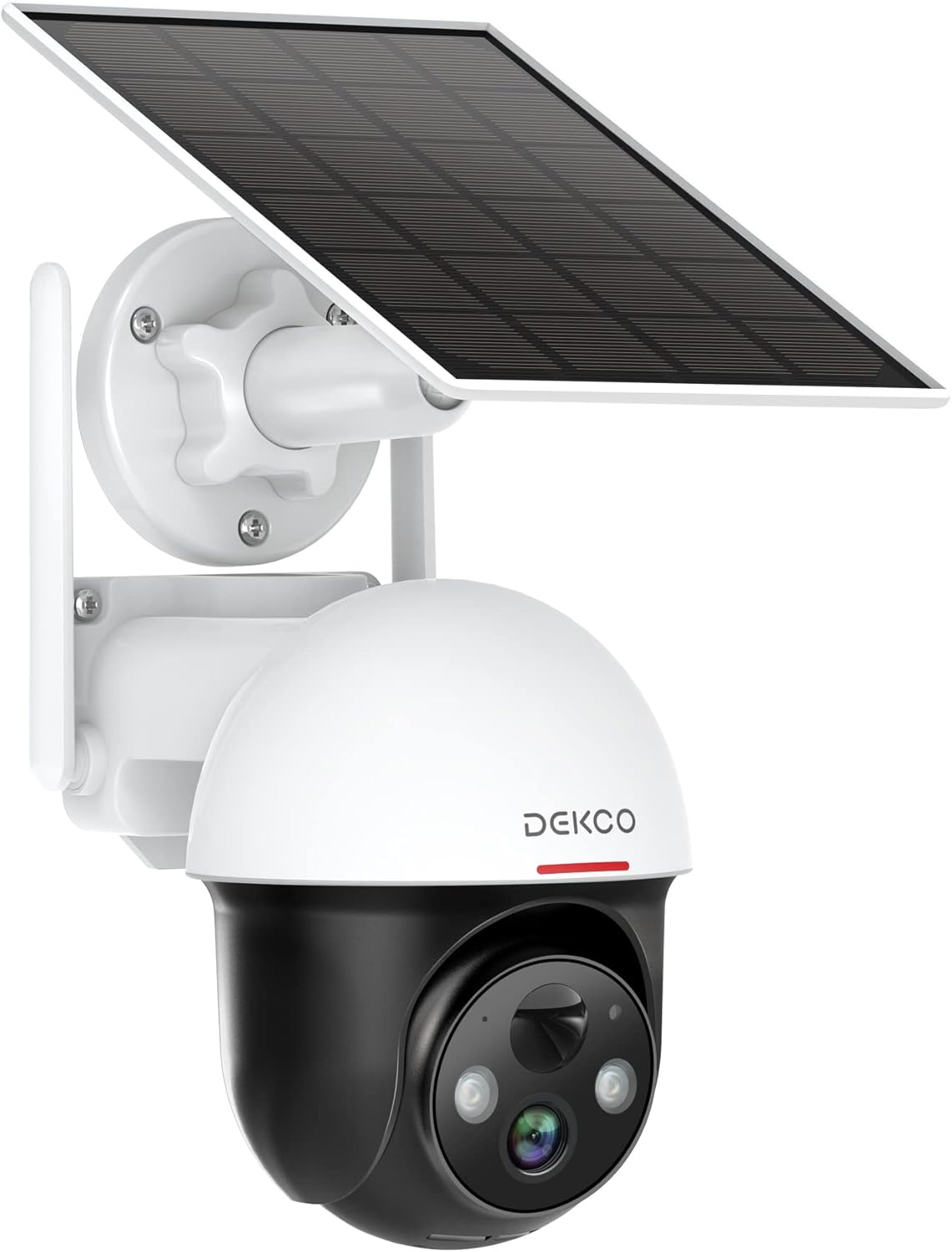
Figure 1.1: DEKCO 2K Solar Security Camera with integrated solar panel.
2. پيڪيج مواد
Please check the package contents upon opening to ensure all components are present and undamaged. If any items are missing or damaged, please contact DEKCO customer support.

شڪل 2.1: پراڊڪٽ پيڪيج ۾ شامل شيون.
- DEKCO 2K Solar Security Camera
- Solar Panel (pre-attached or separate, depending on model variant)
- وڌندڙ خط
- USB چارجنگ ڪيبل
- ماؤنٽنگ اسڪرو ۽ وال اينڪرز
- استعمال ڪندڙ دستي
- تڪڙو شروع ھدايت
3. پراڊڪٽ ختمview
Familiarize yourself with the main components of your DEKCO solar security camera.

Figure 3.1: Key features of the DEKCO Solar Security Camera.
ڪئميرا جا حصا:
- ڪئميرا لينس: وڊيو کي پڪڙيو footage.
- Infrared LEDs: بهتر رات جو خواب مهيا ڪريو.
- روشني: Illuminates the area for color night vision and acts as a deterrent.
- مائڪروفون: ٻه طرفي رابطي لاءِ آڊيو کي پڪڙي ٿو.
- اسپيڪر: Outputs audio for two-way communication and siren.
- پي آءِ آر موشن سينسر: Detects heat signatures for accurate motion detection.
- انتوننا: For stable 2.4GHz Wi-Fi connectivity.
- شمسي پينل: سج جي روشني استعمال ڪندي اندروني بيٽري کي چارج ڪري ٿو.
- ري سيٽ بٽڻ: ڪئميرا کي فيڪٽري سيٽنگن تي ري سيٽ ڪرڻ لاءِ استعمال ڪيو ويندو هو.
- مائڪرو ايس ڊي ڪارڊ سلاٽ: For local video storage (supports 8-128GB, not included).
4. سيٽ اپ
4.1 شروعاتي چارجنگ
Before first use, fully charge the camera's internal battery using the provided USB cable and a 5V/2A power adapter (not included). The charging indicator light will turn solid blue when fully charged.
4.2 ايپ ڊائون لوڊ ۽ رجسٽريشن
- Scan the QR code below or search for "CloudEdge" in your mobile app store (App Store for iOS, Google Play for Android).
- Download and install the CloudEdge app.
- Open the app and register for a new account using your email address. Follow the on-screen instructions to complete registration.

Figure 4.1: The CloudEdge app is compatible with both Android and iOS devices.
4.3 وائي فائي ڪنيڪشن
پڪ ڪريو ته توهان جو وائي فائي نيٽ ورڪ 2.4GHz آهي. هي ڪئميرا 5GHz وائي فائي کي سپورٽ نٿو ڪري.
- Power on the camera. The indicator light will flash red, indicating it's ready for pairing.
- In the CloudEdge app, tap the "+" icon to add a new device.
- Select "Battery Camera" and follow the prompts.
- Enter your 2.4GHz Wi-Fi network name (SSID) and password.
- Place the QR code generated by the app in front of the camera lens (approx. 15-20 cm / 6-8 inches away) until you hear a prompt sound from the camera.
- هڪ ڀيرو ڳنڍيل، اشاري جي روشني مضبوط نيري ٿي ويندي.
4.4 ڪئميرا لائڻ
Choose a location with strong 2.4GHz Wi-Fi signal and direct sunlight exposure for the solar panel.
- ٽيمپليٽ جي طور تي ماؤنٽنگ بریکٹ استعمال ڪندي ڊرلنگ پوزيشن کي نشان لڳايو.
- Drill holes and insert wall anchors if mounting on masonry or concrete.
- ڀت تي چڙهڻ واري بریکٹ کي اسڪرو سان محفوظ ڪريو.
- ڪئميرا کي ماؤنٽنگ بریکٹ سان ڳنڍيو.
- Adjust the camera angle and solar panel orientation to maximize sunlight exposure.

Figure 4.2: The camera is designed for wire-free installation, powered by its solar panel.
5. آپريٽنگ هدايتون
5.1 زنده View
Open the CloudEdge app and select your camera to view the live feed. You can pinch to zoom in on the live view.
5.2 پين ۽ ٽِلٽ ڪنٽرول
زنده مان view screen, use the directional controls to remotely pan (horizontal rotation up to 360°) and tilt (vertical rotation up to 90°) the camera lens to monitor different areas.

Figure 5.1: The camera offers a 360° all-around field of view with pan and tilt functions.
5.3 ٻه طرفي آڊيو
Tap the microphone icon in the app to speak through the camera's speaker. Tap again to end. This allows for real-time communication with visitors or to deter intruders.

Figure 5.2: Premium 2-Way Audio allows clear communication.
5.4 حرڪت جي ڳولا ۽ الرٽ
The camera uses advanced PIR motion detection to identify human shapes, reducing false alarms. When motion is detected, you will receive instant notifications on your phone.
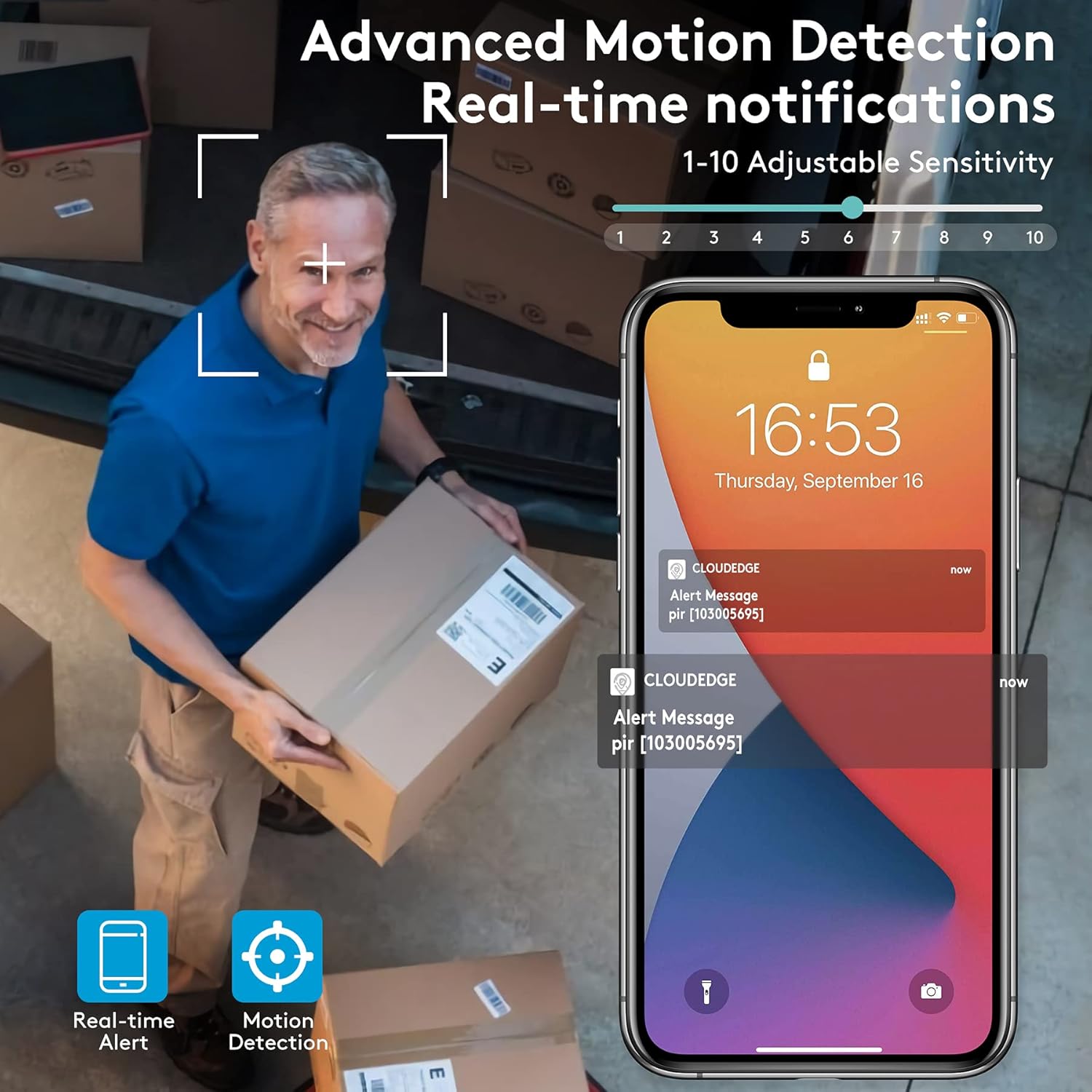
Figure 5.3: Advanced Motion Detection provides real-time notifications with adjustable sensitivity.
- حساسيت: Adjust motion detection sensitivity (1-10) in the app settings.
- سرگرمي جا علائقا: Define specific areas for motion detection to focus on.
- Siren/Spotlight: Configure the camera to activate its siren and/or spotlight upon motion detection for deterrence.

Figure 5.4: The camera can ward off intruders with a motion-activated alarm, including a flashing light and siren.
5.5 رڪارڊنگ ۽ پلے بیک
The camera records events triggered by motion detection. You can access these recordings via the CloudEdge app.
- Cloud Storage: Enjoy a free 7-day trial for cloud storage. Subscription plans are available for extended storage.
- مائڪرو ايس ڊي ڪارڊ: Insert a Micro SD card (up to 128GB, not included) for local storage. Recordings will loop once the card is full.

Figure 5.5: The camera supports both cloud and local Micro SD card storage.
5.6 رات جو خواب
The camera features upgraded infrared LEDs for clear night vision up to 66ft. When sufficient ambient light is present, it can provide full-color night vision.

Figure 5.6: 2K HD quality with enhanced night vision capabilities.
6. سار سنڀال
6.1 صفائي
- ڪئميرا لينس ۽ سولر پينل کي باقاعدي طور تي نرم، ڊي سان صاف ڪريوamp مٽي ۽ ملبہ هٽائڻ لاءِ ڪپڙو. گھڙڻ واري صاف ڪندڙن کان پاسو ڪريو.
- Ensure the solar panel is clean for optimal charging efficiency.
6.2 بيٽري جي سنڀال
- The camera is designed for continuous power via solar charging. In areas with limited sunlight, occasional manual charging via USB may be required.
- Avoid exposing the camera to extreme temperatures outside its operating range to preserve battery life.
6.3 فرم ویئر تازه ڪاريون
Periodically check the CloudEdge app for available firmware updates. Keeping your camera's firmware updated ensures optimal performance, new features, and security enhancements.
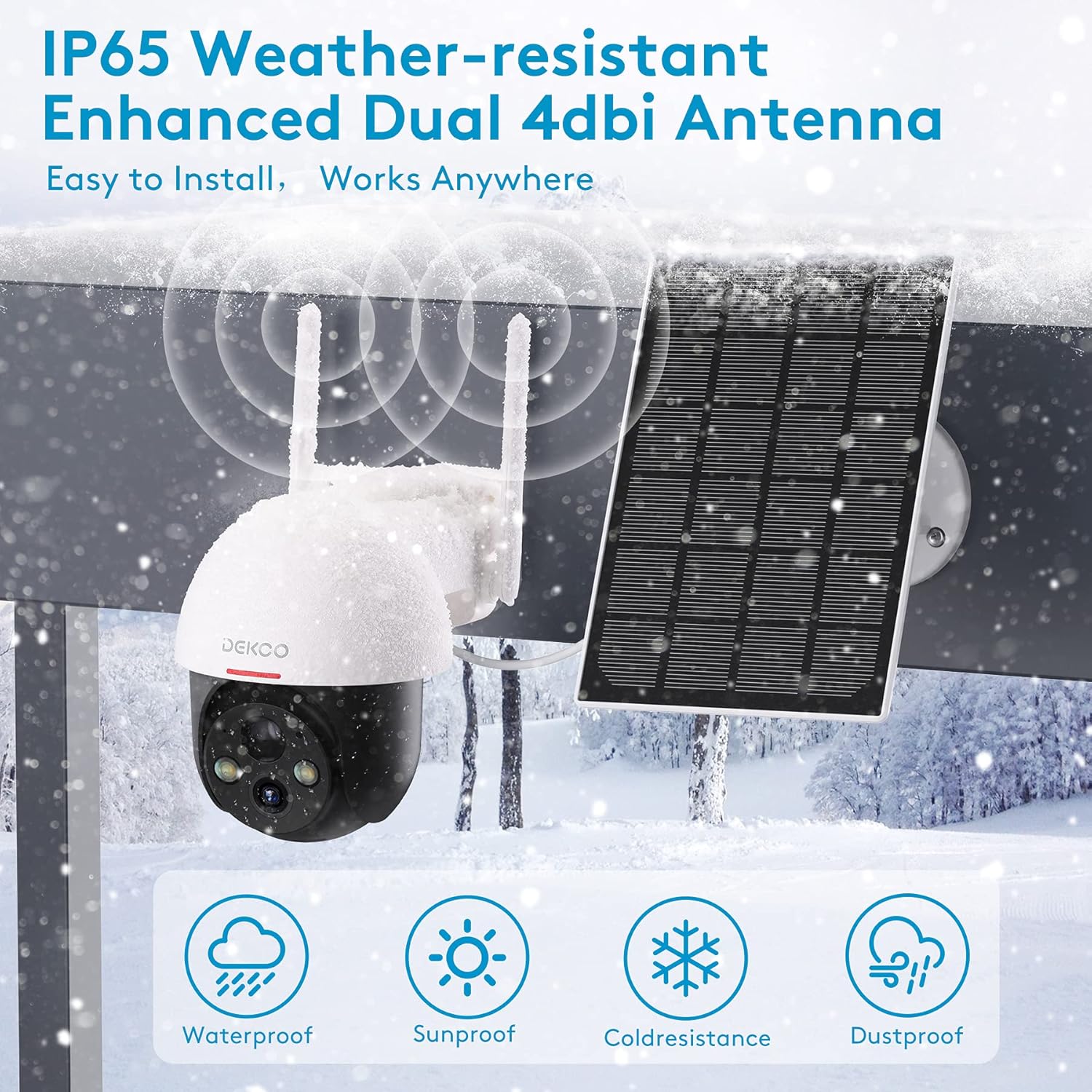
Figure 6.1: The camera is IP65 weather-resistant, designed to withstand various outdoor conditions.
7. مسئلا حل ڪرڻ
| مسئلو | ممڪن سبب | حل |
|---|---|---|
| ڪئميرا پاور نه آهي | Low battery; Power button off | Charge the camera fully; Ensure power button is in ON position. |
| وائي فائي سان ڳنڍجي نٿو سگھي | Incorrect Wi-Fi password; 5GHz Wi-Fi network; Weak signal | Verify password; Ensure 2.4GHz network; Move camera closer to router or use a Wi-Fi extender. |
| حرڪت جي چڪاس ڪم نه ڪندي | PIR sensitivity too low; Incorrect activity zone settings; Obstructions | Increase PIR sensitivity in app; Adjust activity zones; Clear any obstructions in the camera's view. |
| خراب تصوير جو معيار | Dirty lens; Poor lighting; Network bandwidth issues | Clean the lens; Ensure adequate lighting; Check network speed. |
| ٻه طرفي آڊيو مسئلا | Microphone/speaker blocked; App permissions | Ensure microphone/speaker are clear; Grant microphone permissions to the app. |
| Camera offline frequently | Weak Wi-Fi signal; Router issues | Relocate camera or router; Restart router. |
8. وضاحتون
| خاصيت | تفصيل |
|---|---|
| ماڊل | 5059648201190 |
| وڊيو ڪيپچر ريزوليوشن | 3 ايم پي (2 ڪلو ڪيو ايڇ ڊي) |
| رابطي ٽيڪنالاجي | وائرليس (وائي فائي) |
| وائرليس ڪميونيڪيشن | 2.4GHz وائي فائي |
| طاقت جو ذريعو | شمسي توانائي سان هلندڙ، بيٽري سان هلندڙ |
| بيٽري جو قسم | ليتيم آئن (شامل) |
| بيٽري جي سراسري زندگي | Approx. 5 months (without solar charging) |
| نائيٽ ويزن رينج | 66 فوٽن تائين |
| خاص خاصيتون | Battery Powered, Motion Sensor, Night Vision, Solar Powered, Spotlights, Two-Way Audio |
| اندروني / ٻاهران استعمال | Outdoor (IP65 Weather-resistant) |
| مطابقت رکندڙ ڊوائيسز | اسمارٽ فون، ٽيبليٽ (اينڊرائيڊ، آئي او ايس) |
| اسٽوريج جا اختيار | مائڪرو ايس ڊي ڪارڊ (8-128GB، شامل نه آهي)، ڪلائوڊ اسٽوريج |
| پين / ٽائل رينج | 360 ° پين، 90 ° جھڪ |
| مواد | ڌاتو |
9. وارنٽي ۽ سپورٽ
DEKCO products are designed for reliability and performance. This product comes with a standard manufacturer's warranty. For specific warranty terms and conditions, please refer to the warranty card included in your package or visit the official DEKCO webسائيٽ.
If you encounter any issues or have questions regarding your DEKCO 2K Solar Security Camera, please contact our customer support team:
- اي ميل: Refer to your product packaging or the CloudEdge app for support contact information.
- آن لائن سپورٽ: Visit the DEKCO official webاڪثر پڇيا ويندڙ سوالن، مسئلن جي حل جي رهنمائي، ۽ رابطي جي فارمن لاءِ سائيٽ.
سپورٽ سان رابطو ڪرڻ وقت مھرباني ڪري پنھنجو ماڊل نمبر (5059648201190) ۽ خريداري جي معلومات تيار رکو.