
1. تعارف
Welcome to the user manual for your new Shark R-AV2501S AI Ultra Robot Vacuum. This advanced robotic vacuum is designed to provide a hands-free cleaning experience, featuring a self-emptying base, HEPA filtration, LIDAR navigation, and AI object detection. It is ideal for homes with pets, offering powerful suction and a self-cleaning brushroll to effectively manage pet hair and allergens. This manual will guide you through the setup, operation, maintenance, and troubleshooting of your robot vacuum to ensure optimal performance and a cleaner home.
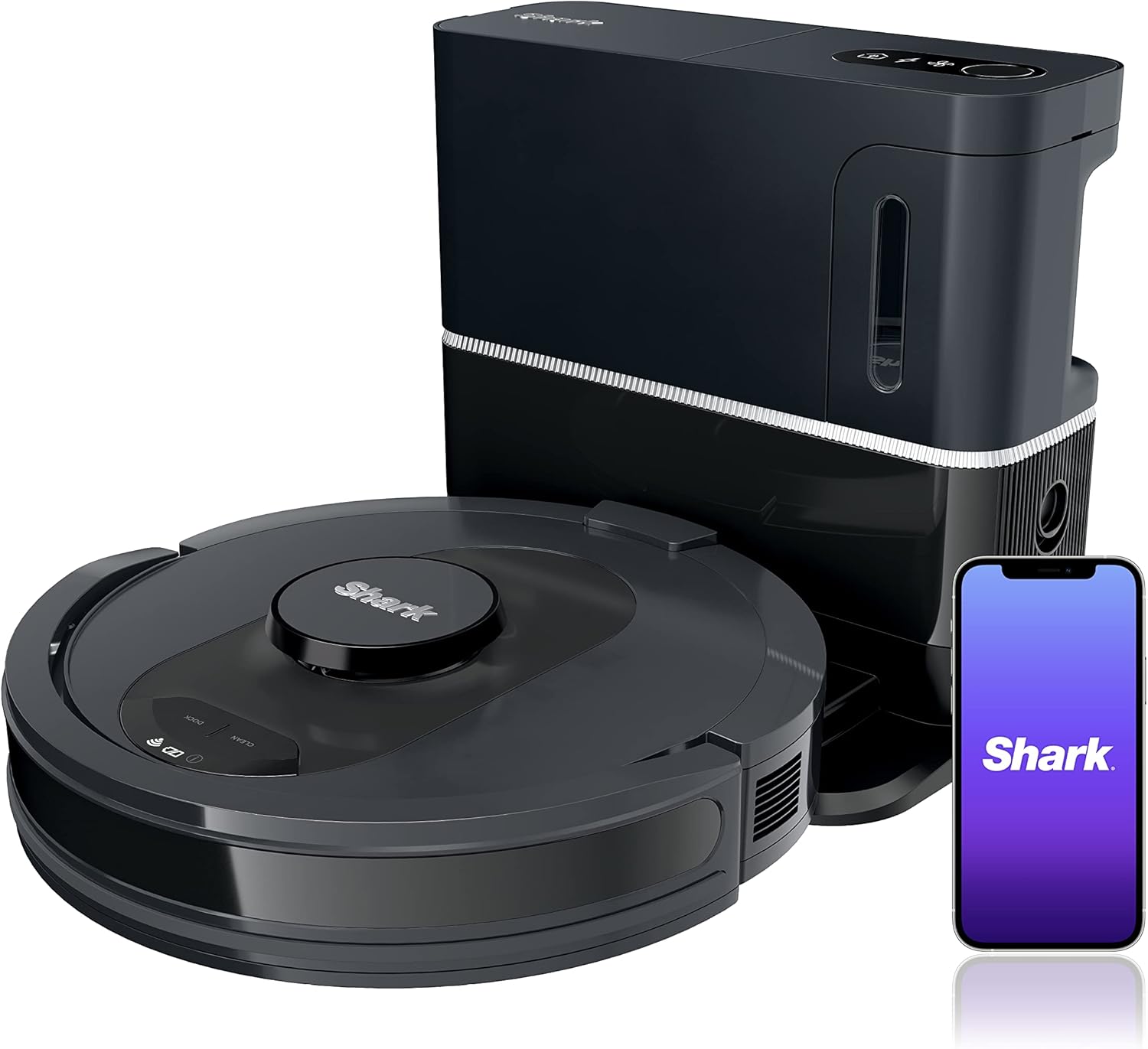
Figure 1: Shark AI Ultra Robot Vacuum and Self-Empty Base.
2. ڇا شامل آهي
Your Shark AI Ultra Robot Vacuum package includes the following components:
- 1 x Shark AI Ultra Robot Vacuum
- 1 x HEPA Self-Empty Base
- 2 ايڪس سائڊ برش
- 1 x Filter (pre-installed in the base)
3. سيٽ اپ گائيڊ
3.1 Unpacking ۽ لڳائڻ
- احتياط سان پيڪنگنگ مان سڀني اجزاء کي هٽايو.
- Choose a permanent location for the self-empty base. Ensure it is placed against a wall in an area with good Wi-Fi signal, away from obstacles that could block the robot's path. Leave at least 3 feet of clear space in front of the base and 1.5 feet on either side.
- Plug the self-empty base into a power outlet. The power indicator light on the base will illuminate.
3.2 شروعاتي چارجنگ
Place the robot vacuum onto the charging contacts of the self-empty base. Ensure the robot is properly aligned. The battery indicator lights on the robot will show charging progress. Allow the robot to fully charge before its first use (approximately 6 hours).
3.3 App Connection and Home Mapping
- ڊائون لوڊ ڪريو شارڪ صاف توهان جي اسمارٽ فون جي ايپ اسٽور تان ايپ.
- پنهنجي روبوٽ ويڪيوم کي پنهنجي گهر جي وائي فائي نيٽ ورڪ سان ڳنڍڻ لاءِ ايپ ۾ ڏنل هدايتن تي عمل ڪريو.
- Once connected, initiate a mapping run through the app. The robot will navigate your home to create a detailed map, which will be used for efficient cleaning and setting up custom cleaning zones.

Figure 2: The robot vacuum utilizing AI Laser Navigation for precision home mapping.
4. پنهنجي روبوٽ ويڪيوم کي هلائڻ
4.1 صفائي جو چڪر شروع ڪرڻ
- روبوٽ بٽڻن ذريعي: Press the "Clean" button on the robot to start a full home cleaning cycle. Press "Dock" to send the robot back to its base.
- Via SharkClean App: Use the app to start, pause, or stop cleaning cycles. You can select specific rooms, zones, or initiate an UltraClean mode for deeper cleaning.
- وائس ڪنٽرول: Connect your robot to Amazon Alexa or Google Assistant for hands-free control. Use commands like "Alexa, tell Shark to start cleaning" or "Hey Google, ask Shark to clean the living room."

Figure 3: Controlling your robot vacuum using the SharkClean app.
4.2 صفائي جا طريقا
- Standard Clean: The robot cleans your entire mapped area efficiently.
- الٽرا ڪلين موڊ: Activated via the app, this mode performs two complete cleaning passes (back and forth, then side to side) for extra deep cleaning, especially effective for pet hair.
- نشانو بڻايل صفائي: Use the app to define specific rooms or zones for the robot to clean.
4.3 شيڊولنگ
Set up recurring cleaning schedules through the SharkClean app. The robot will automatically start cleaning at the designated times and return to its base when finished or when the battery is low.
4.4 No-Go Zones
Utilize the app to create virtual No-Go Zones to prevent the robot from entering specific areas, such as pet food bowls, delicate furniture, or children's play areas.

Figure 4: Setting up No-Go Zones in the SharkClean app.
5. سار سنڀال
Regular maintenance ensures your Shark AI Ultra Robot Vacuum operates at peak performance. Always turn off the robot and unplug the base before performing any maintenance.
5.1 خود خالي بنياد کي خالي ڪرڻ
The bagless self-empty base can hold up to 30 days of dirt and debris. When the dust bin is full, the base will notify you. To empty:
- Press the release button on the side of the self-empty base to remove the dust bin.
- Hold the dust bin over a trash can and press the release lever to open the bottom flap and empty debris.
- Close the flap and reinsert the dust bin into the base until it clicks into place.

Figure 5: The self-empty base automatically transferring collected debris from the robot's dustbin.
5.2 HEPA فلٽر کي صاف ڪرڻ
The HEPA filter captures 99.97% of dust and allergens. It should be cleaned regularly and replaced every 6-12 months, or as needed.
- Remove the dust bin from the self-empty base.
- Pull the filter out from the dust bin.
- Tap the filter clean over a trash can to remove loose dirt. Do not wash the filter with water.
- Reinsert the filter and dust bin.

Figure 6: Illustration of the HEPA filter and its function in capturing dust and allergens.
5.3 Cleaning the Brushroll and Side Brushes
Periodically check the brushroll and side brushes for tangled hair or debris. Use scissors to cut away any wrapped hair.
6. مسئلا حل ڪرڻ
| مسئلو | ممڪن سبب | حل |
|---|---|---|
| روبوٽ چارج نٿو ڪري | Charging contacts are dirty or robot is not properly docked. | Clean charging contacts on both the robot and base with a dry cloth. Ensure robot is fully seated on the base. |
| روبوٽ اڪثر ڦاسي پوندو آهي | Obstacles in path, loose cables, or dark surfaces. | Clear obstacles, secure loose cables. Use No-Go Zones for problematic areas. |
| ناقص صفائي جي ڪارڪردگي | Full dust bin, clogged filter, or tangled brushroll. | Empty dust bin, clean/replace filter, remove debris from brushroll and side brushes. |
| Base not emptying robot | Dust bin not properly inserted or blockage in the base's suction path. | Ensure dust bin is fully inserted. Check for blockages in the base's emptying port. |
7. وضاحتون
| خاصيت | تفصيل |
|---|---|
| برانڊ | SHARK |
| ماڊل نالو | Shark AV2501S Robot Vacuum |
| خاص خاصيتون | Programmable, Self-Emptying, Self-Cleaning Brushroll |
| رنگ | ڪارو / چاندي |
| فلٽر جو قسم | هيپا |
| بيٽري جي زندگي | 120 منٽن تائين |
| ڪنٽرول جو طريقو | ايپ، وائيس (ايميزون اليڪسا، گوگل اسسٽنٽ) |
| پيداوار جي ماپ | 13.7 x 13.7 x 4.1 انچ |
| شيءِ جو وزن | 14.42 پائونڊ |
8. وارنٽي ۽ سپورٽ
This product is a Certified Refurbished item. It has been professionally inspected and tested to work and look like new. For specific warranty details and support, please refer to the documentation provided with your purchase or contact Shark customer service directly.
ايميزون جي تجديد ڪيل گارنٽي: If not satisfied with your purchase, renewed products are eligible for replacement or refund under the Amazon Renewed Guarantee.
For further assistance, you may also refer to the SharkClean app or visit the official Shark webسائيٽ.