
Andoer 2.7K Digital Camera Compact Video Camcorder
Andoer 2.7K Digital Camera 48MP User Manual
Model: 2.7K Digital Camera Compact Video Camcorder
تعارف
This manual provides essential instructions for the safe and effective operation of your Andoer 2.7K Digital Camera. Please read this manual thoroughly before using the camera and retain it for future reference.
The Andoer 2.7K Digital Camera is a compact device designed for capturing high-resolution photos and videos. It features a 48MP image sensor, 2.7K video recording capabilities, a 2.88-inch IPS screen, 16X digital zoom, and various functions such as anti-shake, face detection, and a built-in LED fill light.
پيڪيج مواد
پڪ ڪريو ته هيٺ ڏنل سڀئي شيون توهان جي پيڪيج ۾ شامل آهن:
- 1 x Andoer 2.7K Digital Camera
- 2 x Lithium Batteries (3.7V 700mAh)
- 1 x USB چارج ڪيبل
- 1 X ڪلائي پٽو
- 1 x ڪيري بيگ
- 1 x استعمال ڪندڙ دستياب (انگريزي)

Figure 1: Contents of the camera package.
ڪئميرا ختمview

شڪل 2: اڳيان ۽ پوئين view of the camera with included batteries.
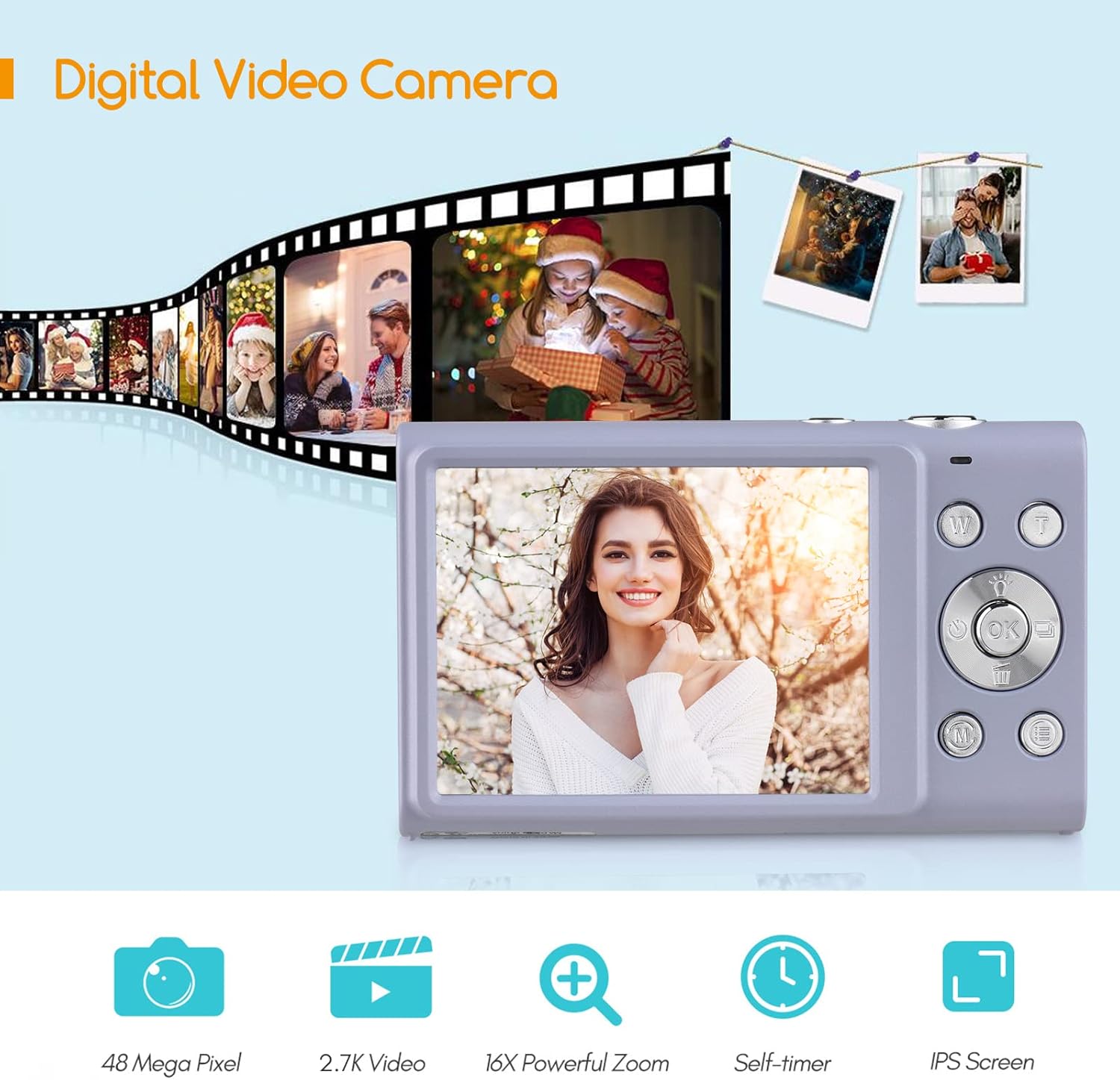
Figure 3: Camera features highlighted.
سيٽ اپ ڪريو
1. بيٽري لڳائڻ
- ڪئميرا جي تري ۾ واقع بيٽري ڪمپارٽمينٽ ڪَوَر کوليو.
- Insert a fully charged lithium battery (3.7V 700mAh) into the compartment, ensuring correct polarity.
- بيٽري جي ڪمري واري ڍڪ کي محفوظ طور تي بند ڪريو.
2. بيٽري کي چارج ڪرڻ
- Connect the camera to a power source (e.g., computer USB port or USB wall adapter) using the provided USB charge cable.
- چارجنگ انڊيڪيٽر لائيٽ روشن ٿيندي. چارجنگ مڪمل ٿيڻ کان پوءِ اها بند ٿي ويندي يا رنگ تبديل ڪندي.
- مڪمل چارج ٿيڻ ۾ عام طور تي 2-3 ڪلاڪ لڳن ٿا.
3. ميموري ڪارڊ جي انسٽاليشن
The camera requires an external Class-10 memory card (up to 128GB, not included) for storing photos and videos.
- ڪئميرا جي پاسي تي ميموري ڪارڊ سلاٽ ڳوليو.
- Insert the memory card with the metal contacts facing the front of the camera until it clicks into place.
- ڪڍڻ لاءِ، ڪارڊ کي نرميءَ سان دٻايو جيستائين اهو ٻاهر نه اچي.
4. کلائي جي پٽي کي ڳنڍڻ
حادثاتي ڦڙن کي روڪڻ لاءِ ڪئميرا جي پاسي واري پٽي جي آئيليٽ ذريعي کلائي جي پٽي کي ڇڪيو.
5. تپائي چڙهڻ
The camera features a universal 1/4" screw hole on the bottom, allowing it to be mounted on a tripod for stable shots.

Figure 4: Universal 1/4" screw hole for tripod attachment.
آپريٽنگ هدايتون
1. پاور آن/آف
- Press and hold the Power button (usually marked with a circle and a line) to turn the camera on or off.
- The camera has an auto power-off feature (1min/3min/5min) to conserve battery life. This can be adjusted in the settings.
2. فوٽو ڪڍڻ
- Turn on the camera. The screen will display the live view.
- Frame your shot using the 2.88-inch IPS screen.
- Press the Shutter button (typically on top of the camera) halfway down to focus. The camera features auto-focus.
- Press the Shutter button fully down to capture the photo.
Photo Modes and Features:
- قرارداد: Supports up to 48MP. Adjust in settings.
- ڊجيٽل زوم: Use the W/T (Wide/Telephoto) buttons to zoom in or out (up to 16X digital zoom).
- مخالف ڇڪڻ: Digital image stabilization helps reduce blur from camera movement.
- Face Detection & Smile Capture: The camera can detect faces and automatically capture a photo when a smile is detected.
- خود ٽائمر: Options for Off, 2 sec, 5 sec, 10 sec delays.
- لڳاتار شوٽنگ: Capture a rapid sequence of photos.
- بلٽ ان ايل اي ڊي فل لائيٽ: Activate for additional illumination in low-light conditions.

Figure 5: Demonstrations of Self-Timer, Continuous Shooting, LED Fill Light, and Face Detection.

شڪل 6: مثالample of 16X Digital Zoom in use.

Figure 7: Face Detection and Smile Capture in action.
3. رڪارڊنگ وڊيوز
- Switch the camera to video mode (if applicable, usually via a mode button or menu option).
- Press the Record button (often marked with a red dot) to start recording.
- رڪارڊ بٽڻ کي Pressيهر د Pressايو رڪارڊنگ بند ڪرڻ لاءِ.
وڊيو خاصيتون:
- قرارداد: Supports 2.7K (2688x1520), 1080P (1920x1080), 720P (1280x720), VGA (640x480).
- ڊجيٽل زوم: Available during video recording.

Figure 8: Camera's 2.7K video and 48MP photo capabilities.
4. پلے بیک
- Press the Playback button (often marked with a triangle icon) to enter playback mode.
- Use the navigation buttons to browse through your photos and videos.
- Press the Playback button again or the Shutter button to exit playback mode.
5. ڪمپيوٽر سان ڳنڍڻ
- ڪئميرا بند ڪريو.
- مهيا ڪيل USB ڪيبل استعمال ڪندي ڪئميرا کي پنهنجي ڪمپيوٽر سان ڳنڍيو.
- ڪئميرا توهان جي ڪمپيوٽر تي هڪ هٽائڻ واري ڊسڪ ڊرائيو جي طور تي ظاهر ٿيندو.
- You can then transfer photos and videos to your computer.
- Supported Operating Systems: Windows XP/ Vista/ 7/ 8/ 10, Mac 10.2 and above.
سار سنڀال
- صفائي: Use a soft, dry cloth to clean the camera body. For the lens and screen, use a specialized lens cleaning cloth and solution. Avoid harsh chemicals.
- بيٽري جي سنڀال: Store batteries in a cool, dry place. Do not expose them to extreme temperatures. If not using the camera for an extended period, remove the battery.
- اسٽوريج: When not in use, store the camera in its carry bag in a dry, dust-free environment.
- پاڻي جي مزاحمت: هي ڪئميرا آهي نه water resistant. Avoid exposure to water or high humidity.
مشڪلاتون
| مسئلو | ممڪن سبب | حل |
|---|---|---|
| ڪئميرا آن نٿو ٿئي. | بيٽري ختم ٿي وئي آهي يا غلط طور تي داخل ڪئي وئي آهي. | Charge the battery or re-insert it correctly. Ensure the battery compartment is closed. |
| تصويرون/ وڊيوز نه ٿا ڪڍي سگهجن. | ميموري ڪارڊ ڀريل آهي، داخل نه ڪيو ويو آهي، يا خراب ٿيل آهي. | ميموري ڪارڊ داخل ڪريو، غير ضروري ختم ڪريو files، يا ڪارڊ کي فارميٽ ڪريو (اهو سڀ ڊيٽا ختم ڪري ڇڏيندو). |
| تصويرون blurry آهن. | Camera shake, dirty lens, or out of focus. | Hold the camera steady, clean the lens, ensure auto-focus is engaged (half-press shutter). Use anti-shake feature. |
| فليش ڪم نه ڪري رهيو آهي. | Flash is disabled or battery is low. | Check flash settings. Ensure battery is sufficiently charged. |
| ڪئميرا منجمد ٿي وڃي ٿو. | سافٽ ويئر جي خرابي. | Remove and re-insert the battery to reset the camera. |
وضاحتون
| خاصيت | تفصيل |
|---|---|
| تصويري سينسر | CMOS سينسر |
| تصويري قرارداد | 48MP، 44MP، 36MP، 24MP، 20MP، 16MP، 12MP، 10MP |
| وڊيو قرارداد | 2.7K (2688x1520), 1080P (1920x1080), 720P (1280x720), VGA (640x480) |
| ڏيکاريو | 2.88 انچ IPS اسڪرين |
| ڊجيٽل زوم | 16X |
| اَپرچر | F/3.2 |
| فوڪل ڊگھائي | f=7.36mm |
| File فارميٽ | JPG / AVI |
| پڌرائي | EV-3 to EV+3 |
| خود ٽائمر | بند / 2 سيڪنڊ / 5 سيڪنڊ / 10 سيڪنڊ |
| خودڪار پاور بند | 1min / 3min / 5min |
| خاص خاصيتون | Anti-Shake, Face Detect, Smile Capture, Built-in LED Fill Light, Continuous Photography |
| ذخيرو | Supports Class-10 external memory card up to 128GB (not included) |
| بجلي جي فراهمي | 1 x Lithium battery (3.7V 700mAh) |
| شين جي ماپ | 9.4 * 5.6 * 1.9 سي ايم / 3.7 * 2.2 * 0.7 انچ |
| شيءِ جو وزن | 115g / 4.1oz (with battery) |
| آپريٽنگ سسٽم جي گهرج | Windows XP/ Vista/ 7/ 8/ 10, Mac 10.2 |
وارنٽي ۽ سپورٽ
For warranty information, please refer to the documentation provided at the time of purchase or contact your retailer. Andoer products typically come with a standard manufacturer's warranty covering defects in materials and workmanship.
If you encounter any issues not covered in the troubleshooting section, or require further assistance, please contact Andoer customer support through their official webسائيٽ يا توهان جي پراڊڪٽ سان مهيا ڪيل رابطي جي معلومات.
Ask a question about this manual
Ask about setup, troubleshooting, compatibility, parts, safety, or missing instructions. Manuals+ will review the question and use this page’s manual context to help answer it.