
تعارف
This manual provides instructions for the installation, operation, and maintenance of your ANNKE 32-Channel Home Security Camera System. This system includes a 12MP 32-channel Network Video Recorder (NVR) with a pre-installed 6TB Hard Disk Drive (HDD) and 20 wired 5MP Power over Ethernet (PoE) IP cameras. The system is designed for comprehensive surveillance with features such as color night vision, AI motion detection, and facial detection capabilities.
For optimal performance and safety, please read this manual thoroughly before using the product and retain it for future reference.
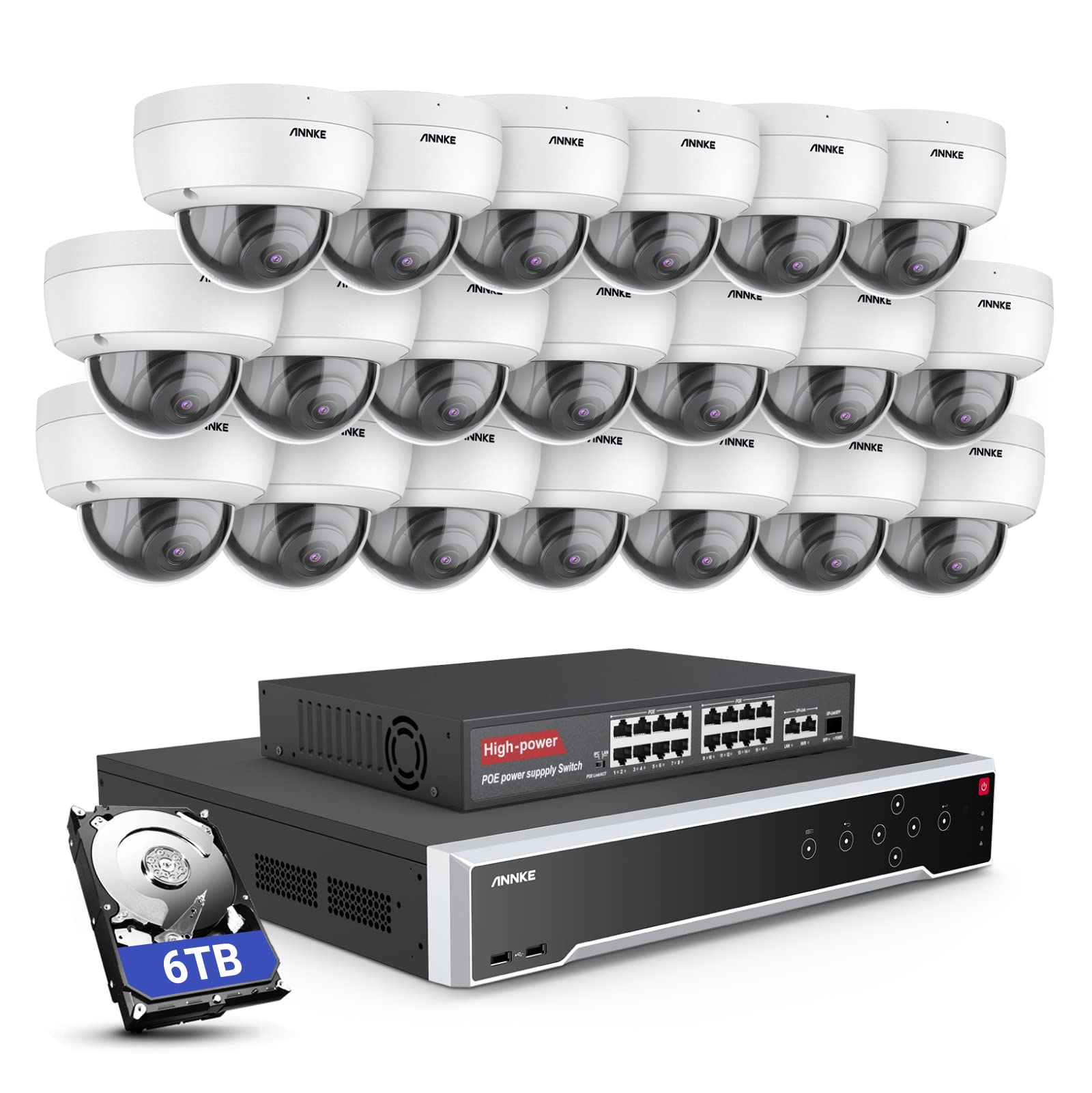
تصوير: مٿانview of the ANNKE 32-Channel Home Security Camera System components, including the NVR and multiple cameras.
دٻي ۾ ڇا آهي
پڪ ڪريو ته هيٺ ڏنل سڀئي شيون توهان جي پيڪيج ۾ شامل آهن:
- 1x 32CH 12MP PoE NVR with 6TB Hard Drive
- 1x 16-Port PoE Switch
- 20x 5MP IP PoE Cameras
- 10x 30m/100ft Network Cables
- 10x 18m/60ft Network Cables
- 1x Power Adapter & USB Mouse & Quick Instruction Guide
- 1x 5.9ft/1.8m HDMI Cable
- 1x 3.2ft/1m Ethernet Cable
سيٽ اپ ڪريو
Follow these steps to set up your ANNKE security camera system.
1. NVR and Camera Connection
- مهيا ڪيل پاور اڊاپٽر استعمال ڪندي NVR کي پاور ماخذ سان ڳنڍيو.
- Connect the NVR to a monitor using the HDMI cable.
- نيويگيشن لاءِ USB ماؤس کي NVR سان ڳنڍيو.
- Connect up to 16 PoE IP cameras directly to the PoE ports on the NVR using the provided Ethernet cables.
- To expand the system beyond 16 cameras (up to 32 channels), connect the additional cameras to the 16-port PoE switch. Then, connect the PoE switch to the NVR's network port using an Ethernet cable.

Image: Diagram illustrating how to connect PoE cameras to the NVR and how to use a PoE switch to expand the system to 32 channels.
2. نيٽ ورڪ ڪنيڪشن
Connect the NVR to your router using an Ethernet cable to enable remote access and network features.
3. Remote Access Setup (ANNKE VISION App)
Download the ANNKE VISION app on your smartphone or tablet for remote viewing ۽ ڪنٽرول.
- Download the ANNKE VISION app from the Google Play Store or Apple App Store.
- هڪ اڪائونٽ رجسٽر ڪريو ۽ لاگ ان ڪريو.
- NVR تي QR ڪوڊ اسڪين ڪندي يا دستي طور تي ان جي تفصيل داخل ڪندي پنهنجو NVR ڊوائيس شامل ڪريو.
- هڪ ڀيرو شامل ڪيو ويو، توهان ڪري سگهو ٿا view live feeds, playback recordings, and manage settings remotely.

Image: Screenshot of the ANNKE VISION mobile application showing live camera feeds, demonstrating remote access capabilities.
آپريٽنگ هدايتون
Understand the key operational features of your security system.
1. وڊيو معيار ۽ رات جو نظارو
The 5MP IP cameras provide clear video resolution. The system supports color night vision in low-light conditions and detailed black and white night vision in complete darkness, with a range of up to 100 feet.

Image: A split image demonstrating the clarity of 5MP video during the day and the effectiveness of night vision at night.
2. AI Motion and Face Detection
The PoE IP cameras are equipped with AI features for advanced detection:
- Line Intrusion Detection: Triggers an alert when an object crosses a predefined virtual line.
- Region Detection: Triggers an alert when an object enters or exits a specified area.
- انساني/گاڏي جي ڳولا: Differentiates between human and vehicle movement to reduce false alarms.
- Facial Detection: The NVR supports 1-channel facial recognition for video streams or 4-channel facial recognition for face pictures.

Image: An illustration showing the system detecting a person and a vehicle, with a highlight indicating 1-channel facial detection.
3. آڊيو رڪارڊنگ
Each PoE camera includes a built-in microphone capable of recording audio up to 20 feet away, providing additional surveillance detail.
4. Recording Modes and Playback
The NVR supports continuous 24/7 recording and motion detection recording. Recordings can be easily searched and played back through the NVR interface or the ANNKE VISION app.
5. ملٽي يوزر رسائي
The system supports up to 20 users simultaneously, allowing multiple individuals to view live video feeds and access recordings from various devices such as PCs, laptops, tablets, and smartphones.
6. اليڪسا انٽيگريشن
The system is compatible with Amazon Alexa. You can use voice commands to view live streams from your security cameras on compatible Alexa-enabled devices.
سار سنڀال
مناسب سار سنڀال توهان جي سيڪيورٽي سسٽم جي ڊگهي عمر ۽ بهترين ڪارڪردگي کي يقيني بڻائي ٿي.
1. ماحولياتي تحفظ
The IP cameras are rated IP67 weatherproof, ensuring reliable operation in various outdoor conditions, including heavy snow, rain, and wind. Regularly clean camera lenses to prevent obstruction from dirt or debris.
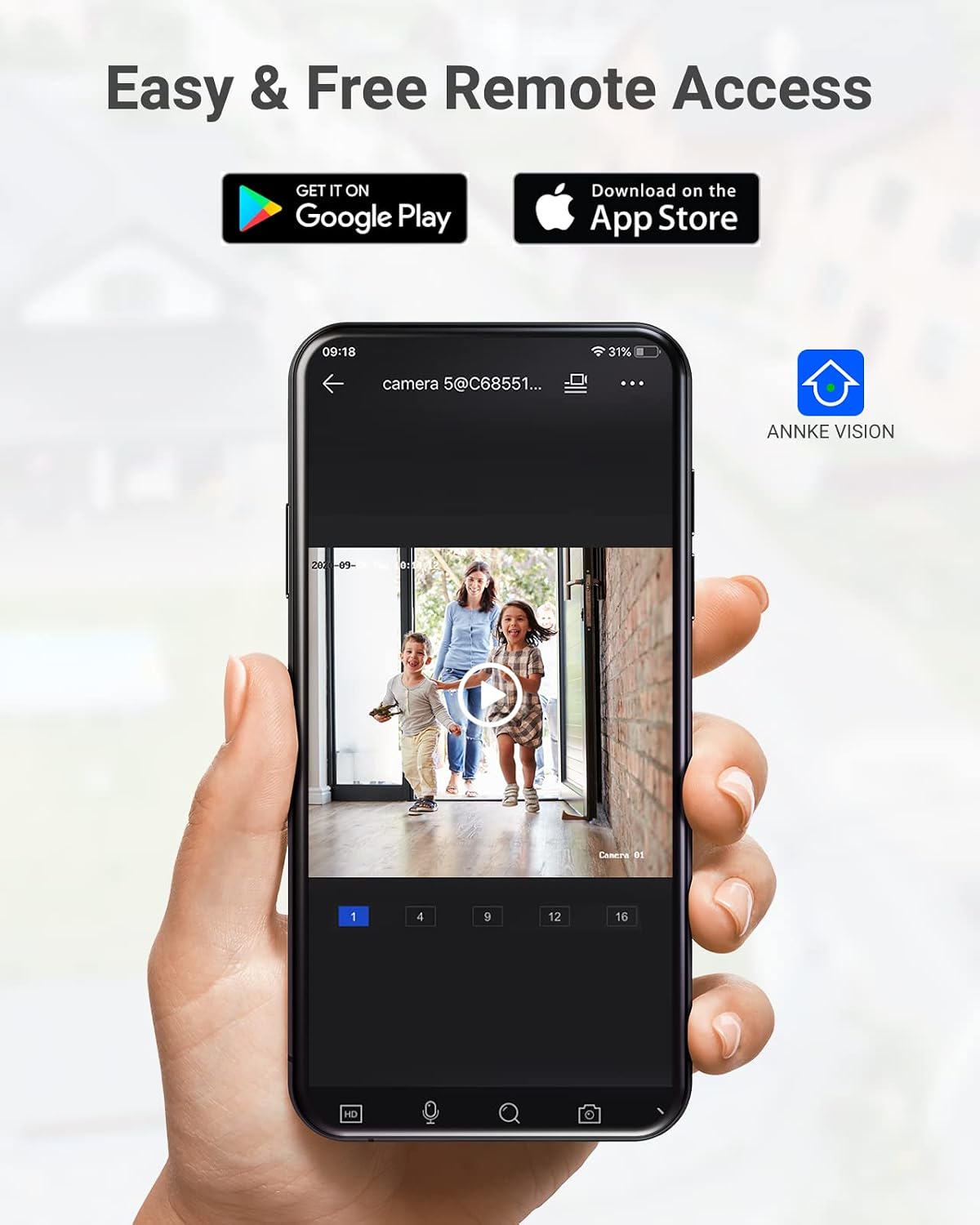
Image: A camera partially submerged in water, illustrating its IP67 weatherproof rating.
2. اسٽوريج جو انتظام
The NVR utilizes H.265+ video compression for efficient storage and longer recording times. The system comes with a 6TB HDD and supports up to 4 SATA HDD interfaces, allowing for a total storage capacity of up to 40TB (10TB per HDD). The NVR features automatic overwrite functionality, ensuring continuous recording by overwriting the oldest footage جڏهن ڊسڪ ڀريل هجي.

Image: An NVR unit with its top cover removed, showing four internal bays for hard disk drives, indicating expandable storage up to 40TB.
3. فرمائيندڙ تازه ڪاريون
وقت بوقت ANNKE آفيسر کي چيڪ ڪريو website or the ANNKE VISION app for firmware updates to ensure your system has the latest features and security enhancements.
مشڪلاتون
If you encounter issues with your system, refer to the following general troubleshooting tips:
- وڊيو ڊسپلي ناهي: Check all cable connections (power, HDMI, Ethernet). Ensure the monitor is on and set to the correct input.
- ڪئميرا آف لائن: Verify the Ethernet cable connection to the camera and NVR/PoE switch. Ensure the camera is receiving power.
- ريموٽ رسائي جا مسئلا: Confirm the NVR is connected to the internet. Check your network settings and ensure the ANNKE VISION app is updated.
- رڪارڊنگ جا مسئلا: Check the HDD status in the NVR settings. Ensure there is sufficient storage space or that automatic overwrite is enabled.
- غلط موشن الرٽ: Adjust the sensitivity settings for motion detection in the NVR or app. Utilize AI human/vehicle detection to filter out irrelevant movements.
For more detailed troubleshooting or persistent issues, please contact ANNKE customer support.
وضاحتون
| خاصيت | تفصيل |
|---|---|
| برانڊ | اينڪي |
| ماڊل نمبر | AU-N931BB6-V2-5KDN-V5+JHJ014-U |
| رابطي ٽيڪنالاجي | وائرڊ (PoE) |
| وڊيو ڪيپچر ريزوليوشن | 5MP (1920p) |
| چينلن جو تعداد | 32 |
| NVR Hard Drive | 6 ٽي بي (اڳ ۾ نصب ٿيل) |
| وڌ ۾ وڌ HDD گنجائش | 40 TB (4 x 10 TB SATA HDDs) |
| وڊيو ڪمپريشن | H.265 + |
| نائيٽ ويزن رينج | 100 فوٽ |
| ڪئميرا جي موسم جي خلاف درجه بندي | IP67 |
| لينس جو قسم | 2.8MM Wide Angle |
| خاص خاصيتون | App Control, Audio Recording, Automatic Overwrite, Motion Sensor, Privacy Masking, AI Motion Detection, Face Detection |
| مطابقت رکندڙ ڊوائيسز | Cameras, Laptops, Personal Computers, Tablets |
| آپريٽنگ سسٽم (ايپ) | Android، iOS |
وارنٽي ۽ سپورٽ
ANNKE جون شيون عام طور تي محدود وارنٽي سان گڏ اينديون آهن. مھرباني ڪري پنھنجي پيڪيج ۾ شامل وارنٽي ڪارڊ جو حوالو ڏيو يا سرڪاري ANNKE جو دورو ڪريو. webمخصوص وارنٽي شرطن ۽ ضابطن لاءِ سائيٽ.
ٽيڪنيڪل سپورٽ، پراڊڪٽ جي پڇا ڳاڇا، يا وارنٽي دعوائن لاءِ، مھرباني ڪري ANNKE ڪسٽمر سروس سان انھن جي سرڪاري ذريعي رابطو ڪريو. webسائيٽ يا توهان جي پراڊڪٽ دستاويزن ۾ ڏنل رابطي جي معلومات.
اينڪي آفيشل Webسائيٽ: www.annke.com