
تعارف
Thank you for choosing the Varmilo Minilo VXB67 65% Bluetooth Mechanical Keyboard. This manual provides detailed instructions for setting up, operating, and maintaining your new keyboard. The VXB67 offers a compact 65% layout, dual-mode connectivity (wired USB-C and Bluetooth), and a comfortable typing experience with Varmilo EC Daisy V2 switches and durable ABS double-shot keycaps. It also features a Type-Cool sound dampening structure for a clear typing sound.

Image: The Varmilo Minilo VXB67 keyboard, showcasing its compact design and color scheme.
پيڪيج مواد
مھرباني ڪري پيڪيج جي مواد کي چيڪ ڪريو ته جيئن پڪ ڪري سگھجي ته سڀئي شيون موجود آھن:
- Varmilo Minilo VXB67 Mechanical Keyboard
- USB-سي ڪيبل
- ڪيپ ڪيپيندڙ
- مٽائڻ وارو
- مٽي ڍڪڻ
- استعمال ڪندڙ جو دستياب (ھي دستاويز)

Image: The Varmilo Minilo VXB67 keyboard alongside its USB-C cable, keycap puller, switch puller, and a clear dust cover.
سيٽ اپ ڪريو
1. وائرڊ ڪنيڪشن
- ڪيبورڊ تي USB-C پورٽ ڳوليو.
- مهيا ڪيل USB-C ڪيبل جي هڪ پڇاڙي کي ڪيبورڊ سان ڳنڍيو.
- USB-C ڪيبل جي ٻئي ڇيڙي کي پنهنجي ڪمپيوٽر تي موجود USB پورٽ سان ڳنڍيو.
- ڪيبورڊ خودڪار طريقي سان توهان جي آپريٽنگ سسٽم طرفان سڃاڻي ويندو.
2. بلوٽوٽ ڪنيڪشن
The VXB67 keyboard can connect to up to 3 devices via Bluetooth.
- پڪ ڪريو ته ڪيبورڊ چارج ٿيل آهي يا USB-C ذريعي ڳنڍيل آهي.
- Turn on Bluetooth on your device (computer, tablet, or smartphone).
- ڪيبورڊ تي، دٻايو ۽ رکو Fn چاٻي ۽ هڪ بلوٽوٿ چاٻي (Q, W، يا E) for 3-5 seconds to enter pairing mode. The indicator light will flash.
- On your device, search for Bluetooth devices and select "Varmilo VXB67" (or similar) from the list.
- Once paired, the indicator light on the keyboard will stop flashing and remain solid.
- Repeat for up to two additional devices using the other Bluetooth keys.
3. Adjusting Keyboard Angle
The keyboard features 3-level adjustable kickstands on the bottom to customize your typing angle for comfort.

Image: The underside of the keyboard, highlighting the foldable kickstands for ergonomic adjustment.
Video: Demonstrates the features of the Varmilo Minilo Eucalyptus keyboard, including the adjustable kickstands and multi-device connectivity.
آپريٽنگ هدايتون
1. ڪي ڪيپ ۽ سوئچ جي متبادل
The VXB67 features hot-swappable switches, allowing you to change switches without soldering. Use the provided keycap and switch pullers for this process.
- ڪي ڪيپس هٽائڻ: Use the keycap puller to gently grip the keycap and pull upwards.
- سوئچز کي هٽائڻ: Use the switch puller to carefully grip the top and bottom clips of the switch and pull upwards.
- سوئچ لڳائڻ: نئين سوئچ جي پنن کي پي سي بي تي سوراخن سان ترتيب ڏيو. مضبوطيءَ سان دٻايو جيستائين سوئچ پنهنجي جاءِ تي ڪلڪ نه ڪري. پڪ ڪريو ته پن مڙيل نه آهن.
- ڪي ڪيپس لڳائڻ: Place the keycap over the switch stem and press down gently until it is secure.
Video: Demonstrates the process of changing switches and keycaps on the Varmilo Minilo 67 keyboard.
2. بڪ لائٽ ڪنٽرول
The keyboard features white LED backlighting. Use the following key combinations to control the backlight:
- ايف اين + \ |: بيڪ لائيٽ اثرات ذريعي چڪر ڪريو.
- Fn + ↑: بيڪ لائيٽ جي چمڪ وڌايو.
- Fn + ↓: بيڪ لائيٽ جي چمڪ گھٽايو.
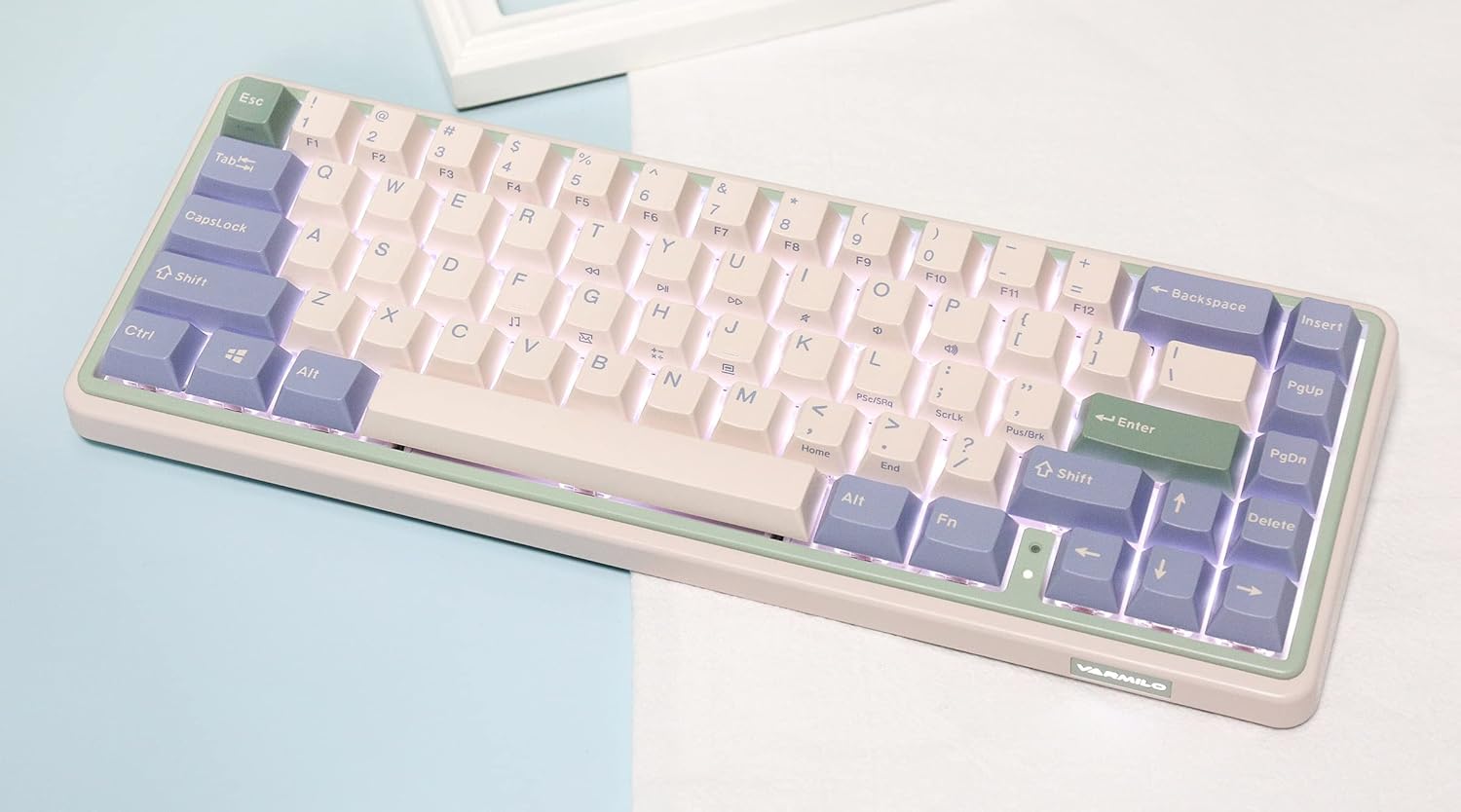
Image: The Varmilo Minilo VXB67 keyboard illuminated by its white LED backlighting.
3. ملٽي-ڊيوائس سوئچنگ
To switch between paired Bluetooth devices:
- دٻايو Fn + Q to switch to Bluetooth Device 1.
- دٻايو Fn + W to switch to Bluetooth Device 2.
- دٻايو Fn + E to switch to Bluetooth Device 3.
The keyboard will quickly connect to the selected device.
سار سنڀال
- صفائي: Use a soft, dry cloth to wipe the keyboard surface. For deeper cleaning, remove keycaps using the provided keycap puller and use compressed air to clear debris.
- بيٽري چارج ڪرڻ: Connect the keyboard via the USB-C cable to a power source (computer USB port or USB wall adapter). The Escape key will light up while charging and flash when the battery is low.
- اسٽوريج: When not in use, store the keyboard in a cool, dry place. Use the provided dust cover to protect it from dust and spills.
مشڪلاتون
- ڪي بورڊ جواب نه ڏئي رهيو آهي (وائرڊ):
- پڪ ڪريو ته USB-C ڪيبل ڪيبورڊ ۽ ڪمپيوٽر ٻنهي سان محفوظ طور تي ڳنڍيل آهي.
- توهان جي ڪمپيوٽر تي هڪ مختلف USB پورٽ جي ڪوشش ڪريو.
- ڪوشش ڪريو هڪ مختلف USB-C ڪيبل.
- Keyboard not responding (Bluetooth):
- پڪ ڪريو ته توهان جي ڊوائيس تي بلوٽوت فعال آهي.
- پڪ ڪريو ته ڪيبورڊ چارج ٿيل آهي.
- Re-enter pairing mode (ايف اين + سوال/اولهه/اي) and attempt to re-pair with your device.
- Forget the device on your computer/tablet/phone and try pairing again.
- ڪيز رجسٽر نه ٿي رهيون آهن:
- Ensure the keycap and switch are properly seated. Remove and re-install if necessary.
- If using hot-swappable switches, ensure the switch pins are not bent.
- بيڪ لائيٽ ڪم نه ڪري رهي آهي:
- بيڪ لائيٽ چمڪ سيٽنگون چيڪ ڪريو (ايف اين + ↑/↓).
- Ensure the keyboard is not in a low power state.
وضاحتون
| ماڊل | VXB67 |
| ترتيب | 65% (67 چاٻيون) |
| رابطي | Bluetooth 5.0, USB-C Wired |
| سوئچز | Varmilo EC Daisy V2 (Hot-swappable) |
| ڪيپ ڪيپ | 1.5mm thick ABS Double Shot |
| پٺاڻ | اڇو LED |
| بيٽري جي گنجائش | 3400mAh |
| مطابقت رکندڙ ڊوائيسز | PC (and other Bluetooth-enabled devices) |
| مواد | Acrylonitrile Butadiene Styrene (ABS) |
| طول و عرض | تقريبن 15 x 7 x 2.5 انچ (پيڪيج جي ماپ تي ٻڌل) |
| وزن | 3.21 پائونڊ |
وارنٽي ۽ سپورٽ
For warranty information and technical support, please refer to the official Varmilo webسائيٽ تي وڃو يا پنهنجي پرچون ڪندڙ سان رابطو ڪريو. وارنٽي دعوائن لاءِ خريداري جو ثبوت رکو.
ورميلو سرڪاري Webسائيٽ: www.varmilo.com