
تعارف
This manual provides detailed instructions for the setup, operation, maintenance, and troubleshooting of your MageGee Star98 Wired Mechanical Gaming Keyboard. This keyboard features a 98-key layout, Red mechanical switches, and customizable backlighting, designed for an enhanced typing and gaming experience.
دٻي ۾ ڇا آهي
- MageGee Star98 Mechanical Keyboard
- USB ڪيبل
- Additional Red Keycaps (quantity may vary)
سيٽ اپ جون هدايتون
- ڪي بورڊ ڳنڍيو: Plug the provided USB cable into the USB port on the keyboard and then into an available USB port on your computer.
- ڊرائيور لڳائڻ: The keyboard is plug-and-play and does not require additional driver installation for basic functionality. Your operating system (Windows, Mac, Linux, Android) will automatically recognize the device.
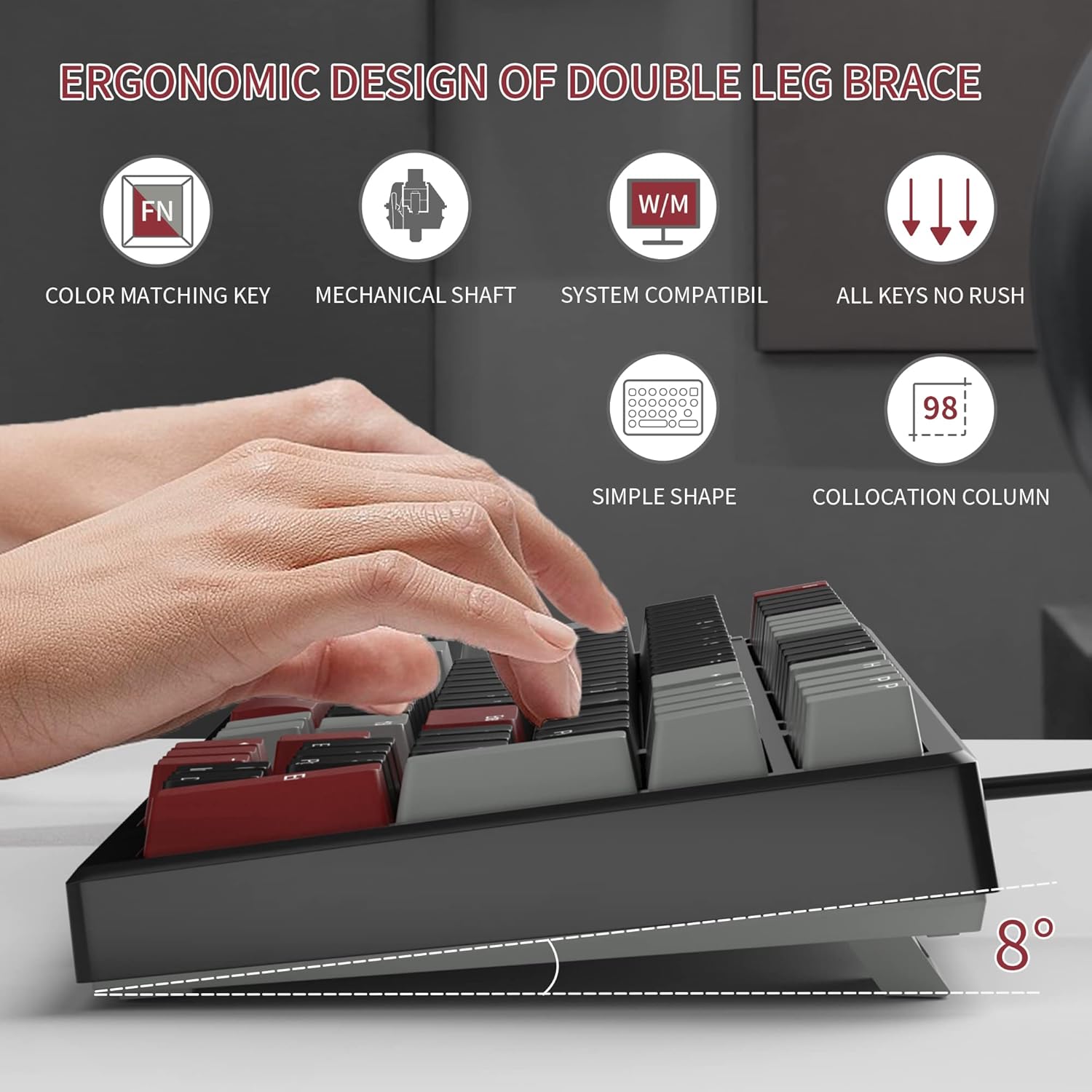
- جھڪندڙ ٽنگن کي ترتيب ڏيو: For ergonomic comfort, you can extend the adjustable tilt legs located on the underside of the keyboard.
آپريٽنگ هدايتون
اهم خاصيتون
- 98-ڪي لي آئوٽ: This compact layout retains most standard keyboard functionality while saving desk space.
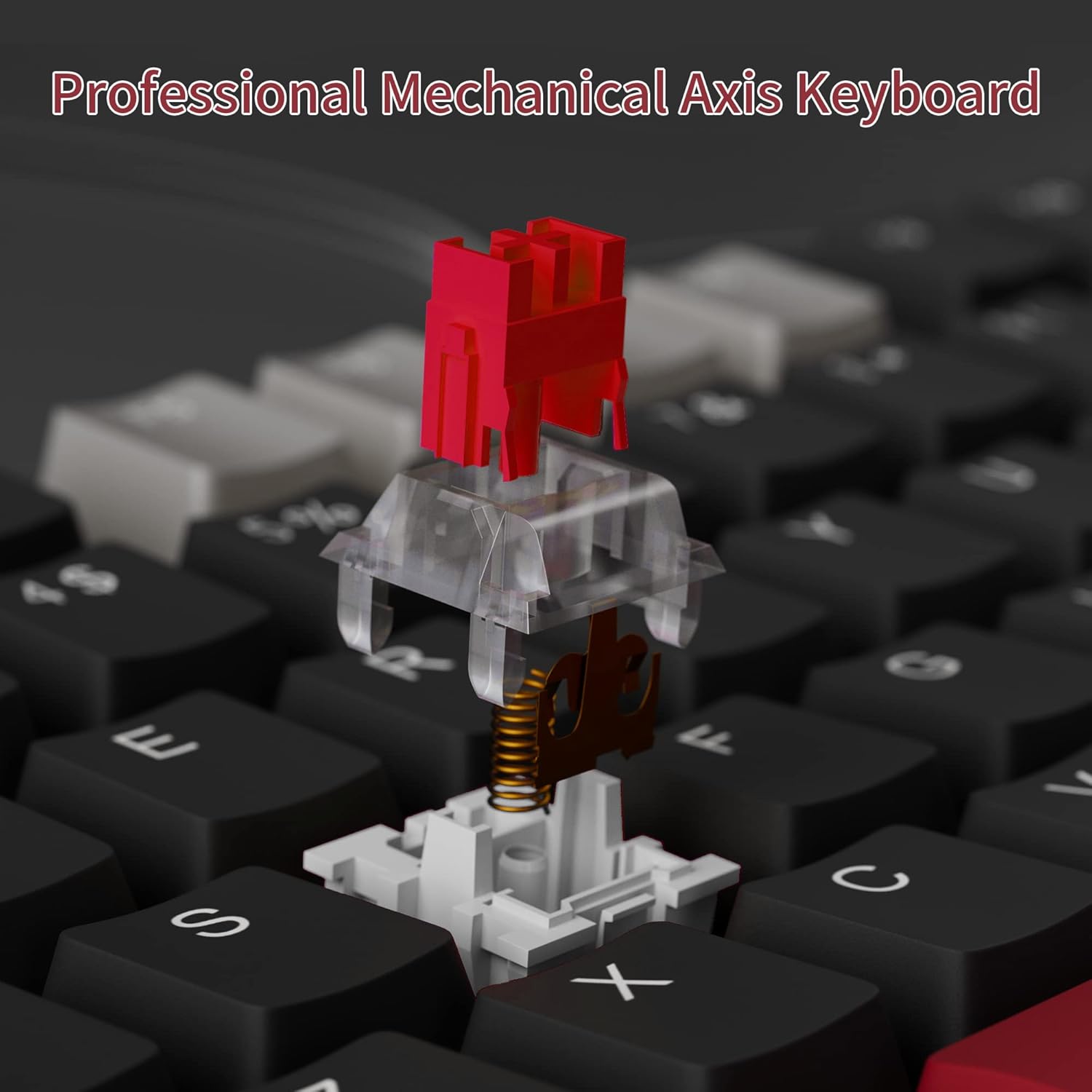
- ڳاڙهو ميڪيڪل سوئچ: Provides a fast response with tactile feedback for typing and gaming.
- مخالف ڀوت: All 98 keys support anti-ghosting for simultaneous key presses.
- گرم مٽائي سگهڻ وارو ڊيزائن: Compatible with most 3-pin and 5-pin mechanical switches, allowing for customization.
- پس منظر: Features solid sea blue backlighting with multiple operational modes.
- ون ڪي لاڪ: Function to prevent accidental presses of the Windows key during gaming.
Backlight Mods
The keyboard's backlight has multiple operational modes. Refer to the keyboard's function key combinations (usually Fn + specific keys) for cycling through modes or turning the backlight off. Specific key combinations are typically printed on the keycaps or detailed in a quick start guide.
گرم مٽائي سگھڻ وارا سوئچ
The MageGee Star98 keyboard features a hot-swappable design, allowing users to change mechanical switches without soldering. This feature supports most 3-pin and 5-pin switches available on the market.
- ڪي ڪيپ هٽايو: Use a keycap puller to gently remove the desired keycap.
- سوئچ هٽايو: Use a switch puller to carefully extract the mechanical switch from its socket.
- نئون سوئچ داخل ڪريو: Align the pins of the new switch with the holes on the PCB and press firmly until it clicks into place. Ensure pins are not bent.
- ڪي ڪيپ تبديل ڪريو: ڪي ڪيپ کي واپس نئين سوئچ اسٽيم تي رکو.


سار سنڀال
- ڪي ڪيپس جي صفائي: نرم استعمال ڪريو، ڊيamp cloth to wipe down keycaps. For deeper cleaning, keycaps can be removed using a keycap puller and washed with mild soap and water, then thoroughly dried before reattaching.
- ڪي ڪيپس هيٺان صفائي: Use compressed air to remove dust and debris from between the switches and under the keycaps.
- ڪيبل جي سنڀال: نقصان کان بچڻ لاءِ USB ڪيبل تي تيز موڙ يا گهڻي ڇڪڻ کان پاسو ڪريو.
مشڪلاتون
- ڪي بورڊ جواب نه ڏئي رهيو آهي:
- پڪ ڪريو ته USB ڪيبل ڪيبورڊ ۽ ڪمپيوٽر ٻنهي سان محفوظ طور تي ڳنڍيل آهي.
- پنهنجي ڪمپيوٽر تي ڪيبورڊ کي ڪنهن ٻئي USB پورٽ ۾ لڳائڻ جي ڪوشش ڪريو.
- سسٽم جي مخصوص مسئلن کي رد ڪرڻ لاءِ ٻئي ڪمپيوٽر تي ڪيبورڊ آزمايو.
- چاٻيون جيڪي رجسٽر نه ٿيون ٿين يا ٻٽي ٽائيپنگ:
- Remove the keycap and switch for the affected key. Inspect for any debris or bent pins on the switch.
- If the switch is damaged, replace it with a new one (utilizing the hot-swappable feature).
- پڪ ڪريو ته سوئچ مڪمل طور تي ان جي ساڪٽ ۾ رکيل آهي.
- Backlight not working or incorrect mode:
- Refer to the keyboard's function key combinations to cycle through backlight modes or turn it on/off.
- پڪ ڪريو ته ڪيبورڊ USB پورٽ مان ڪافي طاقت حاصل ڪري رهيو آهي.
وضاحتون
| خاصيت | تفصيل |
|---|---|
| برانڊ | ميج گي |
| ماڊل | اسٽار98 |
| رابطي ٽيڪنالاجي | وائرڊ (USB) |
| ڪي بورڊ جي وضاحت | مشيني |
| سوئچ جو قسم | ڳاڙهو سوئچ |
| اهم شمار | 98 ڪنجيون |
| پٺڀرائي | Solid Sea Blue (Single Color) |
| مطابقت | Win2000, Win XP, Win ME, Vista, Win7, Win8, Win10, Android, Linux, Mac |
| مواد | Acrylonitrile Butadiene Styrene (ABS) |
| شيءِ جو وزن | 2.16 پائونڊ |
| پيڪيج جي ماپ | 16.14 x 6.97 x 1.77 انچ |
وارنٽي ۽ سپورٽ
For warranty information and customer support, please refer to the official MageGee webسائيٽ تي وڃو يا سڌو سنئون انهن جي ڪسٽمر سروس سان رابطو ڪريو. تفصيل عام طور تي پراڊڪٽ پيڪنگنگ سان يا ٺاهيندڙ جي صفحي تي مهيا ڪيا ويندا آهن webسائيٽ.