
1. پراڊڪٽ ختمview
The Devoko 160x70 cm Electric Height Adjustable Desk is designed to provide a versatile and ergonomic workspace. It allows seamless transitions between sitting and standing positions, promoting a healthier work environment. This manual provides detailed instructions for assembly, operation, maintenance, and troubleshooting.
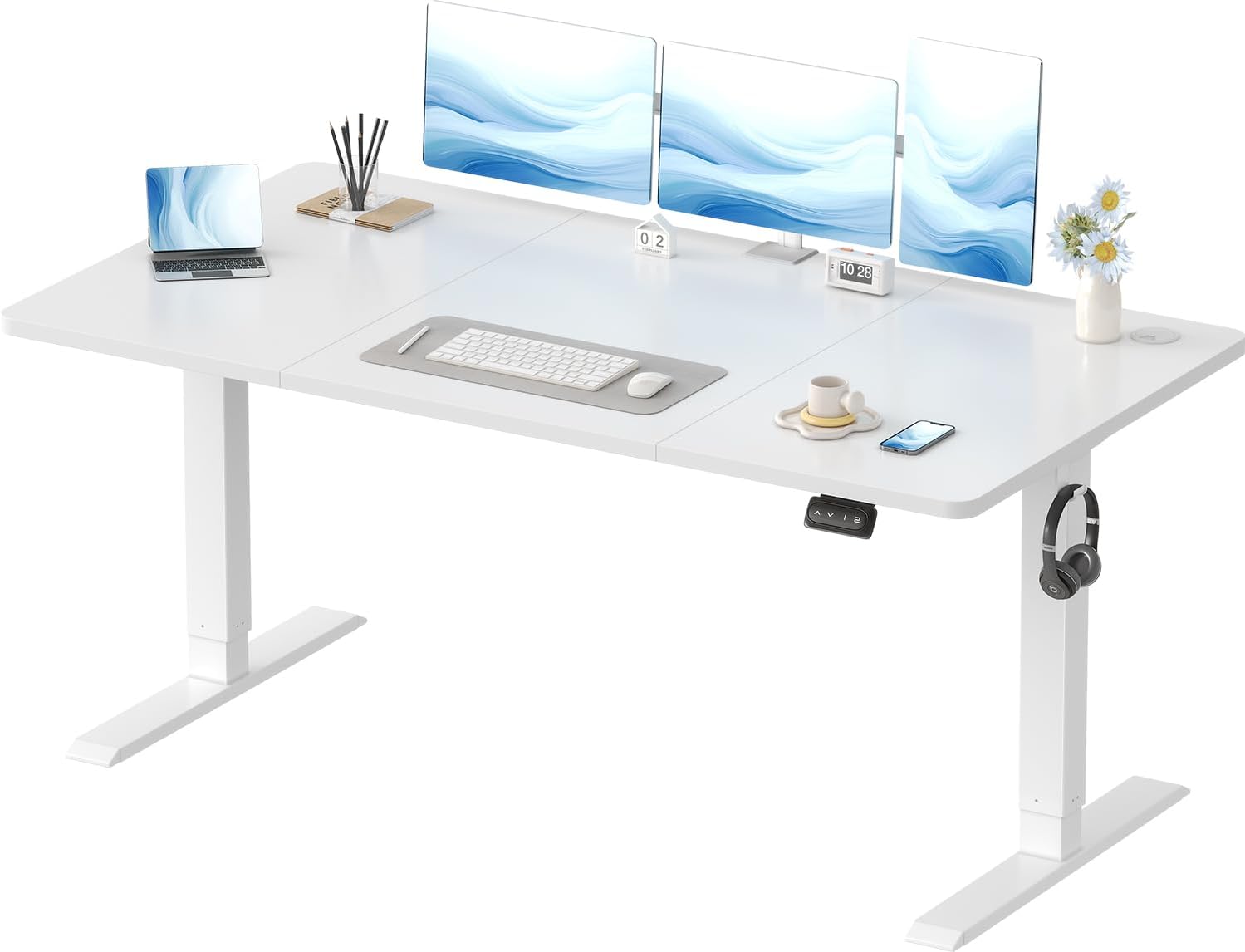
Image 1.1: The Devoko Electric Height Adjustable Desk, showcasing its spacious white desktop and sturdy frame, equipped with dual monitors, a laptop, and various office accessories.

Image 1.2: A diagram illustrating the desk's dimensions (160 cm width, 70 cm depth) and adjustable height range (73 cm to 118 cm), highlighting its 70 kg maximum weight capacity and various color options.

تصوير 1.3: هڪ ويجهو تصوير view emphasizing the desk's rounded corner design, which enhances safety and aesthetics.
2. حفاظت جي ڄاڻ
مھرباني ڪري اسيمبلي ۽ استعمال کان اڳ سڀ حفاظتي هدايتون احتياط سان پڙھو. انھن هدايتن تي عمل ڪرڻ ۾ ناڪامي جي نتيجي ۾ پيداوار کي زخم يا نقصان ٿي سگھي ٿو.
- This desk features an anti-collision system to prevent damage and injury.
- The maximum weight capacity is 70 kg (154 lbs). Do not exceed this limit.
- The adjustable height range is 71-119 cm (28-46.8 inches).
- Ensure proper installation and use to maintain stability.
- Always be aware of the desk's position and surrounding objects when adjusting the height.
- آپريشن دوران ٻارن ۽ پالتو جانورن کي ڊيسڪ کان پري رکو.
- Do not place hands or other body parts near moving parts of the desk.
3. پيڪيج مواد
اسيمبلي شروع ڪرڻ کان اڳ پڪ ڪريو ته سڀئي حصا موجود آهن. جيڪڏهن ڪو به پرزو غائب يا خراب آهي، مهرباني ڪري ڪسٽمر سپورٽ سان رابطو ڪريو.

Image 3.1: All components of the Devoko height-adjustable desk laid out, including the three-piece desktop, steel frame, motor, control panel, and various screws and accessories. Installation tools are included.
The package includes detailed assembly instructions and numbered hardware for easy identification.
4. اسيمبليءَ جون هدايتون
اسيمبلي ۾ عام طور تي لڳ ڀڳ 30 منٽ لڳن ٿا. انهن قدمن تي احتياط سان عمل ڪريو:
- Prepare the Desktop: Lay the desktop panels upside down on a soft, clean surface to prevent scratches. The desktop comes in three assembled pieces.
- Attach the Frame Crossbars: Secure the frame's crossbars to the desktop using the provided screws. Ensure they align with the pre-drilled holes.
- Install the Lifting Columns: Attach the two lifting columns (legs) to the crossbars.
- Connect the Drive Rod: Insert the drive rod between the two lifting columns, ensuring it connects securely to the motor mechanism.
- Mount the Control Box and Panel: Secure the control box and the height adjustment control panel to the underside of the desk.
- ڪيبل ڳنڍڻ: Connect all necessary cables from the motor and control panel to the control box.
- پير ڳنڍيو: Secure the feet to the bottom of the lifting columns.
- ڪيبل جو انتظام: Use the included cable pass-through hole and headphone hooks to organize cables and accessories.
Video 4.1: An animated guide demonstrating the step-by-step assembly process of the Devoko electric height adjustable desk, from attaching the desktop panels to installing the lifting columns and connecting the control system.
5. آپريٽنگ هدايتون
5.1 اونچائي جي ترتيب
The desk's height can be adjusted electrically between 71 cm and 119 cm (28-46.8 inches) to suit various user heights and preferences.
- ڊيسڪ بلند ڪريو: کي دٻايو ۽ رکو ▲ button on the control panel. Release when the desired height is reached.
- هيٺيون ڊيسڪ: کي دٻايو ۽ رکو ▼ button on the control panel. Release when the desired height is reached.
5.2 ميموري پري سيٽس
The all-in-one control panel features 2 memory presets, allowing you to save and recall your preferred sitting and standing heights.
- ياداشت جي پوزيشن مقرر ڪريو:
- مٿي/هيٺ بٽڻن کي استعمال ڪندي ڊيسڪ کي پنهنجي گهربل اوچائي تي ترتيب ڏيو.
- کي دٻايو "م" button (or similar memory set button). The display may flash.
- Immediately press one of the numbered preset buttons (e.g., "1" or "2") to save the current height to that position.
- ياداشت جي پوزيشن کي ياد ڪريو: Simply press the corresponding numbered preset button (e.g., "1" or "2"). ڊيسڪ خودڪار طريقي سان محفوظ ڪيل اوچائي ڏانهن منتقل ٿي ويندو.

Image 5.1: The desk's control panel, featuring up and down arrows for manual adjustment and two numbered buttons for saving and recalling preferred height presets.
5.3 اينٽي ڪوليشن سسٽم
The desk is equipped with a reliable anti-collision system. If the desk encounters an obstacle during height adjustment, it will automatically stop and retract approximately 2 cm to prevent damage or injury.

Image 5.2: A visual representation of the anti-collision system, where the desk automatically reverses slightly when an obstruction is detected during movement.
Video 5.3: A demonstration of the Devoko desk's electric height adjustment, showing smooth transitions between sitting and standing positions, and highlighting features like cable management and headphone hooks.
6. سار سنڀال
Regular maintenance ensures the longevity and optimal performance of your Devoko desk.
- صفائي: ڊيسڪ ٽاپ ۽ فريم کي نرم، ڊي سان صاف ڪريوamp cloth. Avoid abrasive cleaners or harsh chemicals that could damage the surface or coating. The galvanized coating on the legs is corrosion-resistant and easy to clean.
- ڪيبل جو انتظام: Periodically check and organize cables to prevent tangling or damage. Utilize the integrated cable pass-through and headphone hooks for a tidy workspace.
- موٽر جي چڪاس: Ensure the motor and drive rod are free from obstructions. The motor is designed for durability with over 50,000 lifts and overheating protection.
- استحڪام چيڪ: Occasionally check that all screws and connections are tight.

تصوير 6.1: ويجهو تصوير view of the desk's integrated features, including convenient headphone hooks, a cable management grommet, and anti-slip gaskets on the feet for enhanced stability.
7. مسئلا حل ڪرڻ
If you encounter any issues with your Devoko electric height adjustable desk, refer to the following common solutions:
| مسئلو | ممڪن سبب | حل |
|---|---|---|
| ڊيسڪ حرڪت نٿي ڪري. | Power cable disconnected, motor error, control panel issue. |
|
| ڊيسڪ غير مساوي طور تي هلي ٿي يا غير معمولي آواز ڪري ٿي. | Uneven load, loose connections, obstruction. |
|
| Anti-collision system triggers too often. | Sensitivity setting, minor obstruction. |
|
If the problem persists after attempting these solutions, please contact Devoko customer support for further assistance.
8. وضاحتون
| خاصيت | تفصيل |
|---|---|
| پيداوار جي ماپ | 160 cm (Width) x 70 cm (Depth) x 71-119 cm (Height) |
| وزن | 24.9 ڪلو |
| ماڊل نمبر | 0427 |
| برانڊ | ديووڪو |
| ڊيسڪ ٽاپ مواد | انجنيئر ڪاٺ |
| بنيادي مواد | مصر جو اسٽيل |
| اونچائي جي ترتيب جي حد | 71 سينٽي - 119 سينٽي ميٽر |
| وڌ ۾ وڌ لوڊ گنجائش | 70 ڪلو |
| آپريشن دوران شور جي سطح | ≤ 45 ڊي بي |
| خاص خاصيتون | Electric Height Adjustable, Ergonomic Design, Anti-Collision System, Memory Presets |
9. وارنٽي ۽ سپورٽ
Devoko is committed to providing high-quality products and excellent customer service. If you have any questions, concerns, or require assistance with your desk, please do not hesitate to contact us.
- ڪسٽمر سپورٽ: For professional assistance, please reach out to Devoko customer service. Contact information can typically be found on the product packaging or the seller's Amazon store page.
- واپسي: This product is eligible for returns up to February 6, 2025 (based on provided data). Please refer to your purchase details for the exact return policy applicable to your order.
We are dedicated to ensuring your satisfaction and providing prompt, professional responses to all inquiries.