
1. اهم حفاظتي ڄاڻ
Please read this instruction manual carefully before using the Lefant M210 Robot Vacuum Cleaner. Keep this manual for future reference.
- هي اوزار 8 سالن ۽ ان کان مٿي عمر وارن ٻارن ۽ جسماني، حسي يا ذهني صلاحيتن ۾ گهٽتائي يا تجربي ۽ ڄاڻ جي کوٽ وارن ماڻهن طرفان استعمال ڪري سگهجي ٿو جيڪڏهن انهن کي اوزار جي محفوظ طريقي سان استعمال جي حوالي سان نگراني يا هدايتون ڏنيون ويون آهن ۽ ان ۾ شامل خطرن کي سمجهي سگهجي ٿو. .
- ٻارن کي اوزار سان راند نه ڪرڻ گهرجي. صفائي ۽ صارف جي سار سنڀال ٻارن جي نگراني کان سواء نه ڪئي ويندي.
- صرف ٺاهيندڙ پاران مهيا ڪيل اصل پاور اڊاپٽر استعمال ڪريو.
- کليل شعلن يا نازڪ شين واري ماحول ۾ روبوٽ استعمال نه ڪريو.
- Ensure the charging base is placed on a flat surface against a wall, with adequate clear space around it.
- Before cleaning, remove loose cables, small objects, or anything that could entangle the robot.
2. پيڪيج مواد
پڪ ڪريو ته سڀئي جزا پيڪيج ۾ موجود آهن:
- Lefant M210 روبوٽ ويڪيوم ڪلينر
- چارجنگ جو بنياد
- پاور اڊاپٽر
- پاسي وارا برش (2 جوڙا)
- اعلي ڪارڪردگي فلٽر
- صفائي جو اوزار
- ريموٽ ڪنٽرول (بيٽرين سان)
- استعمال ڪندڙ دستي

Image: The Lefant M210 Robot Vacuum Cleaner shown with its included accessories, such as the charging base, power adapter, side brushes, and remote control.
3. پراڊڪٽ ختمview
3.1 روبوٽ ويڪيوم اجزاء
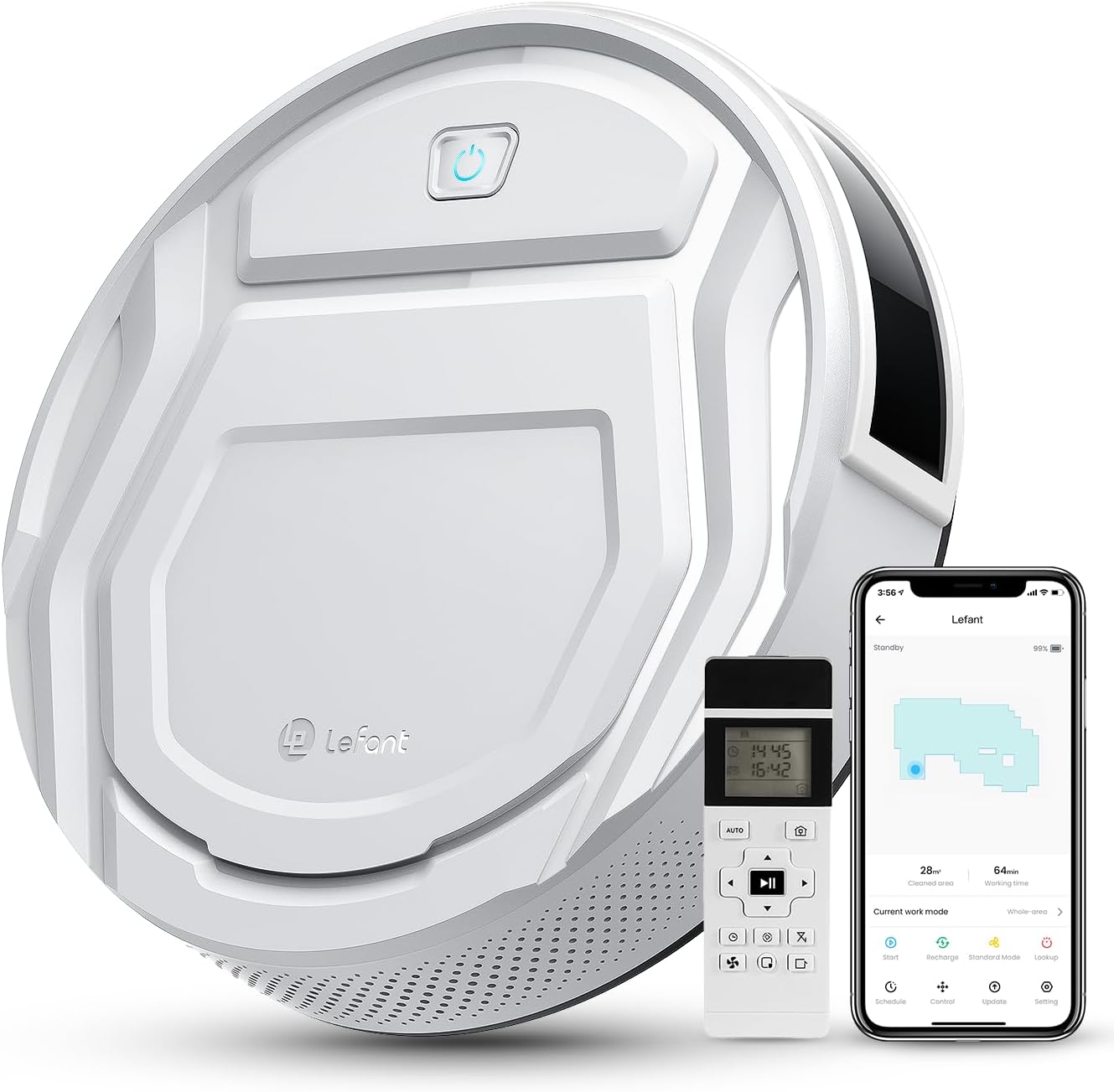
تصوير: مٿي view of the Lefant M210 Robot Vacuum Cleaner, highlighting its compact design and main controls.
The Lefant M210 is an autonomous robot vacuum cleaner designed for efficient cleaning of various floor types. It features a powerful suction and advanced navigation capabilities.
3.2 چارجنگ بيس
The charging base serves as the robot's home station, where it automatically returns to recharge its battery.
4. سيٽ اپ
4.1 چارجنگ بيس پليسمينٽ
- چارجنگ بيس کي ڀت جي ڀرسان هڪ کليل، بي ترتيب علائقي ۾ رکو.
- پڪ ڪريو ته چارجنگ بيس جي ٻنهي پاسن تي گهٽ ۾ گهٽ 0.5 ميٽر (1.6 فوٽ) صاف جاءِ آهي ۽ ان جي اڳيان 1.5 ميٽر (4.9 فوٽ) آهي.
- پاور اڊاپٽر کي چارجنگ بيس سان ڳنڍيو ۽ ان کي وال آئوٽليٽ ۾ لڳايو.
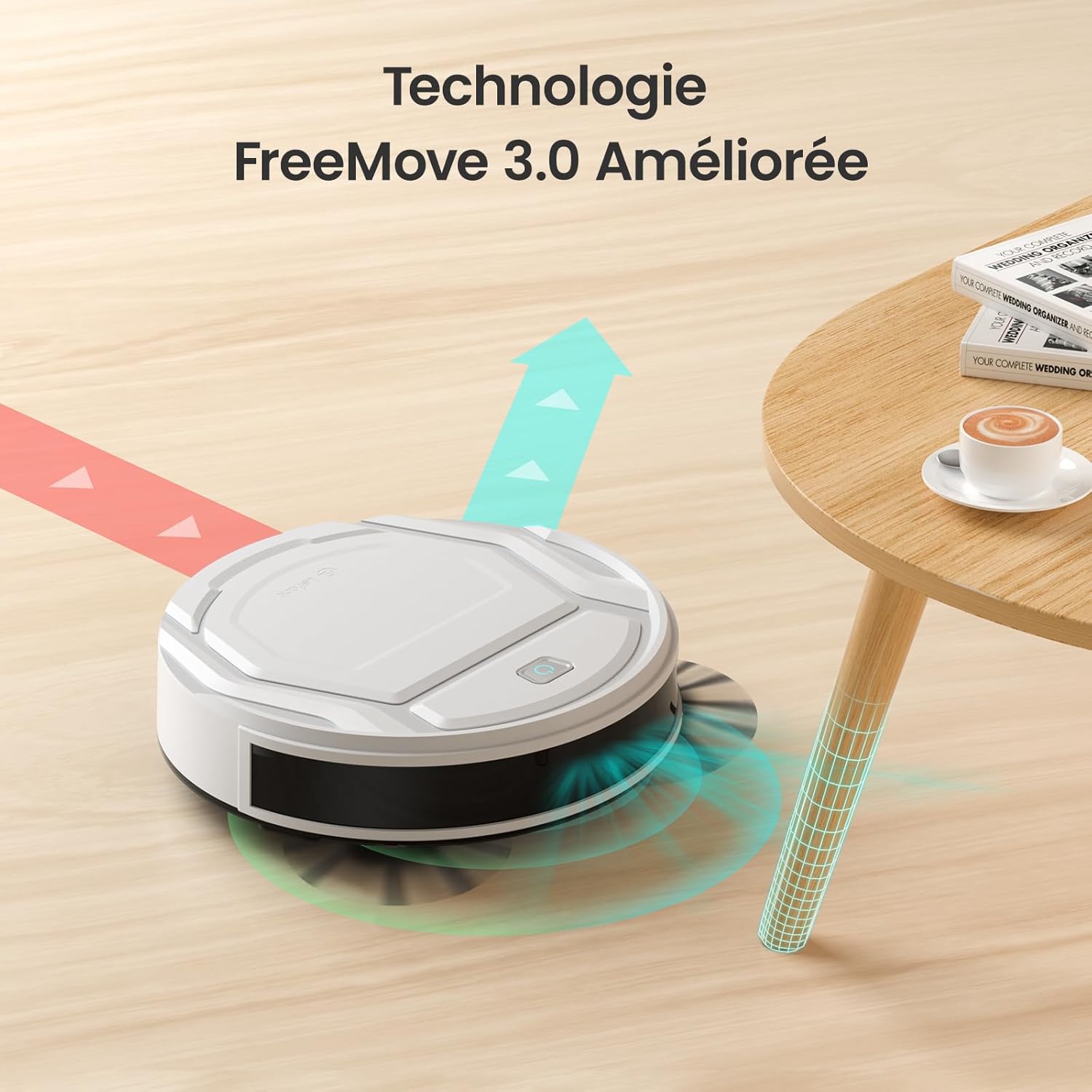
Image: The robot vacuum approaching its charging base, illustrating proper placement for automatic return.
4.2 شروعاتي چارجنگ
- Place the robot vacuum onto the charging base, ensuring the charging contacts align.
- The indicator light on the robot will show charging status. Allow the robot to fully charge before its first use (approximately 4-5 hours).
4.3 App Connection (WiFi/Alexa)
- Download the "Lefant Life" app from your smartphone's app store.
- Open the app and follow the on-screen instructions to create an account and add your M210 robot vacuum.
- ڪامياب ڪنيڪشن لاءِ پڪ ڪريو ته توهان جو وائي فائي نيٽ ورڪ 2.4GHz آهي.
- For Alexa integration, enable the "Lefant Life" skill in the Alexa app and link your accounts.

Image: A smartphone displaying the Lefant app, illustrating options for scheduling, control, and monitoring the robot vacuum.
5. روبوٽ ويڪيوم کي هلائڻ
5.1 صفائي شروع ڪرڻ ۽ بند ڪرڻ
- دستي شروع: صفائي شروع ڪرڻ لاءِ روبوٽ تي پاور بٽڻ کي هڪ ڀيرو دٻايو. روڪڻ لاءِ ٻيهر دٻايو.
- App/Remote Start: Use the "Start" button in the Lefant Life app or on the remote control to begin a cleaning cycle.
- To send the robot back to its charging base, press the "Recharge" button on the robot, app, or remote control.
5.2 Suction Power and Quiet Operation
The M210 provides 2200Pa of suction power to effectively clean dust, debris, and pet hair. Its design ensures quiet operation, typically around 55 decibels, allowing for cleaning without significant disturbance.

Image: The Lefant M210 robot vacuum illustrating its 2200Pa suction power, effectively collecting debris from the floor.

Image: The slim Lefant M210 robot vacuum (7.8cm height) cleaning quietly under a sofa, with a noise level of 55dB, indicating minimal disturbance.
5.3 صفائي جا طريقا
M210 مختلف ضرورتن کي پورو ڪرڻ لاءِ ڪيترائي صفائي جا طريقا پيش ڪري ٿو:
- خودڪار موڊ: The robot cleans in a systematic pattern, adapting to the environment.
- زگ زيگ موڊ: Ideal for large, open areas, the robot cleans in a back-and-forth pattern.
- ڪنڊ موڊ: روبوٽ ڀتين ۽ فرنيچر جي ڪنارن سان صفائي ڪندو آهي.
- اسپاٽ موڊ: For concentrated cleaning of a specific dirty area, the robot cleans in a spiral pattern.
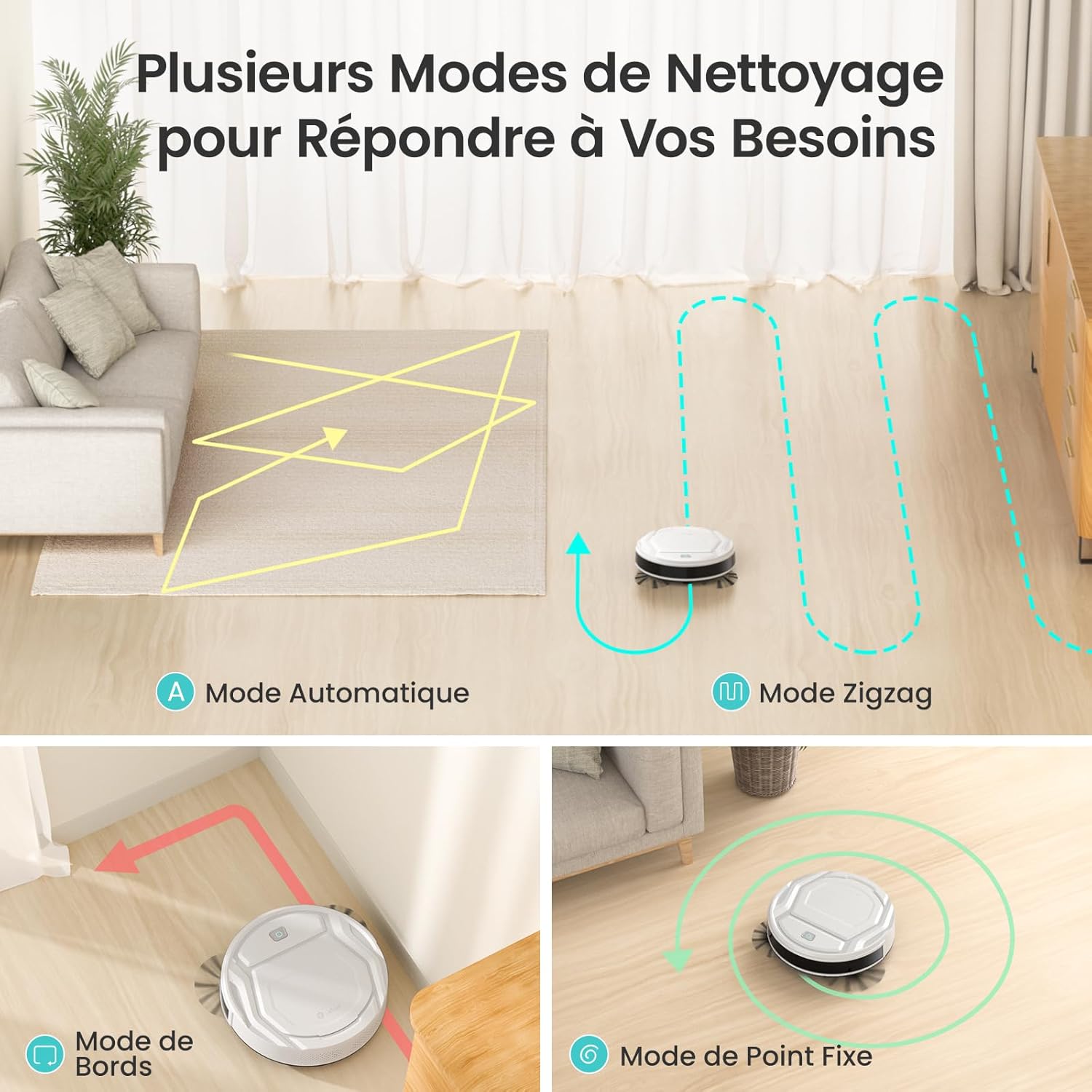
Image: Visual representation of the robot vacuum's various cleaning modes, including automatic, zigzag, edge, and spot cleaning patterns.
5.4 App and Remote Control
Control your M210 robot vacuum using the Lefant Life app or the included remote control. Both allow you to start/stop cleaning, change modes, schedule cleaning, and direct the robot manually.
Image: A smartphone displaying the Lefant app, illustrating options for scheduling, control, and monitoring the robot vacuum.

Image: A user comfortably controlling the robot vacuum via a smartphone app, demonstrating ease of use.
5.5 نيويگيشن ۽ رڪاوٽ کان بچڻ
Equipped with FreeMove 3.0 technology, the M210 navigates efficiently around furniture and obstacles, preventing collisions and getting stuck.

Image: The robot vacuum demonstrating its FreeMove 3.0 navigation by smoothly moving around a table leg, avoiding collision.
5.6 Pet Hair Cleaning
The M210 is designed to effectively pick up pet hair from various surfaces. Regular cleaning of the dustbin and brushes is recommended when cleaning pet hair frequently.

Image: The Lefant M210 robot vacuum positioned on a floor with visible pet hair, demonstrating its suitability for homes with pets.
6. سار سنڀال
باقاعده سار سنڀال بهترين ڪارڪردگي کي يقيني بڻائي ٿي ۽ توهان جي روبوٽ ويڪيوم جي عمر وڌائي ٿي.
6.1 ڪچري جي دٻي کي خالي ڪرڻ
- ڪچري جي دٻي ڇڏڻ واري بٽڻ کي دٻايو ۽ ڪچري جي دٻي کي ٻاهر ڪڍو.
- ڪچري جي ڍڪ کي کوليو ۽ ان جي مواد کي ڪچري جي دٻي ۾ خالي ڪريو.
- جيڪڏهن ضروري هجي ته ڪچري جي دٻي کي پاڻي سان ڌوئو، پڪ ڪريو ته اهو ٻيهر داخل ڪرڻ کان اڳ مڪمل طور تي سڪي ويو آهي.
6.2 فلٽر کي صاف ڪرڻ
- ڪچري جي دٻي مان فلٽر ڪڍو.
- Tap the filter gently to remove dust and debris. Do not wash the high-performance filter with water.
- Replace the filter every 2-3 months, or as needed, depending on usage.
6.3 صفائي واري پاسي جا برش
- پاسي واري برش کي هٽائڻ لاءِ نرميءَ سان مٿي ڇڪيو.
- Remove any hair or debris tangled around the brushes. Use the provided cleaning tool if necessary.
- Snap the brushes back into place, ensuring they are securely attached.
6.4 سينسر ۽ چارجنگ رابطن جي صفائي
- Wipe the anti-drop sensors, infrared sensors, and charging contacts on both the robot and the charging base with a clean, dry cloth.
- Ensure no dust or debris obstructs these components for proper operation.
7. مسئلا حل ڪرڻ
| مسئلو | ممڪن سبب | حل |
|---|---|---|
| روبوٽ نه ٿو ڦري. | بيٽري گهٽ آهي؛ پاور سوئچ بند آهي. | روبوٽ کي چارج ڪريو؛ پڪ ڪريو ته مکيه پاور سوئچ آن آهي. |
| روبوٽ چارج نٿو ڪري سگهي. | چارجنگ رابطا گندا آهن؛ چارجنگ بيس پاور نه آهي. | Clean charging contacts on robot and base; Ensure power adapter is plugged in. |
| روبوٽ اڪثر ڦاسي پوندو آهي. | Too many obstacles; Sensors are dirty. | Clear the cleaning area; Clean all sensors. |
| خراب صفائي جي ڪارڪردگي. | ڪچري جو دٻو ڀريل؛ فلٽر بند؛ برش الجھا ٿيل. | Empty dustbin; Clean/replace filter; Clean side brushes. |
| وائي فائي/ايپ سان ڳنڍجي نٿو سگهي. | Incorrect Wi-Fi password; Router is 5GHz; Robot too far from router. | Verify password; Ensure 2.4GHz Wi-Fi; Move robot closer to router. |
8. وضاحتون
| خاصيت | تفصيل |
|---|---|
| برانڊ | ليفانٽ |
| ماڊل نالو | M210 |
| سطح جي سفارش | Wood, Carpets, Hard Floors |
| خاص خصوصيت | هوشيار |
| رنگ | عاج |
| ڪنٽرولر جو قسم | ايپ ڪنٽرول، ريموٽ ڪنٽرول |
| فلٽر جو قسم | ڪاريگري |
| بيٽري جي زندگي | 120 منٽ |
| بيٽري جو قسم | ليتيم آئن |
| جلدtage | 19 وولٽ |
| ڪچري جي گنجائش | 500 ملي ليٽر |
| طاقت جو ذريعو | بيٽري سان هلندڙ |
| شيون طول و عرض (L x W x H) | 11"ليٽر x 11"ڊبليو x 2.99"ايڇ |
| شيءِ جو وزن | 3.1 ڪلوگرام |
| شور جي سطح | 55 ڊيسيبل |
| اندروني ٻاهرين استعمال | اندريون |
| شامل اجزاء | Lefant M210 Robot Vacuum |
| يو پي سي | 769577079450 |

Image: The robot vacuum with an overlay indicating its 120-minute battery life and coverage area of 120 square meters.
9. وارنٽي ۽ سپورٽ
Lefant provides a standard warranty for the M210 Robot Vacuum Cleaner. For detailed warranty information, please refer to the warranty card included in your package or visit the official Lefant webسائيٽ.
For technical support, troubleshooting assistance, or to purchase replacement parts, please contact Lefant customer service through the following channels:
- اي ميل: پنهنجي وارنٽي ڪارڊ يا پراڊڪٽ پيڪنگنگ جو حوالو ڏيو.
- Webسائيٽ: www.lefant.com
- Lefant Life App: Access support features directly within the application.