
1. تعارف
Thank you for choosing the Podofo A3194UPA4 2 Din Car Radio. This manual provides detailed instructions for the installation, operation, and maintenance of your new car multimedia system. Please read this manual thoroughly before using the product to ensure proper functionality and safety. Keep this manual for future reference.
2. پراڊڪٽ ختمview
2.1 اهم خاصيتون
- 7-inch Capacitive Touchscreen Display (1024 x 600 resolution)
- Android 13 آپريٽنگ سسٽم
- Apple CarPlay & Android Auto Support
- Bluetooth for Hands-free Calling and Audio Streaming
- Built-in GPS Navigation with Offline Map Support
- Wi-Fi Connectivity for Online Maps and App Downloads
- FM/RDS Radio with 18 Preset Stations
- Support for AHD Backup Camera Input
- Steering Wheel Control (SWC) Compatibility
- اسپلٽ اسڪرين جي ڪارڪردگي
- Multiple Desktop Themes
- 64 GB Internal Storage
2.2 پيداوار جي ماپ

تصوير: اڳيان ۽ پاسي view of the car radio with dimensions. The unit measures approximately 178mm (7.0 inches) in width, 102mm (4.0 inches) in height, and 70mm (2.75 inches) in depth.
2.3 پيڪيج مواد

Image: All components included in the Podofo A3194UPA4 package. This includes the main unit, power cord, RCA input/output cables, USB cable, iron pieces for mounting, GPS antenna, camera input cable, user manual, and a rear camera.
3. سيٽ اپ ۽ تنصيب
3.1 وائرنگ ڊاگرام
Image: Detailed wiring diagram for the Podofo A3194UPA4 car radio. It shows connections for power, RCA input/output, USB, camera input, GPS antenna, radio antenna, and various speaker and control wires.
Carefully connect the wires according to the diagram. Ensure all connections are secure to prevent malfunctions. Professional installation is recommended.
- پاور ڪنڊ: Connect to the vehicle's power supply (ACC, B+, GND).
- آر سي اي ان پٽ/آئوٽ پُٽ: For external audio/video devices, subwoofer, and ampلفٽ ڪنيڪشن.
- USB ڪيبل: For data transfer, charging, and connecting USB devices.
- ڪئميرا ان پٽ: Connects to the AHD backup camera.
- جي پي ايس انٽنا: صاف جاءِ تي لڳايو view بهترين سگنل جي استقبال لاءِ آسمان جو.
- ريڊيو اينٽينا: Connect to the vehicle's FM/AM antenna.
- Steering Wheel Control (SWC) Wires (KEY1, KEY2): Connect to your vehicle's steering wheel control wires.
- Reverse Input (REVERSING): خودڪار ڪئميرا ڊسپلي لاءِ گاڏي جي ريورس لائيٽ سگنل سان ڳنڍيو.
3.2 عام تنصيب
After wiring, carefully slide the unit into the double DIN slot of your vehicle's dashboard. Secure it using the provided mounting brackets and screws. Ensure the unit is firmly in place and does not obstruct any vehicle controls or airbags.
4. آپريٽنگ هدايتون
4.1 GPS Navigation & Wi-Fi Connection

Image: The car radio display showing GPS navigation on the left and a video streaming application on the right, demonstrating Wi-Fi connectivity. Various app icons are visible around the main unit.
The unit comes with pre-installed offline map applications. For online navigation and real-time traffic updates, connect the unit to a Wi-Fi network (e.g., your phone's hotspot). Once connected, you can download additional apps from the play store, such as YouTube, TikTok, and Spotify, to enhance your in-car experience.
4.2 بلوٽوٿ هينڊ فري

Image: The car radio display showing the Bluetooth handsfree interface with a dial pad and contacts. A Bluetooth logo is prominently displayed, and a music player interface is shown in the background.
Pair your smartphone with the car radio via Bluetooth for hands-free calling and wireless music playback. Access your phonebook directly from the unit's interface. To pair, go to the Bluetooth settings on the car radio and search for available devices on your phone.
4.3 ايف ايم/آر ڊي ايس ريڊيو

Image: The car radio display showing the FM/RDS radio interface with frequency display (87.50 MHz) and preset buttons. An equalizer graphic is visible at the bottom.
Tune into your favorite FM radio stations. The RDS (Radio Data System) function displays station information, such as song titles or program names, where available. You can save up to 18 preset stations for quick access.
4.4 AHD بيڪ اپ ڪيمرا
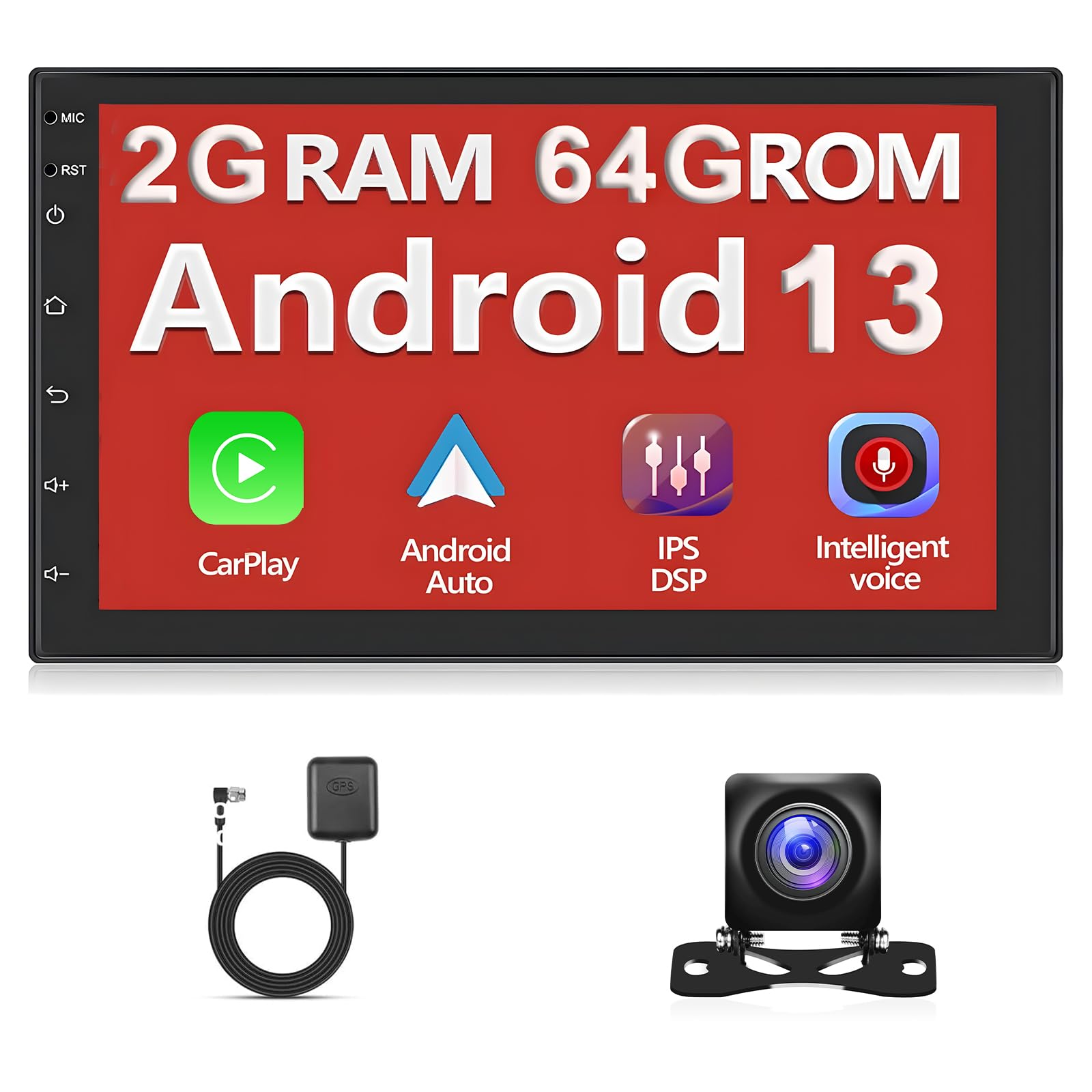
Image: The car radio display showing the view from an AHD backup camera, with parking guidelines overlaid. The camera itself is shown mounted on the rear of a vehicle.
When the vehicle is shifted into reverse, the display automatically switches to the AHD backup camera view, providing a clear image of the area behind your car. This feature enhances safety during parking and reversing maneuvers.
4.5 اسٽيئرنگ ويل ڪنٽرول (SWC)
Image: The car radio display showing the Steering Wheel Control learning interface, with options to assign functions like volume, mode, and navigation to physical buttons on the steering wheel.
The unit supports steering wheel control learning. This allows you to map functions such as volume adjustment, track skipping, and mode switching to your vehicle's existing steering wheel buttons, enabling safer operation while driving.
4.6 اسپلٽ اسڪرين فنڪشن
Image: The car radio display showing a split-screen view, with a radio interface on the left and a settings menu on the right, demonstrating the ability to run two applications simultaneously.
Utilize the split-screen function to display two applications simultaneously. For example, you can have navigation running on one side while controlling music playback or viewing another app on the other side.
4.7 Desktop Themes
Image: A grid of various desktop themes available for the car radio, showcasing different color schemes and icon layouts.
Personalize your car radio's interface by choosing from 28 different desktop themes. Navigate to the theme settings to browse and apply your preferred visual style.
4.8 ايپل ڪار پلي ۽ اينڊرائيڊ آٽو
Connect your compatible iPhone or Android smartphone via USB to access Apple CarPlay or Android Auto. This allows you to use your phone's navigation, music, messaging, and other supported apps directly on the car radio's display, optimized for in-car use.
5. سار سنڀال
- صفائي: اسڪرين ۽ يونٽ کي صاف ڪرڻ لاءِ نرم، سڪل ڪپڙو استعمال ڪريو. رگڙيندڙ صاف ڪندڙن يا محلولن کان پاسو ڪريو.
- سافٽ ويئر اپڊيٽ: وقتي طور تي سسٽم سيٽنگز يا ٺاهيندڙ جي ذريعي سافٽ ويئر اپڊيٽس جي جانچ ڪريو. webسائيٽ کي بهتر ڪارڪردگي ۽ نئين خاصيتن تائين رسائي يقيني بڻائڻ لاءِ.
- گرمي پد: Avoid exposing the unit to extreme temperatures, which can affect its performance and lifespan.
6. مسئلا حل ڪرڻ
6.1 عام مسئلا ۽ حل
| مسئلو | ممڪن سبب | حل |
|---|---|---|
| يونٽ پاور نه آهي. | Incorrect wiring, blown fuse. | Check power connections (ACC, B+, GND). Inspect vehicle's fuse box. |
| آواز ڪونهي. | آواز تمام گهٽ آهي، اسپيڪر جون تارون ڪٽيل آهن، غلط آڊيو سيٽنگون. | Increase volume. Check speaker wiring. Verify audio output settings. |
| GPS سگنل ڪمزور يا گم ٿي ويو آهي. | GPS اينٽينا بند ٿيل آهي يا غلط طور تي نصب ٿيل آهي. | پڪ ڪريو ته GPS اينٽينا صاف آهي view آسمان جو. اينٽينا ڪنيڪشن چيڪ ڪريو. |
| بلوٽوٿ ڪنيڪشن جا مسئلا. | ڊوائيس پيئرنگ موڊ ۾ نه آهي، مداخلت. | Ensure both devices are in pairing mode. Delete previous pairings and try again. |
| بيڪ اپ ڪئميرا ڏيکاري نه رهيو آهي. | Camera not connected, reverse trigger wire not connected. | Check camera input cable. Ensure the REVERSING wire is connected to the reverse light signal. |
جيڪڏهن توهان کي اهڙا مسئلا درپيش اچن ٿا جيڪي هتي درج نه ڪيا ويا آهن، يا جيڪڏهن تجويز ڪيل حل مسئلو حل نه ٿا ڪن، ته مهرباني ڪري ڪسٽمر سپورٽ سان رابطو ڪريو.
7. وضاحتون
| خاصيت | تفصيل |
|---|---|
| برانڊ | پوڊوفو |
| ماڊل نمبر | A3194UPA4 |
| اسڪرين جي ماپ | 7 انچ |
| قرارداد | 1024 x 600 |
| آپريٽنگ سسٽم | Android, iOS (for CarPlay/Android Auto) |
| ميموري رکڻ جي صلاحيت | 64 جي بي |
| ٽچ اسڪرين جو قسم | گنجائش وارو |
| ڊسپلي جو قسم | ايل سي ڊي |
| رابطي ٽيڪنالاجي | بلوٽوٽ ، وائي فائي |
| چڙهڻ جو قسم | پينل جبل |
| آڊيو آئوٽ پٽ موڊ | اسٽيريو |
| ڪنٽرول جو طريقو | ڇڪڻ |
| مطابقت رکندڙ ڊوائيسز | اسمارٽ فون |
| گاڏين جي سروس جو قسم | ڪار |
8. وارنٽي ۽ سپورٽ
8.1 وارنٽي ڄاڻ
هي پراڊڪٽ هڪ سان گڏ اچي ٿو 2 سال وارنٽي خريداري جي تاريخ کان. وارنٽي عام استعمال جي تحت پيداوار جي خرابين ۽ خرابين کي ڍڪيندي آهي. اهو غلط تنصيب، غلط استعمال، حادثن، يا غير مجاز ترميمن جي ڪري ٿيندڙ نقصان کي ڍڪي نه ٿو ڏئي.
8.2 ڪسٽمر سپورٽ
For technical assistance, troubleshooting, or warranty claims, please contact Podofo customer support through the retailer where you purchased the product or visit the official Podofo webرابطي جي معلومات لاء سائيٽ.