
تعارف
Thank you for choosing the Coby Pro Fitness True Wireless Earbuds. These earbuds are designed to provide a high-quality audio experience with features tailored for an active lifestyle. They offer a secure fit, sweat resistance, noise isolation, HD audio, and seamless connectivity with Bluetooth 5.3. This manual will guide you through the setup, operation, and maintenance of your new earbuds.
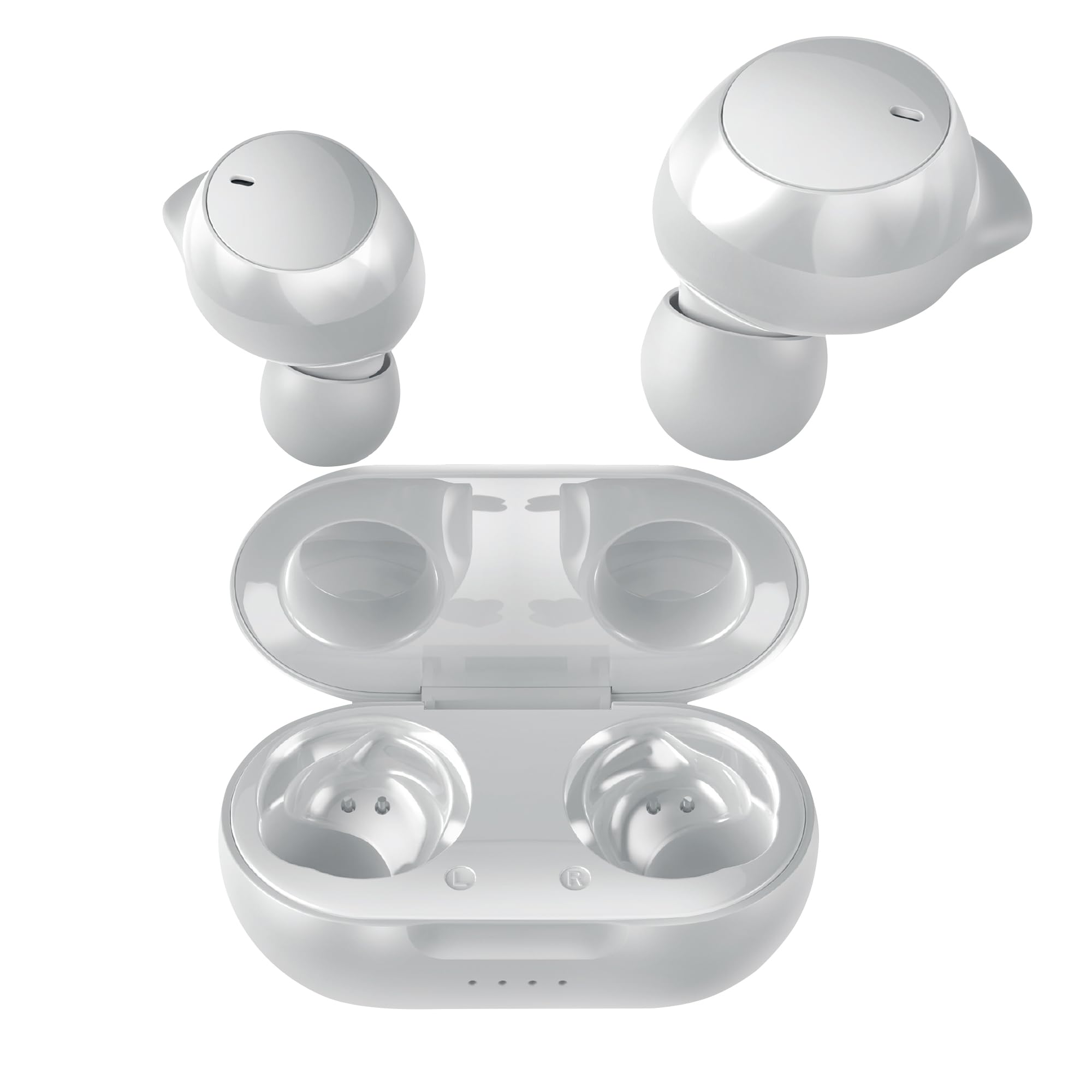
Image: Coby Pro Fitness True Wireless Earbuds and their charging case.
سيٽ اپ ڪريو
پيڪيج مواد
- ڪوبي پرو فٽنيس ٽرو وائرليس ائربڊس (کاٻي ۽ ساڄي)
- چارج ڪيس
- USB چارجنگ ڪيبل
- سلڪون ڪنن جا ڪيترائي سائز
- استعمال ڪندڙ دستي
Earbuds ۽ Case کي چارج ڪرڻ
- ائربڊس کي چارجنگ ڪيس ۾ رکو، پڪ ڪريو ته اهي صحيح طرح سان پنهنجي لاڳاپيل سلاٽ ۾ ويٺا آهن.
- Connect the USB charging cable to the charging port on the case and plug the other end into a USB power source (e.g., wall adapter, computer USB port).
- The indicator lights on the charging case will illuminate to show charging status. A full charge typically takes approximately 1-2 hours for the earbuds and 2-3 hours for the case.
- Once fully charged, the indicator lights will change or turn off. Disconnect the charging cable.
شروعاتي جوڙي
پهرين دفعي پنهنجي ائربڊس کي پنهنجي ڊوائيس سان جوڙڻ لاءِ انهن قدمن تي عمل ڪريو:
- Ensure the earbuds are charged. Open the charging case. The earbuds will automatically enter pairing mode, indicated by a flashing LED light on one or both earbuds.
- پنهنجي اسمارٽ فون، ٽيبليٽ، يا ٻئي بلوٽوٿ-فعال ڊوائيس تي، بلوٽوٿ سيٽنگز ڏانهن وڃو.
- ڳولھيو available devices. You should see "Coby CETW553" or a similar name appear in the list.
- Select "Coby CETW553" to connect. Once connected, you will hear an audio prompt, and the earbud LED lights will stop flashing.

Image: Illustration of earbuds automatically pairing with a smartphone.
Earbuds پائڻ
For optimal sound quality and a secure fit, choose the correct size ear tips and insert the earbuds properly:
- Experiment with the different sizes of silicone ear tips provided to find the pair that creates a comfortable and snug seal in your ear canal. A good seal is crucial for noise isolation and bass response.
- Gently insert each earbud into your ear, twisting slightly until it feels secure and comfortable. The earbuds are ergonomically designed to stay in place during physical activity.

Image: A woman demonstrating the snug and secure fit of the ear tips.
ائربڊس هلائڻ
پاور آن / آف
- پاور آن: چارجنگ ڪيس کوليو، ۽ ائربڊس پاڻمرادو آن ٿي ويندا. متبادل طور تي، ٻنهي ائربڊس تي ٽچ ڪنٽرول ايريا کي 3 سيڪنڊن لاءِ دٻايو ۽ رکو.
- بجلي بند: ائربڊس کي واپس چارجنگ ڪيس ۾ رکو ۽ ڍڪ بند ڪريو. اهي خودڪار طريقي سان بند ٿي ويندا. متبادل طور تي، ٻنهي ائربڊس تي ٽچ ڪنٽرول ايريا کي 5 سيڪنڊن لاءِ دٻايو ۽ رکو.
موسيقي پلے بیک
- راند/روڪ: ٻنهي ائربڊ تي ٽچ ڪنٽرول ايريا کي هڪ ڀيرو ٽيپ ڪريو.
- اڳيون ٽريڪ: ساڄي ائربڊ تي ٽچ ڪنٽرول ايريا کي ٻٽي ٽيپ ڪريو.
- پويون ٽريڪ: کاٻي ائربڊ تي ٽچ ڪنٽرول ايريا کي ڊبل ٽيپ ڪريو.
- حجم مٿي ساڄي ائربڊ تي ٽچ ڪنٽرول ايريا تي ٽي ڀيرا ٽيپ ڪريو.
- حجم ھيٺ کاٻي ائربڊ تي ٽچ ڪنٽرول ايريا تي ٽي ڀيرا ٽيپ ڪريو.
ڪال انتظام
- جواب/آخر ڪال: ٻنهي ائربڊ تي ٽچ ڪنٽرول ايريا کي هڪ ڀيرو ٽيپ ڪريو.
- ڪال رد ڪريو: ٻنهي ائربڊ تي ٽچ ڪنٽرول ايريا کي 2 سيڪنڊن لاءِ دٻايو ۽ رکو.
وائس اسسٽنٽ
The earbuds are compatible with Siri and Google Assistant. To activate your device's voice assistant:
- وائس اسسٽنٽ کي فعال ڪريو. ٻنهي ائربڊ تي ٽچ ڪنٽرول ايريا کي 2 سيڪنڊن لاءِ دٻايو ۽ رکو (جڏهن ڪال تي نه هجي).

Image: Earbuds shown with compatibility logos for Siri and Google Assistant.
سار سنڀال
صفائي
- بهترين ڪارڪردگي ۽ صفائي کي يقيني بڻائڻ لاءِ ائربڊس ۽ چارجنگ ڪيس کي باقاعدي صاف ڪريو.
- Use a soft, dry, lint-free cloth to wipe the exterior surfaces of the earbuds and case.
- For ear tips, remove them from the earbuds and wash with mild soap and water. Rinse thoroughly and allow them to dry completely before reattaching.
- Gently remove any earwax or debris from the earbud mesh using a clean, dry cotton swab or a small, soft brush. Avoid using sharp objects.
ذخيرو
- When not in use, always store the earbuds in their charging case to protect them from damage and keep them charged.
- Store the charging case and earbuds in a cool, dry place, away from extreme temperatures, humidity, and direct sunlight.
مشڪلاتون
| مسئلو | حل |
|---|---|
| ائربڊس ڊوائيس سان جوڙو نه پيا ٺاهين |
|
| صرف هڪ ائربڊ ڪم ڪري رهيو آهي |
|
| ڪوبه آواز يا گهٽ حجم نه |
|
| چارج ڪيس چارج نه ڪرڻ |
|
وضاحتون
| خاصيت | تفصيل |
|---|---|
| ماڊل نمبر | COBY-CETW553 |
| رابطي ٽيڪنالاجي | وائرليس (بلوٽوت) |
| بلوٽوت ورزن | 5.3 |
| ڪن جي جڳهه | ڪن ۾ |
| شور ڪنٽرول | آواز جي اڪيلائي |
| پاڻي جي مزاحمت جي سطح | پاڻي مزاحمتي (پگهر کان بچاءُ وارو) |
| بيٽري جي سراسري زندگي (ايربڊس) | 5 ڪلاڪ (في چارج) |
| تعدد جي حد | 20 هرٽز - 20,000 هرٽز |
| آڊيو ڊرائيور جو قسم | متحرڪ ڊرائيور |
| ڪنٽرول جو طريقو | آواز، ڇُهڻ |
| مطابقت رکندڙ ڊوائيسز | Smartphones, Tablets, Smart Speakers, Laptops, Desktops |
| مواد | سليڪون (ڪن جا ٽوٽا) |
| شيءِ جو وزن | 1.4 آونس |
وارنٽي ڄاڻ
The Coby Pro Fitness True Wireless Earbuds (Model CETW553) come with a ٺاهيندڙ جي 90 ڏينهن جي وارنٽي. This warranty covers defects in materials and workmanship under normal use. Please retain your proof of purchase for warranty claims. For specific terms and conditions, or to initiate a warranty claim, please refer to the official Coby webسائيٽ يا ڪسٽمر سپورٽ سان رابطو ڪريو.
حمايت
If you encounter any issues not covered in this manual or require further assistance, please visit the official Coby website for FAQs, support resources, and contact information. You can typically find support details on the product page or in the 'Support' section of the Coby brand webسائيٽ.