
1. تعارف
The BOTSLAB W302 Outdoor Dual-Lens Security Camera is designed to provide comprehensive surveillance for your home or business. Featuring advanced dual-lens technology, it offers a 170° super-wide viewing angle and crystal-clear 4MP resolution. This manual provides detailed instructions for setting up, operating, and maintaining your security camera to ensure optimal performance.
2. پيڪيج مواد
مھرباني ڪري تصديق ڪريو ته ھيٺ ڏنل سڀ شيون توھان جي پيڪيج ۾ شامل آھن. جيڪڏھن ڪا به شيءِ غائب يا خراب آھي، مھرباني ڪري ڪسٽمر سپورٽ سان رابطو ڪريو.
- ڪئميرا يونٽ x 1
- بریکٹ ايڪس 1
- پوزيشن اسٽيڪر x 1
- Warning sticker x 1
- تڪڙي شروعات ھدايت x 1
- پاور اڊاپٽر x 1
- اسڪرو پي ايڪس 1

Figure 2.1: All components included in the BOTSLAB W302 camera package.
3. مصنوعات جون خاصيتون
- Dual-Lens Vision: Captures a wide 170° super-wide viewing angle with 4MP (2MP+2MP) resolution for seamless panoramic images without blind spots.
- رنگين رات جو نظارو: Provides continuous color views 24/7, even in low light, thanks to automatic light adaptation (ColorGuard) and up to 100ft night vision range.
- Smart Security & Precise Alerts: Detects people and vehicles with motion detection, sending precise alerts. Features a customizable siren and light alarm for enhanced security.
- AI-Powered Tracking: Intelligently focuses on humans, offering close-up views and dual live views (wide panorama and close-up) simultaneously via the Botslab app.
- بيحد ڪنيڪشن: Supports faster and more stable dual-band Wi-Fi (2.4GHz/5GHz).
- ٻه طرفي آڊيو: Stay connected and communicate with visitors or deter intruders.
- Weatherproof ڊيزائن: IP66 rated, ensuring reliable performance in temperatures from -20°C to 60°C.
- سمارٽ گهر انٽيگريشن: Seamlessly integrates with Amazon Alexa and Google Assistant for voice control.

Figure 3.1: Dual-Lens Vision with 170° Super-Wide Angle.

Figure 3.2: Non-Stop Color Night Vision.

Figure 3.3: Smart Security with Person, Vehicle, and Motion Detection.
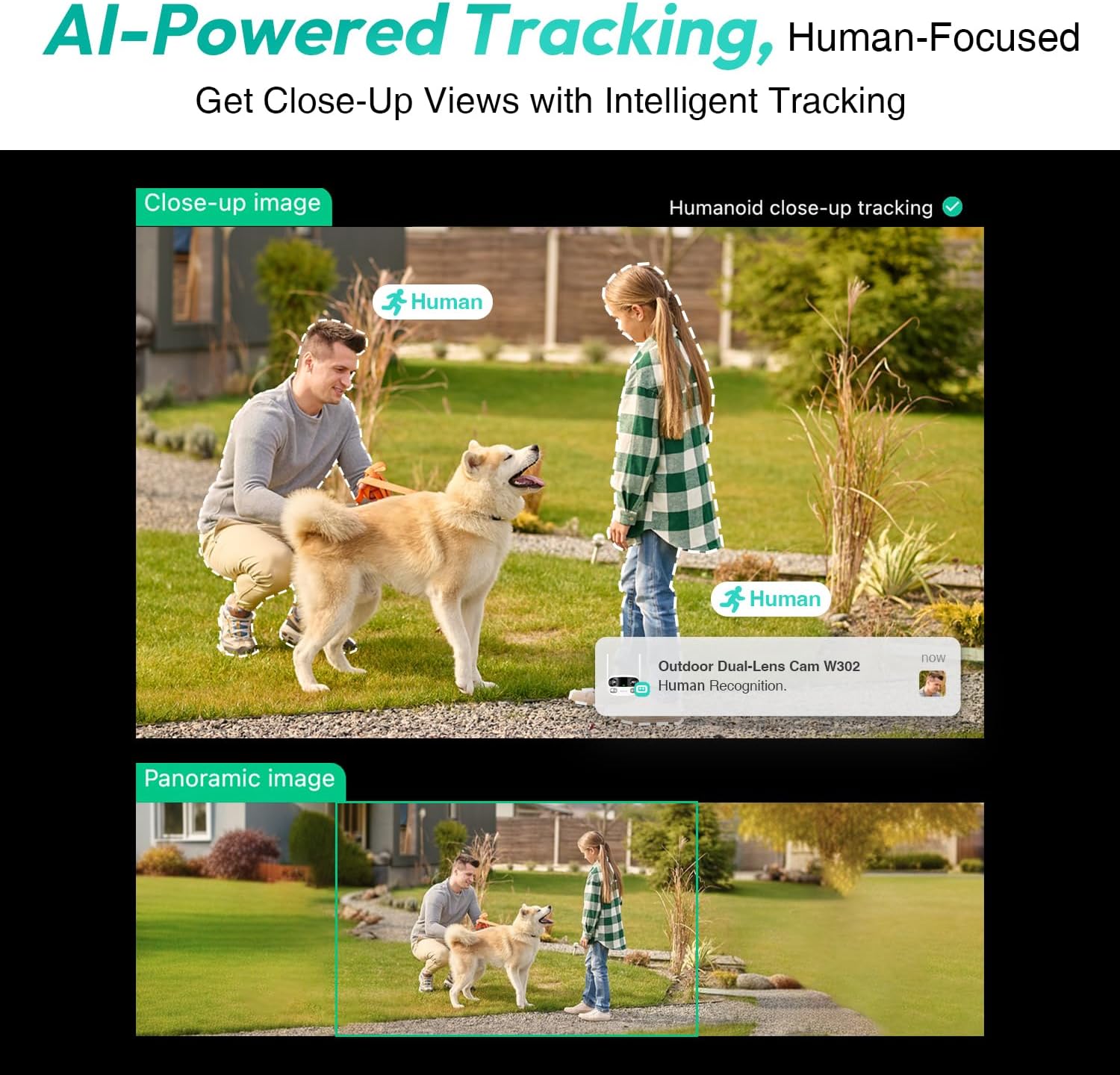
Figure 3.4: AI-Powered Human Tracking with Dual Live Views.
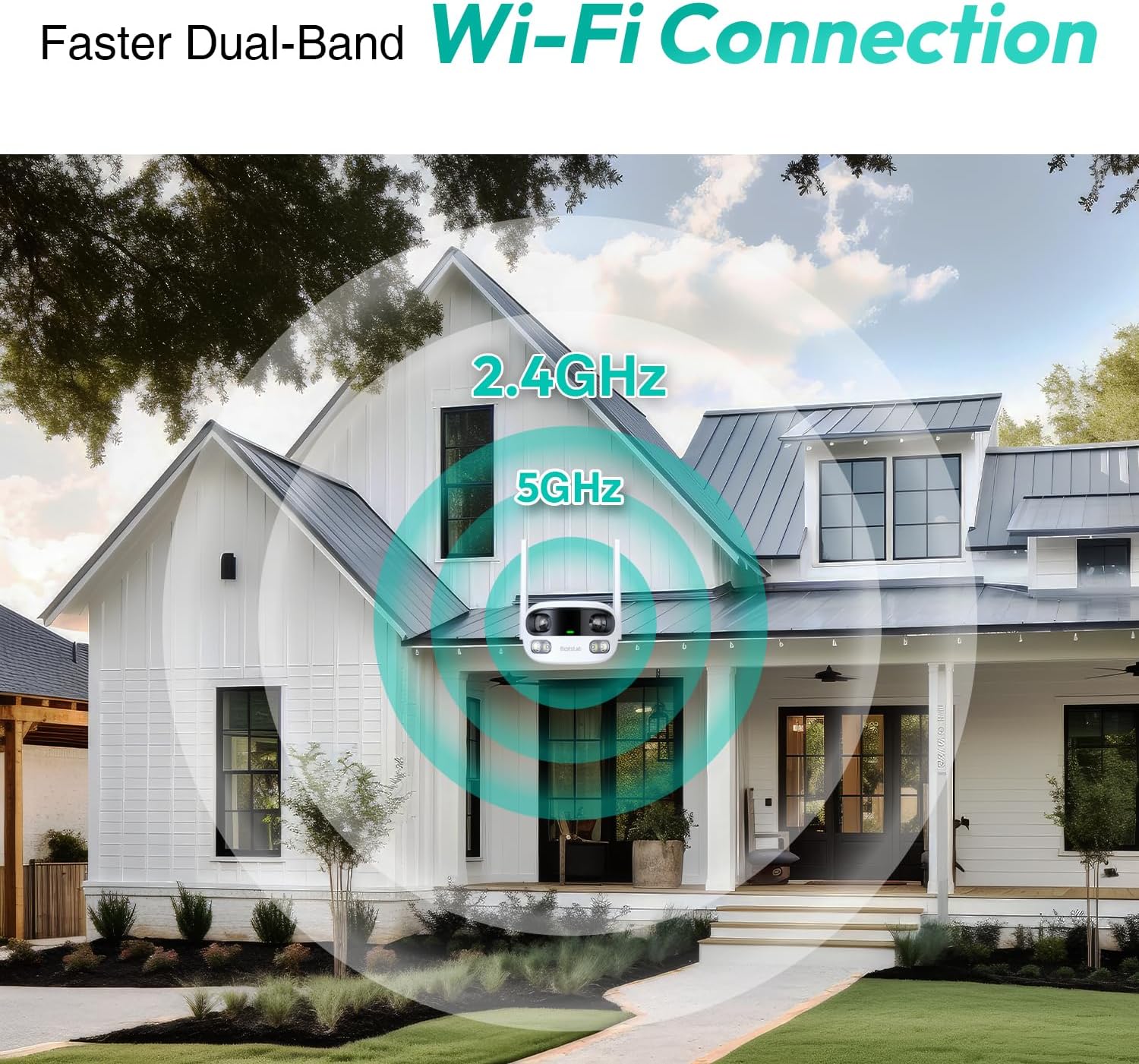
Figure 3.5: Faster Dual-Band Wi-Fi Connection.

Figure 3.6: Two-Way Audio Communication.

Figure 3.7: IP66 Weatherproof Design.

Figure 3.8: Alexa & Google Assistant Integration.
4. سيٽ اپ ۽ تنصيب
Follow these steps to properly install your BOTSLAB W302 camera.
- جڳھ چونڊيو: صاف جاءِ سان هڪ ٻاهرين جڳهه چونڊيو view of the area you wish to monitor. Ensure it's within Wi-Fi range and near a power outlet.
- بریکٹ جبل: Use the provided positioning sticker to mark drill holes on the wall or ceiling. Drill the holes, insert expansion tubes, and securely fasten the bracket with screws.
- ڪئميرا ڳنڍيو: Rotate the camera body and screw it onto the bracket. Adjust the camera's position and tighten the bracket.
- پاور Connectنيو: Plug the power adapter into the camera and then into a power outlet. The indicator light will turn green and start flashing when ready for pairing.

Figure 4.1: Versatile Installation Options (Wall and Ceiling).
وڊيو 4.1: هڪ اوورview of the Botslab Security Camera Outdoor, including its features and installation process. This video is provided by Botslab Security.
5. ايپ جي ترتيب
The Botslab app is essential for controlling and monitoring your camera. Download and install the app on your smartphone (available on App Store and Google Play).
- رجسٽر/لاگ ان: Open the Botslab app and register a new account or log in with an existing one.
- ڊوائيس شامل ڪريو: Tap 'Add Device' or the '+' icon in the app.
- QR ڪوڊ اسڪين ڪريو: توهان جي ڪئميرا جي تري ۾ واقع QR ڪوڊ اسڪين ڪريو.
- وائي فائي سان ڳنڍيو: Follow the in-app instructions to connect the camera to your 2.4GHz or 5GHz Wi-Fi network. Ensure your phone is near the camera during this process.
- ڊوائيس پابند: The app will bind the device to your account. Once connected, the indicator light on the camera will turn solid blue.
وڊيو 5.1: هڪ تفصيلي جائزوview of the Botslab W302 Outdoor Dual Lens Security Camera, including app setup and features. This video is provided by Galaxy Tech Review.
6. آپريٽنگ هدايتون
Once configured, you can access and control your camera through the Botslab app.
- جيئڻ View: Access the live feed from both lenses. You can switch between close-up and panoramic views, or use the left/right mode for individual lens feeds.
- پين/زوم: In panoramic mode, slide the bottom image to pan left or right. Pinch to zoom on the close-up image.
- ٻه طرفي آڊيو: Tap the phone icon to speak through the camera's speaker. Tap the mute icon to silence audio from the camera's microphone.
- Siren & Light Alarm: Activate the siren and floodlights manually from the app to deter intruders.
- Motion/Vehicle/Person Detection: Enable these features in the app settings to receive precise alerts.
- رازداري زون: ڪئميرا جي اندر مخصوص علائقا مقرر ڪريو view that will not be monitored for privacy.
- رات جو خواب: The camera automatically adapts to low light. You can choose between full-color night vision (using floodlights) or infrared night vision.

Figure 6.1: Dual Live Views on the Botslab App.

Figure 6.2: Siren & Light Alarm for Instant Deterrence.

Figure 6.3: Configuring Privacy Zones.

Figure 6.4: Smart Security with Precise Alerts.
7. اسٽوريج جا اختيار
The BOTSLAB W302 offers flexible storage solutions for your recorded footage.
- Botslab Cloud Storage: Includes a one-year trial with 7-day storage for motion-detected clips at 5-minute intervals.
- مقامي اسٽوريج: Supports up to 256GB MicroSD cards (not included). The MicroSD card slot is located under a protective cover at the bottom of the camera.

Figure 7.1: Cloud and Local Storage Options.
8. وضاحتون
| خاصيت | تفصيل |
|---|---|
| وڊيو ڪيپچر ريزوليوشن | 4 ايم پي |
| Viewزاويه | 170 درجا |
| رابطي ٽيڪنالاجي | 2.4GHz/5GHz وائي فائي |
| بين الاقوامي تحفظ جي درجه بندي | IP66 |
| آپريٽنگ جي درجه حرارت | -20°C کان 60°C |
| سمارٽ گهر مطابقت | Amazon Alexa، گوگل اسسٽنٽ |
| مقامي اسٽوريج | Up to 256GB MicroSD (Not Included) |
| طاقت جو ذريعو | Wired (AC power cord included) |
| رنگ | White Pro |
| شيءِ جو وزن | 1.63 پائونڊ |
9. سار سنڀال
- صفائي: ڪئميرا لينس ۽ جسم کي باقاعدي طور تي نرم، ڊي سان صاف ڪريوamp cloth to remove dust and dirt. Do not use harsh chemicals.
- فرم ويئر اپڊيٽس: Check the Botslab app periodically for firmware updates to ensure optimal performance and security.
- بجلي جي فراهمي: Ensure the camera is connected to a stable power source. Avoid using unofficial power adapters.
- ايس ڊي ڪارڊ انتظام: If using local storage, regularly back up important footage and format the MicroSD card to maintain performance.
10. مسئلا حل ڪرڻ
- ڪئميرا آف لائن: Check Wi-Fi connection and power supply. Try restarting the camera and your router.
- خراب وڊيو معيار: Ensure the lens is clean. Check your Wi-Fi signal strength. Adjust camera placement if necessary.
- حرڪت جي چڪاس جا مسئلا: Verify detection zones are correctly set in the app. Adjust sensitivity settings.
- ٻه طرفي آڊيو مسئلا: Check microphone and speaker settings in the app. Ensure volume levels are adequate.
- ايس ڊي ڪارڊ رڪارڊ نه ٿي رهيو آهي: Ensure the MicroSD card is inserted correctly and is not full. Format the card if issues persist.
11. وارنٽي ۽ سپورٽ
BOTSLAB is committed to providing high-quality products and excellent customer service.
- معيار جي ضمانت: Enjoy a 365-day quality guarantee.
- ٽيڪنيڪل مدد: لائف ٽائيم ٽيڪنيڪل سپورٽ موجود آهي.
- واپسي: 30-day free returns.
- Fast Support: Expect support within 48 hours.
وڌيڪ مدد لاء، مهرباني ڪري دورو ڪريو global.botslab.com يا رابطو ڪريو service@botslab.com.