
1. پراڊڪٽ ختمview
The Xmenha Kids Wireless Bluetooth Cat Ear Headphones, Model KE11, are designed to provide an engaging audio experience for children. These headphones feature a unique design with light-up cat ears and heart-shaped LED lights on the earcups. They offer multiple connectivity options, including Bluetooth wireless, a 3.5mm audio cable for wired use, and a memory card slot for MP3 playback. An adjustable noise-canceling microphone is integrated for clear communication.
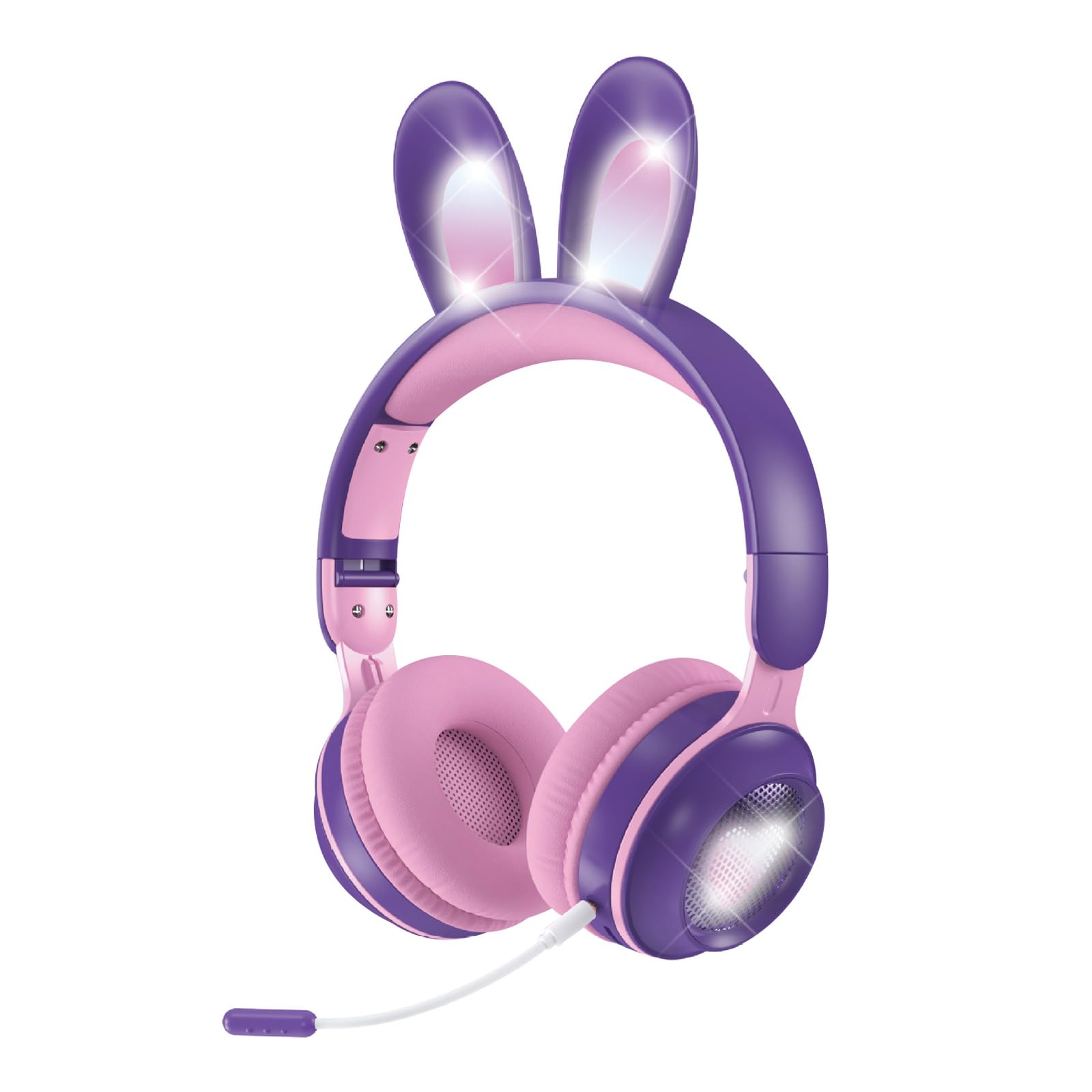
Figure 1: Xmenha Kids Wireless Bluetooth Cat Ear Headphones in Purple.
اهم خاصيتون:
- Light-Up Cat Ears & Heart-Shaped LED Lights: Unique multi-color gradient LED lights on earcups and cat ears.
- گھڻن ڪنيڪشن جا اختيار: Supports Bluetooth wireless, 3.5mm audio cable, and memory card (not included) for MP3 playback.
- Adjustable Headband & Soft Earmuffs: Provides a comfortable fit and improved sound isolation.
- فولبل ڊيزائن: Easy to carry and store, suitable for travel.
- بلٽ ان مائڪروفون: Adjustable noise-canceling microphone for clear voice communication.
- وسيع مطابقت: Works with smartphones, tablets, gaming consoles, Chromebooks, Kindle Fire, Switch, and iPad.
Video 1: This video demonstrates the features and various color options of the Xmenha Kids Bluetooth Headphones, including the light-up cat ears and microphone.
2. پيڪيج مواد
مھرباني ڪري پيڪيج جي مواد کي انباڪس ڪرڻ وقت چيڪ ڪريو ته جيئن سڀ شيون موجود ھجن:
- Xmenha Kids Wireless Bluetooth Cat Ear Headphones (1 unit)
- 3.5mm Audio Cable (1 unit)
- USB-C چارجنگ ڪيبل (1 يونٽ)
- استعمال ڪندڙ جو دستياب (ھي دستاويز)
3. ڪنٽرول ۽ اشارا
هيڊ فون ڪنٽرول ۽ پورٽس سان پاڻ کي واقف ڪريو:

Figure 2: Illustration of upgraded Bluetooth 5.0 technology and various ports on the headphones.
- پاور بٽڻ: Typically located on one earcup, used for powering on/off and Bluetooth pairing.
- حجم بٽڻ: Used to adjust audio volume.
- ملٽي فنڪشن بٽڻ: For play/pause, answer/end calls (functionality may vary).
- USB-C چارجنگ پورٽ: چارجنگ ڪيبل کي ڳنڍڻ لاءِ.
- 3.5mm آڊيو جيڪ: شامل آڊيو ڪيبل استعمال ڪندي وائرڊ ڪنيڪشن لاءِ.
- ميموري ڪارڊ سلاٽ: For inserting a microSD card (not included) for MP3 playback.
- مائڪروفون پورٽ: For connecting the adjustable microphone.
- LED اشارو: Shows power status, charging status, and Bluetooth pairing mode.
4. سيٽ اپ ۽ ڪنيڪشن
4.1 هيڊفون چارج ڪرڻ
- مهيا ڪيل USB-C چارجنگ ڪيبل کي هيڊفونز تي چارجنگ پورٽ سان ڳنڍيو.
- USB-C ڪيبل جي ٻئي ڇيڙي کي USB پاور اڊاپٽر (شامل نه آهي) يا ڪمپيوٽر جي USB پورٽ سان ڳنڍيو.
- The LED indicator will show the charging status. Charging time is approximately 2.5 hours.
- Once fully charged, the LED indicator will change (refer to specific LED behavior in the full manual if available).
4.2 پاور آن/آف
- پاور آن ڪرڻ: پاور بٽڻ کي تقريباً 3 سيڪنڊن لاءِ دٻايو ۽ رکو جيستائين LED اشارو روشن نه ٿئي ۽ توهان کي هڪ ٻڌڻ وارو پرامٽ ٻڌڻ ۾ اچي.
- پاور آف ڪرڻ: Press and hold the Power button for approximately 3-5 seconds until the LED indicator turns off and you hear an audible prompt.
4.3 بلوٽوٽ جوڙي
- پڪ ڪريو ته هيڊفون بند ٿيل آهن.
- Press and hold the Power button for approximately 5-7 seconds until the LED indicator flashes rapidly (usually blue and red alternately), indicating pairing mode.
- پنهنجي ڊوائيس (اسمارٽ فون، ٽيبليٽ، وغيره) تي، بلوٽوٿ کي فعال ڪريو ۽ موجود ڊوائيسز جي ڳولا ڪريو.
- Select "Xmenha KE11" (or similar name) from the list of found devices.
- Once paired, the LED indicator will stop flashing and remain solid blue, and you will hear a connection confirmation sound.
4.4 وائرڊ ڪنيڪشن
وائرڊ موڊ ۾ هيڊفون استعمال ڪرڻ لاء:
- Connect one end of the 3.5mm audio cable to the 3.5mm audio jack on the headphones.
- آڊيو ڪيبل جي ٻئي ڇيڙي کي پنهنجي ڊوائيس جي آڊيو آئوٽ پُٽ جيڪ سان ڳنڍيو.
- هيڊفون خودڪار طريقي سان وائرڊ موڊ ۾ تبديل ٿي ويندا. بلوٽوٿ جي ڪارڪردگي بند ٿي ويندي.
4.5 Memory Card Playback
The headphones support playback from a microSD card (not included).
- Carefully insert a microSD card with MP3 audio files into the memory card slot on the headphones.
- هيڊفونز کي خودڪار طريقي سان ڪارڊ ڳولڻ گهرجي ۽ موسيقي وڄائڻ شروع ڪرڻ گهرجي.
- Use the headphone controls to manage playback (play/pause, skip tracks).
5. آپريشن
5.1 آڊيو پلے بیک
- راند/روڪ: ملائي واري فنڪشن جي بڪ کي هڪ ڀيرو دٻايو.
- حجم مٿي واليوم اپ بٽڻ دٻايو.
- حجم ھيٺ واليوم ڊائون بٽڻ دٻايو.
- اڳيون ٽريڪ: Press and hold the Volume Up button (or specific button, refer to product diagram).
- پويون ٽريڪ: Press and hold the Volume Down button (or specific button, refer to product diagram).
5.2 مائڪروفون استعمال
The adjustable microphone can be used for voice calls or in-game communication.
- Connect the microphone to its dedicated port on the headphones.
- بهترين آواز کڻڻ لاءِ مائڪروفون جي پوزيشن کي ترتيب ڏيو.
- When a call comes in (in Bluetooth mode), press the Multi-function button to answer. Press again to end the call.

Figure 3: Headphones with an adjustable noise-canceling microphone for clear communication.
5.3 Light Show Activation
The headphones feature light-up cat ears and heart-shaped LED lights on the earcups.
- The lights typically activate automatically when the headphones are powered on.
- Some models may have a dedicated button to toggle the lights on/off or change light modes. Refer to the product diagram for specific controls.
6. سار سنڀال ۽ سنڀال
- صفائي: هيڊفون صاف ڪرڻ لاءِ نرم، سڪل ڪپڙو استعمال ڪريو. رگڙيندڙ ڪلينر يا محلول استعمال نه ڪريو.
- اسٽوريج: جڏهن استعمال ۾ نه هجي، ته هيڊفونز کي ٿڌي، سڪل جاءِ تي رکو. فولڊ ڪرڻ لائق ڊيزائن ڪمپيڪٽ اسٽوريج جي اجازت ڏئي ٿي.
- نمي کان بچڻ: Although the product description mentions
Ask a question about this manual
Ask about setup, troubleshooting, compatibility, parts, safety, or missing instructions. Manuals+ will review the question and use this page’s manual context to help answer it.