
Fashionit U Hydro
Fashionit U Hydro Portable Bluetooth Speaker User Manual
Model: U Hydro
1. تعارف
خريد ڪرڻ لاءِ مهربانيasing the Fashionit U Hydro Portable Bluetooth Speaker. This manual provides essential information for setting up, operating, and maintaining your speaker. Please read it carefully before use to ensure optimal performance and longevity of your device.
2. حفاظت جي ڄاڻ
- Do not attempt to disassemble or modify the speaker. This may void the warranty and cause damage.
- اسپيڪر کي انتهائي گرمي پد، سڌي سج جي روشني ۽ کليل شعلن کان پري رکو.
- Ensure the charging port cover is securely closed when using the speaker near water to maintain its IPX6 water resistance.
- Avoid prolonged exposure to loud volumes to prevent hearing damage.
- صرف مهيا ڪيل يا تصديق ٿيل چارجنگ ڪيبل استعمال ڪريو.
3. پيڪيج مواد
مھرباني ڪري ھيٺ ڏنل شين لاءِ پيڪيج چيڪ ڪريو:
- U Hydro Portable Bluetooth Speaker
- USB چارجنگ ڪيبل
- استعمال ڪندڙ دستي
4. پراڊڪٽ ختمview
Familiarize yourself with the speaker's components:

تصوير 1: سامهون view of the U Hydro Portable Bluetooth Speaker, showing the speaker grille, LED light band, and attached strap.
بٽڻ ۽ اشارا:
- پاور بٽڻ: دٻايو ۽ دٻايو بند ڪرڻ / بند ڪرڻ لاء.
- راند/روڪ بٽڻ: موسيقي کي هلائڻ يا روڪڻ لاءِ دٻايو.
- واليوم اپ/اڳيون ٽريڪ بٽڻ: حجم وڌائڻ لاء دٻايو، ايندڙ ٽريڪ لاء رکو.
- آواز گھٽائڻ/پوئين ٽريڪ بٽڻ: حجم گھٽائڻ لاءِ دٻايو، پوئين ٽريڪ لاءِ رکو.
- Multi-function Button (M): Double-click for selfie remote function.
- LED اشارو: پاور اسٽيٽس، چارجنگ اسٽيٽس، ۽ بلوٽوٿ پيئرنگ اسٽيٽس ڏيکاري ٿو.
بندرگاهن:
- USB چارجنگ پورٽ: For charging the speaker's internal battery. Ensure the protective cover is sealed when not charging.
5. سيٽ اپ
5.1 اسپيڪر کي چارج ڪرڻ
- Open the protective cover of the USB charging port.
- Connect the USB charging cable to the speaker's charging port and the other end to a USB power adapter (not included) or a computer's USB port.
- ايل اي ڊي انڊيڪيٽر چارجنگ اسٽيٽس ڏيکاريندو (مثال طور، چارج ڪرڻ دوران ڳاڙهو، مڪمل چارج ٿيڻ تي بند).
- مڪمل چارج لڳ ڀڳ 5 ڪلاڪ لڳن ٿا.
- چارجنگ مڪمل ٿيڻ کان پوءِ، پاڻي جي مزاحمت کي برقرار رکڻ لاءِ حفاظتي ڍڪ کي محفوظ طور تي بند ڪريو.
5.2 پاور آن/آف
- پاور آن ڪرڻ: Press and hold the Power Button until the LED indicator lights up and you hear an audible prompt.
- پاور آف ڪرڻ: Press and hold the Power Button until the LED indicator turns off and you hear an audible prompt.
6. آپريٽنگ هدايتون
6.1 بلوٽوٽ جوڙي
- Ensure the speaker is powered on and in pairing mode (LED indicator will flash, usually blue).
- پنهنجي ڊوائيس (اسمارٽ فون، ٽيبليٽ، وغيره) تي، بلوٽوٿ کي فعال ڪريو ۽ موجود ڊوائيسز جي ڳولا ڪريو.
- Select "U Hydro" from the list of devices.
- هڪ ڀيرو جوڙيو ويو، LED اشارو چمڪائڻ بند ڪندو ۽ مضبوط رهندو، ۽ توهان کي تصديق جو آواز ٻڌڻ ۾ ايندو.
- جيڪڏهن رينج ۾ هجي ته اسپيڪر خودڪار طريقي سان آخري جوڙيل ڊوائيس سان ڳنڍجي ويندو جڏهن پاور آن هوندو.
6.2 موسيقي کيڏڻ
- After successful Bluetooth pairing, start playing music on your connected device.
- راند/روڪ: Press the Play/Pause Button.
- حجم ڪنٽرول: واليوم اپ يا واليوم ڊائون بٽڻ دٻايو.
- اڳيون ٽريڪ: Hold the Volume Up button.
- پويون ٽريڪ: Hold the Volume Down button.
6.3 Selfie Remote Function
The U Hydro speaker features a remote shutter function for your smartphone camera.
- پڪ ڪريو ته اسپيڪر توهان جي اسمارٽ فون سان جوڙيل آهي.
- پنهنجي اسمارٽ فون جي ڪئميرا ايپليڪيشن کوليو.
- Double-click the Multi-function Button (M) on the speaker to trigger the camera shutter.
6.4 ٽرو وائرليس اسٽيريو (TWS) پيئرنگ (اختياري)
For an immersive stereo experience, you can pair two U Hydro speakers together.
- Ensure both U Hydro speakers are powered on and not connected to any Bluetooth device.
- On one speaker, press and hold the Multi-function Button (M) until you hear a pairing tone, indicating it's searching for another speaker.
- ٻئي اسپيڪر پاڻمرادو هڪ ٻئي سان ڳنڍجي ويندا. هڪ ڀيرو ڳنڍجي وڃڻ کان پوءِ، توهان کي تصديق جو آواز ٻڌڻ ۾ ايندو.
- Now, connect your device to one of the paired speakers via Bluetooth as described in section 6.1. The device will recognize them as a single stereo unit.

Image 2: Multiple U Hydro speakers by a pool, illustrating the possibility of True Wireless Stereo pairing for enhanced sound.

Image 3: A U Hydro speaker being held inside a tent, demonstrating its compact size and portability for outdoor adventures like camping.
7. سار سنڀال
- صفائي: صاف ڪريو اسپيڪر کي نرميءَ سان ، ڊيamp ڪپڙو. استعمال نه ڪريو abrasive cleaners يا solvents.
- پاڻي جي مزاحمت: Always ensure the charging port cover is tightly sealed when using the speaker in wet environments. While IPX6 rated, it is water resistant, not fully submersible.
- اسٽوريج: اسپيڪر کي ٿڌي، سڪل جاءِ تي رکو جڏهن گهڻي عرصي تائين استعمال ۾ نه هجي.
- بيٽري جي سنڀال: To prolong battery life, avoid fully discharging the speaker frequently. Charge it regularly.

Image 4: The U Hydro speaker in a shower environment, highlighting its IPX6 water resistance for use in wet conditions.
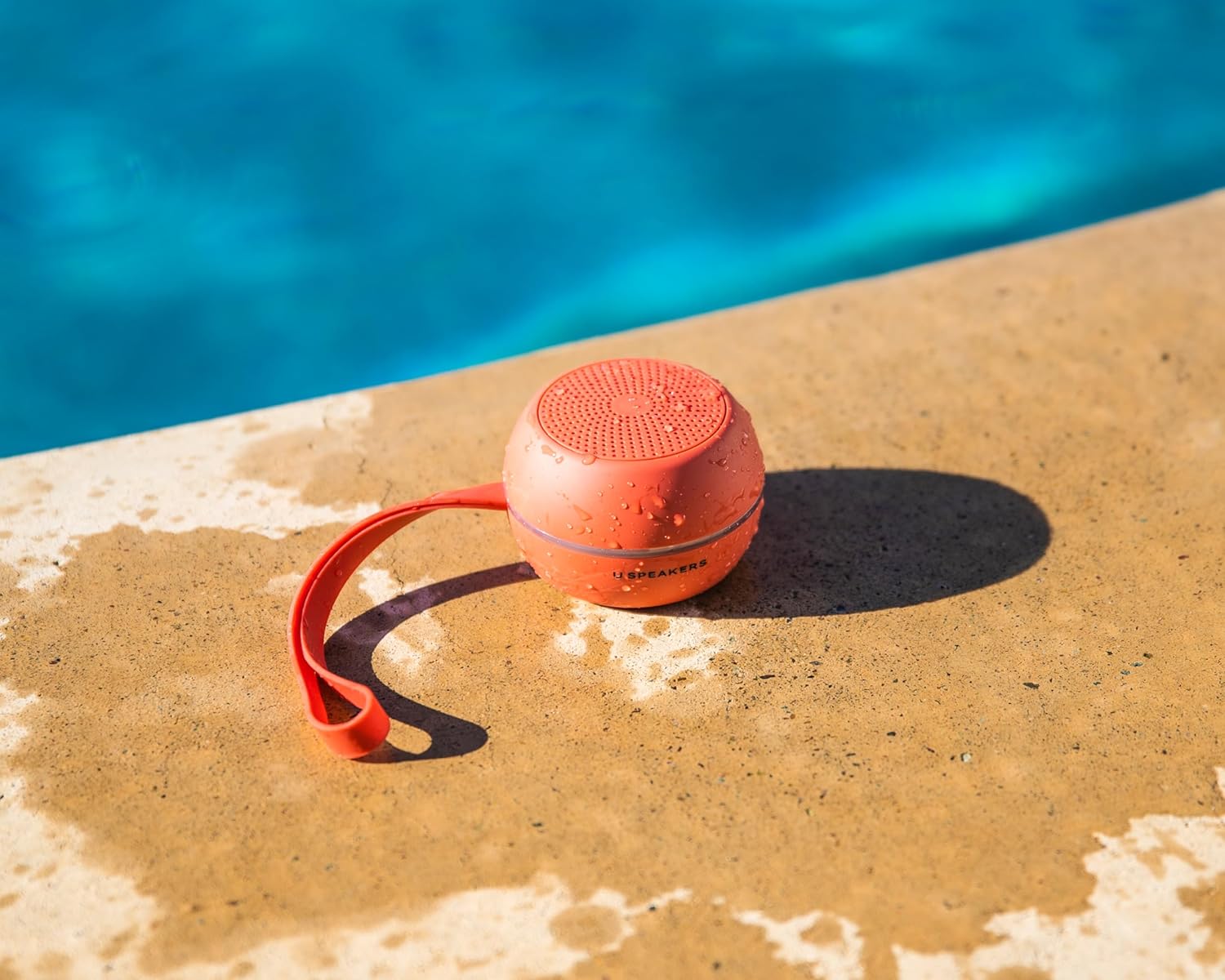
Image 5: A U Hydro speaker placed by a swimming pool, wet from splashes, emphasizing its suitability for outdoor and water-related activities.
8. مسئلا حل ڪرڻ
| مسئلو | ممڪن سبب | حل |
|---|---|---|
| اسپيڪر آن نٿو ٿئي. | گھٽ بيٽري. | اسپيڪر کي مڪمل چارج ڪريو. |
| بلوٽوٿ ڊيوائس سان جوئر نه ٿو ڪري سگھجي. | اسپيڪر پيئرنگ موڊ ۾ نه آهي؛ ڊوائيس بلوٽوٿ بند آهي؛ اسپيڪر کان تمام پري آهي. | پڪ ڪريو ته اسپيڪر پيئرنگ موڊ ۾ آهي. ڊوائيس بلوٽوٿ کي بند/آن ڪريو. ڊوائيس کي اسپيڪر جي ويجهو منتقل ڪريو (10 ميٽر جي اندر). |
| ڪابه آواز يا گهٽ آواز ناهي. | اسپيڪر يا ڊوائس تي آواز تمام گهٽ آهي؛ اسپيڪر ڳنڍيل ناهي. | اسپيڪر ۽ ڊوائيس ٻنهي تي حجم وڌايو. اسپيڪر کي ٻيهر جوڙيو. |
| آواز ۾ تحريف. | Volume too high; low battery. | آواز گھٽايو. اسپيڪر کي چارج ڪريو. |
| Selfie remote not working. | Speaker not paired; camera app not open. | Ensure speaker is paired. Open your smartphone's camera app. |
9. وضاحتون
- ماڊل نالو: U Hydro
- برانڊ: فيشنيٽ
- رابطي: بلوٽوٿ 5.0
- وائرليس رينج: 10 ميٽر (33 فوٽ) تائين
- پاڻي جي مزاحمت: IPX6 (پاڻيءَ جي مزاحمتي)
- بيٽري جي زندگي: 5 ڪلاڪ تائين
- چارج ڪرڻ وقت: لڳ ڀڳ 5 ڪلاڪ
- طاقت جو ذريعو: بيٽري سان هلندڙ
- شيء جو وزن: 7.8 آونس (0.22 ڪلوگرام)
- مواد: المونيم
- مطابقت رکندڙ ڊوائيسز: ليپ ٽاپ، اسمارٽ فون، ٽيبليٽ، ٽيليويزن
- خاص خاصيتون: True Wireless Stereo (TWS) Pairing, Selfie Remote Function
10. وارنٽي ۽ سپورٽ
Fashionit products are designed for reliability and performance. For specific warranty details, please refer to the warranty card included with your purchase or visit the official Fashionit website. If you encounter any issues or have questions regarding your U Hydro speaker, please contact Fashionit customer support through their official channels.
وڌيڪ معلومات لاء، دورو ڪريو: Fashionit Store on Amazon
Ask a question about this manual
Ask about setup, troubleshooting, compatibility, parts, safety, or missing instructions. Manuals+ will review the question and use this page’s manual context to help answer it.