
Mobility Lab R484321
Mobility Lab RYGHT NOIR TEMPO Wireless Headphones
استعمال ڪندڙ دستي
ماڊل: R484321
تعارف
Thank you for choosing the Mobility Lab RYGHT NOIR TEMPO Wireless Headphones. These headphones are designed to provide a superior audio experience with crystal-clear sound, deep bass, and exceptional comfort. With intuitive controls and a long-lasting battery, they are perfect for music listening and phone calls on the go.
دٻي ۾ ڇا آهي
- RYGHT NOIR TEMPO Wireless Headphones
- USB-C چارجنگ ڪيبل
- 3.5mm آڊيو جيڪ ڪيبل
- استعمال ڪندڙ جو دستياب (ھي دستاويز)
پيداوار ختمview


سيٽ اپ ڪريو
1. هيڊفون چارج ڪرڻ
Before first use, fully charge the headphones. Connect the supplied USB-C cable to the charging port on the headphones and the other end to a USB power source (e.g., computer USB port or wall adapter).
- LED اشارو ڏيکاريندو چارج جي حالت.
- مڪمل چارج 20 ڪلاڪن تائين پلے بیک فراهم ڪري ٿو.
2. پاور آن/آف
- پاور آن ڪرڻ: پاور بٽڻ کي دٻايو ۽ رکو جيستائين LED اشارو روشن نه ٿئي.
- پاور آف ڪرڻ: پاور بٽڻ کي دٻايو ۽ رکو جيستائين LED اشارو بند نه ٿئي.
3. بلوٽوٽ جوئر
- پڪ ڪريو ته هيڊفون بند ٿيل آهن.
- پاور بٽڻ کي تقريباً 5 سيڪنڊن تائين دٻايو ۽ رکو جيستائين LED اشارو نيرو ۽ ڳاڙهو چمڪي، جيڪو جوڙڻ واري موڊ کي ظاهر ڪري ٿو.
- پنهنجي ڊوائيس (اسمارٽ فون، ٽيبليٽ، ڪمپيوٽر) تي، بلوٽوٿ کي فعال ڪريو ۽ نوان ڊوائيسز ڳوليو.
- Select "RYGHT TEMPO" from the list of available devices.
- Once paired, the LED indicator will turn solid blue or flash slowly.
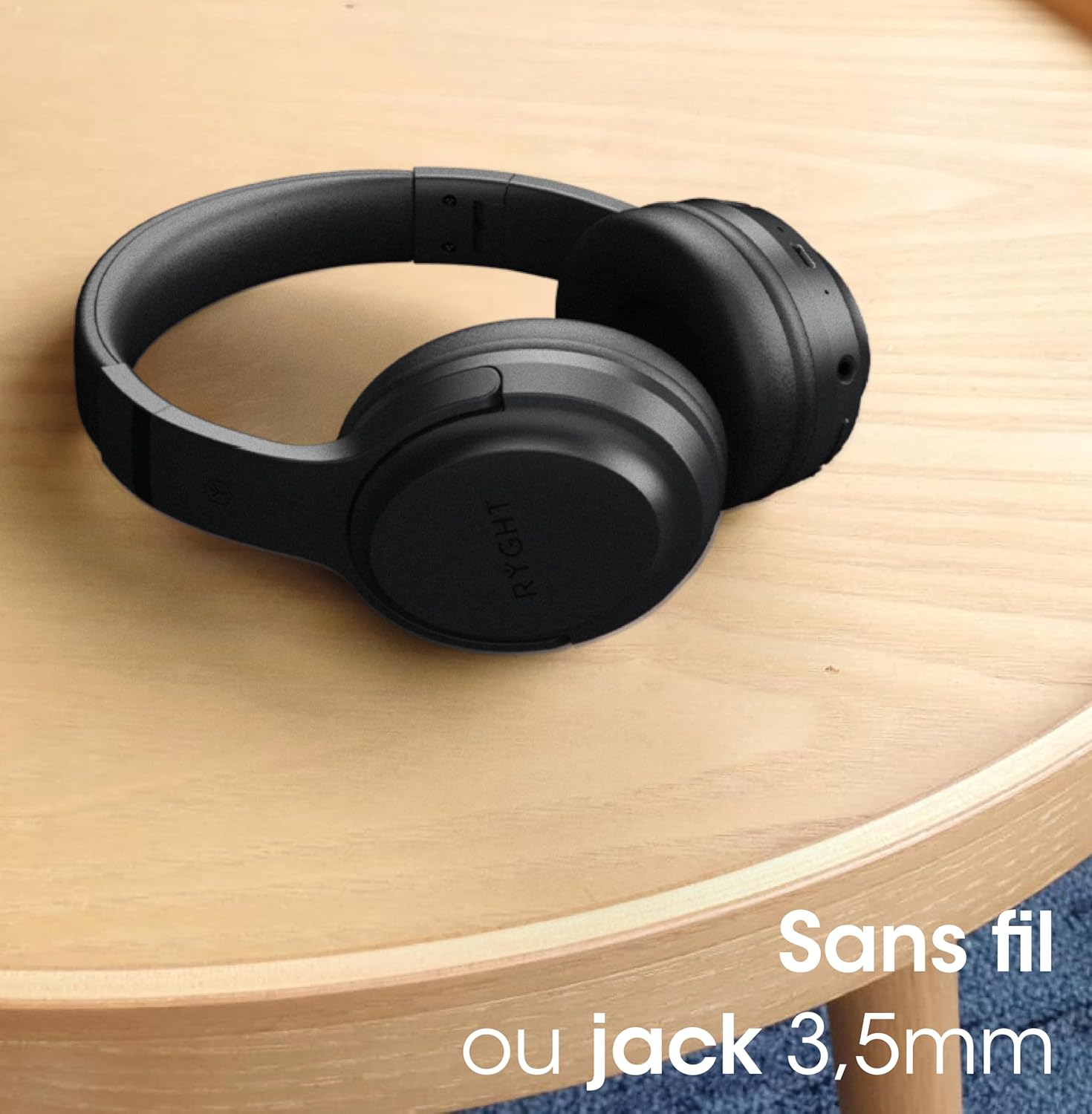
4. Wired Connection (3.5mm Jack)
For a wired connection, simply plug one end of the 3.5mm audio jack cable into the headphone's audio input and the other end into your audio device's headphone jack. The headphones can be used passively in wired mode without battery power.
آپريٽنگ هدايتون
1. موسيقي تي ضابطو
- راند/روڪ: ملائي واري فنڪشن جي بڪ کي هڪ ڀيرو دٻايو.
- اڳيون ٽريڪ: واليوم اپ بٽڻ کي دٻايو ۽ رکو.
- پويون ٽريڪ: حجم ھيٺ بٽڻ کي دٻايو ۽ رکو.
- حجم مٿي واليوم اپ بٽڻ کي مختصر دٻايو.
- حجم ھيٺ واليوم ڊائون بٽڻ کي مختصر دٻايو.
2. ڪال مينيجمينٽ
- جواب/آخر ڪال: ملائي واري فنڪشن جي بڪ کي هڪ ڀيرو دٻايو.
- ڪال رد ڪريو: 2 سيڪنڊن لاءِ ملٽي فنڪشن بٽڻ کي دٻايو ۽ رکو.
- ريڊل آخري نمبر: ملٽي فنڪشن بٽڻ کي Doubleه يرا دايو.
3. وائيس اسسٽنٽ ايڪٽيويشن
- وائس اسسٽنٽ کي فعال ڪريو. Triple-press the Multi-function button to activate your device's voice assistant (e.g., Siri, Google Assistant).
سار سنڀال
1. صفائي
- هيڊفونز کي نرم، سڪل ڪپڙي سان صاف ڪريو.
- استعمال نه ڪريو abrasive cleaners يا solvents.
- چارجنگ پورٽ ۽ آڊيو جيڪ کي مٽي ۽ ملبي کان پاڪ رکو.
2. اسٽوريج
- هيڊفونز کي سڌي سج جي روشني ۽ انتهائي گرمي پد کان پري ٿڌي، سڪل جاءِ تي رکو.
- جڏهن استعمال ۾ نه هجي ته فولڊ ايبل ڊيزائن کي ڪمپيڪٽ اسٽوريج لاءِ استعمال ڪريو.
3. بيٽري جي سنڀال
- To preserve battery life, charge the headphones regularly, even if not used frequently.
- گهڻي عرصي تائين بيٽري کي مڪمل طور تي چارج ڪرڻ کان پاسو ڪريو.
مشڪلاتون
| مسئلو | حل |
|---|---|
| هيڊفون آن نه ٿا ٿين. | پڪ ڪريو ته هيڊفون چارج ٿيل آهن. پاور سورس سان ڳنڍيو ۽ ٻيهر ڪوشش ڪريو. |
| ڊوائيس سان جوڙو نه ٿو ٺاهي سگهجي. | پڪ ڪريو ته هيڊفون پيئرنگ موڊ ۾ آهن (نيري/ڳاڙهي ايل اي ڊي چمڪندڙ). پنهنجي ڊوائيس تي بلوٽوٿ کي بند ڪريو ۽ آن ڪريو. هيڊفونز کي ڊوائيس جي ويجهو منتقل ڪريو. |
| ڪابه آواز يا گهٽ آواز ناهي. | Check volume levels on both headphones and your device. Ensure headphones are properly paired or the 3.5mm cable is fully inserted. |
| آواز ۾ تحريف. | Move closer to your device to avoid interference. Check audio source quality. |
| مائڪروفون ڪم نه ڪري رهيو آهي. | Ensure the headphones are connected and selected as the input device on your computer/smartphone. |
وضاحتون
| خاصيت | تفصيل |
|---|---|
| برانڊ | موبلٽي ليب |
| ماڊل نالو | ٽيمپو |
| شيون ماڊل نمبر | R484321 |
| رنگ | NOIR (Black) |
| رابطي ٽيڪنالاجي | وائرليس (بلوٽوت) |
| وائرليس ڪميونيڪيشن ٽيڪنالاجي | بلوٽوٿ |
| هيڊ فون جيڪ | 3.5 مليڪ جيڪ |
| فارم فيڪٽر | ڪن مٿان |
| ڪن جي جڳهه | سُپرا- آرال |
| رڪاوٽ | 32 ohms |
| تعدد جي حد | 20 هرٽز - 20,000 هرٽز |
| شور جي الڳ ٿيڻ | فعال شور منسوخي |
| شيءِ جو وزن | 160 گرام |
| طول و عرض | 173 x 191 x 79 ملي ميٽر |
| مواد | غلط چمڙو |
| خاصيتون | Long Battery Life, Padded Earcups, Foldable and Lightweight, Clear and Deep Sound |
| مطابقت رکندڙ ڊوائيسز | Computer, Smartphones, Tablet |
| ڪنٽرول قسم | وائس اسسٽنٽ |
| ڪيبل فنڪشن | ڌار ڪرڻ جي قابل |
وارنٽي ۽ سپورٽ
Mobility Lab products are designed for reliability and performance. For information regarding warranty coverage, technical support, or service, please refer to the warranty card included with your purchase or visit the official Mobility Lab webسائيٽ. ڪنهن به وارنٽي دعوائن لاءِ خريداري جو ثبوت رکو.
For further assistance, you may contact Mobility Lab customer support through their official channels.
Ask a question about this manual
Ask about setup, troubleshooting, compatibility, parts, safety, or missing instructions. Manuals+ will review the question and use this page’s manual context to help answer it.