
1. تعارف
This manual provides detailed instructions for the Varmilo VA Series V2 Aurora Bluetooth White LED Mechanical Keyboard. It covers setup, operation, maintenance, and troubleshooting to ensure optimal performance and user experience. The VA Series V2 features an upgraded design with a standard USB-C cable, a double-section kickstand for enhanced adjustability, North-facing LEDs, and sound-proof silicone pads for a quieter typing experience. Indicator lights are positioned on the top right to minimize distractions.
2. پيڪيج مواد
مھرباني ڪري پيڪيج جي مواد کي انباڪس ڪرڻ وقت چيڪ ڪريو. جيڪڏھن ڪا به شيءِ غائب يا خراب آھي، ته ڪسٽمر سپورٽ سان رابطو ڪريو.
- Varmilo VA Series V2 Aurora Mechanical Keyboard
- USB-سي ڪيبل
- استعمال ڪندڙ جو دستياب (ھي دستاويز)
3. سيٽ اپ
3.1 جسماني سيٽ اپ
- ڪي بورڊ کوليو: پيڪنگ مان ڪيبورڊ ۽ سڀئي لوازمات احتياط سان هٽايو.
- ڪڪ اسٽينڊ کي ترتيب ڏيو: ڪيبورڊ ۾ ٻہ-ايس شامل آهنtage height adjustable feet. Flip out the desired kickstands on the underside of the keyboard to achieve your preferred typing angle.

Image: The underside of the keyboard, highlighting the two-stage adjustable kickstand for ergonomic positioning.
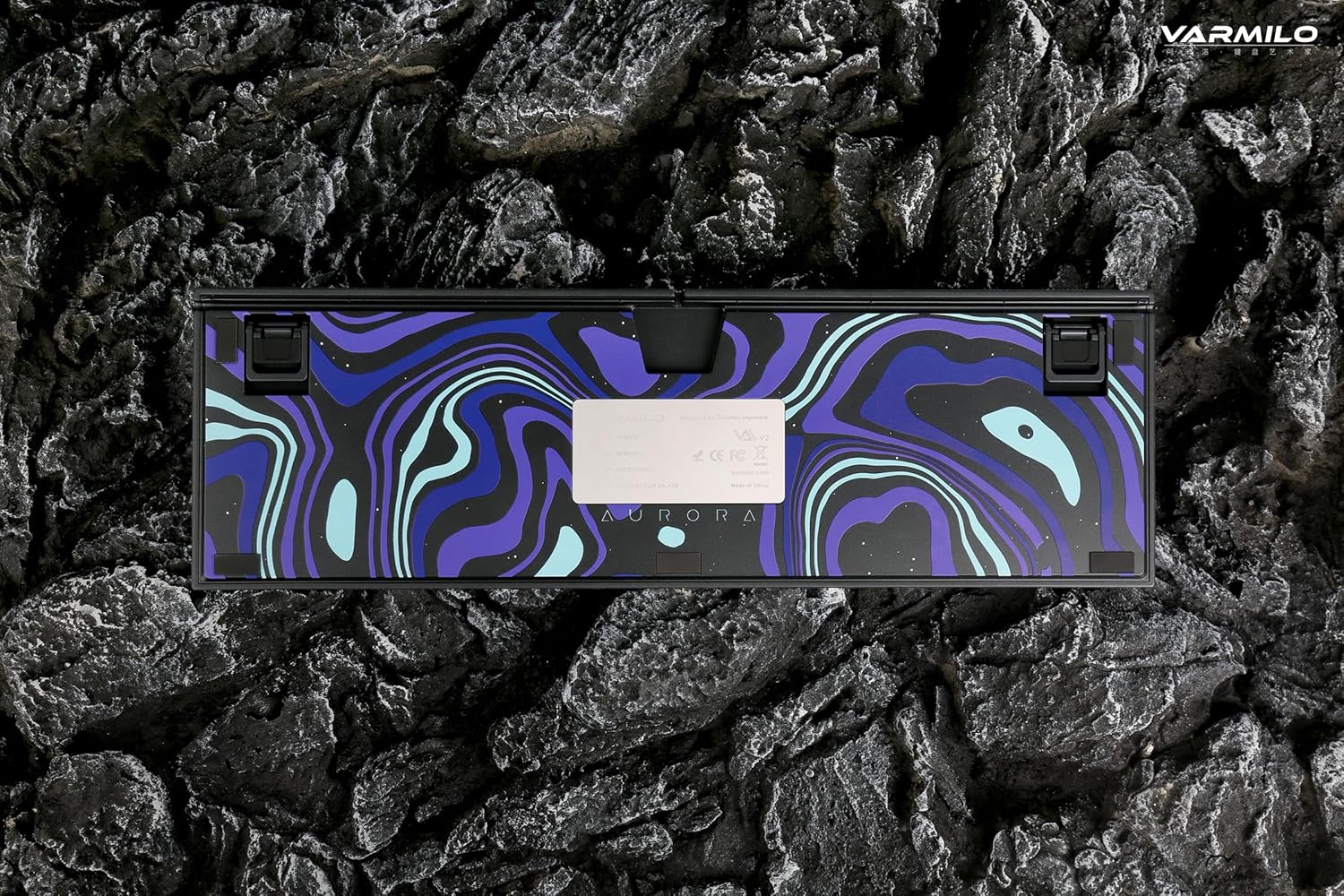
Image: The bottom of the keyboard, illustrating the cable grooves that allow the USB-C cable to exit from the left, right, or middle.
3.2 ڪنيڪشن جا طريقا
3.2.1 وائرڊ ڪنيڪشن (USB-C)
- ڪيبورڊ جي پوئين پاسي USB-C پورٽ ڳوليو.
- Connect the provided USB-C cable to the keyboard and the other end to an available USB port on your computer or device.
- The keyboard will be automatically recognized by your operating system. The indicator light will show charging status if the battery is low.
3.2.2 بلوٽوٿ وائرليس ڪنيڪشن
The Varmilo VA Series V2 Aurora keyboard supports connecting up to 3 devices wirelessly via Bluetooth.
- بلوٽوٿ موڊ ڏانهن وڃو: Locate the mode switch on the keyboard (usually on the back or side) and set it to Bluetooth mode.
- پيئرنگ موڊ داخل ڪريو: دٻايو ۽ رکو Fn + داخل ڪريو (for Bluetooth device 1), Fn + گھر (for Bluetooth device 2), or Fn + صفحو مٿي (for Bluetooth device 3) for 3-5 seconds until the indicator light flashes rapidly, indicating pairing mode.
- پنهنجي ڊوائيس تي بلوٽوٿ کي فعال ڪريو: On your computer, smartphone, or tablet, go to Bluetooth settings and turn on Bluetooth.
- ڪي بورڊ چونڊيو: Look for "Varmilo VA2" or a similar name in the list of available devices and select it to pair.
- جوڙي جي تصديق ڪريو: Once paired, the indicator light on the keyboard will stop flashing and remain solid for a few seconds, then turn off or show battery status.
- Pair Additional Devices: Repeat steps 2-5 using a different Fn key combination (Fn + Home or Fn + Page Up) to pair up to two more devices.
4. آپريٽنگ هدايتون
4.1 ڊوائيسز جي وچ ۾ سوئچنگ
- To switch to Bluetooth device 1: Press Fn + داخل ڪريو.
- To switch to Bluetooth device 2: Press Fn + گھر.
- To switch to Bluetooth device 3: Press Fn + صفحو مٿي.
- To switch to Wired mode: Set the mode switch on the keyboard to Wired mode.
4.2 ايل اي ڊي بيڪ لائيٽ ڪنٽرول
The keyboard features a White LED backlight. Use the following key combinations to control the backlight:
- Fn + < (Left Arrow): بيڪ لائيٽ جي چمڪ گھٽايو.
- Fn + > (Right Arrow): بيڪ لائيٽ جي چمڪ وڌايو.
- Fn + Up Arrow: Change backlight mode/effect.
- Fn + Down Arrow: Change backlight mode/effect (reverse direction).
- Fn + Z: بيڪ لائيٽ آن/آف ڪريو.
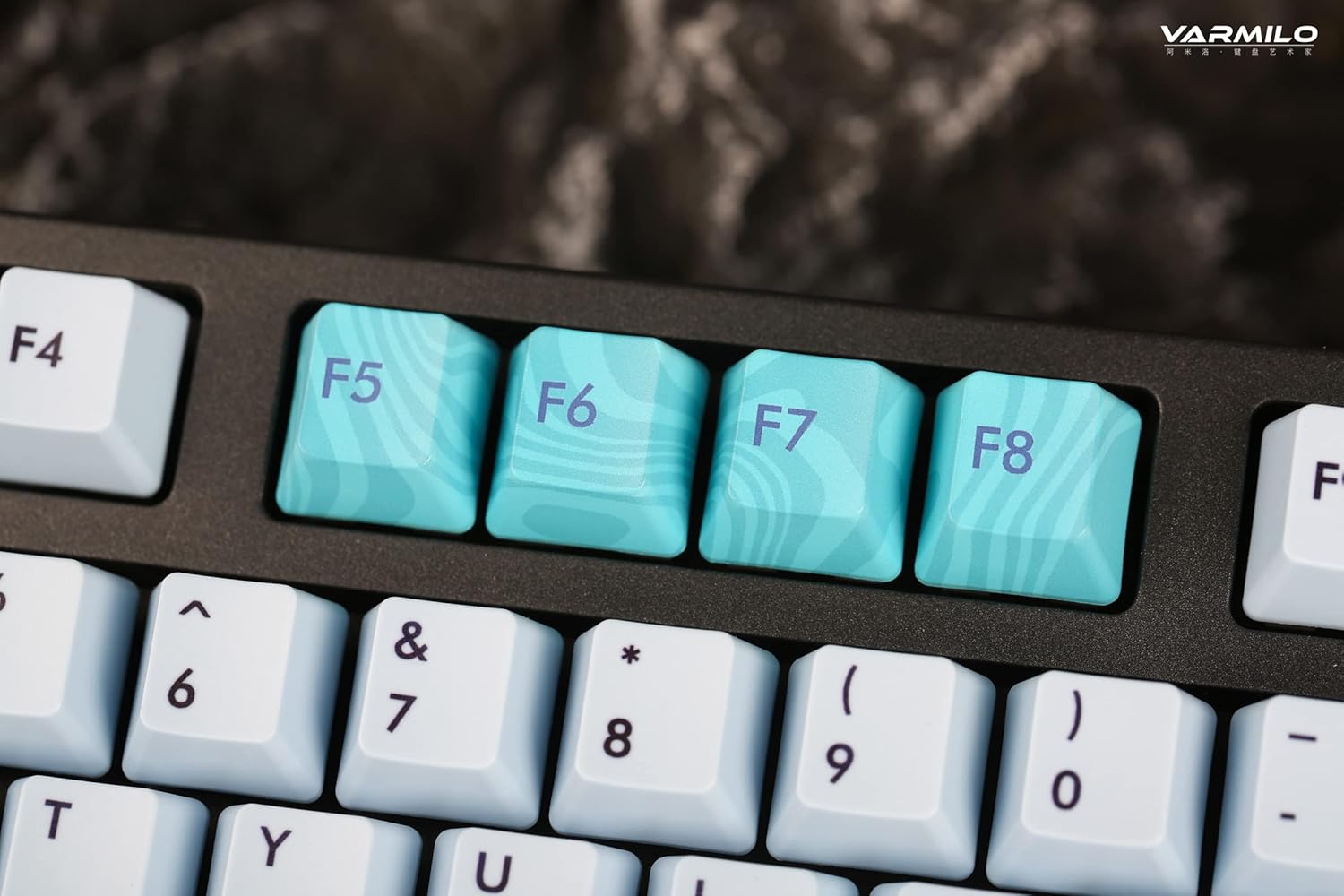
Image: Close-up of the arrow keys, which are used in combination with the Fn key to control backlight brightness and modes.
4.3 Function Keys and Multimedia Controls
The keyboard features a full-size (104 + 4) layout with dedicated function keys and multimedia controls accessible via the Fn چاٻي
- ايف اين + ايف 1-ايف 12: Access various system functions (e.g., media playback, volume control, screen brightness). Refer to your operating system's settings for specific mappings or common keyboard shortcuts.
- ايف اين + ونڊوز ڪي: Lock/unlock the Windows key to prevent accidental presses during gaming.
- Fn + Right Ctrl: Switch between Mac/Windows layout (if applicable, check specific model features).

تصوير: هڪ ويجهو تصوير view of the F5-F8 keys, showcasing their unique design and potential secondary functions.
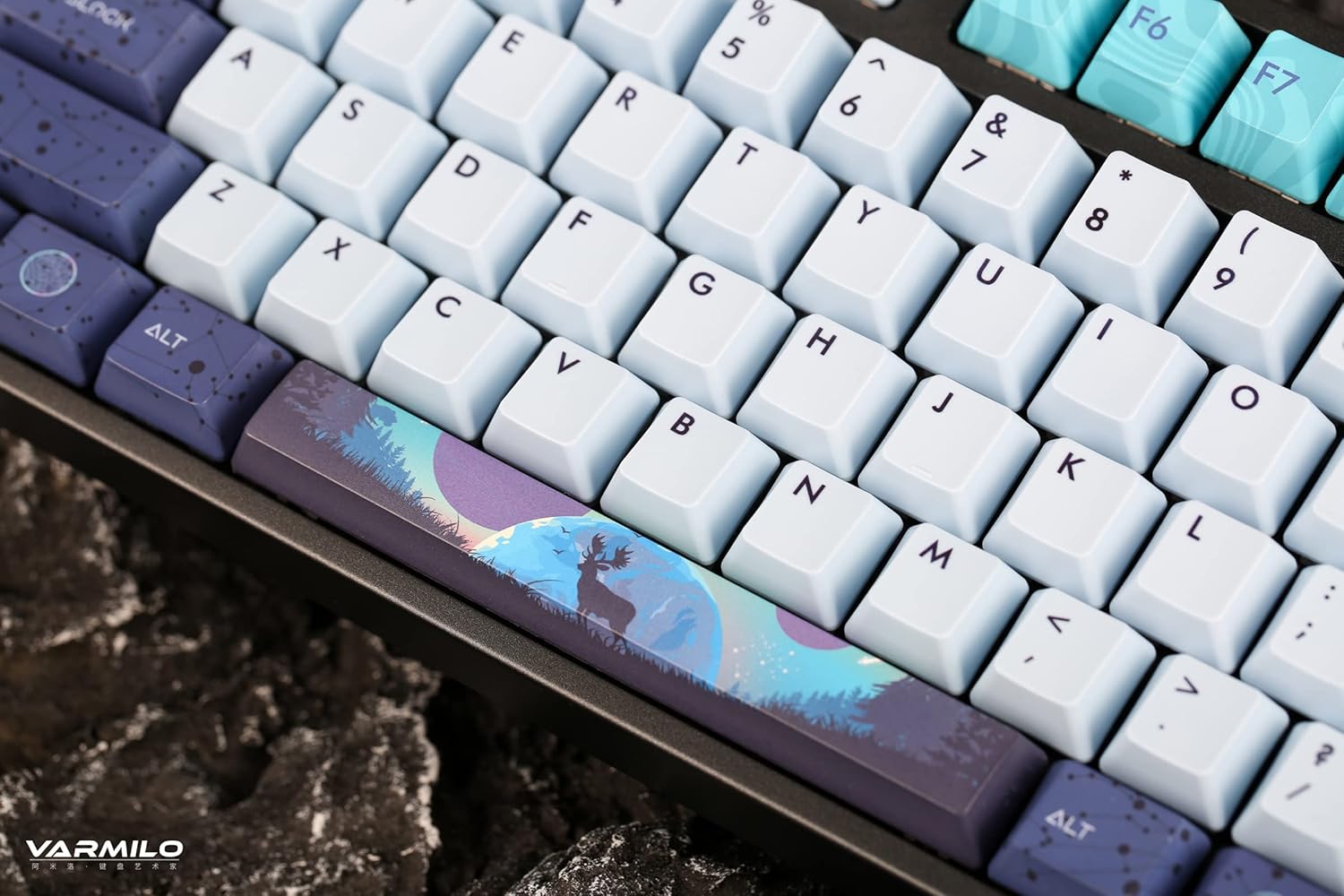
تصوير: هڪ تفصيلي view of the keyboard's keycaps, including a custom-designed spacebar, highlighting the thick Dye Sub PBT keycaps.
5. سار سنڀال
Proper maintenance ensures the longevity and performance of your Varmilo keyboard.
- صفائي: Use a soft brush or compressed air to remove dust and debris from between the keycaps. For stubborn dirt, gently wipe the keycaps with a damp cloth and mild soap solution, ensuring no liquid enters the keyboard.
- ڪي ڪيپ هٽائڻ: If you need to clean under the keycaps or replace them, use a keycap puller. Gently pull the keycap straight up to avoid damaging the switch. The keyboard features durable Dye Sub PBT keycaps.
- اسٽوريج: جڏهن گهڻي عرصي تائين استعمال ۾ نه هجي، ته ڪيبورڊ کي خشڪ، مٽيءَ کان پاڪ ماحول ۾ ذخيرو ڪريو.
- مائع کان بچاء: Do not expose the keyboard to liquids. Spills can cause permanent damage.
6. مسئلا حل ڪرڻ
| مسئلو | ممڪن سبب | حل |
|---|---|---|
| ڪي بورڊ جواب نه ڏئي رهيو آهي (وائرڊ) | Loose USB-C cable connection; faulty USB port; incorrect mode. |
|
| ڪي بورڊ جواب نه ڏئي رهيو آهي (بلوٽوٿ) | Not paired; out of range; low battery; incorrect Bluetooth channel selected. |
|
| Backlight ڪم نه ڪندي | Backlight turned off; brightness set to minimum; low battery. |
|
| چاٻيون رجسٽر نه ٿيڻ يا ٻٽي ٽائيپ ٿيڻ | Dust/debris under keycap; switch malfunction; software issue. |
|
7. وضاحتون
| خاصيت | تفصيل |
|---|---|
| برانڊ | ورميلو |
| ماڊل | VA Series V2 Aurora |
| ڪي بورڊ جو قسم | مشيني |
| سوئچ جو قسم | Kailh Prestige Red |
| رابطي | USB-C (Wired), Bluetooth (Wireless) |
| وائرليس ڊوائيسز | Connects up to 3 devices wirelessly |
| ڪيپ ڪيپ | Thick Dye Sub PBT |
| پٺاڻ | White LED, North-facing |
| ترتيب | Full-size (104 + 4 keys) |
| مطابقت رکندڙ ڊوائيسز | ليپ ٽاپ، پي سي، اسمارٽ فون، ٽيبليٽ |
| خاص خاصيتون | ٻه-ايسtage height adjustable feet, Sound-proof silicone pads, Cable grooves |
| مواد | Silicone (internal sound dampening) |
8. وارنٽي ۽ سپورٽ
Varmilo products are designed for quality and durability. For warranty information, technical support, or service inquiries, please refer to the official Varmilo webسائيٽ يا پنهنجي پرچون ڪندڙ سان رابطو ڪريو.
You can visit the official Varmilo Store for more information: Varmilo Store on Amazon.