
1. پراڊڪٽ ختمview
The Roku 40" Select Series 1080p Full HD Smart RokuTV offers a seamless entertainment experience with its integrated Roku platform. Enjoy bright, full HD picture quality and clear audio. The customizable home screen provides quick access to streaming apps, inputs, and free live TV. This model features a bezel-less design and comes with a voice remote for easy navigation.
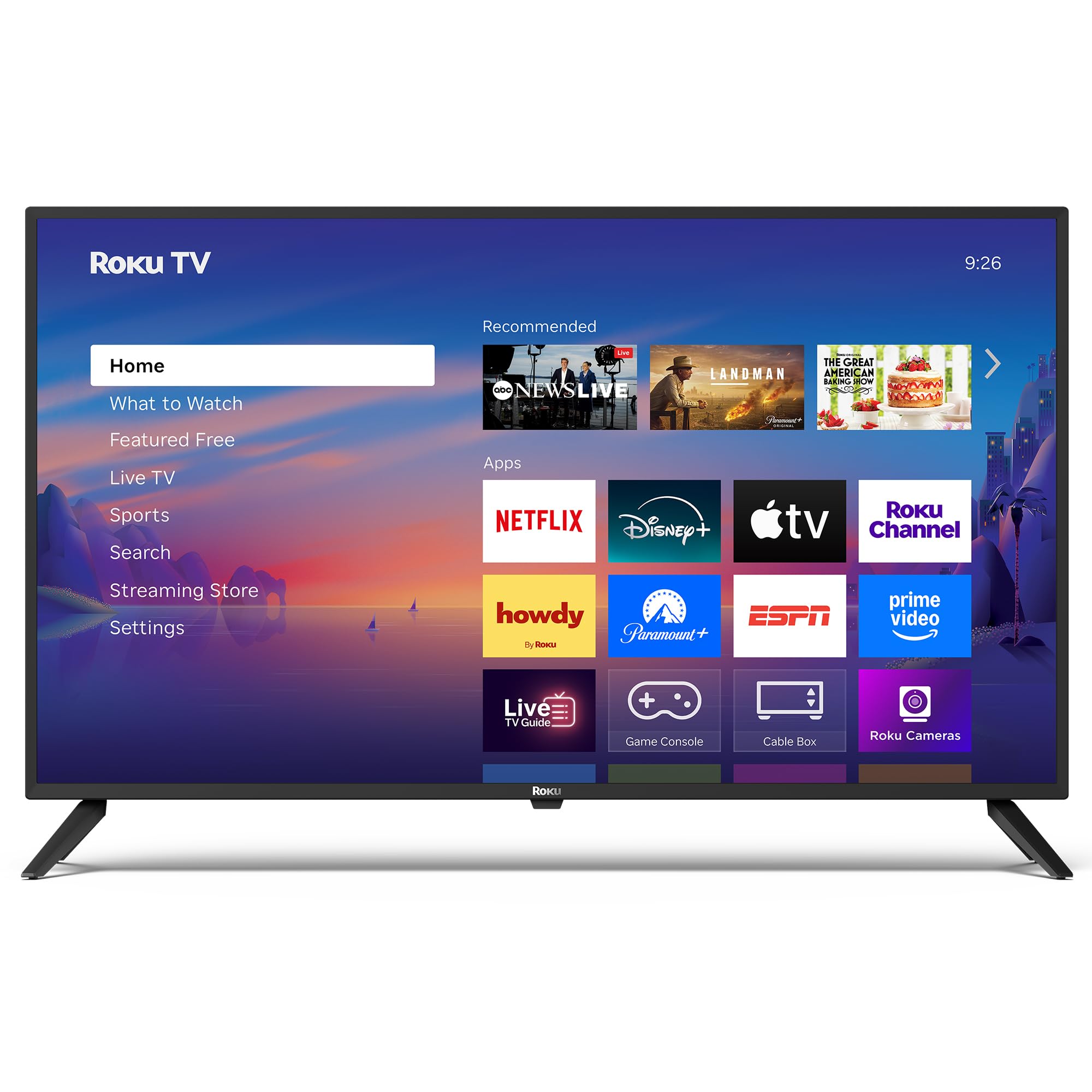
تصوير: سامهون view of the Roku 40" Select Series Full HD Smart TV.
2. دٻي ۾ ڇا آهي
- Roku 40” Select Series Full HD Smart TV
- Roku voice remote with batteries
- ٽي وي اسٽينڊ (2)
- Stand screws (4)
- استعمال ڪندڙ جو دستياب (ھي دستاويز)

Image: Diagram illustrating the components included in the Roku TV package.
3. سيٽ اپ گائيڊ
3.1 ٽي وي اسٽينڊ ڳنڍڻ
- ڇڪڻ کان بچڻ لاءِ احتياط سان ٽي وي اسڪرين کي نرم، صاف مٿاڇري تي رکو.
- هر ٽي وي اسٽينڊ کي ٽي وي جي تري ۾ لاڳاپيل اسڪرو سوراخن سان ترتيب ڏيو.
- Insert the provided screws into the holes and tighten them securely with a screwdriver.
- Ensure both stands are firmly attached before proceeding.
3.2 ڪنيڪٽنگ پاور ۽ شروعاتي سيٽ اپ
- Connect the power cord to the TV and then to a standard electrical outlet (100-240 VAC, 50-60 Hz).
- Insert the AAA batteries into the Roku voice remote.
- ٽي وي آن ڪرڻ لاءِ ريموٽ تي پاور بٽڻ دٻايو.
- Follow the on-screen instructions to select your language, connect to your Wi-Fi network, and activate your Roku account.
- The TV will guide you through adding your preferred streaming apps and setting up any connected devices.

تصوير: ويجهو تصوير view of the TV's side panel, showing various input ports like HDMI, USB, and antenna connection.
4. Operating Your Roku TV
4.1 هوم اسڪرين نيويگيشن
The Roku home screen provides a centralized hub for all your entertainment. Easily access streaming apps, connected devices (like game consoles or cable boxes), and free live TV channels. The interface is designed for quick and intuitive navigation using your Roku voice remote.

Image: The Roku TV home screen, showing a grid of streaming applications and input selections.
4.2 Using the Voice Remote
The included voice remote simplifies your TV experience. Use voice commands to search for movies, shows, or songs across thousands of streaming apps. Dedicated shortcut buttons provide instant access to popular services like Netflix, Disney+, and Apple TV. Volume controls are conveniently located on the side of the remote.

Image: Close-up of the Roku voice remote, highlighting the voice command button and dedicated app shortcuts.
4.3 تصوير ۽ آواز سيٽنگون
The Roku TV delivers a bright, full HD picture with exceptional clarity. It features direct LED backlighting for better brightness and uniformity. Enhanced audio output is provided by built-in speakers. You can adjust picture modes, screen brightness, and other advanced settings through the TV's menu to optimize your viewتجربو.
4.4 سمارٽ هوم انٽيگريشن
The Roku TV is compatible with various smart home ecosystems, including Apple AirPlay 2, Apple Home, Alexa, and Google Home. This allows for integrated control and seamless interaction with your existing smart devices.

Image: Icons representing compatibility with various smart home platforms.
5. سار سنڀال
To ensure the longevity and optimal performance of your Roku TV, follow these maintenance guidelines:
- اسڪرين جي صفائي: Use a soft, lint-free cloth specifically designed for electronics. Gently wipe the screen to remove dust and smudges. Avoid harsh chemicals or abrasive materials.
- ٻاهرين صفائي: Wipe the TV's exterior with a soft, dry cloth. Do not use liquid cleaners directly on the TV.
- وينٽيليشن: پڪ ڪريو ته ٽي وي جي وينٽيليشن جا سوراخ بند نه آهن ته جيئن گرم ٿيڻ کان بچي سگهجي. هوا جي گردش لاءِ ٽي وي جي چوڌاري مناسب جاءِ برقرار رکو.
- طاقت جو انتظام: بجلي جي طوفانن دوران يا جڏهن اهو ڊگهي عرصي تائين نظر نه ايندو ته ٽي وي کي پاور آئوٽليٽ مان ڪڍي ڇڏيو.
6. مسئلا حل ڪرڻ
If you encounter issues with your Roku TV, try the following basic troubleshooting steps:
- طاقت ناهي: Ensure the power cord is securely plugged into both the TV and the electrical outlet. Check if the outlet is functioning by plugging in another device.
- ڪابه تصوير/آواز ناهي: Verify that the correct input source is selected on the TV. Check all cable connections (HDMI, AV, etc.) for looseness.
- ريموٽ جواب نه ڏيڻ: Replace the batteries in the remote. Ensure there are no obstructions between the remote and the TV. Re-pair the remote if necessary (refer to the on-screen instructions during initial setup or the Roku support site).
- نيٽ ورڪ ڪنيڪشن جا مسئلا: Restart your Wi-Fi router and modem. Go to the TV's network settings to reconnect to your Wi-Fi network.
- ايپ منجمد ٿيڻ/ڪريش ٿيڻ: Restart the specific app. If the issue persists, restart the TV by unplugging it from the power outlet for 30 seconds and then plugging it back in.
For more detailed troubleshooting or persistent issues, visit the official Roku support webسائيٽ.
7. وضاحتون
| خاصيت | تفصيل |
|---|---|
| اسڪرين جي ماپ | 40 انچ |
| برانڊ | روڪو |
| ماڊل نمبر | 40R2A5R |
| ڊسپلي ٽيڪنالاجي | ايل اي ڊي |
| قرارداد | 1080p مڪمل ايڇ ڊي |
| ريفريش جي شرح | 60 هز |
| آپريٽنگ سسٽم | Roku OS |
| خاص خاصيتون | Bezel-Less Design, Voice Remote |
| رابطي ٽيڪنالاجي | HDMI، USB، وائي فائي |
| ڪل HDMI بندرگاهن | 3 |
| Total USB 3.0 Ports | 1 |
| آڊيو آئوٽ پٽ موڊ | وڌايل |
| ڪنٽرول جو طريقو | App Control, Remote Control, Voice Control |
| Screen Mirroring Technology | AirPlay 2, Miracast |
| پيداوار جا طول و عرض (ڊي x ڊبليو x ايڇ) | 8.7"ڊي x 35.5"ڊي x 22.6"ايڇ |
| Item Weight Without Stand | 11.2 پائونڊ |
| ويسا ماؤنٽ معياري | 200 x 100 ملي ميٽر |
8. وارنٽي ۽ سپورٽ
8.1 محدود وارنٽي
Roku warrants the hardware of this device against defects in materials and workmanship under normal use for a period of one (1) year from the date of purchase ("Warranty Period"), provided it is used in accordance with the provided documentation. If a hardware defect is determined during the Warranty Period, Roku's sole obligation and your exclusive remedy will be to either repair or replace the unit with a new or rebuilt device, at Roku's option.
Important information about warranty returns and replacements is available on the Roku support site.
8.2 پراڊڪٽ واپسي
You may return a device for any reason, subject to the terms of the applicable return policy:
- Within thirty (30) days from the date of purchase from Roku.
- Within the applicable return period if purchased from an authorized reseller or distributor.
Additional details regarding product returns can be found on the Roku support site.