
TYLT 4902Q
TYLT MagSafe وائرليس چارجر رنگ اسٽينڊ يوزر مينوئل
ماڊل: 4902Q
برانڊ: TYLT
1. تعارف
Thank you for choosing the TYLT MagSafe Wireless Charger Ring Stand. This device combines powerful MagSafe wireless charging with the convenience of a built-in kickstand, designed to seamlessly power and prop up your iPhone 12, 13, 14, and 15 series devices. This manual provides essential information for the proper setup, operation, and maintenance of your new charger.
2. پراڊڪٽ ختمview
The TYLT MagSafe Wireless Charger Ring Stand is a compact and versatile charging solution. It features a magnetic charging pad with an integrated ring kickstand.
2.1 اجزاء
- Magnetic Wireless Charging Pad with Integrated Ring Stand
- 4-foot USB-C Cable (attached)
2.2 پيداوار Views

شڪل 2.2.1: مٿي view of the TYLT MagSafe Wireless Charger Ring Stand. This image displays the circular charging pad with its black surface and the surrounding grey metallic ring. The TYLT logo and product information are visible on the black surface.

شڪل 2.2.2: سامهون view of the TYLT MagSafe Wireless Charger Ring Stand. This image shows the smooth, unadorned black charging surface with a subtle TYLT logo, highlighting its sleek design.

شڪل 2.2.3: پاسي view of the TYLT MagSafe Wireless Charger Ring Stand with the kickstand extended. This angle demonstrates how the integrated ring stand props up the charger, ready to support a phone for hands-free viewing.

شڪل 2.2.4: زاويه view of the TYLT MagSafe Wireless Charger Ring Stand with the kickstand extended. This perspective highlights the charger's profile and the integrated USB-C cable connection point.

Figure 2.2.5: The TYLT MagSafe Wireless Charger Ring Stand magnetically attached to the back of an iPhone. This image illustrates the secure MagSafe connection and how the kickstand supports the phone in a vertical orientation.
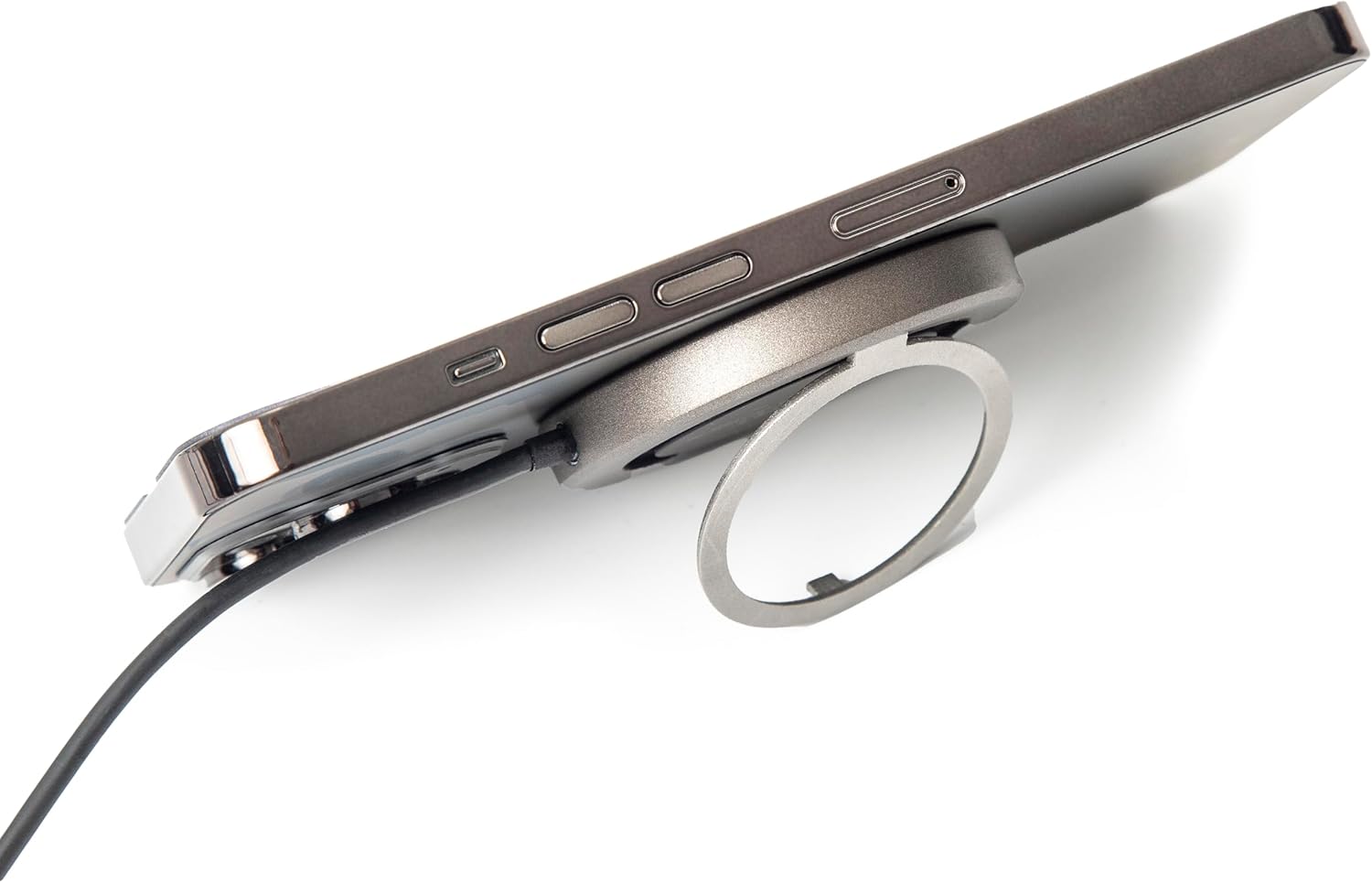
شڪل 2.2.6: پاسي view of the TYLT MagSafe Wireless Charger Ring Stand attached to an iPhone. This image emphasizes the slim profile of the charger when connected to a device, maintaining portability.

Figure 2.2.7: The TYLT MagSafe Wireless Charger Ring Stand with an iPhone attached, positioned on a desk. This image showcases the charger's functionality as a stand for hands-free viewing in a typical usage scenario.
3. سيٽ اپ
- پاور سان ڳنڍيو: Plug the USB-C connector of the attached 4-foot cable into a compatible USB-C power adapter (not included). For optimal 15W fast charging, use a power adapter that supports Power Delivery (PD) with an output of at least 9V/1.8A or 12V/1.67A.
- پاور آن: Once connected to a power source, the charger is ready for use. There is no power button.
4. آپريٽنگ هدايتون
4.1 وائرليس چارجنگ
- Align Your Device: Place your MagSafe-compatible iPhone (iPhone 12, 13, 14, or 15 series) onto the black charging surface of the TYLT charger. The charger will magnetically snap into place, ensuring proper alignment for efficient charging.
- چارج اشارو: Your iPhone's screen will indicate that charging has begun. The charger is designed to work with most MagSafe-compatible phone cases, eliminating the need for case removal.
- بهترين چارجنگ: Ensure no foreign objects (e.g., metal plates, credit cards) are between your phone and the charger, as this can interfere with wireless charging.
4.2 Using the Integrated Kickstand
- Extend the Kickstand: Gently pull out the integrated ring from the back of the charger.
- ترتيب ڏيڻ Viewزاويه: The ring can rotate and adjust to multiple viewing angles, allowing you to prop up your phone in either portrait or landscape orientation for hands-free viewing of videos, video calls, or other content.
- Retract the Kickstand: When not in use, fold the ring back into its recess on the charger for a compact and portable form factor.
5. سار سنڀال
- صفائي: Disconnect the charger from the power source before cleaning. Use a soft, dry, lint-free cloth to wipe the surface of the charger. Do not use harsh chemicals, cleaning solvents, or strong detergents.
- اسٽوريج: چارجر کي ٿڌي، سڪل جاءِ تي محفوظ ڪريو سڌو سج جي روشني ۽ انتهائي گرمي پد کان پري.
- سنڀالڻ: Avoid dropping the charger or subjecting it to strong impacts. Do not disassemble the device.
6. مسئلا حل ڪرڻ
| مسئلو | ممڪن سبب | حل |
|---|---|---|
| ڊوائيس چارج نه ٿي رهي آهي يا سست چارج ٿي رهي آهي. |
|
|
| Kickstand does not hold phone securely. |
|
|
| چارجر استعمال دوران گرم محسوس ٿئي ٿو. |
|
|
7. وضاحتون
| خاصيت | تفصيل |
|---|---|
| ماڊل نمبر | 4902 ق |
| ان پٽ | 5V–2A, 9V–1.8A, 12V–1.67A |
| ٻاھر | 15W (وڌ کان وڌ) |
| رابطي ٽيڪنالاجي | USB-C (attached cable) |
| مطابقت رکندڙ ڊوائيسز | iPhone 12, 13, 14, 15 Series (MagSafe compatible) |
| پيداوار جي ماپ | 10 x 8 x 1 انچ |
| شيءِ جو وزن | 3.17 اونس |
| رنگ | ڪارو |
8. حفاظت جي ڄاڻ
Please read all safety instructions before using this product to prevent injury or damage.
- Do not expose the device to liquids, moisture, or humidity.
- ڊوائيس کي انتهائي گرمي پد تي ظاهر نه ڪريو.
- ڊوائيس کي مضبوط مقناطيسي شعبن کان پري رکو.
- ڊوائيس کي ڌار ڪرڻ، مرمت ڪرڻ، يا تبديل ڪرڻ جي ڪوشش نه ڪريو.
- ٻارن جي پهچ کان پري رکو.
- Use only with compatible power adapters.
9. وارنٽي ۽ سپورٽ
For information regarding warranty coverage, returns, or technical support, please refer to the original purchase documentation or contact TYLT customer service directly.
واپسي جي پاليسي: This product typically has a 30-day return/replacement policy from the date of purchase. Please check with your retailer for specific details.
ٺاهيندڙ: TYLT
For further assistance, visit the official TYLT webسائيٽ تي وڃو يا انهن جي سپورٽ چينلز سان رابطو ڪريو.
Ask a question about this manual
Ask about setup, troubleshooting, compatibility, parts, safety, or missing instructions. Manuals+ will review the question and use this page’s manual context to help answer it.