
FIFINE K688W
FIFINE AmpliTank K688W Dynamic USB/XLR Microphone User Manual
Model: K688W | Brand: FIFINE
1. تعارف
خريد ڪرڻ لاءِ مهربانيasing the FIFINE AmpliTank K688W Dynamic USB/XLR Microphone. This microphone is designed for high-quality audio capture in various applications, including gaming, streaming, podcasting, and professional recording. Please read this manual carefully to ensure proper setup and operation.

Image: The FIFINE AmpliTank K688W microphone demonstrating its sound capture capabilities with a visual representation of sound waves.
2. پيڪيج مواد
پڪ ڪريو ته هيٺ ڏنل سڀئي شيون توهان جي پيڪيج ۾ شامل آهن:
- FIFINE AmpliTank K688W Microphone Body
- USB-C to USB-A Cable (2.5m)
- 3/8" to 5/8" Screw Adapter
- استعمال ڪندڙ دستورالعمل (جاپاني)
Note: A microphone stand and XLR cable are not included and must be purchased separately.

Image: The FIFINE AmpliTank K688W microphone and its included accessories: USB cable and screw adapter, alongside the user guide.
3. پراڊڪٽ ختمview (Components and Controls)
Familiarize yourself with the microphone's components and controls:

تصوير: پوئين پاسي view of the FIFINE AmpliTank K688W microphone, highlighting the XLR output terminal and USB connection port.
- XLR Output Terminal: For connecting to audio interfaces, mixers, or other professional audio equipment.
- USB Connection Port (USB Type-C): For direct connection to computers or game consoles.
- 3.5mm هيڊ فون جڪ: ريئل ٽائيم آڊيو مانيٽرنگ لاءِ.
- Microphone Volume Control (Gain Knob): Adjusts the microphone's input sensitivity. (USB mode only)
- Headphone Jack Volume Control: Adjusts the monitoring volume through the 3.5mm headphone jack. (USB mode only)
- LED اشاري سان بٽڻ کي خاموش ڪريو: Toggles microphone mute. LED indicates mute status. (USB mode only)
4. سيٽ اپ
4.1 USB ڪنيڪشن
For direct connection to a computer (Windows/Mac OS) or game console (PS4/PS5):
- Connect the USB-C end of the provided USB cable to the microphone's USB port.
- Connect the USB-A end of the cable to an available USB port on your computer or game console.
- The device will automatically recognize the microphone.
- Select "FIFINE K688W" as your input and output device in your system's sound settings or application settings.

Image: The FIFINE AmpliTank K688W microphone connected to a laptop via its USB-C port, illustrating plug-and-play functionality.
4.2 XLR ڪنيڪشن
For connecting to professional audio equipment (audio interfaces, mixers):
- Connect a standard XLR cable (not included) to the XLR output terminal on the microphone.
- XLR ڪيبل جي ٻئي ڇيڙي کي پنهنجي آڊيو انٽرفيس يا ميڪسر تي XLR ان پٽ سان ڳنڍيو.
- Ensure your audio interface or mixer is properly configured to receive input from the connected XLR channel.
- ضرورت مطابق پنهنجي آڊيو انٽرفيس/مڪسر تي گين ليول ترتيب ڏيو.

تصوير: هڪ تفصيلي view of the FIFINE AmpliTank K688W's connectivity panel, showing both USB and XLR ports for versatile audio setups.
5. آپريٽنگ هدايتون
5.1 Gain Control (USB Mode Only)
The gain knob on the microphone allows you to adjust the input sensitivity. Rotate the knob clockwise to increase gain and counter-clockwise to decrease it. Adjust this to achieve an optimal recording level without clipping or distortion.
5.2 Mute Function (USB Mode Only)
Press the touch-sensitive mute button on top of the microphone to instantly mute or unmute the audio input. The LED indicator will change color to show the microphone's status (e.g., green for active, red for muted).
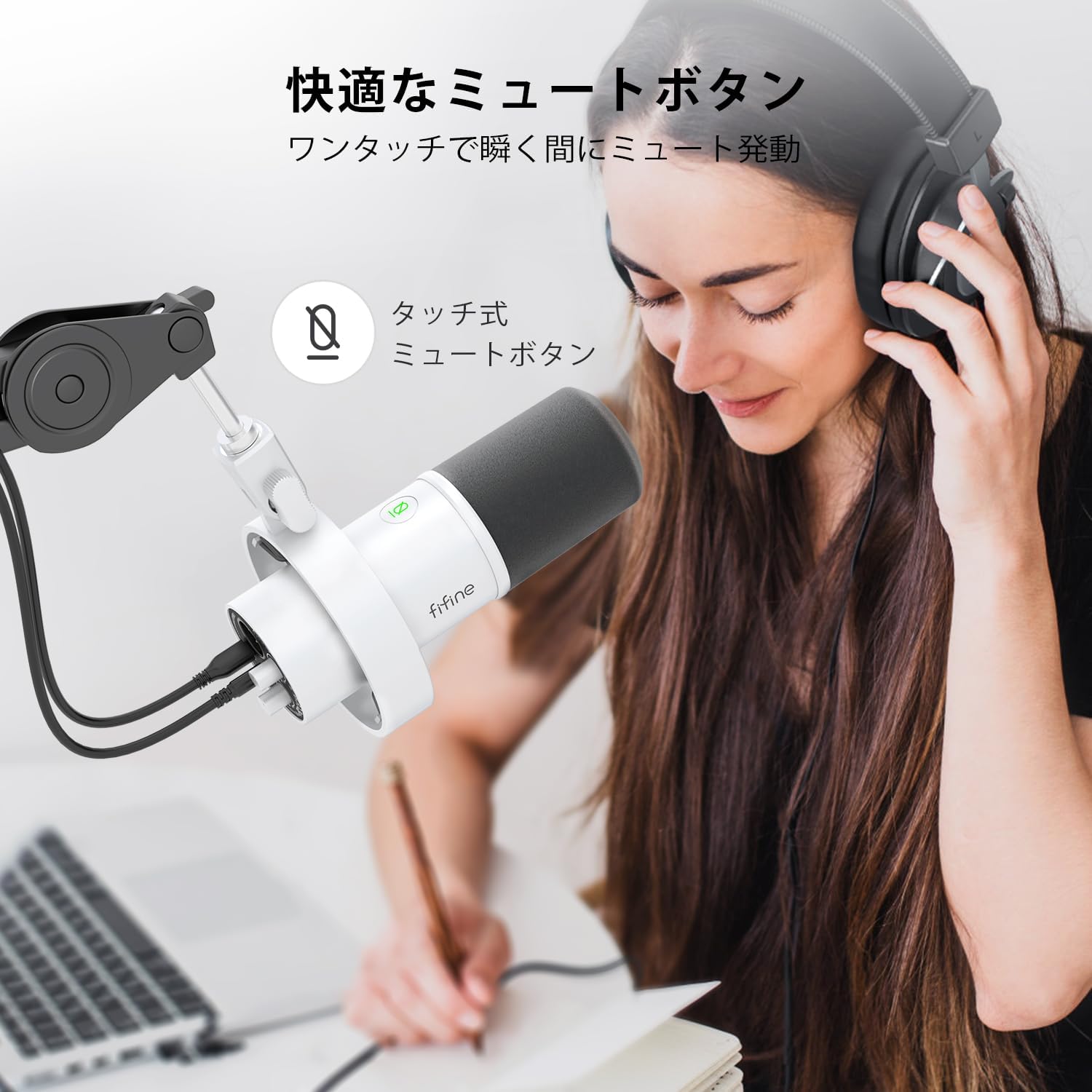
Image: A user interacting with the touch-sensitive mute button on the FIFINE AmpliTank K688W microphone, demonstrating its ease of use.
5.3 Headphone Monitoring (USB Mode Only)
Connect your headphones to the 3.5mm headphone jack on the microphone to monitor your audio in real-time with zero latency. Use the dedicated headphone volume knob to adjust the monitoring level to your preference.
6. سار سنڀال
- مائڪروفون کي نرم، سڪل ڪپڙي سان صاف ڪري صاف رکو.
- مائڪروفون کي انتهائي گرمي پد، نمي، يا سڌي سج جي روشني ۾ بي نقاب ڪرڻ کان پاسو ڪريو.
- مائڪروفون کي حفاظتي صورت ۾ ذخيرو ڪريو جڏهن مٽي ۽ نقصان کي روڪڻ لاءِ استعمال ۾ نه هجي.
- Do not attempt to disassemble the microphone, as this will void the warranty.

Image: The FIFINE AmpliTank K688W microphone mounted on a boom arm, showcasing its integrated metal body design suitable for various recording environments.
7. مسئلا حل ڪرڻ
| مسئلو | ممڪن سبب | حل |
|---|---|---|
| No sound output (USB) |
|
|
| No sound output (XLR) |
|
|
| خراب ٿيل آڊيو |
|
|
| تمام گهڻو پس منظر شور |
|
|
8. وضاحتون
| خاصيت | تفصيل |
|---|---|
| ماڊل | K688W |
| برانڊ | FIFINE |
| مائڪروفون جو قسم | متحرڪ |
| پولر نمونو | اڻ سڌي رستي (ڪارڊيو) |
| رابطي | USB (Type-C), XLR |
| تعدد جواب | 70 هز - 15 ڪلو هرٽز |
| سگنل کان شور جو تناسب (S/N) | 75 ڊي بي |
| پاور قسم | ڪيورڊڊ اليڪٽرڪ (USB سان هلندڙ) |
| مطابقت رکندڙ ڊوائيسز | PC (Windows/Mac OS), Game Consoles (PS4/PS5), Audio Mixers, Audio Interfaces, Smartphones (with adapter, not included) |
| خاص خاصيتون | Volume Control, Mute Function, Headphone Monitoring |
| رنگ | اڇو |
| مواد | پلاسٽڪ، ڌاتو |
| يو پي سي | 850052511821 |
9. وارنٽي ۽ سپورٽ
9.1 وارنٽي ڄاڻ
هي پراڊڪٽ هڪ سان گڏ اچي ٿو 1 سالن جي ٺاهيندڙ جي وارنٽي from the date of purchase. The warranty covers defects in materials and workmanship under normal use.
وارنٽي نه ڍڪيندي آهي:
- غلط استعمال، بدسلوڪي، حادثي، يا غفلت جي ڪري نقصان.
- غير مجاز مرمت يا ترميمن کان نقصان.
- عام لباس ۽ ڳوڙها.
9.2 ڪسٽمر سپورٽ
If you encounter any issues with your FIFINE AmpliTank K688W microphone, such as packaging damage, color discrepancies, or product defects, please contact FIFINE Japan customer support immediately. Provide your purchase details and a description of the issue for prompt assistance.
For further support, please visit the official FIFINE webسائيٽ.

Image: Information regarding FIFINE's customer support process, including steps to contact them via Amazon and their operating hours.
Ask a question about this manual
Ask about setup, troubleshooting, compatibility, parts, safety, or missing instructions. Manuals+ will review the question and use this page’s manual context to help answer it.