
BOTSLAB R811
BOTSLAB 5MP Wireless Outdoor Doorbell Camera
ماڊل: R811
تعارف
This manual provides detailed instructions for the installation, operation, and maintenance of your BOTSLAB 5MP Wireless Outdoor Doorbell Camera, Model R811. This device is designed to enhance your home security with advanced features such as 5MP resolution, 180-degree head-to-toe view, AI detection, two-way audio, and flexible storage options. Please read this manual thoroughly before using the product to ensure proper setup and functionality.
پيڪيج مواد
Verify that all items listed below are included in your package. If any items are missing or damaged, please contact BOTSLAB customer support.
- درٻار جي گھنٽي (x1)
- بيس اسٽيشن (x1)
- چڙهڻ واري بریکٹ (x1)
- Bracket Positioning Stickers (x1)
- 15-degree Mounting Bracket (x1)
- 15-degree Bracket Positioning Stickers (x1)
- Power Plug (x1)
- Installation Accessory Kit (x1)
- AC Cable Pack (x1)
- Ejector Pin (x1)
- جلدي شروع ڪرڻ جي ھدايت (x1)
- Doorbell Button Sticker (x1)
- Parcel Sticker (x1)
- چارجنگ ڪيبل (x1)
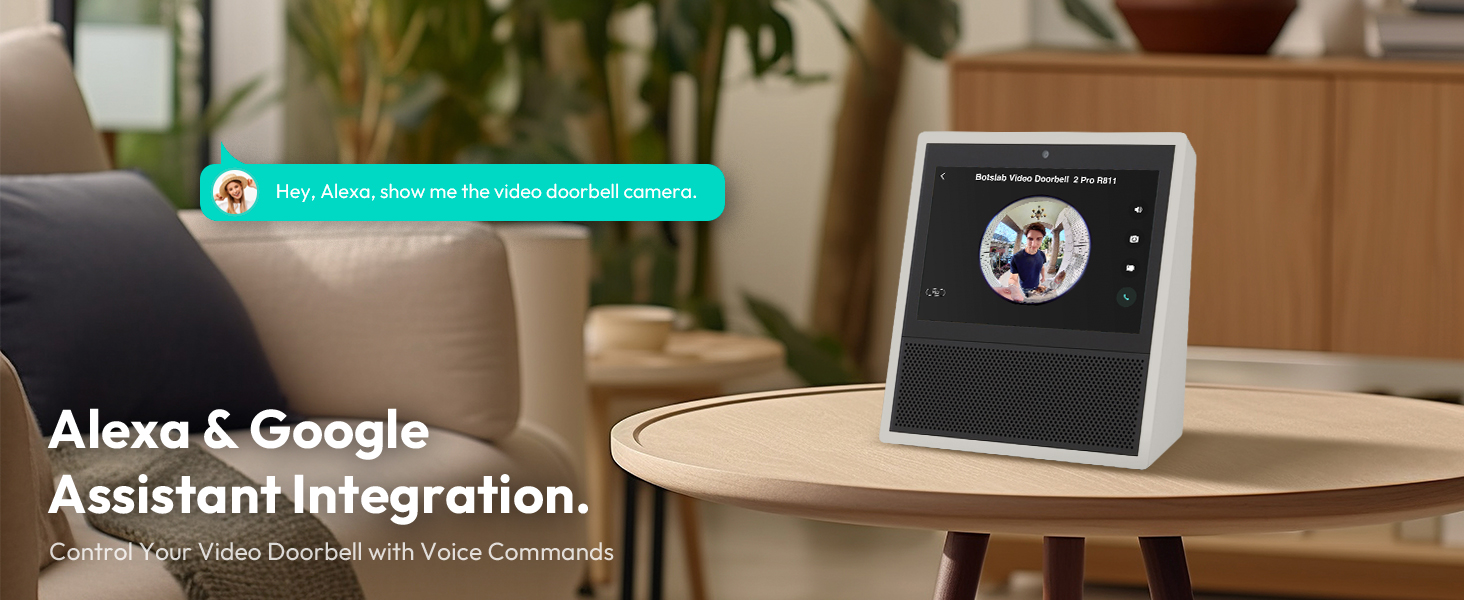
Image: Contents of the BOTSLAB Doorbell Camera package, including the doorbell unit, base station, mounting hardware, cables, and documentation.
سيٽ اپ ۽ تنصيب
The BOTSLAB Doorbell Camera offers flexible installation options, including battery-powered or wired connections, and can be mounted using adhesive or screws.
1. بيٽري کي چارج ڪرڻ
Before initial use, fully charge the doorbell's built-in 6400mAh lithium-ion battery using the provided charging cable. A full charge ensures optimal performance and battery life.

Image: The doorbell unit with its internal components visible, highlighting the 6400mAh rechargeable battery.
2. دروازي جي گھنٽي لڳائڻ
Choose between adhesive or screw-in installation. Ensure the installation surface is flat, smooth, and clean for adhesive mounting. A 15-degree bracket is included for angled installations to optimize the viewزاويه.
- Adhesive لڳائڻ: Apply the 3M VHB adhesive to the back of the mounting bracket and firmly press it onto the desired surface.
- Screw-in Mounting: ڀت تي چڙهڻ واري بریکٹ کي محفوظ ڪرڻ لاءِ مهيا ڪيل اسڪرو ۽ اينڪر استعمال ڪريو.
- وائرڊ ڪنيڪشن: If connecting to existing doorbell wiring (AC cable included), follow the instructions in the Quick Start Guide for wiring the doorbell to your existing chime.

Image: Illustration of the doorbell installation process, showing the mounting bracket, adhesive, and wired connection options.
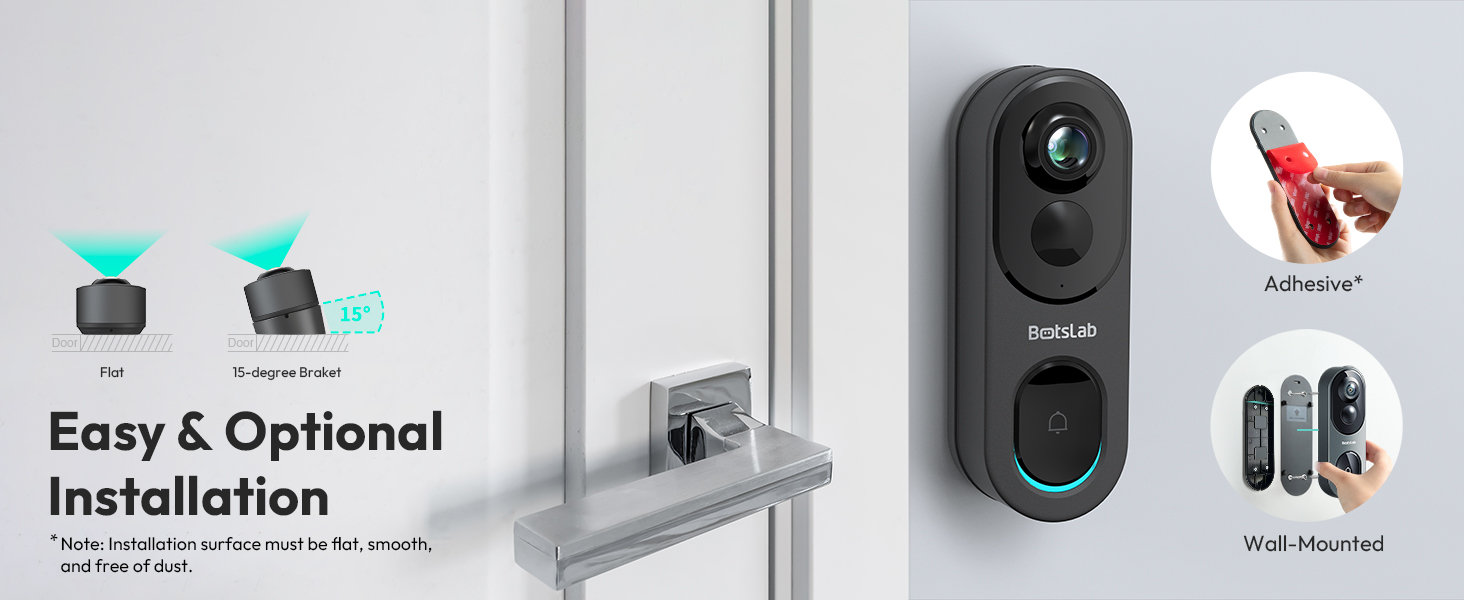
Image: Visual guide for easy and optional installation, demonstrating adhesive and wall-mounted methods, including the 15-degree bracket for angled views.
3. Connecting to Wi-Fi and App Setup
The doorbell supports both 2.4GHz and 5GHz Wi-Fi networks for a fast and stable connection. Download the Botslab APP from your device's app store (Google Play or Apple App Store) to set up and manage your doorbell camera.
- Download and install the Botslab APP.
- اڪائونٽ ٺاهيو يا لاگ ان ٿيو.
- Follow the in-app instructions to add your new doorbell camera, connecting it to your home Wi-Fi network.
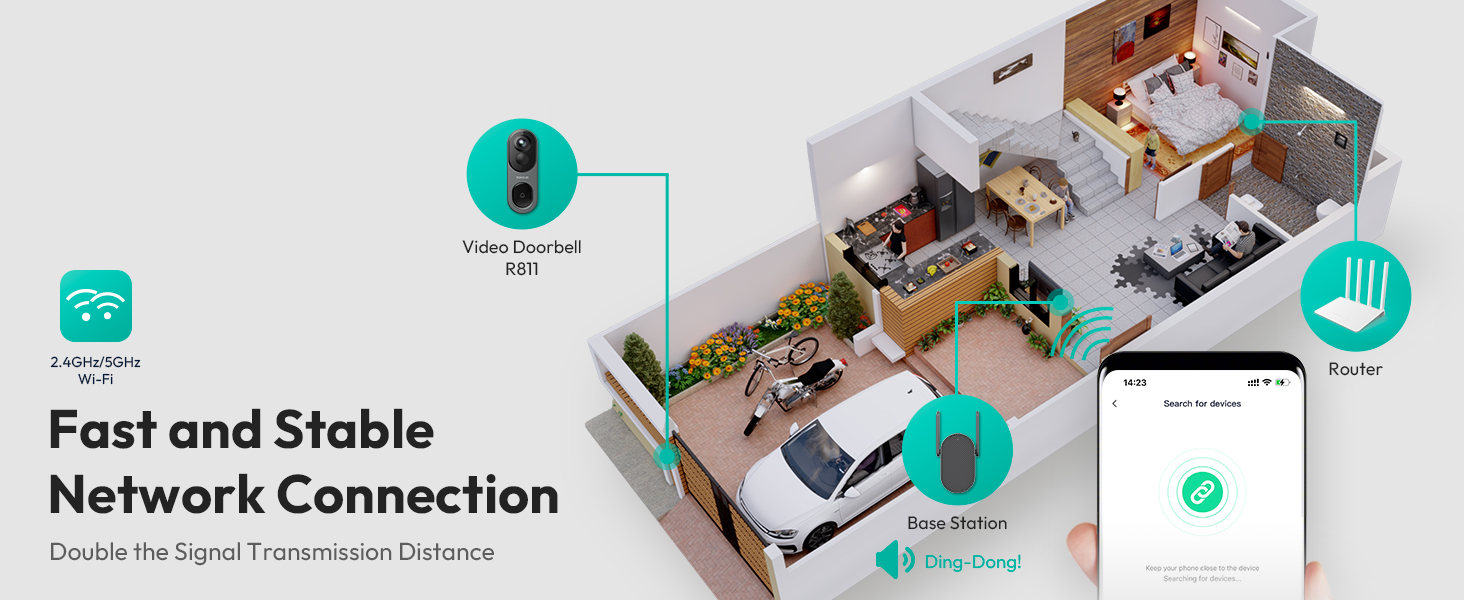
Image: Depiction of the network connection, illustrating how the doorbell, base station, and router work together for a stable 2.4GHz/5GHz Wi-Fi connection.
آپريٽنگ هدايتون
1. لائيو View ۽ رڪارڊنگ
Access the live feed of your doorbell camera through the Botslab APP. The camera provides a 5MP resolution with a 180-degree horizontal and 180-degree vertical panoramic view, ensuring a head-to-toe perspective of your visitors and surroundings.
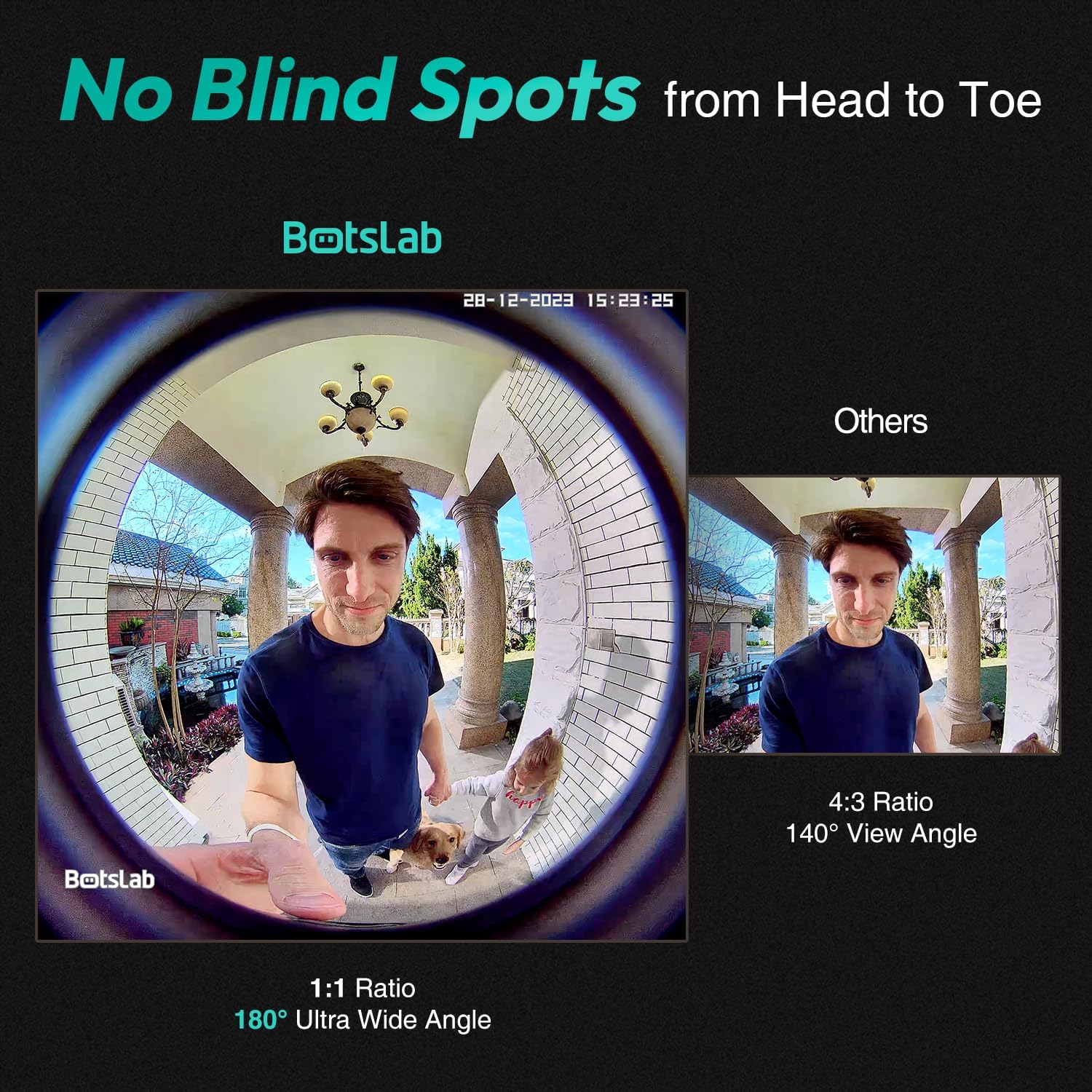
Image: A visual comparison demonstrating the 180-degree ultra-wide angle view of the Botslab doorbell, capturing a full head-to-toe perspective, compared to a narrower 140-degree view.
2. View موڊز
The camera offers four distinct view modes to suit your preference and monitoring needs:
- پينورامڪ موڊ: Provides a wide, fisheye view of the entire area.
- VR موڊ: Allows you to pan and tilt within the panoramic view.
- Horizontal Correction Mode: Corrects the fisheye distortion horizontally.
- Vertical Correction Mode: Corrects the fisheye distortion vertically.

Image: Display of the four available view modes: Panoramic, VR, Horizontal Correction, and Vertical Correction, demonstrating how they cover every angle.
3. AI جي چڪاس ۽ الرٽ
Equipped with a professional AI chip, radar, and PIR detection, the doorbell camera accurately identifies human presence, lingering, and general motion, significantly reducing false alarms. You can customize detection distances and receive real-time alerts on your mobile device.

Image: A visual representation of how to personalize radar and PIR detection ranges, showing how the system reduces false alerts by focusing on specific areas.
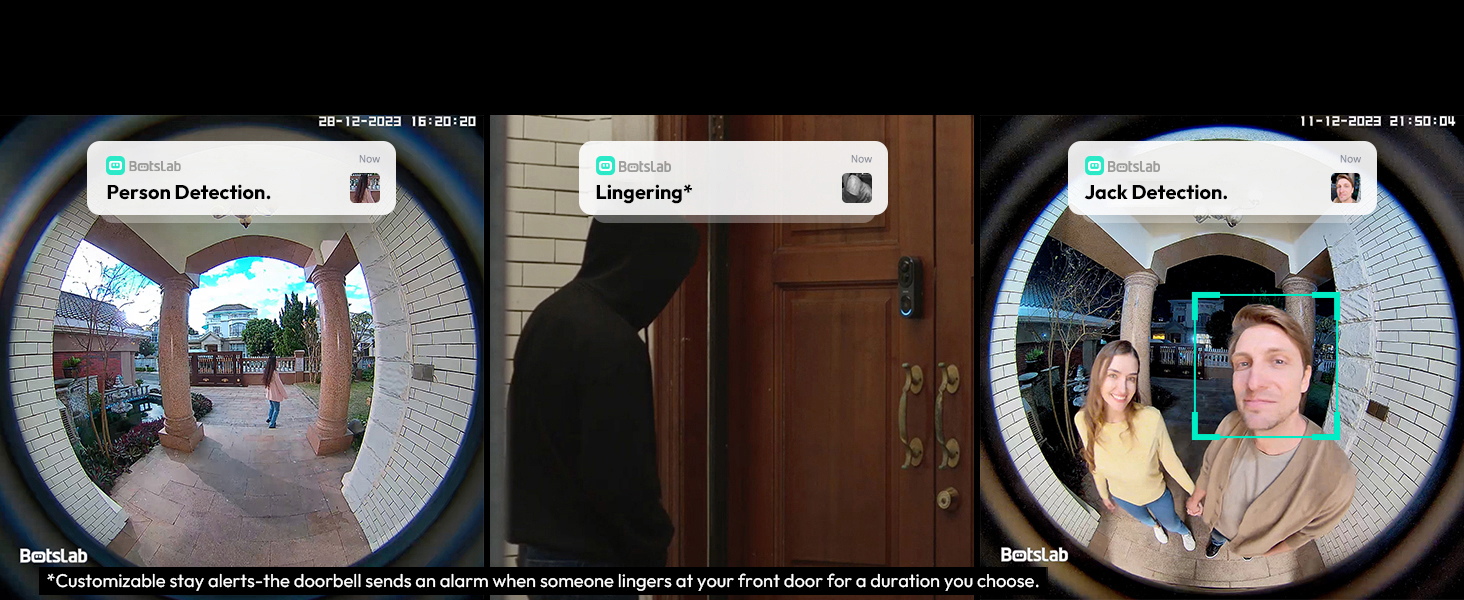
تصوير: Examples of AI detection alerts, including person detection, lingering detection (customizable stay alerts), and specific individual detection.
4. Two-Way Audio with Voice Modulation
Communicate with visitors at your door using the two-way audio feature. For added privacy and security, you can utilize the voice modulation feature to change your voice to male or funny tones.
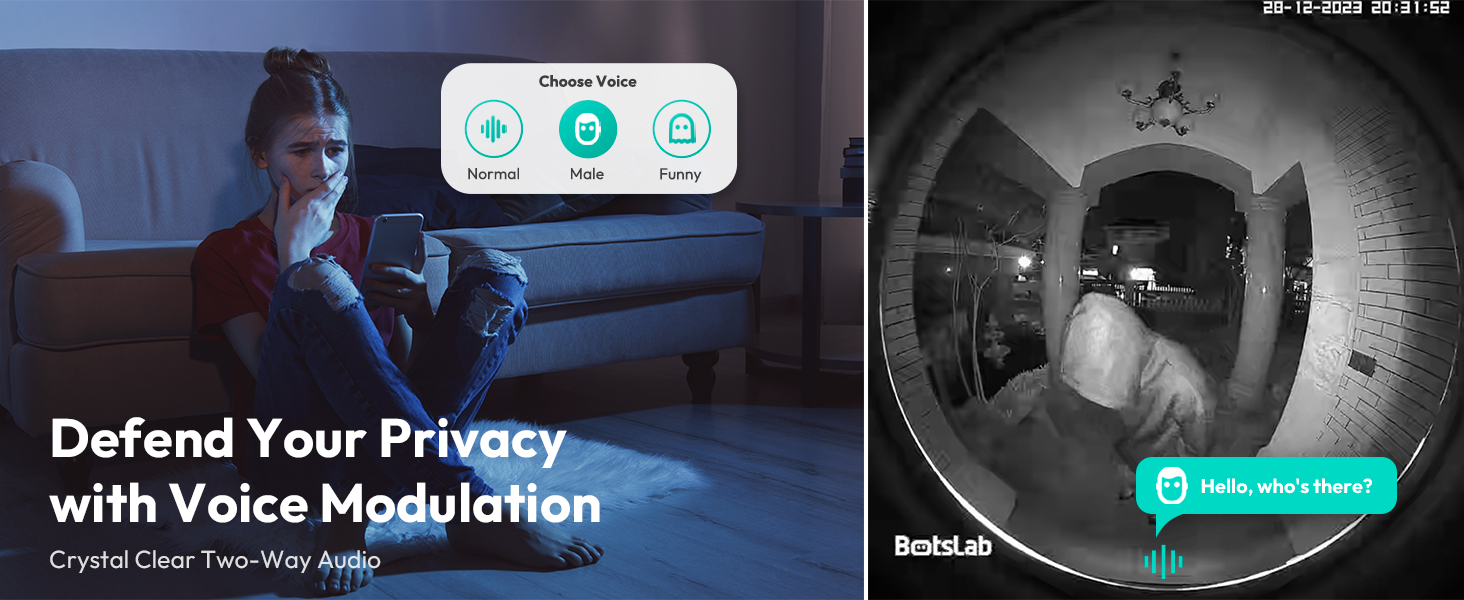
Image: Illustration of the voice modulation feature for two-way audio, allowing users to change their voice for enhanced privacy and security.
5. رات جو نظارو
The doorbell camera features crystal IR night vision, providing clear visibility up to 24 feet in low-light conditions, ensuring detailed recordings even at night.

Image: Depiction of the crystal IR night vision capability, allowing the camera to recognize more details in dark environments.
6. اسٽوريج جا اختيار
The R811 model includes built-in 32GB EMMC local storage, providing up to 365 days of video history based on 12 daily detections of 30 seconds each. Additionally, it offers free 2-day cloud video storage forever, ensuring your videos are securely backed up without monthly fees.

Image: Information on the storage features, highlighting the 32GB built-in local storage and the lifetime free cloud storage option.
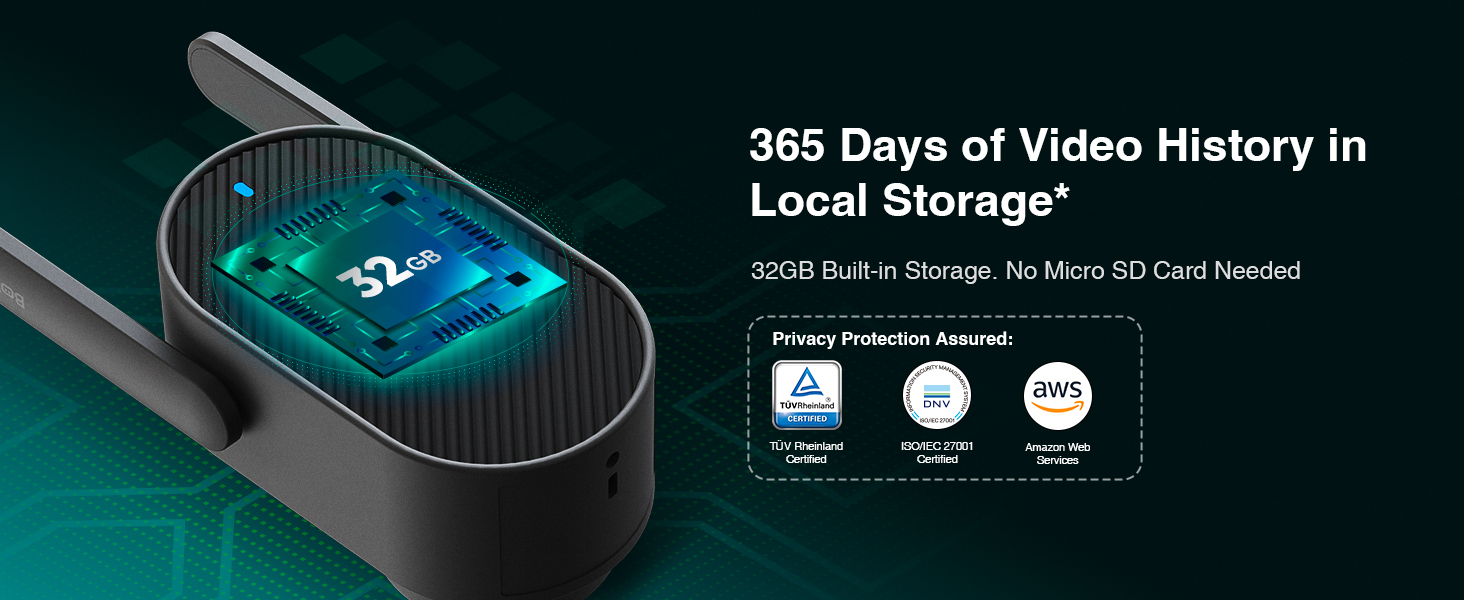
Image: Details on the 365 days of video history available with the 32GB built-in local storage, emphasizing no need for an SD card.
7. سمارٽ هوم انٽيگريشن
The BOTSLAB Doorbell Camera seamlessly integrates with Amazon Alexa and Google Assistant, allowing you to control your doorbell and view live feeds using voice commands.
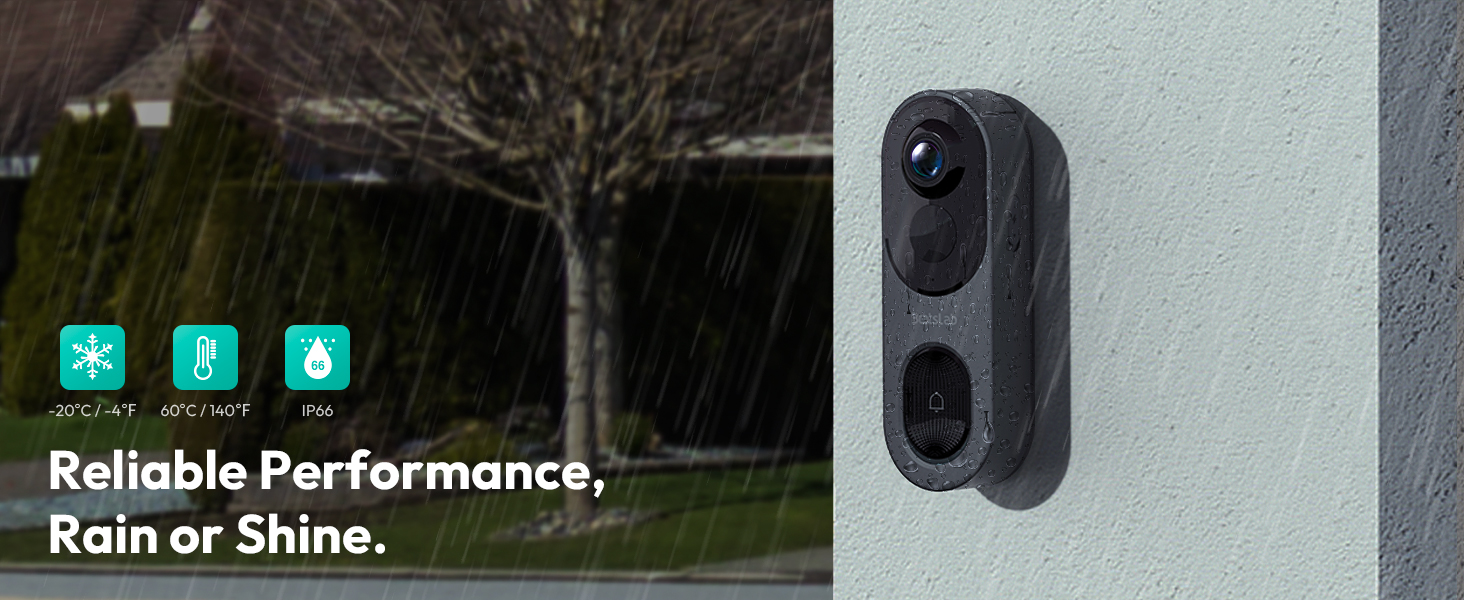
Image: Illustration of Alexa and Google Assistant integration, enabling voice control and viewing of the doorbell feed on smart displays.
8. خانداني حصيداري
Share access to your doorbell camera with up to 5 users, allowing multiple family members to view live videos and receive alerts simultaneously.
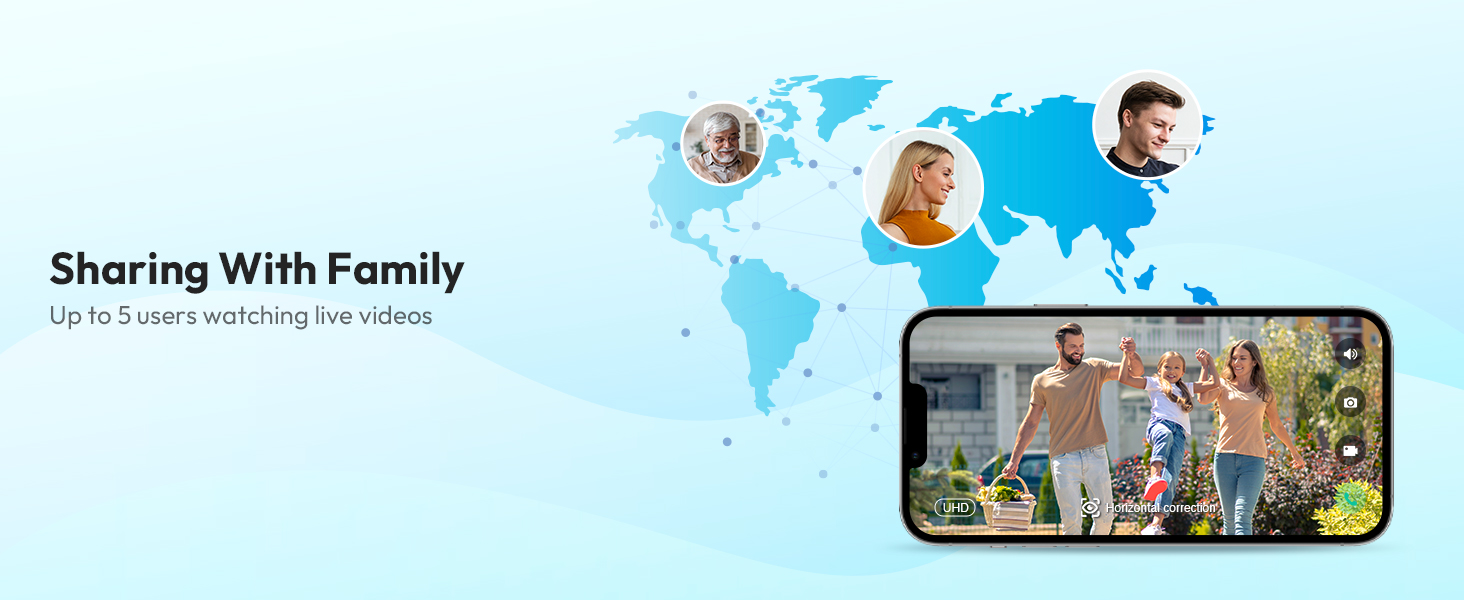
Image: Depiction of the family sharing feature, allowing up to 5 users to watch live videos from the doorbell camera.
سار سنڀال
1. بيٽري جو انتظام
The doorbell camera is powered by a 6400mAh rechargeable battery. Monitor the battery level through the Botslab APP and recharge as needed using the provided charging cable. The doorbell can also be continuously powered if wired to an existing chime.
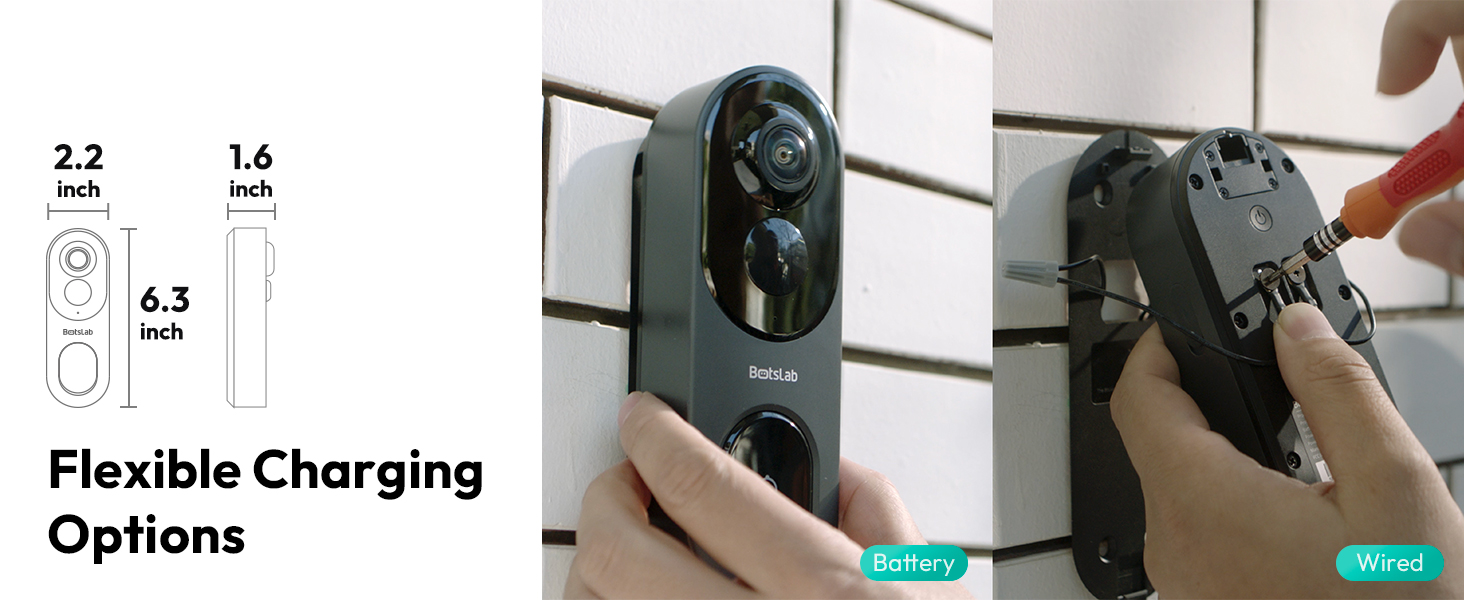
Image: Details on flexible charging options, illustrating both battery and wired power methods for the doorbell camera.
2. موسم جي مزاحمت
The BOTSLAB Doorbell Camera is IP66 rated, ensuring reliable performance in various weather conditions, including rain, snow, and extreme temperatures ranging from -20°C (-4°F) to 60°C (140°F).

Image: Visual representation of the doorbell's reliable performance in various weather conditions, highlighting its IP66 waterproof rating and temperature tolerance.
3. صفائي
Wipe the camera lens and body with a soft, damp مٽي ۽ داغ هٽائڻ لاءِ ضرورت مطابق ڪپڙو. سخت ڪيميڪلز يا رگڙيندڙ مواد استعمال ڪرڻ کان پاسو ڪريو جيڪي ڊوائيس کي نقصان پهچائي سگهن ٿا.
مشڪلاتون
If you encounter any issues with your BOTSLAB Doorbell Camera, please refer to the following common troubleshooting steps:
- طاقت ناهي: Ensure the battery is charged or the wired connection is properly installed.
- آف لائن حالت: Check your Wi-Fi connection and ensure the doorbell is within range of your router or base station. Restart the doorbell and your router if necessary.
- خراب وڊيو معيار: پنھنجي وائي فائي سگنل جي طاقت جي تصديق ڪريو. پڪ ڪريو ته لينس صاف ۽ رڪاوٽن کان پاڪ آهي.
- غلط الرٽ: Adjust the AI detection sensitivity and customize the detection zones in the Botslab APP.
- ٻه طرفي آڊيو مسئلا: Check the volume settings in the app and on your mobile device. Ensure there are no obstructions blocking the microphone or speaker on the doorbell.
For more detailed troubleshooting or persistent issues, please contact BOTSLAB customer support.
وضاحتون
Key technical specifications for the BOTSLAB 5MP Wireless Outdoor Doorbell Camera (Model R811):
| خاصيت | تفصيل |
|---|---|
| ماڊل نمبر | R811 |
| وڊيو ڪيپچر ريزوليوشن | 5MP |
| Viewزاويه | 180 Degrees (Horizontal & Vertical) |
| وائرليس ڪميونيڪيشن | 2.4/5GHz WiFi, Bluetooth |
| بيٽري جي گنجائش | 6400mAh ليٿيم آئن (شامل) |
| مقامي اسٽوريج | 32GB EMMC Built-in |
| Cloud Storage | Free 2-day cloud video forever |
| AI جي چڪاس | Person, Stay, Motion Detection (AI/Radar/PIR) |
| نائيٽ ويزن رينج | 24 فوٽن تائين |
| موسم جي مزاحمت | IP66 |
| آپريٽنگ جي درجه حرارت | -20 ° C کان 60 ° C (-4 ° F کان 140 ° F) |
| طول و عرض (L x W x H) | 6 x 3 x 13 سينٽي |
| شيءِ جو وزن | 810 جي |
| مطابقت | Amazon Alexa, Google Assistant, Botslab App |

Image: A comparison table detailing the specifications of the R811 model against the R810 model.
وارنٽي ۽ سپورٽ
BOTSLAB is committed to providing high-quality products and excellent customer service.
وارنٽي ڄاڻ
Your BOTSLAB Doorbell Camera (Model R811) comes with a 1 سالن جي ٺاهيندڙ جي وارنٽي خريداري جي تاريخ کان، مواد ۽ ڪاريگري ۾ خرابين کي ڍڪيندي. مھرباني ڪري وارنٽي دعوائن لاءِ خريداري جو ثبوت رکو.
ڪسٽمر سپورٽ
For any questions, technical assistance, or warranty inquiries, BOTSLAB offers comprehensive support:
- حياتياتي ٽيڪنيڪل سپورٽ: توهان جي پيداوار جي عمر تائين مدد موجود آهي.
- 24/7 ڪسٽمر سروس: مدد لاءِ ڪنهن به وقت اسان سان رابطو ڪريو.
- آن لائين وسيلا: گهمڻ global.botslab.com for FAQs and detailed setup videos.
- اي ميل سپورٽ: اسان تائين پهچ service@botslab.com.
- In-App Live Chat: Access live chat support through the Botslab APP: Me > Support > Live Chat.
- Botslab Users Group: Join the community on Facebook for peer support and updates.

Image: Information on Botslab's customer support channels and care policies, including warranty and technical assistance.
Ask a question about this manual
Ask about setup, troubleshooting, compatibility, parts, safety, or missing instructions. Manuals+ will review the question and use this page’s manual context to help answer it.