
1. تعارف
The PNI PMR R70 PRO is a portable PMR446 radio designed for reliable communication. This device operates on the 446 MHz frequency band, offering 16 channels and 99 PC programmable channels. It features 50 CTCSS tones and 166 DCS tones for enhanced privacy and interference reduction. With an IP67 rating, the radio is protected against dust and water immersion, making it suitable for various environments. No license is required for operation in most European Union countries.
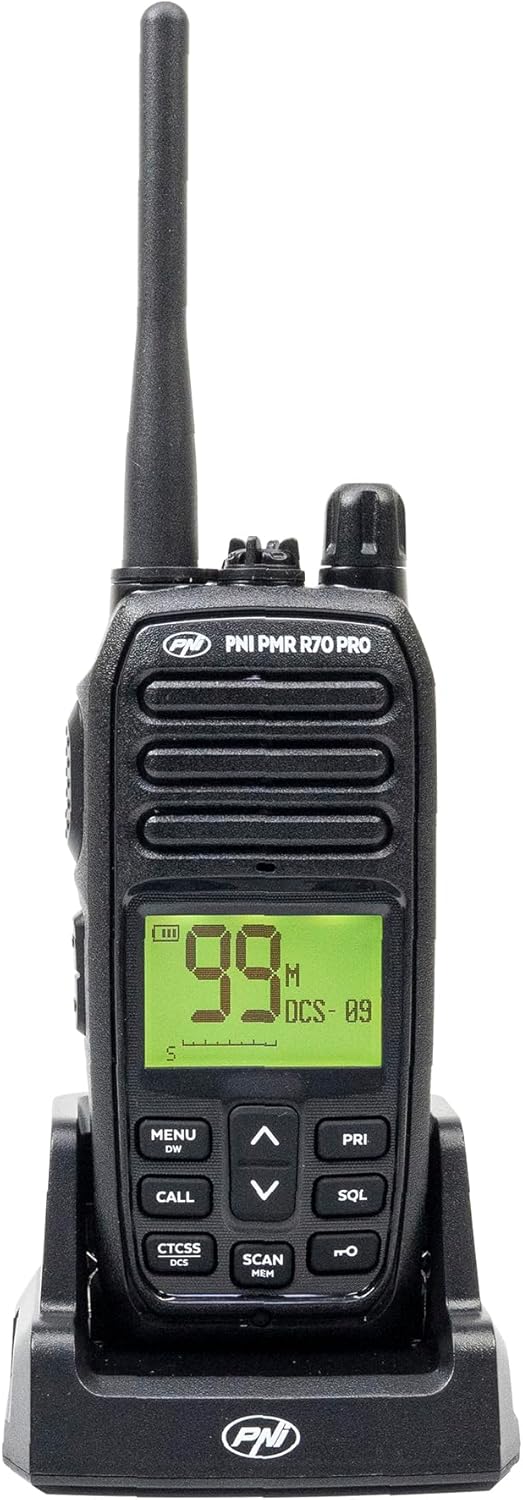
تصوير 1.1: سامهون view of the PNI PMR R70 PRO portable radio, showing the display and control buttons.
2. پيڪيج مواد
پڪ ڪريو ته هيٺ ڏنل سڀئي شيون توهان جي پيڪيج ۾ شامل آهن:
- PNI PMR R70 PRO Radio Unit
- اينٽينا
- 1800 mAh جي بيٽري
- ڊيسڪٽاپ چارجر
- بيلٽ ڪلپ
- استعمال ڪندڙ ھدايت
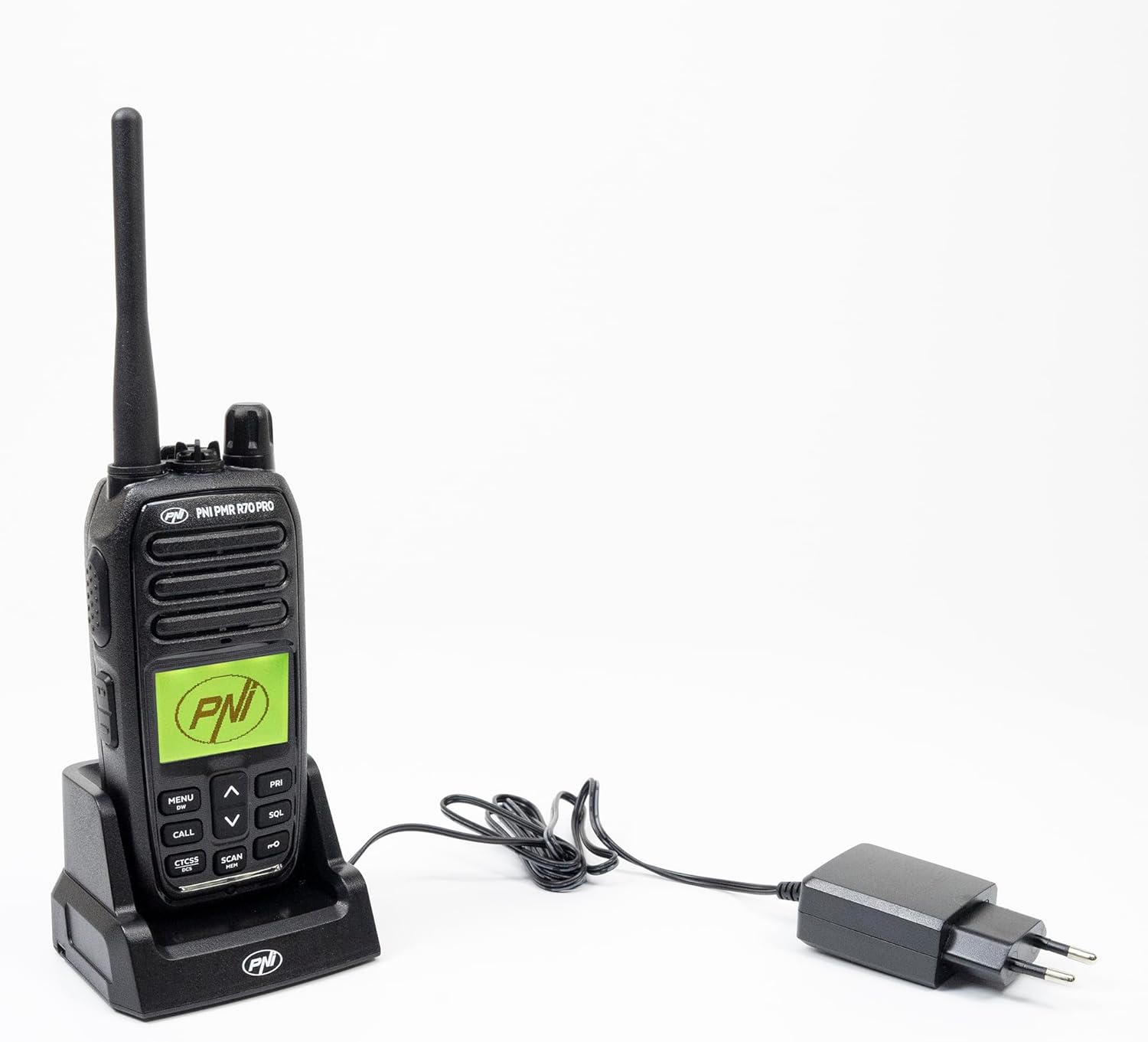
Image 2.1: All components included in the PNI PMR R70 PRO package: radio, antenna, battery, desktop charger, and belt clip.
3. سيٽ اپ
3.1 بيٽري لڳائڻ
- پڪ ڪريو ته ريڊيو بند آهي.
- ريڊيو جي پوئين پاسي بيٽري جي ڪمپارٽمينٽ جو ڍڪ ڳوليو.
- Unscrew the retaining screw and carefully remove the cover.
- Insert the 1800 mAh battery into the compartment, ensuring the contacts align correctly.
- بيٽري جي ڪمري واري ڍڪ کي تبديل ڪريو ۽ ان کي اسڪرو سان محفوظ ڪريو.

تصوير 3.1: ريئر view of the PNI PMR R70 PRO radio with the battery compartment open, showing the battery and its connection.
3.2 بيٽري کي چارج ڪرڻ
- Connect the desktop charger to a power outlet.
- Place the radio unit into the charging cradle. Ensure the charging contacts on the radio align with those on the charger.
- چارجر تي چارجنگ انڊيڪيٽر لائيٽ روشن ٿيندي، عام طور تي چارج ڪرڻ لاءِ ڳاڙهي ۽ مڪمل چارج ٿيڻ لاءِ سائو.
- مڪمل چارج ٿيڻ ۾ عام طور تي ڪيترائي ڪلاڪ لڳن ٿا. بيٽري کي اوور چارج نه ڪريو.
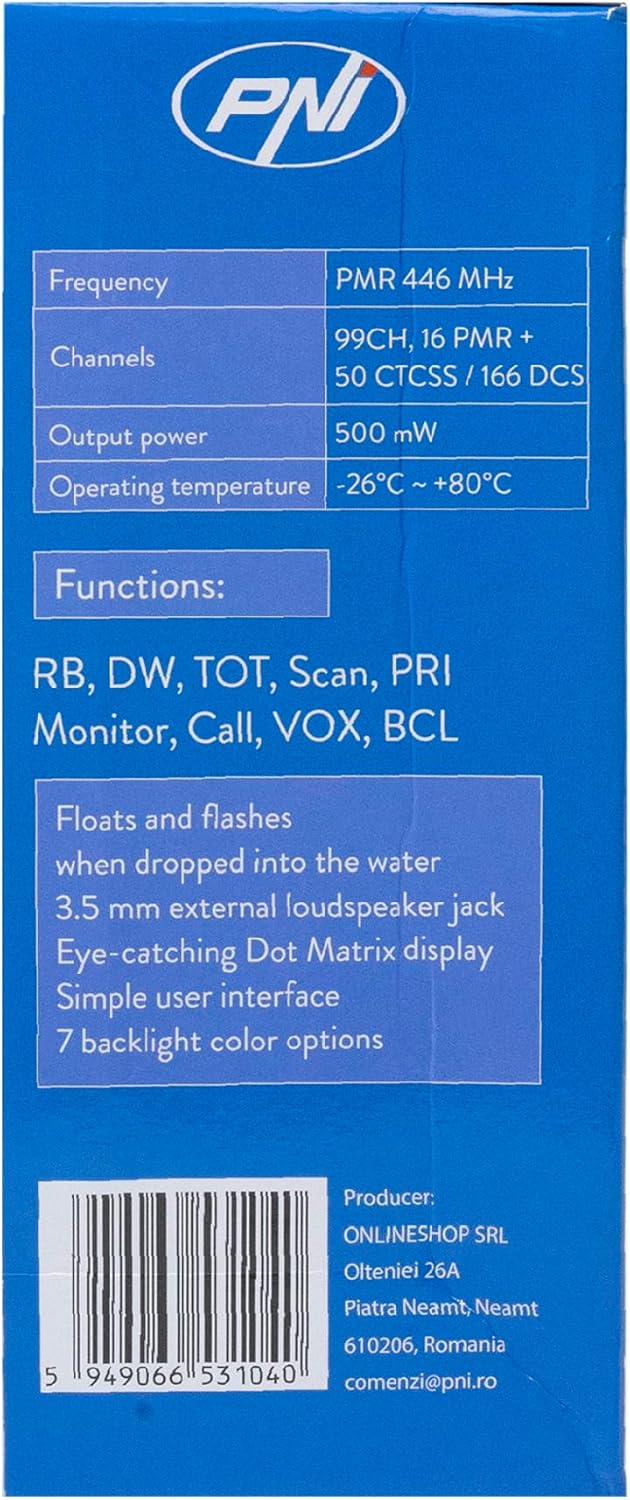
Image 3.2: The PNI PMR R70 PRO radio placed in its desktop charging cradle, connected to a power adapter.
4. آپريٽنگ هدايتون
4.1 پاور آن/آف
ريڊيو کي پاور ڏيڻ لاءِ، پاور/واليوم نوب کي گھڙيال جي طرف گھمايو جيستائين توهان کي ڪلڪ نه اچي. پاور آف ڪرڻ لاءِ، گھڙيال جي مخالف طرف گھمايو جيستائين اهو ڪلڪ نه ڪري.
4.2 حجم جي ترتيب
حجم وڌائڻ لاءِ پاور/واليوم نوب کي گھڙيال جي طرف گھمايو ۽ گھٽائڻ لاءِ گھڙيال جي مخالف طرف گھمايو.
4.3 چينل جي چونڊ
استعمال ڪريو UP (^) ۽ هيٺ (v) arrow buttons on the front panel to select one of the 16 available channels. The selected channel number will be displayed on the screen.
4.4 منتقلي ۽ وصول ڪرڻ
- پهچائڻ: Press and hold the Push-To-Talk (PTT) button located on the side of the radio. Speak clearly into the microphone. Release the PTT button to stop transmitting.
- وصول ڪرڻ: پڪ ڪريو ته PTT بٽڻ دٻايو نه ويو آهي. ريڊيو خودڪار طريقي سان چونڊيل چينل تي سگنل وصول ڪندو.
4.5 خاص خاصيتون
- CTCSS/DCS Tones: The radio supports 50 CTCSS (Continuous Tone-Coded Squelch System) and 166 DCS (Digitally Coded Squelch) tones. These tones help filter out unwanted conversations on the same channel. Refer to the full user guide for programming instructions.
- اسڪين فنڪشن: Activate the scan function to monitor all active channels. The radio will stop on an active channel until the transmission ends.
- Dual Watch (DW): This feature allows the radio to monitor two channels simultaneously.
- راجر بيپ: An audible tone emitted when the PTT button is released, signaling the end of your transmission.
- ڪيپيڊ لاڪ: سيٽنگن ۾ حادثاتي تبديلين کي روڪي ٿو.
- PC Programmable Channels: The radio supports 99 PC programmable channels. This requires a specific programming cable (PNI - PSR70) and software.

Image 4.1: The PNI PMR R70 PRO radio connected to a laptop via a programming cable for channel and feature customization.
5. سار سنڀال
5.1 صفائي
هڪ نرم سان ريڊيو کي مسح ڪريو، ڊيamp cloth. Do not use harsh chemicals or abrasive cleaners. Ensure the radio is dry before use or charging.
5.2 پاڻي جي مزاحمت (IP67)
The PNI PMR R70 PRO is rated IP67, meaning it is fully protected against dust ingress and can withstand immersion in water up to 1 meter for 30 minutes. While robust, avoid unnecessary exposure to water and ensure all covers (e.g., battery cover, accessory port cover) are securely closed before exposing the radio to water.

Image 5.1: The PNI PMR R70 PRO radio with water droplets, illustrating its IP67 water resistance feature.
6. مسئلا حل ڪرڻ
If you encounter issues with your PNI PMR R70 PRO radio, consider the following common troubleshooting steps:
- طاقت ناهي: پڪ ڪريو ته بيٽري صحيح طرح سان نصب ٿيل آهي ۽ مڪمل طور تي چارج ٿيل آهي. چيڪ ڪريو ته پاور/واليوم نوب آن آهي.
- منتقل يا وصول نٿو ڪري سگهجي: Verify that you are on the correct channel. Check if the PTT button is functioning. Ensure the antenna is securely attached.
- خراب آڊيو معيار: Adjust the volume. Ensure the microphone and speaker are not obstructed. Move to an area with fewer obstructions for better signal.
- مختصر رينج: Obstacles like buildings and terrain can significantly reduce range. Operate in open areas for maximum range. Ensure the battery is fully charged.
- ڪي پيڊ غير جوابده: Check if the keypad lock feature is activated. Deactivate it if necessary.
For persistent issues, consult the comprehensive user guide or contact customer support.
7. وضاحتون
| خاصيت | تفصيل |
|---|---|
| برانڊ | PNI |
| ماڊل نمبر | PNI-R70-PRO |
| تعدد جي حد | 446.00625 ~ 446.19375 ايم ايڇ |
| چينلن جو تعداد | 16 (PMR), 99 PC Programmable |
| ٻاھر نڪرڻ جي طاقت | 0.5 ڊبليو |
| سي ٽي سي ايس ايس ٽونز | 50 |
| DCS Tones | 166 |
| بين الاقوامي تحفظ جي درجه بندي | IP67 (Dustproof, Submersible up to 1m for 30 min) |
| بيٽري | 1800 ايم اي ايڇ (شامل) |
| سراسري بيٽري جي زندگي | 18 ڪلاڪ |
| جلدtage | 7.4 وولٽ (DC) |
| وڌ ۾ وڌ رينج | Up to 10 Kilometers (open space) |
| آپريٽنگ جي درجه حرارت | -26°C ~ +80°C |
| پيداوار جا طول و عرض (ڊي x ڊبليو x ايڇ) | 6P x 13l x 4H سينٽي ميٽر |
| شيءِ جو وزن | 225 گرام |
| خاص خاصيتون | Digital Display, Rechargeable, Roger Beep, Submersible, Keypad Lock |
8. وارنٽي ۽ سپورٽ
8.1 وارنٽي ڄاڻ
The PNI PMR R70 PRO radio comes with a 2 سال وارنٽي خريداري جي تاريخ کان. هي وارنٽي عام استعمال هيٺ پيداوار جي خرابين کي ڍڪيندي آهي. مھرباني ڪري وارنٽي دعوائن لاءِ خريداري جو ثبوت رکو.
8.2 ڪسٽمر سپورٽ
For technical assistance, troubleshooting, or warranty service, please contact your retailer or the manufacturer's customer support. Refer to the contact information provided in your purchase documentation.