
تعارف
This manual provides detailed instructions for the setup, operation, and maintenance of your FRONTECH KB-0040 Wired Gaming Combo, which includes a 104-key RGB backlit keyboard and a 6-button optical mouse. Please read this manual carefully before using the product to ensure optimal performance and longevity.
پيداوار ختمview
The FRONTECH KB-0040 Gaming Combo is designed for an enhanced gaming and computing experience. It features a full-sized 104-key membrane keyboard with vibrant RGB backlight effects and an ergonomic optical mouse with adjustable DPI settings and multiple buttons for precise control.

Image: FRONTECH KB-0040 Wired Gaming Combo Keyboard and Optical Mouse.
سيٽ اپ جون هدايتون
- ڪي بورڊ ڳنڍيو: پنهنجي ڪمپيوٽر تي موجود USB پورٽ ڳوليو. ڪيبورڊ جي USB ڪنيڪٽر کي USB پورٽ ۾ داخل ڪريو.
- ماؤس کي ڳنڍيو: Locate another available USB port on your computer. Insert the USB connector of the mouse into the USB port.
- پلگ ۽ راند: The keyboard and mouse are USB Plug & Play devices. Your operating system (WindowsXP/2000/ME/VISTA/7/8/10) should automatically detect and install the necessary drivers. No additional software installation is required.
- ڪنيڪشن جي تصديق ڪريو: Once connected, the RGB backlights on both the keyboard and mouse should illuminate, indicating a successful connection.

Image: USB Plug & Play connection for the keyboard.
Video: Unboxing and setup demonstration of the FRONTECH KB-0040 Gaming Combo.
آپريٽنگ هدايتون
ڪي بورڊ آپريشن
- بنيادي ٽائپنگ: Use the standard 104 keys for typing and input.
- آر جي بي بيڪ لائيٽ ڪنٽرول: To toggle the RGB backlight on or off, press the Fn چاٻي هڪ ئي وقت سان اسڪرول لاڪ چاٻي
- سٿري جي اوچائي: The keyboard features adjustable feet on the underside. Flip them out to raise the keyboard to a more comfortable typing angle.
- ملٽي ميڊيا ڪيز: The keyboard includes 12 multimedia function keys (F1-F12) for quick access to media controls and other functions. These are typically activated by pressing the Fn key in combination with the respective F-key.
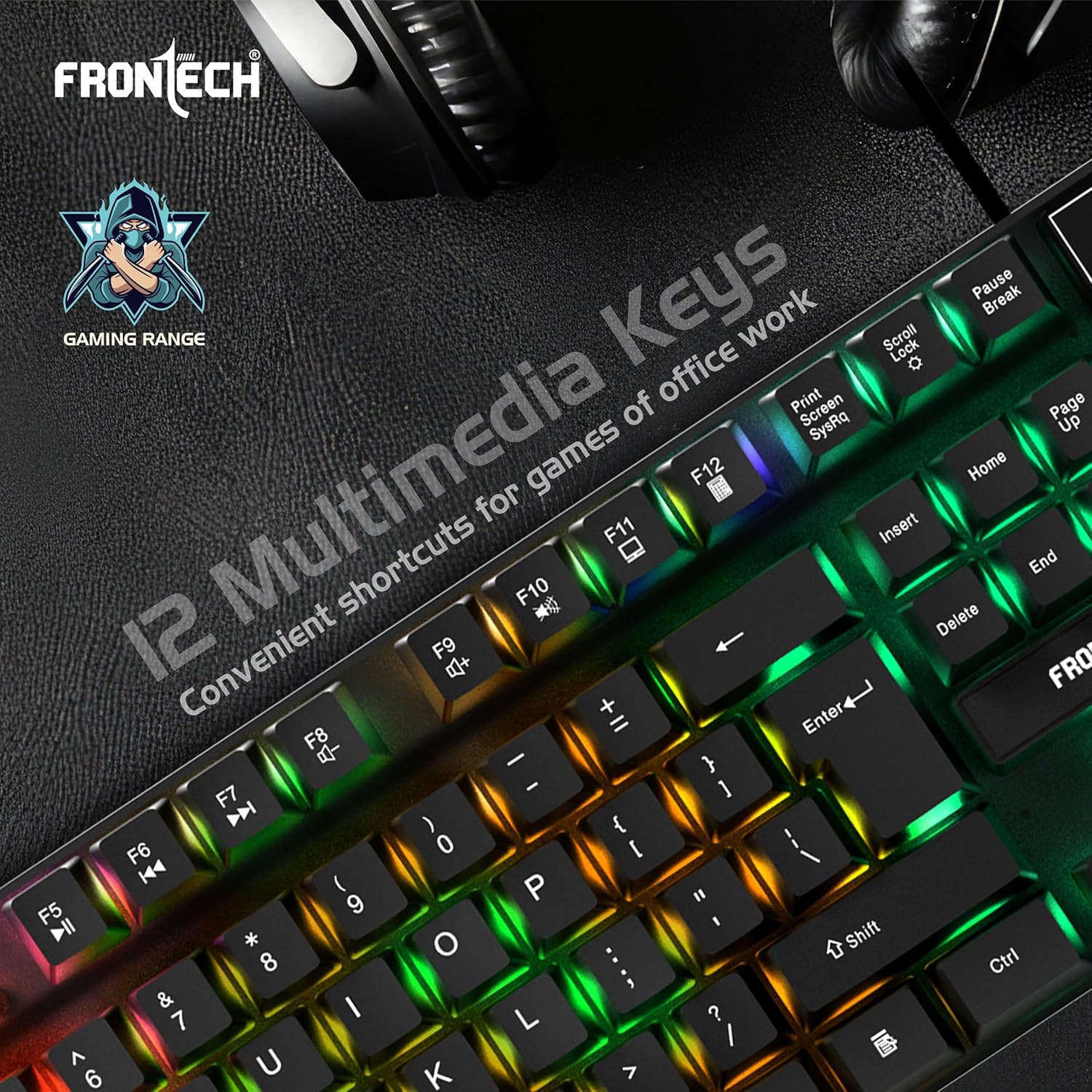
Image: Keyboard highlighting the 12 multimedia keys.

Image: Close-up of the keyboard showcasing the high-quality rainbow backlight.
مائوس آپريشن
- بنيادي ڪم: Use the left and right click buttons for primary interactions. The scroll wheel allows for vertical scrolling.
- ڊي پي آءِ ايڊجسٽمينٽ: The mouse features a dedicated DPI button (often located behind the scroll wheel) to cycle through different DPI (Dots Per Inch) sensitivity settings, typically ranging from 800 to 1600 DPI. This allows you to adjust cursor speed and precision.
- اضافي بٽڻ: The mouse includes additional programmable buttons (e.g., forward/backward buttons on the side) for enhanced functionality in games or applications.

Image: Ergonomic design of the optical mouse with LED rainbow lighting.

Image: Diagram illustrating the 4 main buttons and DPI control on the mouse.
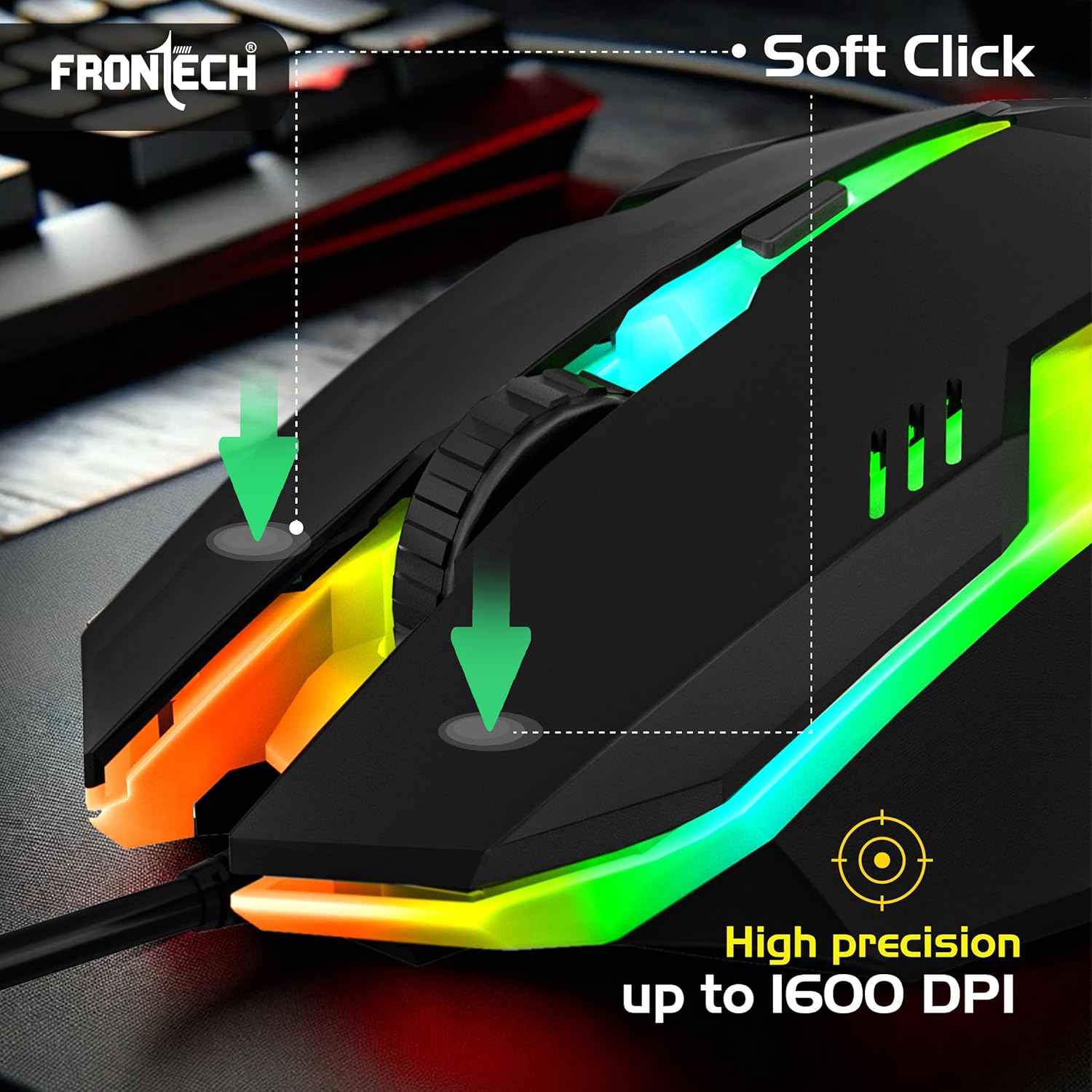
Image: Mouse highlighting soft click buttons and high precision up to 1600 DPI.
خاصيتون
- 104-key membrane keyboard layout.
- RGB backlight effects for both keyboard and mouse.
- Ergonomic and comfortable design for extended use.
- USB Plug & Play functionality, no drivers needed.
- 6-button optical gaming mouse.
- Adjustable mouse DPI resolution: 800 - 1600 DPI.
- Compatible with WindowsXP/2000/ME/VISTA/7/8/10.
وضاحتون
| جزو | تفصيل |
|---|---|
| ڪي بورڊ لي آئوٽ | 104 ڪنجيون |
| ڪي بورڊ جو طول و عرض | 430.7 x 131 x 30 ملي ميٽر |
| مائوس بٽڻ | 6 بٽڻ |
| Mouse DPI Resolution | 800 - 1600 ڊي پي آءِ |
| مائوس جي ماپ | 126 x 70 x 40 ملي ميٽر |
| Cable Length (Mouse) | 1.4m (Approx) |
| ڪم ڪرڻ وارو جلدtage | DC+5V tolerance: ±0.25V |
| رابطي | USB وائرڊ |
| آپريٽنگ سسٽم | WindowsXP/2000/ME/VISTA/7/8/10 |
| رنگ | ڪارو |
| شيءِ جو وزن | 860 جي |
مشڪلاتون
- ڪي بورڊ/ماؤس جواب نه ڏئي رهيو آهي:
- Ensure both USB connectors are securely plugged into your computer's USB ports.
- Try connecting the devices to different USB ports.
- پنهنجي ڪمپيوٽر کي ٻيهر شروع ڪريو.
- RGB Backlight Not Working (Keyboard):
- دٻايو Fn + سکرول لاڪ بيڪ لائيٽ کي آن/آف ڪرڻ لاءِ.
- پڪ ڪريو ته ڪيبورڊ صحيح طرح سان ڳنڍيل آهي ۽ پاور حاصل ڪري رهيو آهي.
- Mouse Cursor Movement is Erratic or Slow:
- مائوس جي هيٺئين پاسي واري آپٽيڪل سينسر کي صاف ڪريو.
- پڪ ڪريو ته توهان مائوس کي مناسب مٿاڇري تي استعمال ڪري رهيا آهيو (مثال طور، هڪ مائوس پيڊ).
- مائوس تي DPI بٽڻ استعمال ڪندي DPI سيٽنگ کي ترتيب ڏيو.
سار سنڀال
- صفائي: ڪيبورڊ ۽ مائوس کي صاف ڪرڻ لاءِ نرم، سڪل ڪپڙو استعمال ڪريو. ضدي مٽيءَ لاءِ، ٿورو ڊيamp ڪپڙو استعمال ڪري سگهجي ٿو، پر پڪ ڪريو ته ڪو به مائع ڊوائيسز ۾ داخل نه ٿئي. سخت ڪيميڪلز يا رگڙيندڙ صاف ڪندڙن کان پاسو ڪريو.
- اسٽوريج: When not in use, store the combo in a cool, dry place away from direct sunlight and extreme temperatures.
- ڪيبل جي سنڀال: اندروني نقصان کي روڪڻ لاءِ ڪيبلن کي گهڻو موڙڻ يا مروڙڻ کان پاسو ڪريو.
وارنٽي ۽ سپورٽ
The FRONTECH KB-0040 Wired Gaming Combo comes with a 1 سال محدود وارنٽي خريداري جي تاريخ کان. هي وارنٽي عام استعمال هيٺ پيداوار جي خرابين کي ڍڪيندي آهي. اهو غلط استعمال، حادثن، غير مجاز ترميمن، يا عام لباس ۽ آنسو جي ڪري ٿيندڙ نقصان کي ڍڪيندي ناهي.
For warranty claims or technical support, please contact FRONTECH customer service through their official webسائيٽ يا پرچون ڪندڙ جتي پراڊڪٽ خريد ڪئي وئي هئي. مھرباني ڪري وارنٽي جي تصديق لاءِ خريداري جو ثبوت رکو.