
تعارف
This manual provides detailed instructions for the setup, operation, and maintenance of your MageGee SKY 87 75% Mechanical Gaming Keyboard. Designed for both gaming and office use, this compact 87-key keyboard features tactile brown switches, ice blue LED backlighting, and broad compatibility.
1. سيٽ اپ
1.1 پيڪيج مواد
- MageGee SKY 87 Mechanical Gaming Keyboard
- USB-A Cable (Wired Connection)
- Keycap Puller (for maintenance)
1.2 ڪي بورڊ کي ڳنڍڻ
The MageGee SKY 87 keyboard uses a wired USB-A connection. To connect:
- Plug the USB-A cable into the USB port on the keyboard.
- Connect the other end of the USB-A cable to an available USB port on your computer (PC, Mac, or laptop).
- ڪيبورڊ پلگ اينڊ پلي آهي ۽ توهان جي آپريٽنگ سسٽم طرفان خودڪار طريقي سان سڃاڻي سگهجي ٿو.
2. آپريٽنگ هدايتون
2.1 Backlighting Control
The keyboard features ice blue LED backlighting with multiple modes and adjustable settings.
- Change Backlighting Mode: دٻايو Fn + PrtSc to cycle through 20 preset ice blue backlighting modes.
- روشني کي ترتيب ڏيو: دٻايو ايف اين + ↑ (مٿي تير) روشني وڌائڻ لاءِ، ۽ Fn + ↓ (هيٺ تير) روشني گھٽائڻ لاء.
- Adjust Flowing Speed: دٻايو ايف اين + - to decrease flowing speed, and Fn + = to increase flowing speed (for dynamic modes).

Image: The MageGee SKY 87 keyboard showcasing its vibrant ice blue LED backlighting and customizable light effects.
2.2 Tactile Brown Switches
The keyboard is equipped with tactile brown switches, offering a balanced typing experience with a noticeable bump without a loud click, suitable for both typing and gaming.

تصوير: هڪ ويجهو تصوير view of the keyboard demonstrating the tactile brown switches and a keycap puller for easy removal.
2.3 Ergonomic Design and Side Lighting
The keyboard features stepped keycaps and a two-stage adjustable stand for ergonomic comfort. Additionally, an ice blue LED light strip on the bottom provides enhanced visual effects.

Image: The keyboard highlighting its distinctive ice blue side lighting, which enhances the aesthetic in low-light conditions.

Image: An illustration detailing the two-step adjustable keyboard feet, allowing users to set the keyboard at high or low angles for personalized comfort.
2.4 Compact TKL Layout (87 Keys)
The 75% Tenkeyless (TKL) design provides a compact footprint with 87 keys, including independent arrow keys, saving desk space while retaining essential functionality.
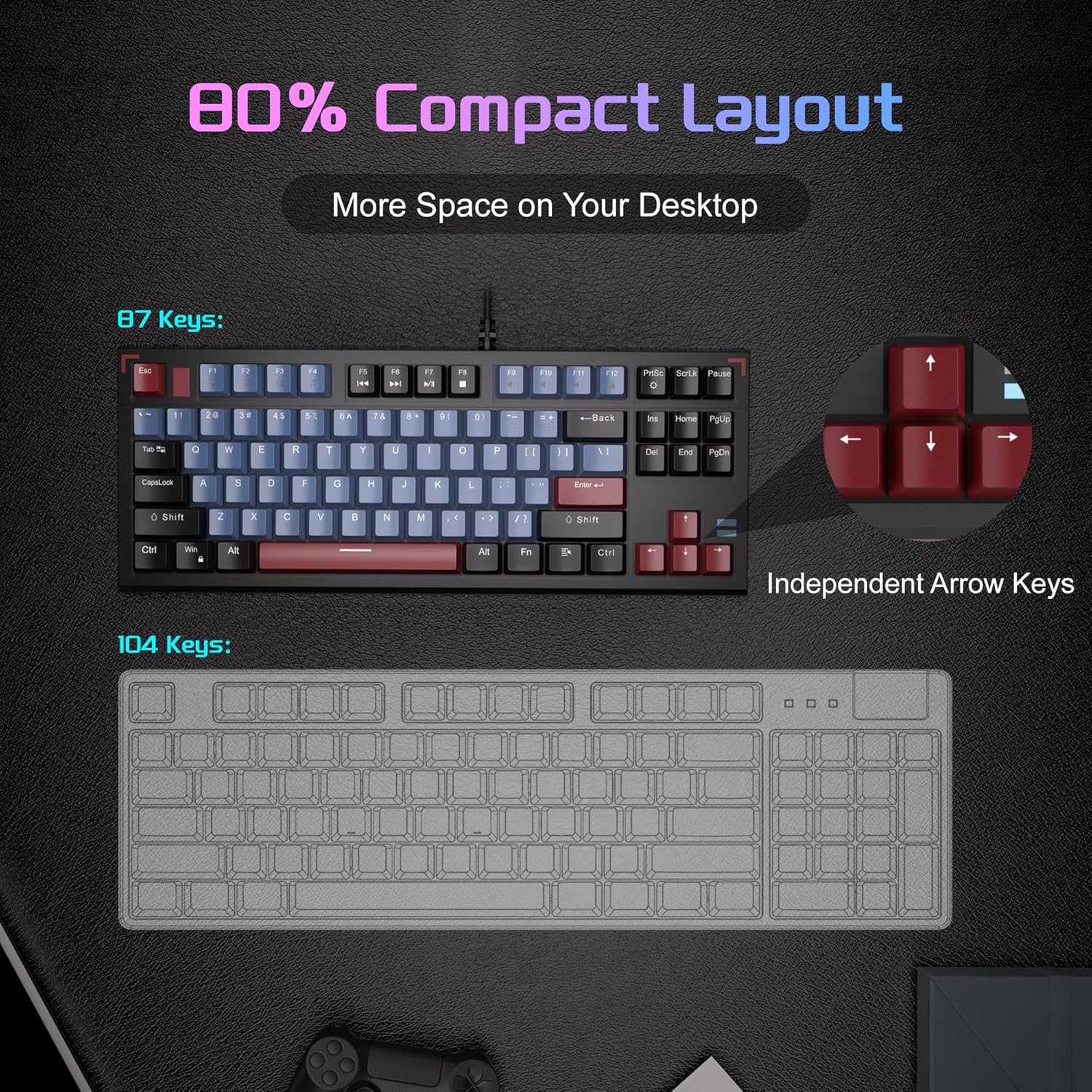
Image: A visual comparison illustrating the compact 87-key layout of the MageGee SKY 87 keyboard next to a standard 104-key keyboard, emphasizing space-saving benefits.
2.5 N-Key Rollover (Anti-Ghosting)
The keyboard supports 100% N-key rollover, meaning all keys can be pressed simultaneously without conflict, ensuring every keystroke is registered accurately during intense gaming or fast typing.

Image: A diagram showing how multiple key presses are registered simultaneously without ghosting, highlighting the N-key rollover feature.
2.6 ملٽي ميڊيا شارٽ ڪٽ
Access various multimedia functions using the Fn key in combination with the F-keys.
| Function Key Combination | وصف |
|---|---|
| Fn + F1 | منهنجو ڪمپيوٽر |
| Fn + F2 | ڳولا |
| Fn + F3 | حساب ڪندڙ |
| Fn + F4 | ميڊيا پليئر |
| Fn + F5 | اڳيون ٽريڪ |
| Fn + F6 | ايندڙ ٽريڪ |
| Fn + F7 | راند/روڪ |
| Fn + F8 | روڪ |
| Fn + F9 | گونگا |
| Fn + F10 | حجم ھيٺ |
| Fn + F11 | حجم مٿي |
| Fn + F12 | لاڪ اسڪرين |

Image: The keyboard layout highlighting the F-keys and their corresponding multimedia functions when used with the Fn key.
3. سار سنڀال
3.1 ڪي بورڊ صاف ڪرڻ
To ensure optimal performance and longevity, regular cleaning is recommended.
- صفائي ڪرڻ کان اڳ ڪيبورڊ کي ڪمپيوٽر کان ڌار ڪريو.
- ڪي ڪيپس جي وچ مان مٽي ۽ ملبہ هٽائڻ لاءِ نرم برش يا دٻيل هوا استعمال ڪريو.
- ضدي مٽيءَ لاءِ، ڪي ڪيپس ۽ ڪي بورڊ جي مٿاڇري کي ٿوري ڊي سان نرميءَ سان صاف ڪريو.amp، لِنٽ کان پاڪ ڪپڙو. گهڻي نمي کان پاسو ڪريو.
- استعمال نه ڪريو سخت ڪيميائي يا rasرندڙ صاف ڪندڙ.
3.2 Keycap Removal and Replacement
The included keycap puller can be used to remove and replace keycaps for cleaning or customization.
- Gently attach the keycap puller to the keycap you wish to remove.
- Pull straight up with even pressure until the keycap detaches from the switch.
- To replace, align the keycap with the switch stem and press down firmly until it clicks into place.

Image: The keyboard with some keycaps removed, illustrating the possibility of customization or deep cleaning.
4. مسئلا حل ڪرڻ
If you encounter issues with your MageGee SKY 87 keyboard, refer to the following common solutions:
- ڪي بورڊ جواب نه ڏئي رهيو آهي:
- پڪ ڪريو ته USB ڪيبل ڪيبورڊ ۽ ڪمپيوٽر ٻنهي سان محفوظ طور تي ڳنڍيل آهي.
- پنهنجي ڪمپيوٽر تي ڪيبورڊ کي ڪنهن ٻئي USB پورٽ ۾ لڳائڻ جي ڪوشش ڪريو.
- پنهنجي ڪمپيوٽر کي ٻيهر شروع ڪريو.
- بيڪ لائيٽنگ ڪم نه ڪري رهي آهي يا غلط آهي:
- Check if the brightness is set too low (Fn + ↑/↓).
- Cycle through lighting modes using Fn + PrtSc.
- مخصوص ڪنجيون ڪم نه ڪري رهيون آهن:
- Remove the keycap and check for any obstructions or debris around the switch.
- جيڪڏهن مسئلو جاري رهي، ڪسٽمر سپورٽ سان رابطو ڪريو.
5. وضاحتون
| خاصيت | تفصيل |
|---|---|
| برانڊ | ميج گي |
| ماڊل نمبر | SKY 87 |
| رابطي ٽيڪنالاجي | USB-A (وائرڊ) |
| ڪي بورڊ جي وضاحت | مشيني |
| سوئچ جو قسم | Tactile Brown Switches |
| ڪنجي جو تعداد | 87 |
| ڪي بورڊ لي آئوٽ | QWERTY |
| پٺڀرائي | Ice Blue LED (Single Color) |
| خاص خاصيتون | Backlit, Ergonomic, Multimedia Keys, Portable |
| مطابقت رکندڙ ڊوائيسز | ليپ ٽاپ، پي سي (ونڊوز، ميڪ) |
| پيداوار جي ماپ (L x W x H) | 14.37" x 5.51" x 1.69" |
| مواد | Acrylonitrile Butadiene Styrene (ABS) |
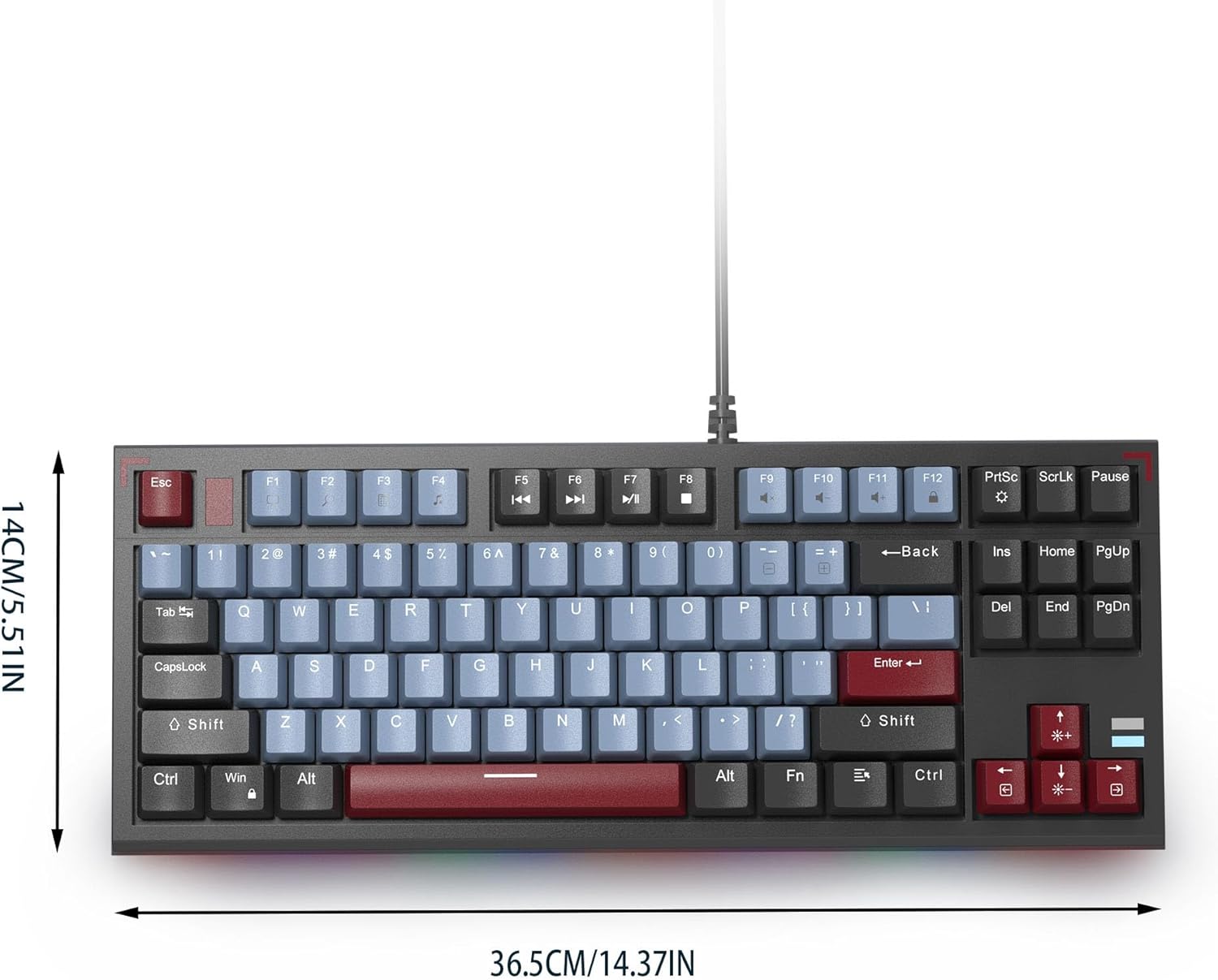
Image: The MageGee SKY 87 keyboard with its physical dimensions clearly indicated.
6. وارنٽي ۽ سپورٽ
وارنٽي جي معلومات ۽ ٽيڪنيڪل سپورٽ لاءِ، مھرباني ڪري سرڪاري MageGee جو حوالو ڏيو. webسائيٽ تي وڃو يا سڌو سنئون انهن جي ڪسٽمر سروس سان رابطو ڪريو. وارنٽي دعوائن لاءِ پنهنجي خريداري جي رسيد رکو.