
CHIGEE CGRC
CHIGEE CGRC Remote Control CAN 8 PIN User Manual
Model: CGRC
For CHIGEE AIO-5 Series, AIO-5 LITE
تعارف
The CHIGEE CGRC Remote Control CAN 8 PIN is designed to enhance the safe and efficient operation of CHIGEE AIO-5 lite or AIO-5 Play units on motorcycles equipped with a wheel controller. This device allows users to control their AIO-5 unit without needing to remove their hands from the handlebars, promoting safer riding.

Image: The CHIGEE CGRC Remote Control CAN 8 PIN module, a compact black device with the CHIGEE logo and model information.
مطابقت
This CGRC CAN module is compatible with various BMW motorcycle models equipped with a wheel controller. It integrates seamlessly to provide control over your CHIGEE AIO-5 series device.
سپورٽ ماڊل:
- C400 X / C400 GT
- F750/F850
- ايف 900 ايڪس آر
- S1000 XR / S1000 R
- R1200 RT / R1250 RT
- K1600 B / K1600GA
- K1600 GT / K1600 GTL
- Other BMW motorcycle models equipped with a wheel controller and adhering to 4-pin or 8-pin compatibility specifications.
اهم مطابقت جا نوٽس:
The following models are currently حمايت نه ڪئي due to control integration conflicts or incompatible pin ports:
- 2022 K1600: Installation may result in a control integration conflict with the TFT display. Wireless remote control option is recommended instead.
- 2023 R 1250 RT: Installation may result in a control integration conflict with the TFT display. Wireless remote control option is recommended instead.
- R1300 GS: Not compatible as the applicable pin port is not 4/8-pin. A dedicated CGRC-CAN solution for the R 1300 GS is under development, expected around June-July 2024.
Please stay informed through official CHIGEE channels for updates on new model compatibility.
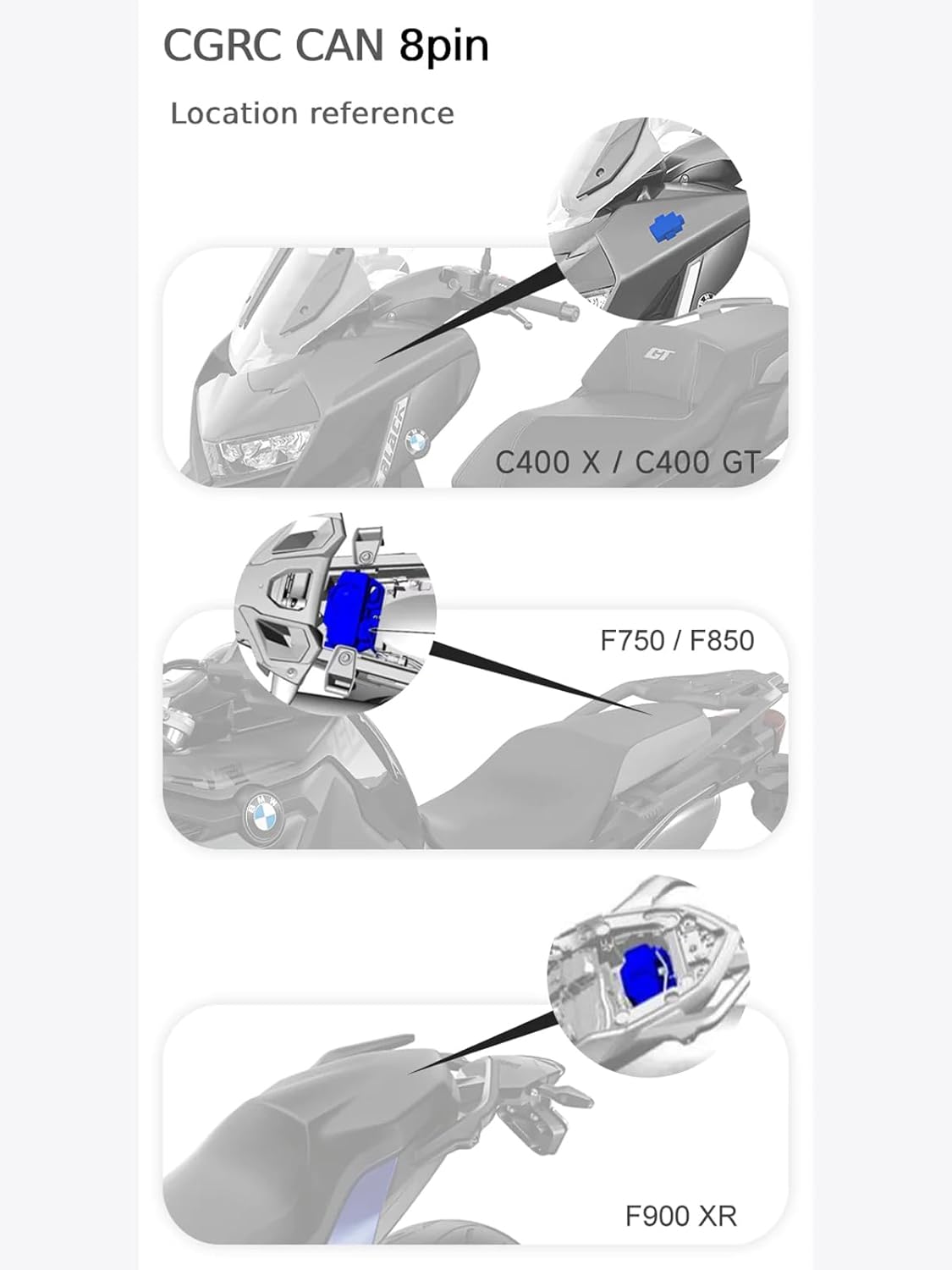
Image: Diagram showing the installation location of the CGRC CAN 8-pin module on a C400 X / C400 GT motorcycle.

Image: Diagram showing the installation location of the CGRC CAN 8-pin module on an F750 / F850 motorcycle.

Image: Diagram showing the installation location of the CGRC CAN 8-pin module on an F900 XR motorcycle.
سيٽ اپ ۽ تنصيب
The CGRC CAN module is designed for non-destructive installation, integrating directly into your motorcycle's existing wiring system. Ensure the motorcycle is turned off before beginning installation.
- Locate the compatible 8-pin port on your motorcycle. Refer to the compatibility diagrams in the previous section for common locations (e.g., near the handlebars, under the seat, or within the fairing).
- Carefully connect the CGRC CAN module's cable to the motorcycle's 8-pin port. Ensure a secure and firm connection.
- Route the cable safely, away from moving parts or heat sources, and secure it using cable ties if necessary.
- Once connected, turn on your motorcycle and the CHIGEE AIO-5 unit to verify functionality.

Image: The CGRC CAN module installed within a motorcycle's wiring compartment, demonstrating its compact size and ease of integration.
آپريٽنگ هدايتون
The CGRC CAN module allows you to control your CHIGEE AIO-5 unit using your motorcycle's existing wheel controller. The functions are categorized by the mode of operation on the AIO-5 unit.
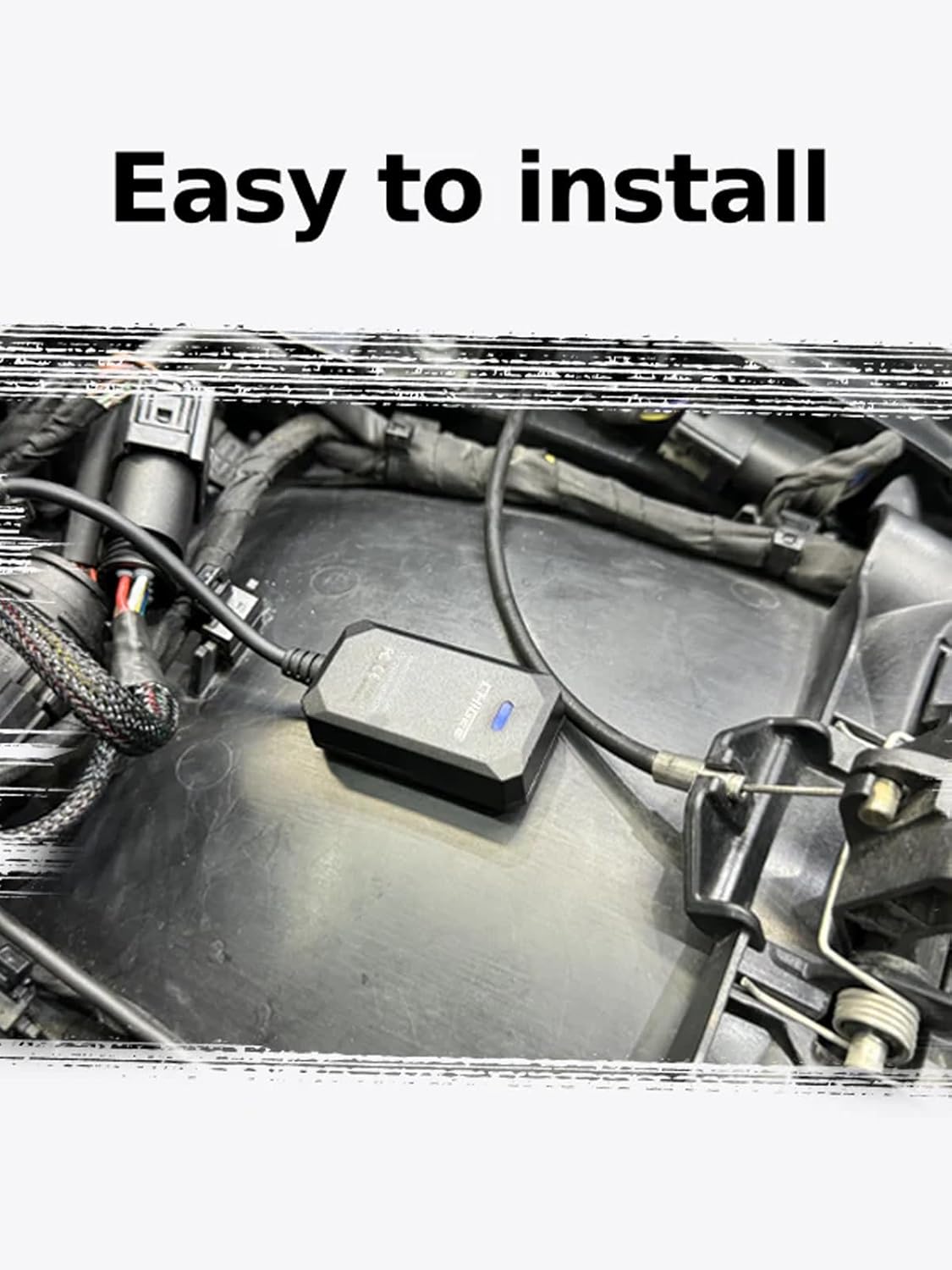
Image: A close-up of a motorcycle's handlebar controls, highlighting the wheel dial (1) and a button (2) used for controlling the AIO-5 unit.
فنڪشن جو تعارف:
- لنڪ موڊ:
- ① Left and right short-dial: Selection applications.
- ② Short press: تصديق ڪريو.
- ڊگهو پريس: پوئين سطح تي واپس وڃو.
- بلوٽوٽ موڊ:
- ① Left and Right Short Pluck: Cut Song (Skip track).
- ② Play/Pause: ميڊيا پلے بیک کي ڪنٽرول ڪريو.
- وڊيو موڊ:
- ① Left dial: Switch camera.
- ساڄي ڊائل: Lock video.
- ② Short press: هڪ تصوير ڪڍو.
- Any State (General Controls):
- ① Long-dial: Switching applications.
- ② Long press: واپسي.
Note: The projection control supports CarPlay, Android Auto, and Bluetooth modes.
وضاحتون
| خاصيت | تفصيل |
|---|---|
| ماڊل نمبر | CGRC |
| برانڊ | چيگي |
| رنگ | ڪارو |
| خاص خصوصيت | ايرگونومي |
| سپورٽ ٿيل ڊوائيسز جو وڌ ۾ وڌ تعداد | 1 (CHIGEE AIO-5 Series) |
| مطابقت رکندڙ ڊوائيسز | BMW motorcycle models equipped with a wheel controller (AIO-5 lite or AIO-5 Play) |
| شيءِ جو وزن | 2.82 آونس (تقريبن 80 گرام) |
| پيڪيج جي ماپ | 5.39 x 3.43 x 2.13 انچ (تقريبن 13.7 x 8.7 x 5.4 سينٽي ميٽر) |
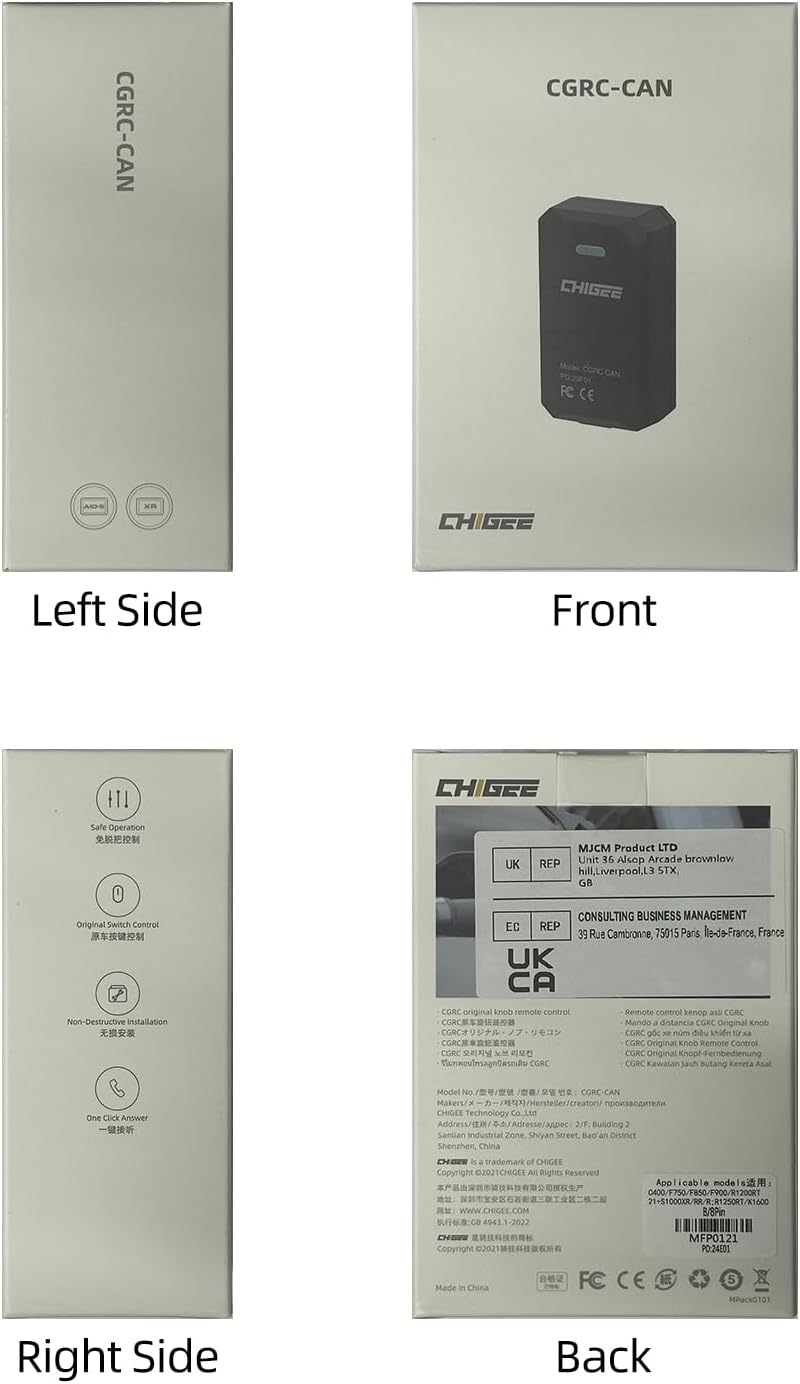
Image: Technical diagram illustrating the dimensions of the CGRC CAN module (51mm length, 27.8mm width, 14.5mm thickness) and its 220mm connecting cables.
سار سنڀال
The CGRC CAN module is designed for durability and requires minimal maintenance. To ensure optimal performance and longevity:
- Keep the module and its connections clean and free from dust, dirt, and moisture. Use a soft, dry cloth for cleaning.
- Periodically check the cable connections to ensure they remain secure and undamaged.
- Avoid exposing the module to extreme temperatures or harsh chemicals.
- If the module becomes wet, ensure it is completely dry before re-establishing power.
مشڪلاتون
If you encounter issues with your CGRC Remote Control CAN 8 PIN, refer to the following common troubleshooting steps:
- No Response from AIO-5 Unit:
- Verify that the CGRC CAN module is securely connected to the motorcycle's 8-pin port.
- Ensure the motorcycle's ignition is on and the AIO-5 unit is powered.
- Check if your motorcycle model is listed as compatible. Refer to the "Compatibility" section.
- وقفي وقفي سان ڪنٽرول:
- Inspect the cable for any signs of damage or loose connections.
- Ensure there are no obstructions or interference near the module or the motorcycle's wheel controller.
- مخصوص ڪم ڪم نه ڪري رهيو آهي:
- Confirm you are in the correct mode (Link, Bluetooth, Video) on your AIO-5 unit for the desired function.
- Refer to the "Operating Instructions" section for the correct button presses and dial movements for each function.
If issues persist after following these steps, please contact CHIGEE customer support for further assistance.
وارنٽي ۽ سپورٽ
For warranty information, product registration, or technical support, please visit the official CHIGEE webسائيٽ تي وڃو يا انهن جي ڪسٽمر سروس ڊپارٽمينٽ سان رابطو ڪريو. وارنٽي دعوائن لاءِ خريداري جي ثبوت طور پنهنجي خريداري جي رسيد رکو.
توهان وڌيڪ معلومات ۽ رابطي جي تفصيل تي ڳولي سگهو ٿا CHIGEE Amazon Store يا سندن سرڪاري webسائيٽ.
Ask a question about this manual
Ask about setup, troubleshooting, compatibility, parts, safety, or missing instructions. Manuals+ will review the question and use this page’s manual context to help answer it.